How Bluetooth Works Step By Step And Why It Matters
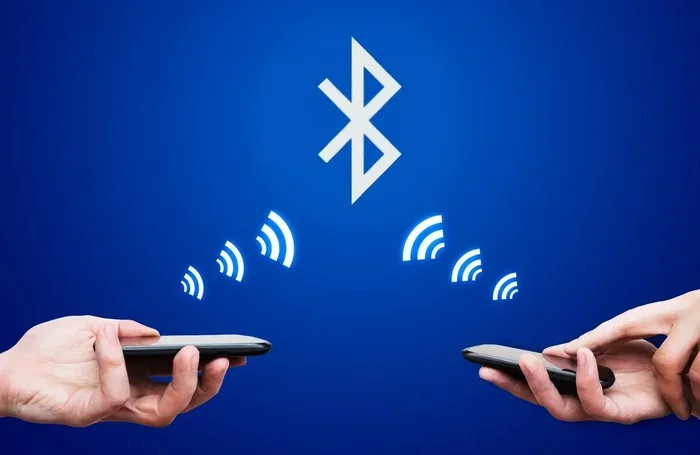
Bluetooth is a short-range wireless technology that lets devices talk to each other without cables. It works by sending radio waves between devices in a simple pairing process. Understanding how Bluetooth works step by step helps you troubleshoot connections and get the most from your wireless devices.
Have you ever wondered what happens when you connect your phone to a speaker or your headphones to a laptop? You tap a button, see a little spinning circle, and suddenly sound flows wirelessly. It feels like magic. But behind that simple moment is a fascinating process that happens in seconds.
How Bluetooth works step by step is a story of radio waves, clever protocols, and tiny chips working together. This guide breaks it all down in plain language. You will learn what Bluetooth is, how devices find each other, and why this technology has become so important in our daily lives.
Whether you use Bluetooth headphones, stream audio to your TV, or connect a Bluetooth transmitter in your car, understanding the basics helps you get more from your devices. Let us walk through the entire process together.
Key Takeaways
- Bluetooth uses radio waves: It sends data over short distances using low-power radio signals at 2.4 GHz.
- The pairing process is simple: Devices discover each other, exchange keys, and create a secure connection.
- Bluetooth has evolved a lot: From Bluetooth 1.0 to 5.4, each version brought better range, speed, and energy efficiency.
- It matters in everyday life: Wireless audio, device connectivity, and hands-free calling all rely on Bluetooth technology.
- Range and interference matter: Physical obstacles and other wireless signals can affect Bluetooth performance.
- Low Energy Bluetooth saves power: BLE lets small devices run for months or years on a single battery.
📑 Table of Contents
What Is Bluetooth and Why Do We Use It?
Bluetooth is a wireless technology standard that lets devices exchange data over short distances. It uses radio waves instead of cables to create connections between devices like phones, speakers, headphones, and TVs.
The technology got its name from a Viking king named Harald Bluetooth who united warring tribes in Scandinavia. Just like that king brought people together, Bluetooth brings devices together. The Bluetooth Special Interest Group (SIG) manages the standards and makes sure all Bluetooth devices work well with each other.
We use Bluetooth technology every single day. Think about your morning routine. You might use a wireless keyboard, wireless earbuds, or a smartwatch that syncs to your phone. All of these rely on Bluetooth pairing to work. Without it, we would be tangled in cables everywhere.
Why Bluetooth Is So Popular
- It is free: You do not need Wi-Fi or a cellular data plan to use it.
- It uses very little power: Especially with Bluetooth Low Energy (BLE).
- It is built into almost everything: Phones, laptops, cars, TVs, and speakers all have it.
- It is simple: Pairing two devices takes just a few seconds.
- It works over short distances: Typically 30 feet or less for most devices.
All of these reasons explain why Bluetooth wireless connection has become the go-to standard for short-range device connectivity. It just works, and it works well.
How Bluetooth Works Step by Step
Now let us get into the heart of the matter. How Bluetooth works step by step is easier to understand than you might think. Each step plays a specific role in getting your devices connected.
Step 1: Devices Become Discoverable
The first step in the Bluetooth pairing process is discovery. When you want to connect two devices, at least one of them needs to be “discoverable.” This means it is broadcasting a signal that says, “Hey, I am here! Come connect with me.”
For example, when you put your Bluetooth headphones in pairing mode, they start sending out a low-power signal. Your phone picks up this signal and lists the headphones as an available device. This is why you see your headphones show up in the list of available devices on your phone screen.
Most devices stay discoverable for only a short time, usually a few minutes. This is a security measure. It prevents strangers from connecting to your devices without permission.
Step 2: Devices Exchange Information
Once one device finds another, they start exchanging information. This is called the “handshake.” They share things like their device names, supported profiles, and capabilities.
Think of it like two people meeting at a party. They introduce themselves and figure out what they have in common. One device might say, “I can stream audio.” The other might say, “I am a speaker that plays audio.” Once they find a match, they move to the next step.
This exchange happens very quickly, often in less than a second. The Bluetooth protocol handles all of this behind the scenes so you do not have to do anything complicated.
Step 3: Pairing and Authentication
Now comes the security part. The devices need to make sure they can trust each other. This is where pairing and authentication happen.
Most of the time, this is automatic. You might see a number appear on both screens, and you confirm that the numbers match. Sometimes you enter a simple PIN code like 0000 or 1234. Other times, you just tap “Pair” on your phone screen.
During this step, the devices create encryption keys. These keys protect the data that flows between them. This is especially important for things like Bluetooth headphones where your private audio calls need to stay secure.
Step 4: The Connection Is Established
Once the devices trust each other, the connection is officially made. Data can now flow freely between them. Your phone sends audio data to your speaker. Your car stereo receives audio from your phone. Your smartwatch gets notifications from your phone.
This connection uses radio waves to transmit data. The devices hop between different frequencies in the 2.4 GHz band. This hopping helps avoid interference from other wireless devices like Wi-Fi routers or microwaves.
The connection stays active as long as both devices are within range and powered on. If one device moves out of range, the connection drops. When they come back close enough, many devices will reconnect automatically.
Step 5: Data Transfers Happen Continuously
After the connection is live, data transfers happen constantly. For audio devices, this means a steady stream of music or voice data flows between devices. For other devices, it could be file transfers, sensor data, or control commands.
Bluetooth Low Energy (BLE) makes this even more efficient for small data transfers. BLE devices use very little power, which is why fitness trackers and smartwatches can last for days or weeks on a single charge.
The data transfer speed depends on the Bluetooth version your devices support. Newer versions are faster and more efficient than older ones. But even older versions handle most everyday tasks just fine.
The Science Behind Bluetooth: Radio Waves and Frequency Hopping
Understanding the science behind how Bluetooth works step by step makes the whole process even more interesting. Let us look under the hood.
Radio Waves and the 2.4 GHz Band
Bluetooth uses radio waves to send data. Specifically, it operates in the 2.4 GHz frequency band. This is the same band that Wi-Fi uses. But Bluetooth handles things differently to avoid conflicts.
The radio waves carry the data as electrical signals. These signals travel through the air from one device to another. They do not need cables, walls, or line of sight. You can leave your phone in your pocket and still stream music to a speaker across the room.
Frequency Hopping Spread Spectrum (FHSS)
One of the coolest features of Bluetooth is something called Frequency Hopping Spread Spectrum, or FHSS for short. Here is what that means in simple terms.
Bluetooth devices hop between 79 different frequencies 1,600 times per second. Yes, you read that right. This rapid hopping does two important things:
- It reduces interference: If one frequency is crowded, the device jumps to a clear one.
- It improves security: The constantly changing frequencies make it hard for others to intercept the signal.
This hopping is built into the Bluetooth protocol and happens automatically. You never notice it, but it is always working to keep your connection stable.
Bluetooth Versions and What Changed
Over the years, Bluetooth versions have improved significantly. Each new version brought better range, faster speeds, and lower power usage.
| Version | Year | Max Speed | Max Range | Key Feature |
|---|---|---|---|---|
| Bluetooth 1.0 | 1999 | 1 Mbps | 33 ft | First consumer version |
| Bluetooth 2.0 | 2004 | 3 Mbps | 33 ft | EDR for faster data |
| Bluetooth 4.0 | 2010 | 25 Mbps | 200 ft | Introduced BLE |
| Bluetooth 5.0 | 2016 | 50 Mbps | 800 ft | Double speed, 4x range |
| Bluetooth 5.3 | 2021 | 50 Mbps | 800 ft | Better power management |
| Bluetooth 5.4 | 2024 | 50 Mbps | 800 ft | Enhanced broadcasting |
As you can see, the Bluetooth wireless technology has come a long way. If you have older devices, you might notice slower speeds or shorter range. But for most everyday tasks, even older versions work great.
Common Uses of Bluetooth in Everyday Life
Bluetooth technology is everywhere. You probably use it more than you realize. Here are some of the most common ways people use Bluetooth every day.
Wireless Audio Streaming
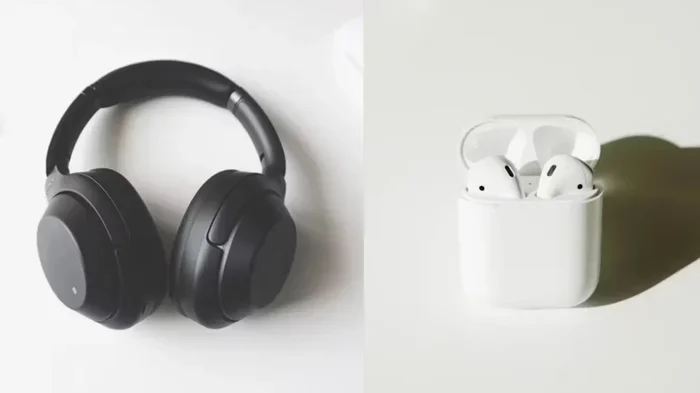
This is the most popular use of Bluetooth. People use it to stream music from their phones to Bluetooth speakers, connect Bluetooth headphones to their phones, or listen to audio on their TV without disturbing others. Many people also use a Bluetooth adapter to add wireless capability to older TVs and stereos.
If you want to listen to your Samsung TV with Bluetooth headphones, you can connect them directly if your TV supports it. Otherwise, a USB Bluetooth dongle can add the capability. This is a simple and affordable solution for wireless audio.
Hands-Free Calling in Cars
Many modern cars support Bluetooth for hands-free calling. You can answer calls through your car speakers without touching your phone. This makes driving safer and more convenient. Some cars also support wireless audio streaming, so you can play music from your phone through your car speakers.
If your car does not have Bluetooth, you can use a Bluetooth transmitter for your car. These small devices plug into your car’s audio jack or charge port and create a Bluetooth connection. They are an easy and affordable upgrade.
Smartwatches and Fitness Trackers
Smartwatches use Bluetooth Low Energy to stay connected to your phone all day long. They track your steps, heart rate, and sleep patterns, then sync that data to your phone. Because BLE uses so little power, these devices can run for days on a single charge.
Home Automation
Smart home devices like lights, locks, and thermostats often use Bluetooth for control. You can adjust your smart lights from your phone or set up routines that trigger when you arrive home. Bluetooth device connectivity makes home automation simple and reliable.
How to Troubleshoot Bluetooth Connection Issues
Even though Bluetooth technology is reliable, you can run into problems sometimes. Here are some quick tips to fix common issues.
Make Sure Devices Are Close Enough
The standard Bluetooth range is about 30 feet for most devices. Walls, furniture, and other obstacles can reduce this distance. If your connection drops, try moving closer to the other device.
Turn Bluetooth Off and On Again
This sounds simple, but it works. Turning Bluetooth off and back on forces both devices to refresh their connections. It is the first thing you should try when something is not working.
Remove Old Pairings
Sometimes old paired devices can cause conflicts. Go into your Bluetooth settings and remove devices you no longer use. Then try pairing fresh. This often fixes strange connection issues.
Check for Interference
Other wireless devices can interfere with Bluetooth signals. Wi-Fi routers, microwaves, and even USB 3.0 ports can cause problems. Try moving away from these devices and see if the connection improves.
Update Your Devices
Software updates often include fixes for Bluetooth connectivity issues. Make sure your phone, laptop, and other devices are running the latest software. This is especially important for older devices that may have known bugs.
If you have an older TV that does not support Bluetooth natively, you can use a USB Bluetooth dongle on your TV or a Bluetooth adapter to add wireless capability. These small devices plug right in and make your TV Bluetooth-ready in seconds.
Why Bluetooth Matters and Where It Is Going
Bluetooth has transformed how we connect our devices. It has made our lives more convenient, more wireless, and more connected. But the story does not end here. The technology continues to evolve and improve.
One of the biggest trends is the growth of Bluetooth Low Energy. BLE lets tiny devices run for months or even years on small batteries. This opens the door for smart sensors, medical devices, and IoT (Internet of Things) gadgets that connect seamlessly.
Another exciting development is LE Audio, which promises better audio quality, lower power usage, and new features like audio sharing. This means you could share music with a friend through a single Bluetooth speaker without any extra setup.
Bluetooth technology will continue to play a big role in wireless device connectivity. From smart homes to connected cars, from wireless earbuds to fitness trackers, Bluetooth makes it all possible. Understanding how Bluetooth works step by step helps you appreciate the technology and use it better in your daily life.
Quick Tips for Better Bluetooth Performance
- Keep your devices updated with the latest software.
- Place Bluetooth devices in the same room for the strongest signal.
- Turn off Bluetooth on devices you are not actively using.
- Restart your devices if connections become unstable.
- Use a Bluetooth transmitter for devices that lack built-in Bluetooth support.
Common Mistakes People Make with Bluetooth
- Forgetting to put devices in pairing mode before trying to connect.
- Keeping too many old paired devices in memory, which can slow things down.
- Placing the Bluetooth receiver too far from the transmitter.
- Ignoring software updates that fix known Bluetooth bugs.
- Assuming all Bluetooth versions perform the same way.
Avoiding these simple mistakes can save you a lot of frustration and keep your wireless connection running smoothly.
Final Thoughts
How Bluetooth works step by step is really about simple, elegant technology working behind the scenes. From the moment devices become discoverable to the final data transfer, every step is designed to be fast, secure, and seamless. The Bluetooth pairing process takes just seconds, and the wireless connection it creates powers so much of what we do every day.
Whether you are streaming music, taking calls, or tracking your fitness, Bluetooth is there making it happen. The technology has come a long way since its early days, and it keeps getting better with each new version. Now that you understand the basics, you can troubleshoot issues faster, choose the right devices, and get more out of your wireless devices.
So the next time you tap “Pair” on your screen and hear music flow through your Bluetooth headphones or Bluetooth speaker, you will know exactly what is happening behind the scenes. It is not magic. It is science. And it is working hard to keep you connected.
Frequently Asked Questions
What is Bluetooth and how does it work?
Bluetooth is a wireless technology that uses radio waves to send data between devices over short distances. Devices discover each other, exchange information, authenticate, and then establish a connection that allows data to flow back and forth.
How far can Bluetooth reach?
Most Bluetooth devices work within 30 feet. However, newer versions like Bluetooth 5.0 and later can reach up to 800 feet under ideal conditions. Walls and other obstacles can reduce the actual range significantly.
Is Bluetooth safe to use?
Yes, Bluetooth is safe. It uses low-power radio waves and includes encryption during the pairing process. The signals are much weaker than cell phone signals and have not been linked to any health risks.
What is Bluetooth Low Energy (BLE)?
Bluetooth Low Energy is a version of Bluetooth designed to use very little power. It is perfect for small devices like fitness trackers, smartwatches, and sensors that need to run for a long time on a tiny battery.
Can I add Bluetooth to a device that does not have it?
Yes, you can. You can use a USB Bluetooth dongle or a Bluetooth adapter to add wireless capability to older TVs, computers, and stereos. These small devices are affordable and easy to set up.
Why does my Bluetooth connection keep dropping?
Bluetooth connections can drop due to distance, physical obstacles, interference from other wireless devices, or outdated software. Try moving closer to the other device, turning Bluetooth off and on, or updating your device software to fix the issue.
=== CONCLUSION ===
How Bluetooth works step by step is a fascinating process that happens in seconds every time you connect your devices. From discovery and pairing to data transfer and low-energy management, each step plays a crucial role in keeping you wirelessly connected. The technology has evolved dramatically, and it continues to shape how we listen to audio, make calls, and interact with our smart devices.
Now that you understand the basics of Bluetooth technology, you are better equipped to use it, troubleshoot it, and appreciate it. Keep your devices updated, place them within range, and enjoy the freedom that Bluetooth wireless connection brings to your everyday life.
=== INTERNAL LINKS ===
If you want to learn more about using Bluetooth with specific devices, check out these helpful guides:
- Can I Use Bluetooth Headphones With PS4? Find out here
- Can I Use Any Bluetooth Headphones With My TV? Read the guide
- Can I Use a USB Bluetooth Dongle on My TV? Learn more
- Can I Make My TV Bluetooth With an Adapter? See how