Can You Get A Laptop That Plays DVDs And Watch Movies
Yes, you can still get a laptop that plays DVDs. Whether you want a built-in optical drive or an external USB DVD drive, there are great options for watching your favorite movies and shows. This guide covers the best laptops with DVD drives, how to choose one, and simple fixes if your disc player stops working.
Can you get a laptop that plays DVDs and watch movies anytime you want? The answer is a simple yes. Many people still love popping in a DVD and settling in for a movie night. Whether you have a collection of discs or need to watch content without internet access, a laptop with a DVD drive is a handy tool.
Over the years, most laptop makers stopped including optical disc drives. They made devices thinner and lighter. But that left a gap for people who still need to play DVDs. The good news is that you have options. You can buy a laptop with a built-in drive, or you can use an external USB DVD drive. Both choices work great for watching movies and accessing your disc collection.
In this article, we will walk you through everything you need to know. We will look at the best laptops that play DVDs, explain how external drives work, and share tips for choosing the right one. By the end, you will know exactly what to look for and where to find it.
Key Takeaways
- Built-in DVD laptops still exist: Several brands offer laptops with optical disc drives for movie lovers.
- External USB DVD drives are affordable: You can add DVD playback to any laptop for under $30.
- Know what to look for: Check drive type, port availability, and brand reputation before buying.
- Common issues are fixable: Most DVD playback problems have simple solutions you can try at home.
- The future is streaming, but DVDs still matter: Physical media remains useful for offline viewing and data storage.
- Choose based on your needs: Budget, portability, and usage frequency all matter when picking a DVD-capable laptop.
📑 Table of Contents
Why Laptops With DVD Drives Still Matter
You might wonder why anyone needs a DVD drive in 2024 and beyond. Streaming services are everywhere. But not everyone has fast internet. Not everyone wants to pay for monthly subscriptions. And some people simply prefer owning physical copies of their favorite movies.
Here are a few reasons why a laptop with an optical disc drive still makes sense:
- No internet needed: You can watch DVDs anywhere, even in areas with poor connectivity.
- Own your collection: Physical discs do not disappear when a streaming service removes a title.
- Share with family: Passing around a DVD is easy and does not require multiple accounts.
- Data storage: DVDs can store files, software, and backups that you can access offline.
- Cost savings: Buying used DVDs is often cheaper than subscribing to multiple streaming platforms.
Many people also use their DVD drives for work. Schools, offices, and libraries still distribute materials on discs. Having a laptop that plays DVDs means you can handle these tasks without extra equipment.
The Rise And Fall Of The Built-In DVD Drive
About ten years ago, almost every laptop came with a disc drive. It was a standard feature. But as consumers demanded thinner and lighter devices, manufacturers began removing them. The trend toward ultrabooks and slim laptops made the optical drive a casualty of design.
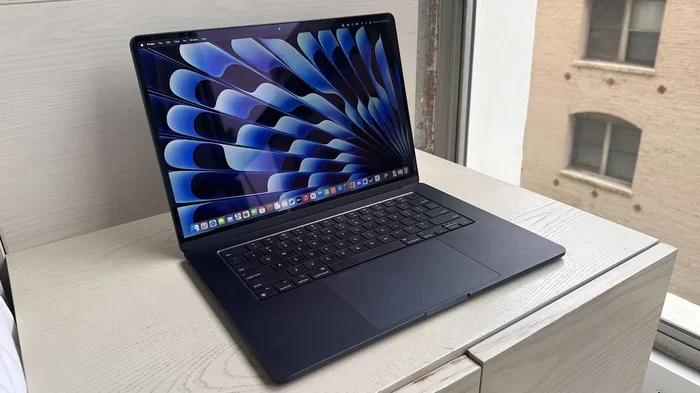
Today, most popular laptop lines like the MacBook Air and Dell XPS do not include a built-in DVD player. This does not mean you are out of luck. Several brands still offer laptops with optical disc drives, and external options are widely available and affordable.
Best Laptops That Play DVDs
If you want a laptop with a built-in DVD drive, you have several solid choices. Let us look at some of the best options available right now.
Dell Inspiron Series
The Dell Inspiron line is one of the most popular choices for people who want a DVD drive. These laptops come in different sizes and price ranges. Many models include a built-in optical disc drive that handles DVDs and CDs with ease.
Dell Inspiron laptops are known for their reliability. They offer good performance for everyday tasks like browsing, streaming, and watching movies. The built-in DVD drive means you do not need any extra accessories. You simply insert a disc and play.
HP Pavilion And Lenovo IdeaPad
HP Pavilion laptops often come with a DVD drive as a standard feature. They are budget-friendly and work well for media consumption. The display quality on many Pavilion models makes watching movies a pleasant experience.
Lenovo IdeaPad laptops also offer DVD playback options in several models. They are lightweight and affordable, making them a great choice for students and casual users. Both brands provide solid build quality and good customer support.
ASUS VivoBook With Optical Drive
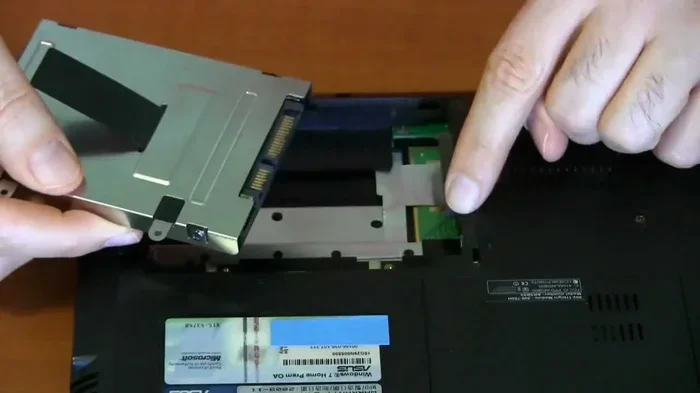
ASUS VivoBook laptops are another option worth considering. Some models include a built-in disc drive and offer competitive pricing. They tend to have vibrant screens and slim designs, which is impressive given they still include an optical drive.
When shopping for a laptop with a DVD drive, always check the product specifications. Not every model from these brands includes a disc drive. Look for terms like “DVD SuperMulti” or “optical disc drive” in the listing.
External DVD Drives: The Simple Solution
If you already own a laptop without a disc drive, do not worry. An external USB DVD drive is an excellent solution. These small devices plug right into your laptop through a USB port. They are portable, affordable, and very easy to use.
Here is how an external DVD drive works:
- Plug the drive into a USB port on your laptop.
- Insert your DVD into the drive tray.
- Your laptop should recognize the disc automatically.
- Open your media player and start watching.
Most external DVD drives cost between $15 and $40. Brands like LG, ASUS, and Dell make reliable external drives. They work with Windows, Mac, and ChromeOS laptops. Some models can also read and write CDs and Blu-ray discs.
Top External DVD Drive Brands
When picking an external DVD drive, consider these trusted brands:
- LG: Known for quiet operation and reliable disc reading. LG external drives are slim and portable.
- ASUS: Offers drives that handle scratched discs well. Good build quality at a fair price.
- Dell: Simple and straightforward. Dell external drives work seamlessly with Dell laptops and others.
- Samsung: Compact design with solid performance. A good choice for frequent travelers.
Look for a drive that supports multiple disc formats. A DVD SuperMulti drive can read and write DVDs and CDs. Some drives also handle Blu-ray discs, which is a nice bonus if you own high-definition movies.
How To Choose A Laptop With A DVD Drive
Not all laptops with disc drives are the same. Before you buy, consider a few important factors. This will help you find the right laptop for your needs and budget.
Check The Drive Type
Not every optical disc drive is the same. Some laptops come with a DVD reader only. Others include a DVD SuperMulti drive that can both read and write discs. If you want to burn your own DVDs, make sure the drive supports writing.
Here is a quick comparison of drive types:
- DVD-ROM: Reads DVDs and CDs only. Cannot burn or write discs.
- DVD-RW: Reads and writes DVDs and CDs. Good for most users.
- DVD SuperMulti: Supports all DVD formats including double-layer discs. The most versatile option.
- Blu-ray Combo Drive: Reads Blu-ray and DVDs, and writes DVDs and CDs. Great for movie enthusiasts.
Consider Port Availability
If you are buying an external DVD drive, check that your laptop has enough USB ports. Most external drives use a standard USB-A connection. Some newer drives use USB-C. Make sure your laptop supports the connection type your drive needs.
If your laptop has limited ports, consider getting a USB hub. This gives you extra ports for your DVD drive and other accessories like a mouse or external hard drive.
Think About Portability
Laptops with built-in DVD drives tend to be thicker and heavier than those without. If you carry your laptop everywhere, this extra weight matters. An external DVD drive solves this problem because you only carry it when you need it.
For home use or office settings, a built-in drive works great. For travel and on-the-go use, consider pairing a slim laptop with a portable external drive.
Common Problems And How To Fix Them
Even with a good laptop or external drive, you may run into issues sometimes. DVD playback problems are common and usually easy to fix. Here are some of the most frequent issues and their solutions.
DVD Won’t Play On Your Laptop
If you insert a DVD and nothing happens, do not panic. Try these steps first:
- Make sure the disc is clean and free of scratches.
- Check that your media player software is up to date.
- Restart your laptop and try again.
- Try a different DVD to rule out a bad disc.
- Update your laptop’s drivers through Device Manager.
Sometimes the issue is a missing codec. Codecs are small programs that help your laptop decode video and audio from discs. Installing a free codec pack like VLC Media Player often solves this problem right away.
External DVD Drive Not Recognized
If your external drive does not show up on your laptop, try these fixes:
- Unplug the drive and plug it into a different USB port.
- Try a different USB cable if one came with the drive.
- Restart your laptop with the drive connected.
- Check Device Manager to see if the drive appears there.
- Update the USB drivers on your laptop.
Most external DVD drives are plug-and-play. This means they should work immediately without installing extra software. If yours does not, a driver update usually fixes the problem.
Loud Or Noisy DVD Drive
A noisy drive can be annoying. If your laptop’s built-in drive makes loud spinning or clicking sounds, try these tips:
- Clean the disc lens with a soft, lint-free cloth.
- Make sure the laptop is on a flat, hard surface.
- Avoid using the laptop on soft surfaces like beds or couches.
- If the noise persists, the drive may need replacement.
The Future Of DVD Playback On Laptops
The laptop industry is moving toward streaming and cloud-based content. More and more laptops are being built without any optical disc drive at all. This trend is unlikely to reverse. However, DVDs and physical media still have a place in many homes and businesses.
External DVD drives will likely remain available for years to come. They are cheap to manufacture and easy to sell. Even as laptops get thinner, there will still be a market for portable disc players that connect via USB.
For now, if you need to watch DVDs on a laptop, you have plenty of options. You can find new laptops with built-in drives, buy a used laptop with a disc player, or add an external USB drive to any modern laptop. The choice depends on your budget, preferences, and how often you need DVD playback.
Some people also wonder about alternatives to DVDs. Streaming services offer convenience, but they require internet access and subscriptions. Blu-ray discs offer better quality but need a Blu-ray drive. For simple, reliable movie watching without internet, a DVD on a laptop remains a solid choice.
Tips For Protecting Your DVD Collection
If you have a collection of DVDs, take good care of them. Store discs in their cases when not in use. Keep them away from heat and direct sunlight. Clean discs gently with a soft cloth before playing them. These simple habits will help your discs last for years.
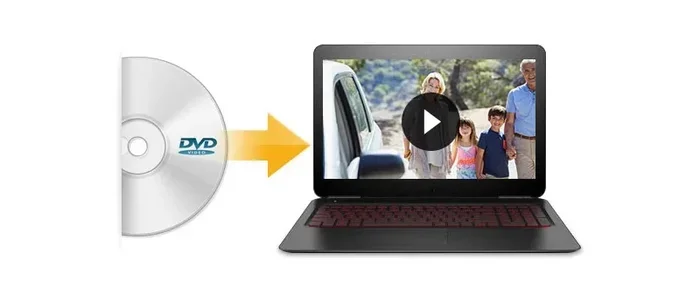
You can also back up your DVDs to your laptop’s hard drive. This lets you watch movies without needing the physical disc. Just make sure you follow copyright laws and only back up discs you own.
Final Thoughts
Can you get a laptop that plays DVDs and watch movies with ease? Absolutely. Whether you choose a laptop with a built-in DVD drive or add an external USB drive, you can enjoy your favorite movies anytime. The options are plentiful and affordable.
Take your time when shopping. Consider what matters most to you. Do you need a built-in drive for convenience? An external drive for portability? A drive that can burn discs as well as play them? Answering these questions will guide you to the right choice.
The beauty of today’s market is that you are not limited. You can mix and match laptops and drives to fit your exact needs. A slim laptop plus a portable external DVD drive gives you the best of both worlds. You get a lightweight machine for everyday use and a reliable disc player when you need one.
So go ahead and find the perfect setup for your movie nights. Whether you are watching classics from your collection or catching up on a favorite series, a laptop with DVD playback makes it all possible. Enjoy your movies and make the most of your viewing experience.
Frequently Asked Questions
Can any laptop play DVDs with an external drive?
Yes, almost any laptop can play DVDs when connected to an external USB DVD drive. The drive works with Windows, Mac, and ChromeOS laptops. You just plug it in, insert the disc, and your laptop will recognize it. Make sure your laptop has an available USB port for the drive.
Are laptops with built-in DVD drives still being manufactured?
Yes, several brands still manufacture laptops with built-in DVD drives. Dell Inspiron, HP Pavilion, and Lenovo IdeaPad models often include optical disc drives. However, they are less common than laptops without drives. Always check the product specifications before purchasing to confirm the drive is included.
How much does an external DVD drive cost?
External DVD drives typically cost between $15 and $40. Basic models that read and write DVDs are the most affordable. Drives that also handle Blu-ray discs cost a bit more. Brands like LG, ASUS, and Dell offer reliable options at various price points.
Can I burn DVDs on a laptop with an external drive?
Yes, most external DVD drives support both reading and writing discs. Look for a DVD SuperMulti or DVD-RW drive for the best burning capabilities. You will need blank DVD discs and DVD burning software. Many laptops come with built-in burning tools, or you can use free software like ImgBurn or CDBurnerXP.
Why do modern laptops not include DVD drives anymore?
Laptop manufacturers removed DVD drives to make devices thinner, lighter, and more portable. Most users now stream content online, reducing the need for physical discs. Removing the drive also allows for larger batteries and sleeker designs. However, external drives still provide full DVD playback when needed.
What is the difference between a DVD drive and a Blu-ray drive?
A standard DVD drive can read and write DVDs and CDs. A Blu-ray drive can read Blu-ray discs, DVDs, and CDs. Blu-ray drives offer higher video quality and storage capacity. If you watch a lot of high-definition movies, a Blu-ray drive is worth the extra cost. For basic DVD playback, a standard DVD drive works perfectly.