Are Qr Codes Free Everything You Need To Know About Them
Are QR codes free? The short answer is yes — most basic QR codes cost nothing to create and use. Static QR codes are completely free, while dynamic QR codes may require a paid subscription for advanced features. This guide covers everything you need to know about QR code pricing, tools, and limitations.
This is a comprehensive guide about Are Qr Codes Free.
Key Takeaways
- Basic QR codes are 100% free: Static QR codes cost nothing to generate and use forever.
- Dynamic QR codes may cost money: They offer tracking and editing features that often require a paid plan.
- Many free QR code generators exist: Popular tools like QR Code Generator, Beaconstac, and Canva let you create codes at no cost.
- There are no ongoing usage fees: Once created, a QR code is free to scan and share indefinitely.
- Paid plans unlock extra features: Analytics, customization, and bulk creation are common paid add-ons.
- Your phone can scan QR codes for free: Most modern smartphones have built-in QR scanning built right into the camera app.
- Understanding the difference matters: Knowing static vs. dynamic helps you choose the right tool for your needs.
[FEATURED_IMAGE_PLACEHOLDER]
Are Qr Codes Free? The Short Answer
Let us get straight to the point. Are QR codes free? Yes, they are. The technology behind QR codes is open and widely available. You can create, share, and scan them without paying a single penny. But here is the catch. Not all QR codes are created equal.
Some QR codes are totally free. Others come with premium features that cost money. This guide breaks it all down for you. We will look at how QR codes work, what they cost, and which tools you should use. By the end, you will know exactly what you are getting into. Let us dive right in.
What Is a QR Code?
A QR code stands for Quick Response code. It is a square-shaped barcode that holds information. When you scan it with your phone, it takes you to a website, a video, or a contact card. The technology was invented in 1994 by a Japanese company called Denso Wave. Back then, it was used for tracking car parts. Today, QR codes are everywhere. You see them on restaurant menus, billboards, business cards, and product packaging.
The beauty of QR codes is their simplicity. You point your camera, scan, and boom. You are redirected. No typing URLs. No searching. It is fast and convenient. And the best part? The basic technology is free for everyone to use. Denso Wave actually made the patent public, which means anyone can build and share QR codes without paying royalties.
How Do QR Codes Work?
QR codes use black and white squares arranged on a grid. Each square holds data. When a scanner reads the code, it decodes the pattern into readable information. There are two main types you should know about. The first is a static QR code. The second is a dynamic QR code. Let us look at both.
A static QR code holds fixed information. Once you create it, the data cannot be changed. For example, if you encode a website URL, that URL stays the same forever. A dynamic QR code acts differently. It uses a short redirect link. This means you can change the destination URL even after the code is printed. Dynamic codes also offer analytics, like scan counts and location data.
Are Qr Codes Free to Create?
Yes, creating a QR code is free in most cases. You do not need special software or a paid account to get started. There are dozens of free QR code generators online. You type in your information, click a button, and download your code. It really is that simple.
But here is where things get interesting. Free tools usually give you static QR codes. If you want tracking, editing, or advanced design options, you may need to pay. Let us break this down further.
Free QR Code Generators You Can Use Today
You do not need to spend money to get started. Plenty of websites offer free QR code creation. Here are some popular options:
- QR Code Generator (qr-code-generator.com): This is one of the most well-known free tools. It lets you create codes for URLs, text, Wi-Fi, and more.
- Canva: Canva has a built-in QR code maker. It is perfect if you are already designing flyers or social media posts.
- Beaconstac: Offers a free tier with basic QR code creation. Great for beginners who want a simple solution.
- QRCode Monkey: Completely free and open source. You can customize colors and logos on your codes.
- GoQR.me: A lightweight tool that generates codes in seconds. No sign-up required.
All of these tools let you download your QR code as an image file. You can then print it, share it online, or add it to your marketing materials. The best part? You do not need to create an account for most of them.
What About Dynamic QR Codes?
Dynamic QR codes are where costs can come in. Most free generators do not offer dynamic codes. If you want the ability to edit your destination link or view scan analytics, you will likely need a paid plan. Services like QR Code Generator PRO, Beaconstac, and Bitly offer dynamic features for a monthly fee.
These paid plans usually start around $5 to $20 per month. They give you access to detailed scan reports, custom branding, and higher resolution downloads. For small businesses or casual users, the free static options work perfectly fine. But if you are running a marketing campaign, dynamic codes can be worth the investment.
Are There Any Hidden Costs?
This is a great question, and the answer is mostly no. But there are a few things to watch out for. Let us talk about potential costs you might encounter.
Hosting and Redirect Fees
Dynamic QR codes need a short URL to work. That short URL must be hosted somewhere. Most QR code services host this for you. But if you switch providers, you might lose access to your code. Some services charge a fee to keep your dynamic QR code active after your subscription ends. Always read the fine print before you commit.
Custom Design and Branding
Want a QR code with your logo in the center? Colorful designs? Custom shapes? Free tools usually offer basic customization. For advanced branding options, you may need to upgrade to a paid plan. This is not a hidden cost exactly. It is more of a premium feature that costs extra.
Printing Costs
The QR code itself is free. But printing it on stickers, flyers, or banners costs money. This is not a QR code fee. It is a printing cost. Keep that in mind when planning your marketing budget.
Are Qr Codes Free to Scan?
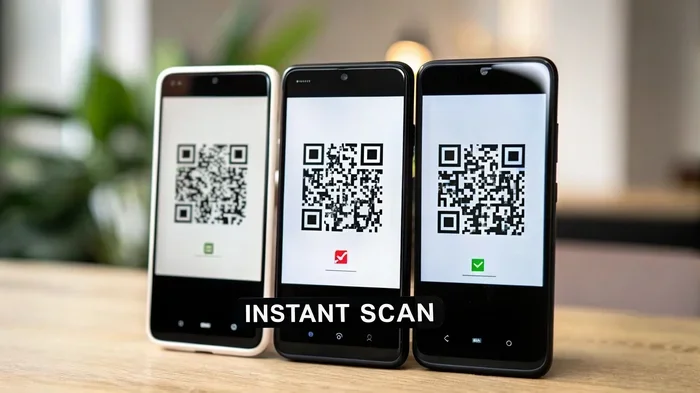
Absolutely. Scanning a QR code costs nothing. You do not need a special app or a paid subscription. Most modern smartphones can scan QR codes right out of the box. Both iPhone and Android devices have built-in scanning in their default camera apps.
Just open your camera, point it at the code, and tap the notification that appears. You will be taken to the linked content instantly. No fees. No subscriptions. No hidden charges. The scanning experience is completely free for the end user.
Do I Need a Special App to Scan QR Codes?
In most cases, no. Your phone camera handles it. But if you have an older device, you might need a free scanning app. Apps like Kaywa, NeoReader, and Google Lens work well. They are all free to download and use. You will not be asked to pay anything to scan a code.
One more thing to keep in mind. Always make sure you trust the QR code you are scanning. Scanning an unknown code can sometimes lead to malicious websites. Stick to codes from trusted sources. This is especially important when scanning codes in public places or on unfamiliar printed materials.
QR Code Use Cases That Are Completely Free
QR codes are incredibly versatile. And the best part is that many of the most common use cases cost nothing. Here are some ways you can use QR codes for free:
Sharing Website Links
Want to share your website on a poster or business card? Create a static QR code that links to your URL. Print it. Done. No cost involved. This is one of the most popular and simplest use cases for QR codes.
Sharing Contact Information
You can create a vCard QR code that shares your name, phone number, email, and address. When someone scans it, their phone saves your contact details automatically. This is a great free alternative to handing out physical business cards.
Connecting to Wi-Fi
Hosting a party or running a small business? Create a QR code that automatically connects people to your Wi-Fi network. They scan it, and their phone joins the network without them typing in a password. It is a small thing that makes a big impression.
Linking to Social Media Profiles
Put a QR code on your resume or portfolio that links directly to your Instagram, LinkedIn, or TikTok profile. It makes it easy for people to find and follow you. And creating the code costs absolutely nothing.
Sharing Digital Menus and Documents
Restaurants and small businesses can use QR codes to link to digital menus, PDF files, or online forms. This saves money on printing and makes it easy to update content whenever needed. A free static QR code handles this perfectly.
When Should You Pay for a QR Code Service?
Free QR codes work great for most personal and small business needs. But there are times when paying for a service makes sense. Let us look at when you might want to spend money.
Running a Large Marketing Campaign
If you are launching a big campaign, you need data. Dynamic QR codes give you scan analytics. You can see how many people scanned your code, where they were, and what device they used. This data helps you measure success and optimize future campaigns. Most analytics features come with a paid plan.
Need Editable Content
Say you printed 1,000 flyers with a QR code linking to your website. Next week, you change your URL. With a static code, you are out of luck. You would need to reprint everything. A dynamic QR code lets you change the destination link without reprinting. This feature saves time and money in the long run.
Custom Branding and Design
Businesses that want a polished, branded look often need custom QR codes. These include logos, brand colors, and unique shapes. Free tools offer basic customization. But for full branding control, a paid service is usually the way to go.
High Volume and Bulk Creation
If you need hundreds or thousands of unique QR codes, free tools may not be enough. Paid platforms offer bulk creation features. They also provide API access for automation. This is useful for e-commerce stores, event organizers, and large-scale marketers.
Common Mistakes People Make With Free QR Codes
Using QR codes is easy. But avoiding common mistakes makes a big difference. Here are some things to watch out for.
- Using tiny QR codes: If the code is too small, phones cannot scan it. Make sure it is at least 1 inch by 1 inch for printed materials.
- Placing codes where there is no Wi-Fi: If you put a QR code on a billboard in the middle of nowhere, people cannot scan it easily. Think about context.
- Not testing your code: Always scan your own code before printing or publishing. A broken link wastes everyone time.
- Using a dynamic code for a one-time use: If you do not need tracking or editing, stick with a free static code. Do not pay for features you do not need.
- Ignoring the landing page: The page your QR code links to should be mobile-friendly. Most people scan codes with their phones. If the page looks bad on mobile, you lose their attention.
Expert Insights on QR Code Costs
Industry experts agree that QR codes are one of the most cost-effective marketing tools available today. The technology itself has been free since the patent expired in 2015. This means anyone can use it without licensing fees or restrictions.
According to digital marketing professionals, the real cost of QR codes is not in the code itself. It is in the strategy behind it. A well-placed free QR code on a restaurant menu can drive more traffic than a paid advertisement. The key is to use QR codes in the right place, with the right destination, and for the right audience.
Many experts also recommend starting with free tools and upgrading only when you need advanced features. This approach lets you test the waters without any financial risk. Once you see the value, you can decide if a paid plan is worth it for your specific situation.
Are Qr Codes Free Forever?
Here is the good news. Static QR codes are free forever. Once you create one, you can use it indefinitely. There are no renewal fees, no hidden charges, and no expiration dates. Your code will keep working as long as the destination link stays active.
Dynamic QR codes are a different story. Most services require an active subscription to keep the code live. If you cancel your paid plan, your dynamic code might stop working. Some providers let you download your data before canceling. But the code itself may become inactive. This is why it is important to understand the terms before you commit to a paid service.
If you want a permanent, no-cost solution, go with a static QR code. It is simple, reliable, and completely free. You never have to worry about it again.
Final Thoughts on Are Qr Codes Free
So, are QR codes free? The answer is a clear yes for the basics. You can create, share, and scan QR codes without spending a dime. Static QR codes are completely free and work great for most everyday needs. You do not need a fancy tool or a paid account to get started.
If you want more advanced features like analytics, editing, and bulk creation, paid plans are available. But they are entirely optional. For personal use, small businesses, and simple marketing efforts, the free options are more than enough.
The technology behind QR codes is open and accessible to everyone. Whether you are a student sharing a portfolio, a restaurant owner linking to your menu, or a marketer running a campaign, QR codes give you a powerful tool at zero cost. Start creating today and see how easy it really is.
Remember, the best QR code strategy is the one that actually works for you. Keep it simple, test your codes, and focus on providing value to the people who scan them. With free tools and a little creativity, you can do amazing things with QR codes. No wallet required.
Frequently Asked Questions
Are all QR codes completely free to use?
Most basic QR codes are completely free. Static QR codes cost nothing to create and use forever. However, dynamic QR codes with advanced features like analytics may require a paid subscription. The core technology is open and royalty-free for everyone.
Do I have to pay to scan a QR code?
No, scanning a QR code is completely free. Most modern smartphones can scan codes using the built-in camera app. You do not need to download any paid apps or sign up for any service to scan a QR code.
Which free QR code generator is the best?
Some of the best free options include QR Code Generator, Canva, QRCode Monkey, and Beaconstac. Each offers different features, but all let you create basic QR codes at no cost. Choose one based on your specific needs like design customization or ease of use.
Can I use a free QR code for my business?
Yes, absolutely. Many small businesses use free QR codes every day. They work great for linking to websites, menus, contact info, and social media profiles. Free static QR codes are reliable and suitable for most business use cases.
What happens if I stop paying for a dynamic QR code service?
If you cancel a paid dynamic QR code plan, your code may stop working or become read-only. Some providers allow you to download your data before canceling. To avoid this risk, use static QR codes for permanent links that do not need editing or tracking.
Are there any limits on free QR code generators?
Free tools usually have some limitations. These may include fewer customization options, no analytics, and lower resolution downloads. For most everyday uses, these limits do not matter. You can always upgrade later if you need more advanced features.
=== CONCLUSION ===
Are QR codes free? Yes, they are. Basic QR codes are completely free to create, share, and scan. You do not need to spend money to get started. Plenty of excellent free tools are available right now. Static QR codes work great for most needs and never expire. Dynamic QR codes offer extra features but may require a paid plan. The choice is yours. Start simple, test what works, and scale up when you are ready. QR codes are one of the easiest and most affordable tools in digital marketing today. Use them wisely and they will serve you well for years to come.