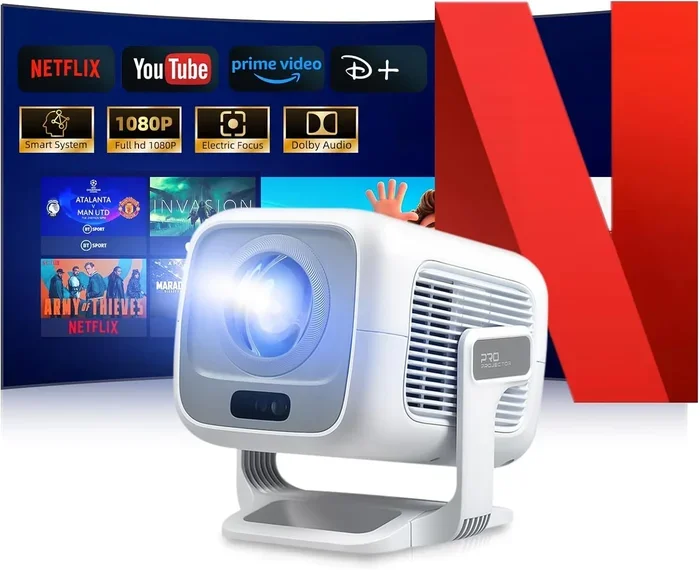
Can You Watch Netflix On A Big Home Theater Projector
Yes, you can absolutely watch Netflix on a big home theater projector. Whether you use a smart projector, a streaming stick, or screen mirroring from your phone, getting Netflix on a large projection screen is easier than you think. This guide walks you through every method, setup requirement, and pro tip to enjoy your favorite shows and movies in stunning big-screen quality.
Key Takeaways
- Multiple ways to stream: You can watch Netflix on a projector using a smart projector, a streaming device like Roku or Chromecast, or by mirroring your phone or laptop.
- HDMI is the easiest connection: Most projectors support HDMI, making it simple to plug in a streaming stick or laptop for instant Netflix access.
- Resolution matters: A projector with at least 1080p Full HD delivers a sharp Netflix experience, and 4K projectors take it to the next level.
- Audio setup enhances the experience: Connecting external speakers or a soundbar to your projector dramatically improves movie night sound quality.
- Screen choice affects results: A dedicated projector screen or a light-colored wall gives you a much better picture than a dark or textured surface.
📑 Table of Contents
- Can You Watch Netflix On A Big Home Theater Projector?
- Why Watch Netflix On A Projector?
- Methods To Watch Netflix On Your Projector
- What You Need For The Best Netflix Projector Setup
- Common Problems And How To Fix Them
- Tips For The Ultimate Netflix Projector Experience
- Can You Use A Projector Instead Of A TV For Netflix?
- Final Thoughts
Can You Watch Netflix On A Big Home Theater Projector?
There is nothing quite like watching your favorite Netflix series on a massive screen. A big home theater projector turns your living room into a personal cinema. But can you actually stream Netflix on a projector? The short answer is yes. The longer answer depends on the type of projector you own and how you connect it to the internet.
Watching Netflix on a projector is not just possible. It is one of the best ways to enjoy your favorite shows and movies. A projector gives you a screen size that no TV can match. Whether you want to watch a thriller on a 100-inch screen or host a movie night with friends, a projector makes it happen. In this guide, we will show you every method, every device, and every tip you need to get Netflix running on your projector.
People love the idea of a home theater setup. A projector paired with a good sound system creates an immersive experience that feels like being inside the movie. And with Netflix offering thousands of titles in HD and even 4K, the quality is better than ever. Let us dive into exactly how you can make this work for your setup.
Why Watch Netflix On A Projector?
You might wonder why bother with a projector when you already have a TV. The difference is huge. A projector screen can be 80, 100, or even 150 inches. That is a dramatic difference from even the biggest TVs on the market. Here is why more people are choosing to stream Netflix on a projector.
The Big Screen Advantage
A home theater projector gives you a cinematic experience at home. When you watch Netflix on a large projection screen, you feel more connected to the content. Details pop. Colors feel richer. And the sense of immersion is unmatched. Even a mid-range projector can create a screen size that makes your TV feel small.
Think about your last movie night. Did the screen size make a difference? Probably yes. A bigger screen draws you in. It makes you feel like you are part of the story. That is the magic of a projector.
Cost vs. Experience
Projectors have become very affordable in recent years. You can find a solid 1080p projector for a reasonable price. Compare that to a large-screen TV with similar picture quality. A projector often gives you more screen for your dollar. And when you pair it with Netflix, the value is hard to beat.
Methods To Watch Netflix On Your Projector
There are several ways to get Netflix running on a projector. Each method works differently depending on your projector type and what devices you own. Let us explore the most popular options.
Method 1: Use A Smart Projector
A smart projector has built-in apps and WiFi connectivity. You can connect it to your home network and open the Netflix app directly on the projector. No extra devices needed. This is the simplest method for watching Netflix.
Many modern smart projectors come with the Netflix app pre-installed. You just sign in with your Netflix account and start streaming. Some projectors run on Android TV or built-in operating systems that support all major streaming apps. If you are buying a new projector, look for one labeled as a smart projector with app support.
Before you buy, check the specs. Make sure the projector supports at least 1080p resolution for a clear Netflix picture. Also look for built-in WiFi and enough storage to run apps smoothly.
Method 2: Use A Streaming Device
If your projector is not a smart projector, you can still stream Netflix. You just need a streaming device. A streaming stick or box plugs into your projector and gives it smart capabilities. Here are the most popular options.
- Roku Streaming Stick: A Roku with a projector works great. You plug the stick into the HDMI port, connect to WiFi, and open the Netflix app. Roku devices are affordable and easy to set up.
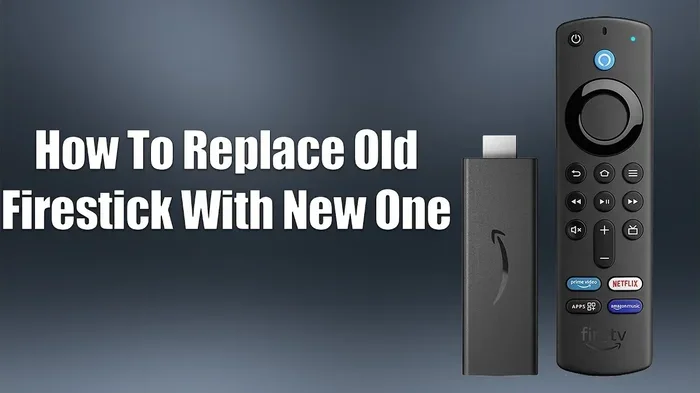
- Amazon Fire TV Stick: This is another excellent choice. It supports Netflix and many other apps. The Fire TV Stick 4K even supports 4K streaming for compatible projectors.
- Google Chromecast: You can cast Netflix from your phone or laptop to the projector using a Chromecast device. It is a simple and wireless option.
- Apple TV: If you are in the Apple ecosystem, an Apple TV box connects via HDMI and gives you access to Netflix and many other apps.
All of these devices plug directly into the projector’s HDMI port. If your projector does not have an HDMI port, you may need an adapter. We will cover that later.
Method 3: Screen Mirror From Your Phone Or Laptop
Screen mirroring is a great option if you do not want to buy extra devices. You can mirror your phone or laptop screen to the projector and watch Netflix that way.
For Android users, casting from your phone to a compatible projector works well. For iPhone users, you can mirror your screen using AirPlay if the projector supports it. You can also connect your laptop to the projector with an HDMI cable and watch Netflix directly from the browser.
If you want to mirror wirelessly, make sure your projector and phone are on the same WiFi network. This is one of the easiest ways to get Netflix on a projector without buying any extra hardware.
Method 4: Connect Through A Laptop
A laptop gives you the most flexibility. You can connect it to the projector using an HDMI cable and open Netflix in your browser. This method works with almost any projector that has an HDMI input.
Simply plug the HDMI cable into your laptop and the projector. Switch the projector to the correct input source. Open Netflix in your browser, sign in, and start watching. This method also lets you use your laptop keyboard and mouse for easy navigation.
What You Need For The Best Netflix Projector Setup
Getting Netflix on a projector is only half the battle. To get the best experience, you need the right setup. Here is what matters most.
HDMI Connection
The HDMI cable is the backbone of any projector setup. It carries both video and audio from your streaming device to the projector. Most modern projectors have at least one HDMI port. Make sure you use a high-quality HDMI cable, especially if you want to stream in HD or 4K.
If your projector only has older ports like VGA or RCA, you will need an adapter. A HDMI to VGA adapter or an HDMI to RCA converter can bridge the gap. However, adapters may reduce video quality. An HDMI connection always gives the best results.
Projector Resolution
Resolution determines how sharp your Netflix picture looks. Here is a quick comparison of common projector resolutions for streaming Netflix.
- 720p (HD): Decent for casual viewing. You will notice some softness on a large screen.
- 1080p (Full HD): The sweet spot for most users. Sharp, clear, and great for Netflix content.
- 4K Ultra HD: The best possible quality. Stunning detail and color depth for compatible Netflix titles.
For the best Netflix experience, aim for at least a 1080p projector. If your budget allows, a 4K projector delivers incredible picture quality that makes Netflix content look amazing.
Brightness And Room Conditions
Projector brightness is measured in lumens. For watching Netflix in a dark room, a projector with 1,500 to 2,000 lumens works well. If you plan to watch during the day or in a bright room, you need a brighter projector, ideally 3,000 lumens or more.
The color of your wall or screen also matters. A white or light gray screen gives the best picture. You can even use a black cloth for projector setups to improve contrast in certain lighting conditions. Avoid projecting onto dark or textured surfaces, as they absorb light and reduce image quality.
Audio Setup
Most projectors have small built-in speakers. They work, but they do not deliver the immersive sound you want for a movie night. For the best experience, connect external speakers or a soundbar to your projector.
You can connect speakers using the projector’s audio output. Some setups use Bluetooth speakers, while others use wired connections. A good sound system makes a huge difference in how you experience Netflix content on a big screen.
Common Problems And How To Fix Them
Watching Netflix on a projector is not always seamless. Here are some common issues and simple fixes.
Netflix App Not Available On The Projector
Some projectors do not have the Netflix app built in. This is common with older or budget models. The fix is simple. Use a streaming device like a Roku or Fire TV Stick. These devices have the Netflix app and work with any projector that has an HDMI port.
No Sound From The Projector
If you have video but no audio, check your connections first. Make sure the HDMI cable is fully seated. Also check the projector’s audio settings. Some projectors route audio through HDMI, while others use a separate audio output. If you are using external speakers, make sure they are turned on and connected properly.
Poor Picture Quality
A blurry or dim Netflix picture can ruin the experience. Start by checking your resolution settings. Make sure Netflix is set to stream in the highest quality available. Then check your projector settings. Adjust the brightness, contrast, and sharpness to match your viewing environment. Also make sure the projector lens is clean and properly focused.
WiFi Connectivity Issues
If your smart projector or streaming device keeps disconnecting from WiFi, try moving your router closer to the projector. You can also use a WiFi extender to boost the signal. A stable internet connection is essential for smooth Netflix streaming. For HD streaming, you need at least 5 Mbps. For 4K, aim for 25 Mbps or higher.
Tips For The Ultimate Netflix Projector Experience
Once you have Netflix running on your projector, you can take your setup to the next level. Here are some pro tips to make every movie night amazing.
- Use a dedicated projector screen: A proper screen gives you a much better picture than a bare wall. It improves brightness, contrast, and color accuracy.
- Control ambient light: Dim the lights or use blackout curtains for the best picture quality. Less light means sharper, more vibrant images.
- Use a universal remote: A universal remote lets you control both the projector and your streaming device. It makes the experience feel more like a real home theater.
- Keep your firmware updated: Regular updates fix bugs and improve performance. Check for updates on your projector and streaming device regularly.
- Organize your cables: Use cable management solutions to keep your setup clean. A tidy setup looks better and prevents connection issues.
With the right setup, watching Netflix on a projector becomes an everyday pleasure. You do not need a professional home theater to enjoy big-screen streaming. A simple projector, a streaming device, and a good WiFi connection are all you need.
Can You Use A Projector Instead Of A TV For Netflix?
Many people ask whether a projector can fully replace a TV for streaming Netflix. The answer is yes for most use cases. A projector gives you a much larger screen than any TV. It also creates a more immersive viewing experience. However, projectors work best in dimmer lighting conditions. If you watch TV in a bright room with lots of natural light, a TV might still be the better choice.
For dedicated movie nights and evening viewing, a projector is hard to beat. The big screen makes Netflix content feel like a theatrical experience. And with the affordable prices of modern projectors, more people are making the switch.
Final Thoughts
Watching Netflix on a big home theater projector is one of the best upgrades you can make to your entertainment setup. It does not matter if you use a smart projector, a streaming stick, or screen mirroring. There is a method that works for everyone. The key is to match your setup to your projector type and your viewing preferences.
Start with the basics. Make sure your projector has a good resolution and enough brightness. Use an HDMI connection for the best picture and sound. Add a streaming device if your projector does not have built-in apps. And invest in a decent sound system to complete the experience.
Once you see Netflix on a big projection screen, you will never want to go back to a small TV. The immersion, the scale, and the quality all come together to create an unforgettable viewing experience. Set up your projector tonight, pick a movie, and enjoy the show.
Frequently Asked Questions
Can I watch Netflix on any projector?
Most projectors can display Netflix, but the method varies. Smart projectors with built-in WiFi and apps let you stream directly. Non-smart projectors need a streaming device like a Roku or Fire TV Stick connected via HDMI. Even older projectors can work with the right adapter.
Do I need a smart projector to stream Netflix?
No, you do not need a smart projector. You can use a streaming stick, a laptop, or screen mirroring to get Netflix on any projector with an HDMI input. A smart projector just makes the process easier and more convenient.
What resolution do I need for Netflix on a projector?
For a good Netflix experience, a projector with at least 1080p Full HD resolution is ideal. If you want the best picture quality and your projector supports it, a 4K projector delivers stunning detail for Netflix content.
Can I cast Netflix from my phone to a projector?
Yes, you can cast Netflix from your phone to a projector if both devices are on the same WiFi network. Android phones can use Google Cast, and iPhones can use AirPlay if the projector supports it. You can also use a Chromecast device for wireless casting.
Why is my Netflix picture blurry on the projector?
A blurry picture can be caused by low resolution, an unfocused lens, or a weak internet connection. Make sure your projector is set to the correct resolution and that your Netflix streaming quality is set to high. Also check your WiFi speed and clean the projector lens.
Can I use a projector outside to watch Netflix?
Yes, you can watch Netflix on a projector outside, but it is more challenging. You need a bright projector with high lumens to overcome ambient light. A portable projector screen helps too. For the best results, watch outdoor Netflix content after dark or in a shaded area.