How Big Can A Short Throw Projector Project Find Out Now
A short throw projector can produce a large image from just a few feet away, making it ideal for small rooms and cozy home theaters. Most short throw models project a 100-inch screen from 4 to 6 feet, while ultra-short throw units can do the same from just 12 to 24 inches. Understanding throw ratio and projection size helps you pick the right setup for your space.
This is a comprehensive guide about How Big Can A Short Throw Projector Project.
Key Takeaways
- Short throw projectors create big images from close distances: Typically 80 to 120 inches from just 4 to 6 feet away.
- Throw ratio determines image size: A lower throw ratio means a bigger picture from a shorter distance.
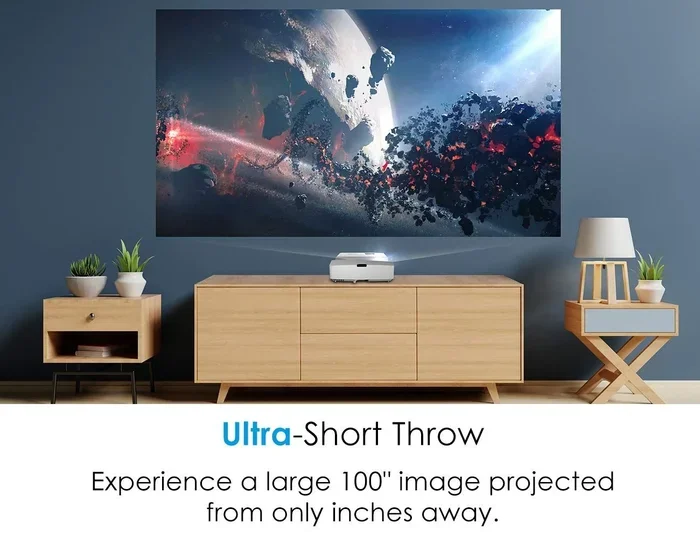
- Ultra-short throw projectors are even more compact: They can project 100 inches from just 12 to 24 inches away.
- Room size and lighting matter a lot: Darker rooms and proper screens boost image quality significantly.
- You can project directly on a wall: But a dedicated screen gives better results and color accuracy.
- Mounting position affects image quality: Off-center mounting is possible but may require keystone correction.
[FEATURED_IMAGE_PLACEHOLDER]
How Big Can A Short Throw Projector Project?
Short throw projectors have changed the way we think about home entertainment. You no longer need a massive room to enjoy a cinematic experience. These compact devices can produce stunningly large images from just a few feet away. But exactly how big can a short throw projector project? The answer depends on several factors, including the model, throw ratio, and your room setup.
In this guide, we break down everything you need to know about short throw projector screen size, throw distance, and image quality. Whether you are setting up a bedroom home theater or a cozy living room setup, this article has you covered.
Let us dive into the details and help you get the most out of your projector.
What Is a Short Throw Projector?
A short throw projector is a device designed to project a large image from a short distance. Unlike traditional projectors that need 10 to 15 feet of space, short throw units work from just 3 to 6 feet away. This makes them perfect for smaller rooms and apartments.
The key difference lies in the throw ratio. This number tells you how far the projector needs to be from the screen to produce a specific image size. A lower throw ratio means a bigger picture from a shorter distance.
Short Throw vs Ultra Short Throw
You will often hear two terms: short throw and ultra-short throw. Both create large images from close distances, but they differ in how close you need to place the device.
- Short throw projectors: Typically project a 100-inch image from 4 to 6 feet away. They have a throw ratio between 0.4 and 1.0.
- Ultra-short throw projectors: Can project a 100-inch image from just 12 to 24 inches away. They have a throw ratio below 0.4.
Ultra-short throw models are great for placing right in front of a wall or screen. They also reduce shadows on the projection surface since the projector sits close to the display area.
How Big Can the Image Get?
The maximum image size depends on your specific projector model and the distance between the device and the wall or screen. Most short throw projectors can comfortably produce images between 80 and 120 inches diagonally. Some high-end models can go even bigger.
Throw Distance Chart
Here is a simple breakdown of common short throw projector distances and the image sizes they produce:
- 4 feet distance: Produces an image around 60 to 80 inches wide.
- 5 feet distance: Produces an image around 80 to 100 inches wide.
- 6 feet distance: Produces an image around 100 to 120 inches wide.
- 8 feet distance: Produces an image around 120 to 150 inches wide.
Keep in mind that these numbers vary by model. Always check your projector’s specifications for the exact throw ratio and recommended distances. You can also use an online throw distance calculator to get precise measurements for your setup.
Factors That Affect Projection Size
Several factors determine how big your projected image can be. Understanding these will help you plan your setup better.
Throw Ratio: This is the most important number. It is calculated by dividing the distance from the projector to the screen by the width of the image. A throw ratio of 0.5 means a 5-foot distance produces a 10-foot wide image.
Lens Type: Some projectors come with zoom lenses that let you adjust the image size without moving the device. Fixed-lens models have a set projection size based on distance.
Resolution: Higher resolution projectors like 4K models can produce sharper images at larger sizes. Lower resolution projectors may look pixelated when stretched too big.
Room Lighting: Ambient light can wash out large images. A darker room makes even a 100-inch image look vibrant and clear.
Best Rooms for Short Throw Projectors
Short throw projectors shine in smaller spaces. They are ideal for rooms where you cannot place the projector far from the screen. Here are some of the best setups to consider.
Bedroom Setups
A short throw projector works wonderfully in a bedroom. You can place it on a nightstand or a small shelf just a few feet from the wall. This creates a big, immersive screen perfect for movie nights or gaming. The compact setup also means less clutter in your sleeping space.
One thing to watch out for is ambient light. Bedrooms often have windows that let in daylight. Consider using blackout curtains or a short throw projector screen with a high-gain surface to boost brightness.
Living Room Setups
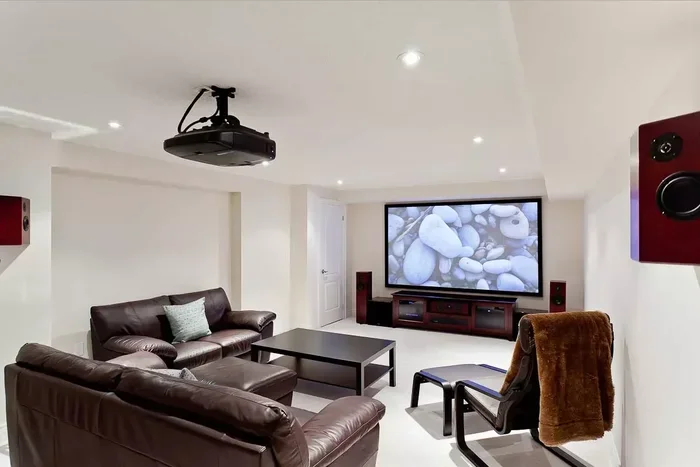
Living rooms can also benefit from a short throw setup. Place the projector on a low table or a media console positioned close to the wall. This frees up floor space and keeps the device out of the way. Many people prefer this over a traditional projector that needs to be mounted far back on a shelf or ceiling.
If you want to project directly on the wall, that works too. Just make sure the wall surface is smooth and light-colored for the best results. You can also explore projecting directly on the wall as a budget-friendly option.
Small Apartments and Dorm Rooms
For those living in apartments or dorm rooms, space is always limited. A short throw projector is a game-changer here. You can turn any small wall into a cinema screen without needing a dedicated theater room. The compact throw distance means you can set up the projector on a desk or small stand right in front of the wall.
How to Choose the Right Screen Size
Choosing the right screen size is about balancing image quality with your room dimensions. A screen that is too large for a small room can look distorted or dim. A screen that is too small wastes the projector’s capabilities.
Here is a simple way to find your ideal screen size:
- Measure the distance from your projector to the wall or screen.
- Multiply that distance by the throw ratio of your projector.
- The result is the maximum image width you can achieve.
- Use the Pythagorean theorem or an online calculator to find the diagonal size.
For example, if your projector has a throw ratio of 0.5 and sits 5 feet from the wall, your maximum image width is 2.5 feet (about 30 inches). A 16:9 aspect ratio gives you a diagonal of roughly 34 inches. But most short throw projectors can zoom in to produce much larger images at the same distance.
Quick Tip: Always aim for a screen size where you can see the full image without squinting or moving your head. The sweet spot for most living rooms is between 80 and 120 inches diagonally.
Projector Placement Tips for Big Images
Getting the biggest and best image from your short throw projector comes down to proper placement. A few small adjustments can make a huge difference in image quality and size.
Mounting Position
Most short throw projectors work best when placed on a low table or shelf directly in front of the screen. The projector lens should be at the same height as the center of the screen for the most rectangular image. If you mount it too high or too low, the image may appear tilted.
You can also mount your projector off center if your room layout requires it. Many modern projectors include keystone correction to fix skewed images. However, using keystone correction can slightly reduce image quality. It is always better to position the projector as squarely as possible to the screen.
Screen Selection
While you can project onto a plain wall, a dedicated projector screen makes a big difference. Screens with a matte white or high-gain surface reflect more light back to the viewer. This means a brighter, sharper image even in rooms with some ambient light.
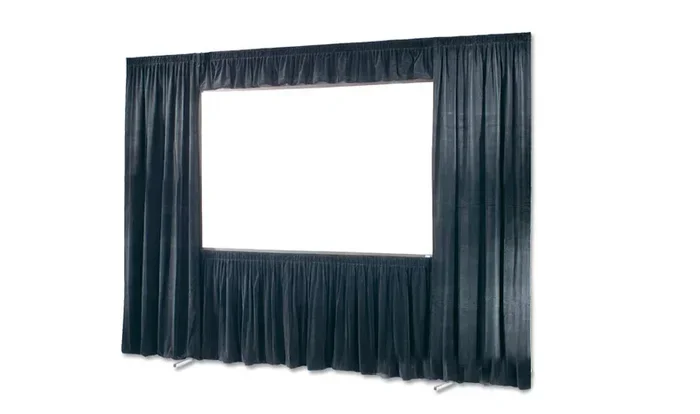
If you are on a budget, you can use a black cloth for projector setups to improve contrast. Dark surfaces absorb stray light and help your projected image pop with better color and deeper blacks.
Distance and Angle
Keep the projector level and perpendicular to the screen surface. Even a slight angle can cause keystone distortion. If you must angle the projector, use digital keystone correction sparingly and opt for optical lens shift if your model supports it.
Also, make sure nothing blocks the path between the projector and the screen. Even small objects close to the lens can cast shadows or create hotspots in the image.
Short Throw Projector Brightness and Image Quality
Size is not everything. A large image that looks washed out or dim defeats the purpose. Brightness, measured in lumens, plays a huge role in how good your projected image looks.
For short throw projectors, aim for at least 2,000 to 3,000 lumens if you plan to use the device in a room with some light. For dedicated dark rooms or home theaters, 1,500 lumens can still produce excellent results. The key is to match brightness with your room conditions.
Resolution also matters for large images. A 1080p projector looks great at 100 inches. But if you want to go bigger, a 4K projector will maintain sharpness and detail even on a 150-inch screen. Projector resolution and brightness work together to determine the final image quality.
Color accuracy is another factor to consider. Higher-end short throw models use advanced color technologies like laser or LED light sources. These produce richer, more accurate colors compared to traditional lamp-based projectors.
Common Mistakes to Avoid
Setting up a short throw projector is simple, but a few common mistakes can hurt your experience. Here are pitfalls to watch out for.
- Placing the projector too close: Every model has a minimum throw distance. Going closer than recommended can blur the image or cause vignetting.
- Ignoring room lighting: Even short throw projectors struggle in bright rooms. Always control ambient light for the best results.
- Using keystone correction too much: This digital adjustment reduces resolution and image sharpness. Use it only when necessary.
- Choosing the wrong screen: A wrinkled or colored wall surface distorts colors and sharpness. Use a smooth, light-colored surface or a proper projector screen.
- Forgetting ventilation: Projectors generate heat. Place them in well-ventilated areas to prevent overheating and extend lamp or LED life.
Expert Insights on Short Throw Projection
Industry experts agree that short throw projectors are the future of home entertainment. They offer a perfect blend of convenience, image quality, and space savings. Many professionals recommend pairing a short throw projector with a quality screen and a soundbar for a complete cinematic setup.
One expert tip is to always test your setup before finalizing the placement. Project a test image and walk back and forth to find the sweet spot where the image looks its sharpest and brightest. Small adjustments of just a few inches can make a noticeable difference.
Another tip from the pros is to keep your projector lens clean. Dust and fingerprints can scatter light and reduce image clarity. A soft microfiber cloth works wonders for maintaining a crisp, clear picture.
When it comes to long-term use, consider replacing your projector lamp with an LED module if your model supports it. This can extend your device life and save money on replacement lamps over time. You can learn more about this in our guide on replacing projector lamps with LEDs.
Final Thoughts
So, how big can a short throw projector project? The answer is bigger than you might think. With the right setup, you can enjoy a 100-inch or even 150-inch image from just a few feet away. The key is understanding your projector’s throw ratio, choosing the right screen, and placing the device correctly.
Short throw projectors offer incredible flexibility for any room size. Whether you are in a tiny apartment or a cozy living room, these devices deliver cinematic experiences without the need for a massive space. They are perfect for movie nights, gaming sessions, and even presenting slideshows or videos at work.
Take the time to plan your setup carefully. Measure your distances, choose the right screen, and control your room lighting. With these steps, you will enjoy a big, bright, and beautiful projected image every single time.
For more tips on projector setups, check out our article on projecting directly on the wall and our guide on mounting your projector off center. Both resources will help you get the most from your short throw projector.
Now that you know what is possible, it is time to set up your own home theater and enjoy movies the way they were meant to be seen.
Frequently Asked Questions
What is the ideal throw distance for a short throw projector?
Most short throw projectors work best from 4 to 6 feet away from the screen. This distance typically produces an image between 80 and 120 inches diagonally. Always check your specific model’s throw ratio for the most accurate measurements.
Can I use a short throw projector in a bright room?
Yes, but you need a projector with at least 2,000 to 3,000 lumens for good results. Bright rooms wash out projected images, so consider using blackout curtains or a high-gain screen to boost brightness and contrast.
How do I calculate the screen size for my short throw projector?
Multiply your throw distance by the throw ratio to get the image width. Then use a 16:9 aspect ratio to calculate the diagonal size. Online throw distance calculators make this process quick and easy.
Is it better to project on a wall or a screen?
A dedicated projector screen gives better color accuracy, brightness, and contrast compared to a plain wall. Screens also have a smooth surface that prevents distortion. However, projecting directly on a light-colored wall works well in a pinch.
Can a short throw projector work for gaming?
Absolutely. Short throw projectors are excellent for gaming because they produce large, immersive images with low input lag on many models. A 1080p or 4K projector paired with a gaming console creates a fantastic setup.
What is the difference between short throw and standard throw projectors?
A standard throw projector needs 10 to 15 feet of distance to produce a 100-inch image. A short throw projector achieves the same size from just 4 to 6 feet. This makes short throw models ideal for smaller rooms and tighter spaces.