Can I Convert My Amplifier To Bluetooth Without Wiring
Yes, you can convert your amplifier to Bluetooth without wiring, and it is simpler than you think. Whether you have a vintage stereo or a modern home audio setup, adding Bluetooth opens up a world of wireless streaming. You can use Bluetooth adapters, modules, or even smart receivers to make it happen. This guide walks you through every method, compares your options, and shares expert tips for the best sound quality. Read on to find the perfect solution for your amplifier and start enjoying wireless audio today.
There is something magical about converting your amplifier to Bluetooth without touching a single wire. Imagine sitting on your couch, phone in hand, and filling your room with music instantly. No cables. No hassle. No drilling holes or soldering circuits. It sounds like a dream, right? Well, it is not only possible but also incredibly easy once you know your options.
Whether you are rocking a classic tube amp from the 1970s or a modern stereo receiver in your living room, the need for wireless audio is universal. We live in a world where streaming music from Spotify, Apple Music, or even YouTube is second nature. Your amplifier should keep up with that lifestyle. And the good news? It can, with the right approach. Let us dive into everything you need to know about making your amplifier Bluetooth enabled without a single wire.
Key Takeaways
- Bluetooth adapters are the easiest way to add wireless capability to any amplifier without soldering or complex wiring.
- Bluetooth modules offer a more permanent solution and deliver better audio quality for audiophiles.
- Wireless audio streaming is now more accessible than ever, with affordable options for every budget.
- Signal range and audio codec support are important factors to consider when choosing your Bluetooth solution.
- Common mistakes like poor placement and interference can hurt your Bluetooth audio experience.
- Paired devices and audio connectivity work seamlessly once you set up the right adapter for your amplifier.
- Your sound system can become Bluetooth enabled with just a few simple steps and minimal investment.
📑 Table of Contents
- What Does It Mean to Convert an Amplifier to Bluetooth?
- Why You Should Make the Switch to Wireless Audio
- Methods to Convert Your Amplifier to Bluetooth Without Wiring
- Comparing Bluetooth Adapter Options for Amplifiers
- Step-by-Step Guide to Adding Bluetooth to Your Amp
- Common Mistakes to Avoid When Converting Your Amplifier
- Expert Insights: Getting the Best Audio Quality with Bluetooth
- Conclusion
What Does It Mean to Convert an Amplifier to Bluetooth?
When we talk about converting an amplifier to Bluetooth, we mean adding wireless connectivity to your existing amp. This lets you stream music from your phone, tablet, or laptop directly to your speakers. The amplifier receives the audio signal through a Bluetooth connection instead of a traditional cable input like an aux cord or RCA cable.
Think of it like giving your old amplifier a new pair of ears. The Bluetooth module or adapter acts as a bridge between your phone and your amp. It picks up the wireless signal and turns it into audio your amplifier can amplify. The result? You get all the benefits of wireless streaming without replacing your entire sound system.
This is different from buying a brand new Bluetooth speaker. Your amplifier likely has better sound quality and more power than any portable Bluetooth speaker. By adding Bluetooth capability, you keep the great sound you already love while gaining the convenience of wireless music playback.
Why You Should Make the Switch to Wireless Audio
Freedom and Convenience
The biggest reason people switch to wireless audio is freedom. You are no longer tied to your phone by a cable. You can move around your room, answer a call, or even pause your music from across the house. Bluetooth pairing takes seconds, and once connected, you barely think about it.
Imagine this scenario. You are hosting a dinner party. You want to play music from your phone but do not want cables running across the dining table. With a Bluetooth adapter on your amplifier, you simply tap connect and the music flows through your speakers. Easy, clean, and impressive.
Preserve Your Existing Setup
One of the best things about converting your amplifier to Bluetooth is that you keep your current setup intact. You do not need to buy new speakers or replace your amp. The amplifier upgrade happens at the connectivity level, not the hardware level. This saves you money and keeps your favorite equipment in the game.
Older amplifiers often have excellent sound quality that modern budget amps cannot match. By adding Bluetooth connectivity, you breathe new life into vintage or high-quality equipment. Your audio system stays relevant without a full replacement.
Multiple Device Support
Most Bluetooth enabled adapters let you connect multiple devices. Your phone, tablet, laptop, and even smart TV can all pair with the same adapter. Switching between devices is usually just a tap away. This makes your home audio setup versatile and ready for anything.
Methods to Convert Your Amplifier to Bluetooth Without Wiring
There are several ways to add Bluetooth capability to your amplifier without wiring. Each method has its own strengths. Let us look at the most popular options available right now.
Bluetooth Adapters (The Plug-and-Play Option)
Bluetooth adapters are the simplest and most popular solution. These small devices plug into your amplifier’s existing input. They usually connect via an aux port, RCA input, or even a 3.5mm jack. The adapter handles all the Bluetooth pairing and audio decoding on its own.
Here is why Bluetooth adapters are so popular:
- No wiring required — just plug and play
- Affordable — most options cost under $50
- Portable — you can move them between amps
- Easy setup — pair your phone and you are done
- Wide compatibility — works with most amplifiers
Popular brands like TaoTronics, Mpow, and Avantree make reliable Bluetooth adapters that deliver solid audio quality. These adapters typically support the latest Bluetooth versions, which means better range and fewer dropouts.
Bluetooth Modules (The Built-In Solution)
Bluetooth modules are a more permanent option. These small circuit boards slip inside your amplifier’s casing. They connect directly to the amplifier’s internal circuitry. This gives you a cleaner look since there are no external devices hanging off your amp.
Bluetooth modules are great if you want a seamless, built-in solution. However, they require opening your amplifier and some basic soldering skills. If you are comfortable with electronics, this is a fantastic route. For others, an external adapter might be the safer choice.
Here are some things to consider with Bluetooth modules:
- Better audio quality — direct internal connection reduces signal loss
- Cleaner appearance — nothing visible on the outside
- More permanent — not easily moved between amps
- Requires some technical skill — soldering and basic electronics knowledge
- Higher cost — modules range from $20 to $100
Bluetooth Receivers for Audio Systems
A Bluetooth receiver is another excellent option. These devices are designed specifically for audio systems. They typically offer better audio codec support, which translates to higher sound quality. Some receivers support advanced codecs like aptX, LDAC, or AAC, which deliver near-lossless audio over Bluetooth.
If audio quality is your top priority, a Bluetooth receiver is worth the extra investment. These are especially good for people who care about the details in their music — the subtle highs, the deep bass, and the clarity in vocals.
Comparing Bluetooth Adapter Options for Amplifiers
Not all Bluetooth adapters are created equal. The table below compares the three main types so you can choose the best fit for your needs.
| Feature | Bluetooth Adapter | Bluetooth Module | Bluetooth Receiver |
|---|---|---|---|
| Ease of Setup | Very Easy | Moderate | Easy |
| Audio Quality | Good | Very Good | Excellent |
| Price Range | $15-$50 | $20-$100 | $30-$150 |
| Wiring Required | No | Minimal (Internal) | No |
| Portability | High | Low | Medium |
| Bluetooth Range | 30-50 feet | 30-50 feet | 50-100 feet |
| Best For | Quick Setup | Permanent Install | Audio Enthusiasts |
As you can see, each option serves a different purpose. If you want fast results, go with a Bluetooth adapter. If you want the best sound and do not mind a bit of work, a Bluetooth receiver is your best bet. And if you want everything hidden inside your amp, a Bluetooth module is the way to go.
Step-by-Step Guide to Adding Bluetooth to Your Amp
Ready to make the switch? Here is a simple step-by-step guide to converting your amplifier to Bluetooth without any wiring mess.
Step 1: Check Your Amplifier’s Inputs
First, look at the back of your amplifier. Do you see an aux input, RCA jacks, or a 3.5mm port? These are the inputs you will use to connect your Bluetooth adapter. Most amplifiers made in the last 30 years have at least one of these inputs. If your amp only has speaker wire terminals, you might need a different approach, like an external audio receiver.
Step 2: Choose Your Bluetooth Device
Based on the comparison table above, pick the option that fits your budget and needs. For most people, a simple Bluetooth adapter is the best starting point. They are affordable, easy to use, and deliver good sound.
Step 3: Connect the Adapter
Plug your Bluetooth adapter into the appropriate input on your amplifier. If it uses an aux cable, just plug the cable into the adapter and the other end into your amp’s aux port. Make sure the connection is secure.
Step 4: Power Up and Pair
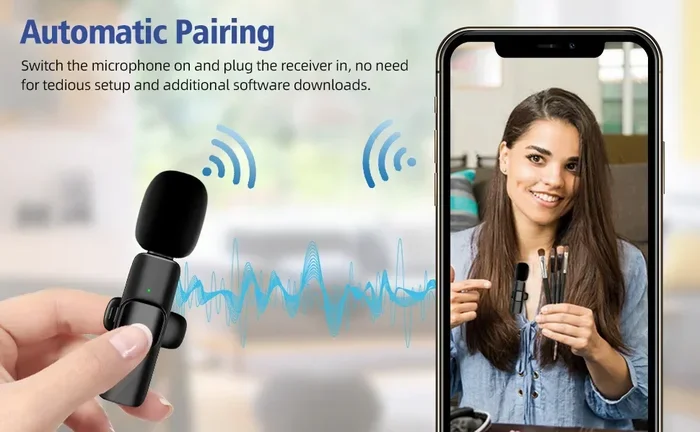
Turn on your amplifier and the Bluetooth adapter. Go to your phone’s Bluetooth settings and look for the adapter’s name. Tap to pair. You should hear a confirmation tone or see a light change on the adapter. That is it — you are now streaming wireless audio through your amplifier.
Step 5: Test and Enjoy
Play some music from your phone and listen carefully. Check the volume levels and make sure the sound is balanced. If everything sounds good, you are all set. If you notice any issues, try moving the adapter closer to your phone or checking for interference from other devices.
Quick Tips for Best Results
- Keep the adapter close to your phone for a stronger signal
- Avoid placing the adapter near microwaves or Wi-Fi routers — they can cause interference
- Update your adapter’s firmware if the manufacturer provides updates
- Use a high-quality aux cable for the best audio output
- Restart both devices if you experience connection drops
Common Mistakes to Avoid When Converting Your Amplifier
Converting your amplifier to Bluetooth is straightforward, but there are a few pitfalls to watch out for. Avoiding these mistakes will save you frustration and help you get the best audio quality possible.
Choosing the Wrong Adapter
Not every Bluetooth adapter works well with every amplifier. Some adapters are designed for specific input types. If you buy an RCA adapter but your amp only has a 3.5mm input, you will run into problems. Always check your amplifier’s inputs before purchasing an adapter.
Ignoring Audio Codec Support
Not all Bluetooth codecs are the same. Basic codecs like SBC work fine for casual listening, but if you care about music quality, look for adapters that support aptX or LDAC. These codecs preserve more detail in your music and deliver a noticeably better listening experience.
Placing the Adapter Poorly
Bluetooth signal range can be affected by walls, furniture, and other electronics. Placing your adapter behind a heavy amplifier cabinet or inside a closed shelf can weaken the connection. Keep your adapter in an open, visible location for the best signal range and stability.
Forgetting About Power Supply
Some Bluetooth adapters need their own power source. Make sure you have an available outlet nearby or check if your adapter can draw power from the amplifier itself. A weak power supply leads to dropouts and poor performance.
Skipping Firmware Updates
Many modern Bluetooth adapters receive firmware updates that improve audio connectivity and fix bugs. Check the manufacturer’s app or website periodically to make sure your adapter is running the latest software.
Expert Insights: Getting the Best Audio Quality with Bluetooth
You might wonder, “Will Bluetooth audio sound as good as a wired connection?” The honest answer is: it depends. Modern Bluetooth codecs have come a long way. With the right adapter, you can get very close to wired sound quality. Here are some expert tips to maximize your wireless audio experience.
Invest in an adapter with aptX or aptX HD support. These codecs offer significantly better audio quality than standard Bluetooth. The difference is especially noticeable with complex music tracks that have lots of instruments and vocals.
Keep your amplifier and adapter firmware up to date. Manufacturers regularly release updates that improve Bluetooth pairing stability and audio performance. A simple update can make a big difference.
Use your amplifier’s tone controls to compensate for any Bluetooth-related changes. Some listeners notice that wireless audio can slightly alter the bass or treble response. Adjusting your amp’s equalizer settings can restore the sound to your liking.
Consider the distance between your phone and the adapter. The closer they are, the stronger the wireless connection. If you notice audio stuttering or dropouts, try moving your phone closer to the amplifier.
Clean your amplifier’s input ports regularly. Dust and grime on aux or RCA ports can cause crackling or weak signals. A quick wipe with a dry cloth keeps your audio output clean and clear.
Match your amplifier’s power to your speakers. Adding Bluetooth capability does not change the power dynamics of your system. Make sure your amp and speakers are well-matched for the best overall performance.
Conclusion
Converting your amplifier to Bluetooth without wiring is one of the best upgrades you can make to your home audio setup. It is affordable, easy, and opens up a whole new world of wireless music streaming. Whether you choose a simple Bluetooth adapter, a sleek Bluetooth receiver, or a built-in Bluetooth module, the process is straightforward and the results are fantastic.
Your amplifier has been serving you well. It deserves to keep up with the way we listen to music today. With Bluetooth connectivity, you get the best of both worlds — the rich, powerful sound of your amplifier combined with the freedom of wireless streaming. No wires, no hassle, no compromise on quality.
So go ahead. Explore your options, pick the right Bluetooth adapter for your setup, and start enjoying your music the way it was meant to be heard. Your ears will thank you.
Frequently Asked Questions
Can I Convert My Amplifier To Bluetooth Without Any Technical Skills?
Absolutely. Most Bluetooth adapters are plug-and-play devices that require zero technical knowledge. You simply plug the adapter into your amp’s input, pair it with your phone, and you are ready to stream. No soldering, no wiring, no technical skills needed. This is the easiest way to make your amplifier Bluetooth enabled.
Will Adding Bluetooth Reduce the Audio Quality of My Amplifier?
Not necessarily. Modern Bluetooth codecs like aptX and LDAC deliver excellent audio quality that is very close to wired connections. If you choose a high-quality Bluetooth receiver or adapter, you will notice minimal difference in sound. The convenience of wireless streaming far outweighs any minor quality trade-off for most listeners.
How Far Can I Be From My Amplifier While Using Bluetooth?
Most Bluetooth adapters have a range of 30 to 50 feet in open spaces. Walls and obstacles can reduce this range. For best results, keep your phone within the same room as your amplifier. If you need a longer range, look for adapters that support Bluetooth 5.0 or higher, which offer significantly improved signal range.
Can I Connect Multiple Devices to One Bluetooth Adapter?
Yes, many modern Bluetooth adapters support multipoint connection, which allows you to pair multiple devices simultaneously. You can switch between your phone, tablet, and laptop without unpairing. Check the specifications of your adapter to confirm this feature. It is a great convenience for households with multiple users or devices.
Do I Need to Buy a New Amplifier to Get Bluetooth?
Not at all. You can convert your existing amplifier to Bluetooth using an external adapter, module, or receiver. This is much more cost-effective than buying a new amplifier. Your current amp gets a new lease on life with wireless audio capability, and you keep the sound quality you already love.
What Is the Best Budget Option for Converting an Amplifier to Bluetooth?
A basic Bluetooth adapter is the best budget option. You can find reliable models for under $30 that deliver solid sound quality and easy setup. Look for adapters that support at least Bluetooth 4.0 for stable connectivity. Brands like Mpow and TaoTronics offer excellent affordable options that work well with most amplifier setups.