Can Mini Splits Be Controlled With Wifi From Anywhere
Can mini splits be controlled with wifi? Yes, most modern mini splits come with built-in WiFi or work with a simple adapter, letting you manage your cooling from any location. You can adjust temperature, set schedules, and monitor energy use right from your phone. This guide covers everything you need to know about WiFi-enabled mini split systems, setup, smart home integration, and practical tips.
Have you ever been on your way home and wished you could turn on the air conditioning before you walk through the door? Or maybe you left the AC running all day and felt a pang of guilt about your energy bill. The good news is that can mini splits be controlled with wifi, and the answer is a resounding yes. Today’s WiFi-enabled mini split systems let you manage your home climate from virtually anywhere in the world.
Mini split systems have grown in popularity because they are efficient, quiet, and easy to install. But the real game-changer is when you add wireless connectivity to the mix. With a WiFi mini split system, you get the power of app-based climate control right at your fingertips. This means no more running back home to adjust the temperature or guessing whether you turned the unit off.
The technology behind wireless temperature control has come a long way in just a few years. What used to be a luxury feature is now standard in most modern ductless systems. Whether you own a single-zone unit or a multi-zone setup, there is a good chance your mini split can connect to your home network. Let us dive into everything you need to know about controlling your mini split with WiFi.
Key Takeaways
- WiFi Control Is Standard: Most new ductless mini split systems include WiFi or support a WiFi adapter for wireless temperature control.
- Remote Access From Anywhere: You can adjust your cooling settings from your phone, tablet, or computer, no matter where you are.
- Smart Home Integration: Many WiFi mini splits work with Alexa, Google Home, and other smart home platforms for voice control.
- Energy Savings: App-based climate control helps you reduce energy waste by scheduling and monitoring usage in real time.
- Easy Setup: Adding WiFi to a mini split usually requires a simple adapter or firmware update, not a complex installation.
- Zone Cooling Made Simple: WiFi control lets you manage multiple zones independently, improving comfort and efficiency.
📑 Table of Contents
- What Is a WiFi-Enabled Mini Split?
- How Does WiFi Control Work for Mini Splits?
- Benefits of WiFi Mini Split Control
- Popular Brands and Their WiFi Features
- How to Set Up WiFi Control on Your Mini Split
- Common Mistakes and How to Avoid Them
- The Future of Smart Mini Split Control
- Is WiFi Control Worth It?
- Final Thoughts
What Is a WiFi-Enabled Mini Split?
A WiFi-enabled mini split is a ductless heating and cooling system that connects to your home wireless network. This connection allows you to control the unit using a smartphone app, a web portal, or even voice commands through smart speakers. The WiFi module acts as a bridge between your mini split and your mobile device.
Not all mini splits come with WiFi built in. Some models include it as a standard feature, while others require a separate WiFi adapter or module. The adapter plugs into the outdoor unit or connects wirelessly to the indoor unit. Once paired with your home network, the system becomes part of your internet-connected HVAC setup.
Here are the most common ways a mini split gains WiFi capability:
- Built-in WiFi: Many newer models from brands like Mitsubishi, Fujitsu, and LG include WiFi right out of the box. You just need to register the unit and download the companion app.
- External WiFi Adapter: Some systems use a plug-in adapter that you connect to the outdoor unit. This is common with older models or budget-friendly options.
- Smart Thermostat Integration: Certain setups use a smart thermostat as the WiFi bridge. The thermostat connects to your network and communicates with the mini split.
- Cloud-Based Module: A small module installed inside the home connects to the outdoor unit via infrared or RF and links to your WiFi network.
Each method has its own setup process, but they all achieve the same goal: giving you remote temperature control over your mini split system.
How Does WiFi Control Work for Mini Splits?
Understanding how WiFi control works helps you get the most out of your system. The basic idea is simple. Your mini split connects to your home router through a WiFi module. That module communicates with a cloud server, which in turn connects to your smartphone app.
The Connection Chain
The connection chain works like this:
- The mini split unit connects to your home WiFi network.
- The WiFi module sends data to a cloud server maintained by the manufacturer.
- The manufacturer’s app on your phone communicates with that cloud server.
- When you tap a button on your app, the command travels back through the cloud to your mini split.
This whole process happens in seconds. You might notice a slight delay if your internet connection is slow, but most of the time it feels instant. The cloud-based AC control system ensures you can reach your unit from anywhere with an internet connection.
What Can You Do With WiFi Control?
The features available through WiFi depend on your specific model and brand. However, most systems offer a similar set of capabilities. Here is what you can typically do:
- Turn the unit on or off from your phone, no matter where you are.
- Adjust the temperature up or down in small increments.
- Set schedules so the unit turns on or off at specific times.
- Change operating modes like cool, heat, dry, or fan-only.
- Monitor energy consumption in real time or over a period of days or weeks.
- Receive alerts about filter changes, maintenance needs, or error codes.
- Control multiple zones independently if you have a multi-zone system.
These features make smart cooling technology a practical addition to any home. You are not just turning a remote on and off anymore. You are managing your entire climate system with data and automation.
Benefits of WiFi Mini Split Control
Why should you care about controlling your mini split with WiFi? The benefits go beyond just convenience. Let us look at the real advantages that make app-based climate control worth considering.
Comfort on Your Terms
The biggest benefit is comfort. Imagine arriving home on a hot summer day and walking into a cool, comfortable space. With WiFi control, you can turn on your mini split before you leave the office or the airport. The same goes for winter. You can warm up your living room before you even step inside.
This kind of smart home cooling changes how you think about your indoor environment. You are no longer limited by where your remote control is. You are no longer stuck with whatever temperature you left the unit on.
Energy Efficiency and Savings
One of the standout benefits of WiFi mini split systems is energy savings. These units already use inverter technology to adjust compressor speed and reduce power consumption. Adding WiFi control takes efficiency even further.
Here is how WiFi control helps you save energy:
- Smart scheduling ensures the unit only runs when you need it.
- Remote shut-off prevents waste if you forget to turn the unit off.
- Energy monitoring shows you exactly how much power each zone uses.
- Geofencing (available on some apps) adjusts the temperature based on your phone’s location.
- Usage reports help you identify patterns and optimize your habits.
Over time, these small savings add up. Many users report a noticeable drop in their electricity bills after switching to WiFi-controlled mini splits. The energy efficiency gains are real and measurable.
Multi-Zone Management
If you have a multi-zone mini split system, WiFi control is a game-changer. Each indoor unit can be managed independently from one app. You can set the bedroom to 68 degrees while keeping the living room at 72. This level of zone cooling precision is hard to achieve with traditional remotes.
For families with different preferences, this is especially valuable. Everyone can adjust their own zone without affecting anyone else. The result is better comfort for everyone and less wasted energy.
Popular Brands and Their WiFi Features
Not all mini split brands offer the same WiFi experience. Some have robust apps with advanced features, while others keep things simple. Here is a look at how some of the top brands handle wireless temperature control.
| Brand | WiFi Built-In? | App Name | Smart Home Compatible? | Key Feature |
|---|---|---|---|---|
| Mitsubishi | Yes (select models) | MELCloud | Yes (Alexa, Google) | Cloud-based control with detailed energy reports |
| LG | Yes (most models) | LG ThinQ | Yes (Alexa, Google, SmartThings) | AI-powered energy optimization |
| Fujitsu | Yes (select models) | Fujitsu Anywhere | Limited | Reliable remote access with scheduling |
| Daikin | Yes (select models) | Daikin Online Controller | Yes (Alexa) | Multi-zone management |
| Gree | Yes (most models) | GreeHyundai | Yes (Alexa, Google) | Affordable with solid app features |
When choosing a brand, consider the app experience and smart home compatibility. A great unit with a clunky app can be frustrating. Look for brands that invest in their software, not just their hardware. The smart thermostat integration and voice control AC features vary widely, so check compatibility before you buy.
How to Set Up WiFi Control on Your Mini Split
Setting up WiFi control is usually straightforward, but the exact steps depend on your model. Here is a general guide to get you started with WiFi mini split setup.
Step-by-Step Setup Process
- Check compatibility. Make sure your mini split supports WiFi. Check the user manual or the manufacturer’s website. If your model does not have built-in WiFi, you may need to purchase a compatible adapter.
- Download the app. Most brands have their own dedicated app. Search for it in the App Store or Google Play. Install it on your smartphone or tablet.
- Create an account. You will usually need to register with the manufacturer. Use your email and create a secure password.
- Connect the WiFi module. If your unit has a built-in WiFi module, it may auto-connect during initial setup. For external adapters, follow the instructions in the app to pair the module with your home network.
- Add the unit in the app. The app will scan for available units. Select your mini split and follow the prompts to complete the pairing.
- Test the connection. Try turning the unit on and off from the app. Adjust the temperature and switch modes to confirm everything works.
- Set up schedules and preferences. Once connected, explore the app’s features. Set up weekly schedules, enable notifications, and customize your preferences.
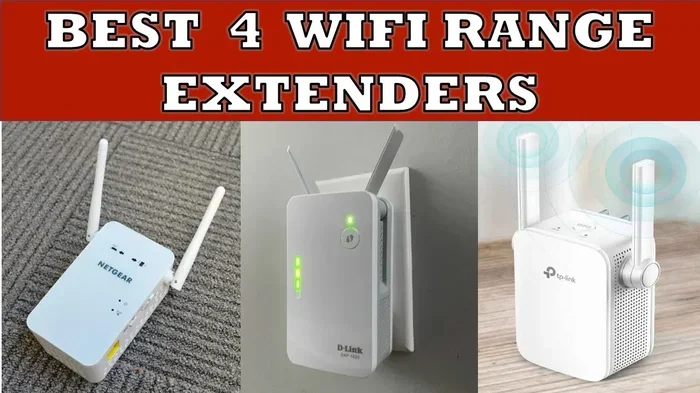
The entire process usually takes about 10 to 15 minutes. If you run into issues, check your WiFi signal strength near the outdoor unit. A weak signal can cause connection drops. A WiFi extender or mesh network can help in these cases.
Quick Tips for a Smooth Setup
- Place your router close to the outdoor unit for a stronger signal.
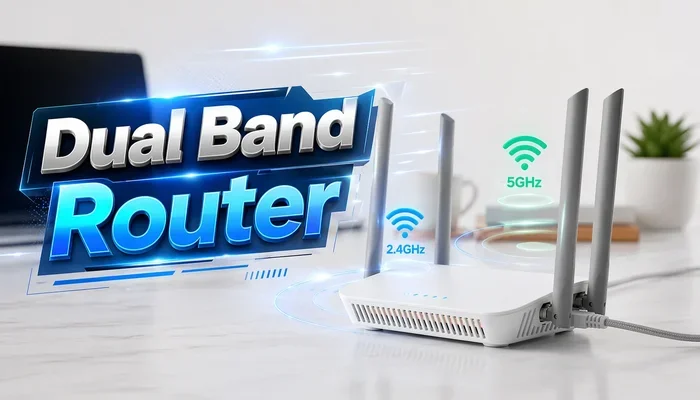
- Use a 2.4GHz network, as most mini split WiFi modules do not support 5GHz.
- Keep your app updated to access the latest features and bug fixes.
- Write down your unit’s model number and serial number for troubleshooting.
- If the connection drops, restart both the WiFi module and your router.
Common Mistakes and How to Avoid Them
Setting up WiFi control is not always seamless. Many users run into common issues that are easy to avoid. Here are some mistakes to watch out for with your mini split WiFi module setup.
- Ignoring the 2.4GHz requirement. Many WiFi adapters only work on the 2.4GHz band. If your router uses 5GHz by default, you may need to enable a dual-band network or switch temporarily.
- Placing the router too far away. The outdoor unit needs a decent WiFi signal. If the signal is weak, the connection will be unstable. Consider a mesh network or a WiFi extender.
- Skipping firmware updates. Manufacturers release updates that fix bugs and add features. Check the app regularly for update notifications.
- Using an outdated app version. An old app version may not work with the latest firmware. Keep your app updated to ensure compatibility.
- Not setting up a backup control method. If your WiFi goes down, you should still be able to use the included remote. Do not rely solely on app control.
Avoiding these mistakes will save you frustration and keep your internet-connected HVAC system running smoothly.
The Future of Smart Mini Split Control
The world of smart cooling technology is evolving fast. What is available today is just the beginning. Here are some trends to watch for in the coming years.
AI-Powered Climate Management
Some manufacturers are already incorporating artificial intelligence into their mini split systems. These systems learn your habits and adjust the temperature automatically. They know when you wake up, when you leave for work, and when you return home. The result is a system that optimizes comfort and efficiency without you lifting a finger.
Deeper Smart Home Integration
As smart home ecosystems mature, WiFi mini split systems will integrate more deeply with platforms like Apple HomeKit, Amazon Alexa, and Google Home. You will be able to create automations that link your cooling with other smart devices. For example, your mini split could turn on when your smart door lock detects you arriving home.
Improved Energy Insights
Future apps will likely offer even more detailed energy reports. You will be able to compare usage across days, weeks, and months. Some systems may suggest specific actions to reduce your energy footprint. This level of energy efficiency tracking empowers homeowners to make smarter decisions.
The bottom line is that controlling mini splits with WiFi is not a passing trend. It is becoming the standard. Investing in a WiFi-enabled system today means your setup will stay relevant as technology advances.
Is WiFi Control Worth It?
The short answer is yes. Adding WiFi control to your mini split system brings convenience, energy savings, and peace of mind. You can manage your home climate from anywhere, and the setup is usually simple and affordable.
If you are building a new home or replacing an old system, look for a WiFi-enabled mini split as a standard feature. If you already own a mini split, check whether a WiFi adapter is available for your model. The investment is small compared to the benefits you will enjoy.
Whether you are a tech enthusiast or just someone who wants a cooler home without the hassle, WiFi control delivers real value. It is one of those features that you never knew you needed until you have it.
Final Thoughts
Can mini splits be controlled with WiFi? Absolutely. The technology is mature, widely available, and easy to use. From adjusting the temperature on your commute home to monitoring energy use from your couch, WiFi control transforms how you interact with your cooling system.
Can mini splits be controlled with wifi from anywhere is not just a question with a simple answer. It opens up a world of comfort, efficiency, and control that was not possible even a few years ago. Whether you choose a brand with built-in WiFi or add an adapter to your existing system, the benefits are clear.
Take the time to explore your options, set up your system properly, and enjoy the convenience of wireless temperature control at your fingertips. Your mini split is more than an air conditioner. With WiFi, it becomes a smart, connected part of your home.
Frequently Asked Questions
Do all mini splits come with WiFi built in?
No, not all mini splits include WiFi. Many newer models from brands like LG, Mitsubishi, and Gree come with built-in WiFi, but some budget or older models do not. You can often add WiFi functionality later with a compatible adapter or module.
Can I control my mini split when I am not home?
Yes, that is one of the main benefits of WiFi control. As long as your mini split is connected to the internet, you can access it through the manufacturer’s app from anywhere in the world. You can turn it on, adjust the temperature, and check its status remotely.
Does WiFi control use a lot of electricity?
No, the WiFi module uses very little power. It typically draws less than 2 watts, which is negligible compared to the energy used by the mini split itself. The module does not meaningfully increase your electricity bill.
Can I use voice assistants to control my WiFi mini split?
Yes, many WiFi-enabled mini splits work with Amazon Alexa, Google Assistant, and sometimes Apple Siri. Check your brand’s app or compatibility list to confirm which voice assistants are supported. You can then use simple voice commands to adjust the temperature or turn the unit on and off.
What happens if my WiFi goes down?
If your WiFi connection drops, you can still control your mini split using the included remote control or the unit’s built-in controls. The WiFi module is an added convenience, not a requirement for basic operation. Your system will continue working normally once the connection is restored.
Is it hard to add WiFi to an existing mini split?
No, it is usually quite simple. Most manufacturers sell a dedicated WiFi adapter that plugs into the outdoor unit or connects wirelessly to the indoor unit. You then follow the setup instructions in the brand’s app. The process typically takes less than 15 minutes and does not require professional help.