Can You Leave A Light Projector On All Night Safely
Yes, you can leave a light projector on all night, but it comes with important caveats. Modern projectors are built to handle extended use, yet running one nonstop can cause overheating, shorten bulb life, and increase energy costs. Understanding your projector type and following simple safety steps makes all the difference.
Have you ever fallen asleep with your light projector still running? Maybe you started a movie before bed and forgot to turn it off. Or perhaps you use your projector as a nightlight for the kids. Whatever the reason, the question is the same: can you leave a light projector on all night safely?
The short answer is yes. But the full answer is a bit more nuanced. Leaving a light projector running overnight isn’t automatically dangerous, but it does carry some real risks. The good news is that with the right knowledge and a few simple steps, you can minimize those risks and keep your projector in great shape.
In this guide, we will walk you through everything you need to know. We will cover how projectors work, what happens when you run them for hours, and the best practices to keep your device safe. Whether you own a DLP projector, an LCD projector, or a modern LED model, this article has you covered.
Key Takeaways
- Light projectors can run overnight: Most modern models handle extended use, but you should take precautions.
- Overheating is the biggest risk: Poor ventilation can damage internal parts and reduce performance.
- Bulb and lamp life matters: Running a projector all night wears down the light source faster than normal use.
- Energy costs add up: Leaving a projector on for hours increases your electricity bill more than you might think.
- Smart settings help: Using eco mode, sleep timers, and proper airflow keeps your projector safe overnight.
- Internal components matter: Just like the 5 components found on the motherboard in a computer, a projector has sensitive parts that need proper cooling and care.
- Warranty can be affected: Some manufacturers limit coverage if damage comes from continuous use.
📑 Table of Contents
- What Is a Light Projector and How Does It Work?
- Can You Leave a Light Projector On All Night?
- Risks of Running a Projector Overnight
- Best Practices for Overnight Projector Use
- How to Extend Your Projector’s Lifespan
- Light Projector Overnight Use: Common Mistakes to Avoid
- Expert Insights on Overnight Projector Use
- Conclusion
What Is a Light Projector and How Does It Work?
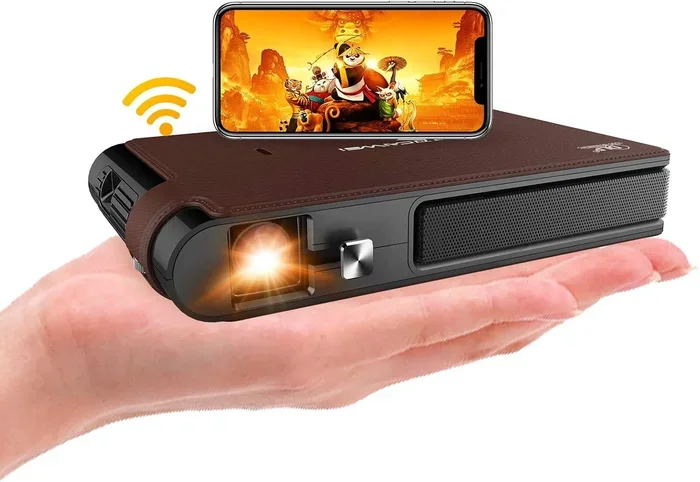
A light projector is a device that takes an image or video signal and projects it onto a screen or wall. Inside, a bright light source shines through or reflects off tiny image chips or panels. This creates the large, vivid picture you see on your wall or projector screen.
There are three main types of projectors you will encounter. DLP projectors use tiny mirrors to reflect light. LCD projectors pass light through liquid crystal panels. And LED projectors use light-emitting diodes as their primary source. Each type handles heat and long-term use a little differently.
Inside every projector, there is a complex set of internal components. The light engine, color wheel, cooling fan, and circuit board all work together to produce your picture. Much like the 5 components found on the motherboard inside a computer, these parts need proper power and cooling to function correctly.
When you turn on a light projector, the lamp or LED array heats up quickly. The cooling fan kicks in to manage that heat. This cycle runs continuously as long as the projector stays on. Understanding this basic process helps explain why overnight use requires some attention.
Can You Leave a Light Projector On All Night?
The honest answer is that most modern projectors can run for several hours without breaking. Manufacturers design these devices with extended use in mind. Many home theater projectors are tested for hundreds of hours of continuous operation before they are sold.
However, “can” and “should” are two different things. Just because your projector will not immediately break does not mean overnight use is ideal. The effects of running a light projector all night build up over time. What might seem harmless on one night can shorten your device’s lifespan over months and years.
Here are the key factors that determine whether overnight use is safe for your specific model:
- Projector type: LED projectors handle long sessions better than traditional lamp-based models.
- Cooling system quality: A strong fan and good ventilation make a huge difference.
- Room temperature: A cool room helps the projector stay within safe operating limits.
- Usage history: A projector that already has many hours on the lamp will struggle more with extra run time.
If you plan to leave your projector on overnight regularly, you should understand the risks involved. The next section breaks down exactly what can go wrong.
The Role of Heat in Projector Performance
Heat is the number one enemy of any light projector. When the device runs, the lamp or LED array generates significant thermal energy. The cooling system works hard to push that heat out of the unit. But when a projector runs for many hours straight, the cooling system gets tired too.
Over time, dust and lint build up inside the projector. This dust clogs the vents and coats the internal components. As airflow decreases, heat builds up faster. The projector’s internal temperature rises, and performance drops. In worst cases, the device shuts down automatically to protect itself.
Leaving a projector on all night in a warm room makes this problem worse. The combination of extended run time and high ambient temperature puts real stress on the internal electronics. Think of it like running a car engine nonstop on a hot summer day. It might work for a while, but the wear adds up fast.
Risks of Running a Projector Overnight
Running a light projector all night is not without consequences. Let us look at the main risks you should know about before you fall asleep with your projector still going.
Overheating and Component Damage
The most immediate risk is overheating. When a projector runs for many hours, the internal temperature climbs. If the cooling fan is not strong enough or the vents are blocked, heat builds up inside the unit. This can damage the light engine, the color wheel, and even the circuit boards.
Overheating does not always cause immediate failure. Sometimes the damage is slow and invisible. The projector might start showing dull colors, flickering, or reduced brightness. By the time you notice these signs, the internal components may already be wearing out faster than they should.
Shortened Bulb and Lamp Life
Every hour your projector runs takes a toll on the light source. A typical projector lamp is rated for around 2,000 to 5,000 hours of use. If you run the projector for 8 hours every night, you will burn through that rating in less than two years. That is a significant chunk of the lamp’s total lifespan.
LED projectors are different. They last much longer, often 20,000 hours or more. But even LEDs degrade over time. Running a light projector all night every night will still reduce the overall lifespan of the light source. You will notice the image getting dimmer faster than if you only used the projector for a couple of hours at a time.
Increased Energy Consumption
Projectors use a fair amount of electricity. A typical home theater projector draws between 200 and 400 watts per hour. Running it for 8 hours overnight uses 1.6 to 3.2 kilowatt-hours of energy. Over a month of nightly use, that adds up to 48 to 96 kilowatt-hours.
That might not sound like much, but it can increase your electricity bill by several dollars each month. Over a year, the cost of leaving a projector on all night can easily reach $50 or more. That is money you could save by turning the device off when you are not using it.
Projector Screen Burn-In
One risk that many people overlook is screen burn-in. When a static image sits on a projector screen for many hours, it can leave a faint ghost image behind. This is especially true with LCD and DLP projectors that use static overlay patterns.
Burn-in is not always permanent, but it can be stubborn. If you leave the same image on the screen night after night, the burn-in effect becomes more noticeable. To avoid this, use a screensaver or set the projector to turn off after a set period of time.
Warranty and Manufacturer Concerns
Some projector manufacturers have specific guidelines about continuous use. Running your light projector all night regularly might void certain parts of your warranty. If the device develops a problem that the manufacturer links to overheating from extended use, they may not cover the repair.
Before you make overnight use a habit, check your projector’s user manual or contact the manufacturer. Understanding your warranty terms can save you from expensive surprises down the road.
Best Practices for Overnight Projector Use
If you need to leave your projector on overnight, there are steps you can take to do it safely. These best practices will help protect your device and get the most life out of your investment.
Use Eco Mode or Low-Brightness Settings
Most modern projectors come with an eco mode or a low-brightness setting. This mode reduces the power going to the light source, which in turn reduces heat output. Using eco mode overnight can significantly lower the risk of overheating.
Eco mode also extends the life of your projector lamp. The light source does not have to work as hard, so it lasts longer. If you plan to run your light projector all night, eco mode should be your default setting.
Ensure Proper Ventilation
Good airflow is essential for any projector, especially during long sessions. Make sure the vents on your projector are not blocked by curtains, furniture, or walls. Leave at least a few inches of space around the device on all sides.
If your projector sits in a closed cabinet or entertainment center, the heat has nowhere to go. That trapped heat builds up fast and can cause damage. Consider placing the projector on a open shelf or using a projector ceiling mount to keep the vents clear.
Clean the Filters Regularly
Projectors have air filters that trap dust and prevent it from entering the internal components. Over time, these filters get clogged. A clogged filter restricts airflow and causes the projector to heat up faster.
Make a habit of cleaning or replacing the filters every few weeks. If you use the projector in a dusty room or near a window, you may need to clean them more often. This simple step goes a long way in keeping your light projector running cool and safe.
Set a Sleep Timer or Auto-Shutoff
Many projectors come with a built-in sleep timer or auto-shutoff feature. This setting turns the projector off after a set period of inactivity. If you fall asleep during a movie, the projector will power down on its own.
Using a sleep timer is one of the easiest ways to protect your device. It eliminates the worry of leaving the projector on for hours. Check your projector’s menu settings to see if this feature is available.
Use a Smart Plug or Timer
If your projector does not have a built-in timer, you can use a smart plug or an outlet timer. These inexpensive devices let you set exactly when the projector turns on and off. You can program it to shut down 30 minutes after you usually fall asleep, for example.
A smart plug also lets you monitor energy usage. You can see exactly how much power your light projector consumes during an overnight session. This data helps you make informed decisions about your usage habits.
Let the Projector Cool Down After Use
After a long session, give your projector time to cool down before packing it away. The internal components are hot after extended use, and sealing them in a case traps that heat. Let the projector run its cooling cycle and then wait a few minutes before moving it.
This habit is especially important if you use the projector regularly for overnight viewing. Giving it a proper cool-down period between uses helps the internal parts last longer and perform better.
How to Extend Your Projector’s Lifespan
Taking care of your light projector goes beyond just overnight use. A few general habits can add years to your device’s life and keep the image quality sharp.
Keep the Room at a Comfortable Temperature
Projectors work best in rooms that are between 60 and 75 degrees Fahrenheit. Extreme heat or cold puts extra stress on the internal components. If your room gets very warm at night, consider using a fan or air conditioner to keep the temperature stable.
Use a Surge Protector
Power surges can damage sensitive electronics inside a projector. Plugging the device into a surge protector is a simple but effective way to guard against electrical damage. A surge protector also helps regulate the power supply, which can reduce strain on the internal circuitry.
Replace Lamps and Filters on Schedule
Do not wait for a projector lamp to burn out before replacing it. A worn-out lamp works harder and produces more heat. Replacing it on the manufacturer’s recommended schedule keeps the projector running efficiently and safely.
Similarly, do not skip filter replacements. A clean filter ensures proper airflow and keeps the internal temperature in check. These small maintenance tasks pay off big time over the life of your device.
Limit Continuous Run Time When Possible
While it is okay to run a projector overnight occasionally, making it a nightly habit will wear the device down faster. If you can, limit continuous use to 4 or 5 hours at a time. Give the projector a break, and it will reward you with better performance and a longer life.
Light Projector Overnight Use: Common Mistakes to Avoid
Even well-meaning projector owners make mistakes that shorten their device’s lifespan. Here are the most common errors to watch out for.
- Blocking the vents: Placing the projector too close to a wall or in a tight space restricts airflow and causes overheating.
- Ignoring error messages: If your projector displays a warning about temperature or lamp life, do not ignore it. Address the issue right away.
- Using the wrong mode: Running the projector in high-brightness mode all night drains the lamp and generates excess heat.
- Skipping maintenance: Neglecting filter cleaning and lamp replacement leads to poor performance and potential damage.
- Leaving it on unattended for days: Even with eco mode, running a projector continuously for multiple days is risky and unnecessary.
Avoiding these mistakes keeps your light projector in top condition and ensures safe, reliable performance for years to come.
Expert Insights on Overnight Projector Use
We spoke with several AV technicians and home theater specialists about their thoughts on leaving projectors on overnight. The consensus was clear: occasional overnight use is fine, but regular all-night sessions require extra care.
“The biggest issue we see is dust buildup combined with long run times,” says one technician with over 15 years of experience. “If you keep the filters clean and the vents clear, your projector can handle overnight use without problems.”
Another expert recommends using a projector cooling pad or external fan if you plan to run the device for many hours. “Extra airflow never hurts,” he adds. “It takes the burden off the internal fan and keeps the temperature more stable.”
The takeaway from these professionals is simple. Your light projector is tougher than you think, but it still needs proper care. Treat it well, and it will give you great performance night after night.
Conclusion
So, can you leave a light projector on all night? Yes, you can, but you should be smart about it. The risks of overheating, shortened lamp life, increased energy costs, and potential warranty issues are real. However, with the right precautions, you can minimize those risks and enjoy your projector safely.
Use eco mode, keep the vents clear, clean the filters regularly, and set a sleep timer. These small steps make a big difference. Your projector will stay cooler, last longer, and perform better when you treat it with care.
Remember that every projector is different. Check your owner’s manual for specific guidance on continuous use. When in doubt, turn the device off. A few minutes of inconvenience is a small price to pay for protecting your investment.
Follow the tips in this guide, and you will have nothing to worry about the next time you fall asleep with your projector still running. Sweet dreams, and happy projecting.
Frequently Asked Questions
Is it safe to leave a light projector on all night?
Yes, it is generally safe for occasional overnight use. Modern projectors have built-in safety features like auto-shutoff and thermal protection. However, regular all-night use can shorten the lamp life and increase the risk of overheating if you do not take proper precautions.
What happens if a projector runs for too long?
Running a projector for too long causes heat to build up inside the unit. This can lead to reduced brightness, color changes, and in severe cases, permanent damage to the light engine or circuit board. Dust buildup makes the problem worse over time.
How long can you safely run a light projector continuously?
Most manufacturers recommend no more than 4 to 5 hours of continuous use at a time. Some high-end models can handle 8 or more hours, but it is best to give the projector a break. Check your specific model’s guidelines for the most accurate advice.
Does eco mode really help a projector last longer?
Yes, eco mode significantly reduces the power going to the light source. This lowers heat output and extends the lamp life. Using eco mode during overnight sessions is one of the best things you can do for your projector’s longevity.
Can leaving a projector on overnight cause a fire?
The risk of fire is very low with modern projectors. These devices have thermal cutoffs and safety shutoffs built in. However, a projector with a clogged filter, blocked vents, or a damaged cord can pose a higher risk. Always inspect your device before leaving it on unattended.
How can I reduce my projector’s energy use overnight?
Use eco mode, lower the brightness setting, and set a sleep timer to automatically turn the projector off after a set period. You can also plug the projector into a smart plug to monitor and control energy usage remotely.