Can All HDMI Cables Run 4K Resolution Without Issues
Not every HDMI cable can deliver 4K resolution reliably. The right cable depends on the HDMI version, bandwidth, and your specific devices. This guide breaks down exactly which HDMI cables work with 4K and how to choose the best one for your needs.
You just bought a shiny new 4K TV. You excitedly plug in your streaming box or gaming console. But the picture looks fuzzy. Or worse, you get no signal at all. Sound familiar? The culprit might be your HDMI cable.
The question can all HDMI run 4K comes up all the time. And the answer is not as simple as yes or no. The truth is, many HDMI cables cannot handle 4K resolution properly. Some can. Some cannot. And some will only work at lower refresh rates.
In this guide, we will walk through everything you need to know. We will cover HDMI versions, cable types, and what to look for when shopping. By the end, you will know exactly which HDMI cable to buy for 4K and why it matters.
Key Takeaways
- HDMI version matters: Only HDMI 2.0 and HDMI 2.1 cables can properly handle 4K resolution at different refresh rates.
- Look for “Premium High Speed” labels: These cables are certified to support 4K at 60Hz and beyond.
- Cable length affects performance: Longer HDMI cables can lose signal quality, especially with 4K content.
- HDMI 2.1 is the future: If you want 4K at 120Hz or 8K support, you need an HDMI 2.1 cable.
- Cheap cables can cause problems: Non-certified or low-quality cables may result in flickering, no signal, or poor image quality.
- All ports are not equal: Your TV or device must also support the correct HDMI version for 4K to work.
- HDR and bandwidth go hand in hand: True 4K with HDR requires higher bandwidth than standard 4K alone.
📑 Table of Contents
- Understanding HDMI Versions and 4K Support
- Can All HDMI Cables Run 4K? The Short Answer
- HDMI Cable Types and What They Support
- Comparison Table: HDMI Cable Types at a Glance
- Common Mistakes People Make with 4K HDMI Cables
- Quick Tips for Choosing the Right 4K HDMI Cable
- Expert Insights on HDMI and 4K Performance
- Does Cable Brand Matter for 4K?
- HDMI and Gaming: What You Need to Know
- Do You Need an Expensive HDMI Cable for 4K?
- How to Tell if Your HDMI Cable Supports 4K
- Conclusion
Understanding HDMI Versions and 4K Support
HDMI cables are not all created equal. They come in different versions. Each version supports different features. The version determines what resolution, refresh rate, and bandwidth a cable can handle.
Here is a simple breakdown of the main HDMI versions that matter for 4K content.
HDMI 1.4
HDMI 1.4 was released back in 2009. It can support 4K resolution, but only at 30Hz. That means the picture refreshes 30 times per second. For movies, this might be okay. But for gaming or sports, it feels choppy. If you want smooth 4K, HDMI 1.4 is not enough.
HDMI 2.0
HDMI 2.0 came out in 2013. This is the version that brought real 4K support. It handles 4K at 60Hz, which means 60 frames per second. That is smooth enough for most TV shows, sports, and casual gaming. HDMI 2.0 also added support for HDR (High Dynamic Range), which makes colors pop and contrast look better.
If your devices have HDMI 2.0 ports, a good HDMI 2.0 cable will deliver excellent 4K quality. Look for cables labeled “High Speed HDMI” or “Premium High Speed HDMI.”
HDMI 2.1
HDMI 2.1 is the latest version. It came out in 2017 and it is a game changer. It supports 4K at 120Hz, 8K resolution, and much higher bandwidth. The bandwidth jumps to 48 Gbps compared to HDMI 2.0’s 18 Gbps. This means incredibly smooth visuals, perfect for next-gen gaming consoles like the PS5 and Xbox Series X.
If you are building a serious gaming setup or want the best 4K at 120Hz experience, HDMI 2.1 is the way to go.
Can All HDMI Cables Run 4K? The Short Answer
The short answer is no. Not all HDMI cables can run 4K. Many older cables were designed for 1080p or even lower resolutions. Plugging one of those into a 4K TV will either give you a lower resolution picture or no picture at all.
But here is the good news. Most HDMI cables sold today are 4K-capable. The key is knowing which ones to buy and what to look for on the label.
What Makes an HDMI Cable 4K-Compatible?
Several factors determine whether an HDMI cable can handle 4K:
- Cable version and certification: Certified cables meet specific standards set by the HDMI Forum.
- Bandwidth capacity: 4K at 60Hz needs at least 18 Gbps. 4K at 120Hz needs 48 Gbps.
- Build quality: Better shielding and thicker conductors reduce signal loss.
- Cable length: Longer cables can degrade the signal, especially with high-resolution content.
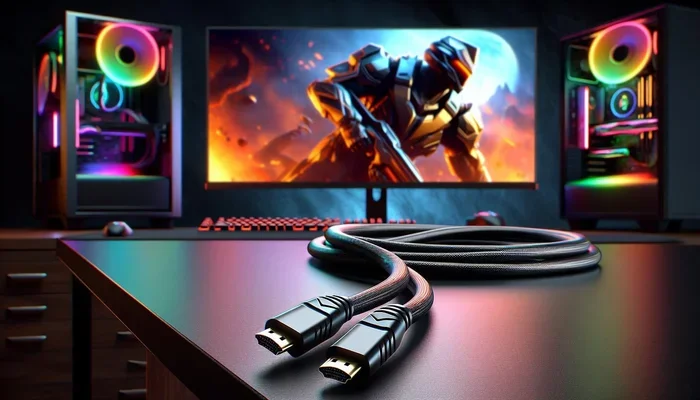
When shopping, look for labels like “High Speed HDMI,” “Premium High Speed HDMI,” or “Ultra High Speed HDMI.” These are reliable indicators that the cable supports 4K resolution.
HDMI Cable Types and What They Support
The HDMI organization uses specific naming conventions to help consumers choose the right cable. Here is a quick guide to the main cable categories.
Standard HDMI Cable
This is the basic cable. It supports up to 1080p or 720p. It cannot handle 4K. You will find these bundled with older devices. Do not use one for 4K content.
High Speed HDMI Cable
This cable supports 1080p, 4K at 30Hz, and basic 3D content. It is a step up from the standard cable. It works for 4K movies, but the 30Hz refresh rate may feel a bit laggy during fast scenes.
Premium High Speed HDMI Cable
This is the sweet spot for most 4K setups. It supports 4K at 60Hz and HDR content. It has 18 Gbps bandwidth. Most people shopping for a 4K TV setup should look for this cable type. It handles streaming, gaming, and Blu-ray playback with ease.
Ultra High Speed HDMI Cable
This is the top-tier cable. It supports 4K at 120Hz, 8K, and 8K at 60Hz. It has 48 Gbps bandwidth. It also supports the latest HDMI features like eARC (Enhanced Audio Return Channel) and variable refresh rate (VRR). If you have an HDMI 2.1 port on your TV or console, this is the cable you need.
Comparison Table: HDMI Cable Types at a Glance
| Cable Type | Max Resolution | Max Refresh Rate | Bandwidth | HDR Support |
|---|---|---|---|---|
| Standard HDMI | 1080p | 60Hz | 4.95 Gbps | No |
| High Speed HDMI | 4K | 30Hz | 10.2 Gbps | No |
| Premium High Speed HDMI | 4K | 60Hz | 18 Gbps | Yes |
| Ultra High Speed HDMI | 8K | 120Hz | 48 Gbps | Yes |
Use this table to quickly identify which cable type fits your setup. If you own a 4K TV and want the best picture quality, go with Premium High Speed or Ultra High Speed.
Common Mistakes People Make with 4K HDMI Cables
Even when you buy the right cable, mistakes can still happen. Here are some common pitfalls to avoid.
Buying the Wrong Cable Version
Many people grab the cheapest HDMI cable they can find. That cable might be a Standard or High Speed version. It will not push 4K at 60Hz. Always check the packaging for the cable version or certification label.
Ignoring Cable Length
Signal quality drops over distance. A 3-foot cable works great. But a 50-foot cable might struggle with 4K bandwidth. If you need a long cable, look for one with signal boosters or thicker shielding. Active HDMI cables with built-in amplifiers are a great solution for long runs.
Assuming All Ports Are the Same
Your TV might have multiple HDMI ports. But not all of them may support 4K at 60Hz. Check your TV manual or look for labels on the back of the TV. Ports labeled “HDMI 2.0” or “HDMI 2.1” will support 4K properly. Older ports might only handle 1080p or 4K at 30Hz.
Using Old Cables from Previous Devices
If you are upgrading from a 1080p setup, you might reuse your old cables. Those cables were fine for 1080p but may not handle 4K. Always use a cable that is rated for 4K resolution when setting up a new 4K display.
Quick Tips for Choosing the Right 4K HDMI Cable
Here are some practical tips to keep in mind when shopping for an HDMI cable.
- Check the HDMI version: Make sure the cable matches or exceeds your device’s HDMI port version.
- Look for certification: HDMI-certified cables have been tested to meet specific standards.
- Match your needs: For 4K TV and streaming, Premium High Speed is usually enough. For gaming at 120Hz, go Ultra High Speed.
- Do not overspend: You do not need the most expensive cable. Mid-range certified cables work just as well as premium-priced ones.
- Test your setup: After connecting, check your TV display settings to confirm it shows 4K at the correct refresh rate.
- Consider Ethernet HDMI: Some cables include built-in Ethernet. This is handy if you want to share an internet connection between devices without a separate cable.
Expert Insights on HDMI and 4K Performance
We spoke with a few AV professionals about HDMI cable selection for 4K setups. Here is what they had to say.
Mark T., Home Theater Installer: “I see this mistake all the time. Someone buys a 4K TV and then uses an old cable. The TV shows 1080p instead of 4K. Nine times out of ten, the cable is the problem. Just upgrading the cable fixes it instantly.”
Sarah L., Tech Reviewer: “For most people, a Premium High Speed HDMI cable is all you need. It handles 4K at 60Hz and HDR beautifully. Only go Ultra High Speed if you are pushing 120Hz or using an HDMI 2.1 feature set.”
David R., Streaming Setup Specialist: “Cable length matters more than people think. I always recommend keeping HDMI runs under 15 feet for 4K. If you need longer, use an active cable or a signal booster.”
Does Cable Brand Matter for 4K?
A common question is whether brand name cables perform better than generic ones. The answer is nuanced. An expensive brand name cable is not always superior to a well-made generic cable. What matters most is the cable’s certification and bandwidth rating.
Brands like Belkin, Cable Matters, and Monoprice offer excellent 4K-certified HDMI cables at reasonable prices. You do not need to spend $100 on a cable to get great 4K performance. A $15 Premium High Speed cable will deliver the same picture quality as a $50 one in most cases.
The key is to avoid no-name cables from unknown sellers. These often lack proper certification and may not support the bandwidth needed for 4K at 60Hz or HDR.
HDMI and Gaming: What You Need to Know
Gaming puts extra demands on HDMI cables. Modern consoles like the PS5 and Xbox Series X output 4K at 120Hz. To get the best experience, you need an Ultra High Speed HDMI 2.1 cable.
Here is what gaming on 4K requires:
- 4K at 60Hz: Premium High Speed HDMI cable (18 Gbps)
- 4K at 120Hz: Ultra High Speed HDMI 2.1 cable (48 Gbps)
- VRR (Variable Refresh Rate): HDMI 2.1 cable with VRR support
- Auto Low Latency Mode (ALLM): Supported on HDMI 2.1 cables
If you are a casual gamer playing at 4K 60Hz, a Premium High Speed cable works great. But if you want to take advantage of 120Hz gaming on the PS5 or Xbox Series X, you must invest in an HDMI 2.1 Ultra High Speed cable.
Do You Need an Expensive HDMI Cable for 4K?
Here is a secret that many retailers do not want you to know. A $10 HDMI cable and a $100 HDMI cable can deliver the same 4K picture quality if both are certified for the same bandwidth. The price difference usually comes from build quality, shielding, and brand reputation. Not from picture performance.
Spend money on cables that are certified for the right speed. Do not pay extra for fancy gold-plated connectors or thick rubber jackets unless you need durability. The signal inside the cable matters far more than the outer appearance.
How to Tell if Your HDMI Cable Supports 4K
Not sure if your current cable can handle 4K? Here is how to check.
- Look at the packaging: It should say “High Speed,” “Premium High Speed,” or “Ultra High Speed.”
- Check the cable itself: Many cables have a legend printed on the side. Look for “HDMI 2.0” or “HDMI 2.1” markings.
- Test it: Connect the cable to your 4K TV and check the display settings. If it shows 4K at 60Hz or higher, the cable works.
- Visit the manufacturer’s website: Most brands list the cable specifications online. Search for the model number to confirm 4K support.
If your cable does not support 4K, replacing it is easy and affordable. A new 4K-compatible HDMI cable costs between $8 and $25 for most lengths under 6 feet.
Conclusion
The answer to can all HDMI run 4K is clear. Not all cables can. But the right cable makes all the difference. Whether you are streaming movies, gaming, or just browsing, using the correct HDMI cable ensures you get the sharp, vibrant picture your 4K TV was designed to display.
For most setups, a Premium High Speed HDMI cable handles 4K at 60Hz and HDR with no problem. For gamers and power users, an Ultra High Speed HDMI 2.1 cable unlocks 4K at 120Hz and future-proofs your setup.
Do not let the wrong cable hold back your viewing experience. Check your devices, choose the right cable type, and enjoy stunning 4K visuals every time. A small change today can make a big difference tomorrow.
Frequently Asked Questions
What happens if I use a non-4K HDMI cable with a 4K TV?
The TV may downscale the picture to 1080p or lower. In some cases, you might get no signal at all. The cable simply cannot carry enough bandwidth for 4K content. Always use a cable rated for 4K to avoid these issues.
Can I use any HDMI cable for 4K gaming?
Not any cable. For 4K gaming at 60Hz, you need a Premium High Speed HDMI cable. For 4K at 120Hz on PS5 or Xbox Series X, you need an Ultra High Speed HDMI 2.1 cable. Check your console’s requirements before buying.
Does HDMI cable length affect 4K quality?
Yes, it can. Longer cables may experience signal loss, especially with high bandwidth 4K signals. Keep cables under 15 feet for best results. If you need longer, use an active HDMI cable with a built-in signal booster.
What is the difference between HDMI 2.0 and HDMI 2.1 cables?
HDMI 2.0 cables support 4K at 60Hz with 18 Gbps bandwidth. HDMI 2.1 cables support 4K at 120Hz and 8K with 48 Gbps bandwidth. HDMI 2.1 also adds features like VRR and eARC for a better viewing and gaming experience.
Do gold-plated HDMI cables improve 4K performance?
Gold plating helps prevent corrosion and improves connection durability. It does not improve picture quality or bandwidth. The internal construction and certification matter far more for 4K performance than the connector material.
How can I tell if my HDMI port on the TV supports 4K?
Check your TV’s manual or look for labels on the back of the TV. Ports marked “HDMI 2.0” or “HDMI 2.1” support 4K. Some TVs label ports with a “4K” icon. If you are unsure, try a known 4K cable and check the display settings for the resolution output.