Can You Use Any Usb Adapter For Iphone Heres The Answer
You cannot use just any USB adapter for iPhone. Apple devices need specific adapters that meet MFi certification standards to work safely and efficiently. Using the wrong adapter can damage your phone, slow down charging, or fail to transfer data altogether. In this guide, we break down exactly which adapters work, why compatibility matters, and how to choose the best one for your iPhone model.
Have you ever grabbed a USB adapter lying around your house and plugged it into your iPhone, only to find out it does not work? You are not alone. Millions of iPhone users face this frustrating problem every day. The truth is that not every USB adapter works with an iPhone. Apple has specific requirements that adapters must meet to function properly with iPhones. In this guide, we will walk you through everything you need to know about USB adapter for iPhone compatibility. You will learn which adapters work, which ones to avoid, and how to pick the right one for your needs.
Whether you are trying to charge your phone, transfer files, or connect to a computer, choosing the right adapter makes all the difference. A wrong adapter can lead to slow charging, data transfer failures, or even device damage. So let us dive right in and clear up the confusion once and for all.
Key Takeaways
- Not all USB adapters work with iPhones: Apple requires specific standards for compatibility.
- MFi certification is essential: Always look for Made for iPhone certified adapters to ensure safety.
- USB-C to Lightning and USB-A to Lightning are the most common types: Each serves different needs.
- Using cheap or counterfeit adapters can damage your device: Quality matters more than price.
- iPhone model matters: Older and newer iPhones use different connector types.
- Fast charging requires specific adapters: Standard adapters may not support quick power delivery.
- Check adapter quality before buying: Look for certifications, brand reputation, and user reviews.
📑 Table of Contents
- What Is a USB Adapter for iPhone
- Types of USB Adapters You Can Use with iPhone
- Can You Use Any USB Adapter for iPhone
- How to Choose the Right USB Adapter for iPhone
- Common Mistakes People Make with iPhone USB Adapters
- Expert Tips for Getting the Most from Your USB Adapter
- Quick Tips for Choosing the Best USB Adapter
- Comparison: Best USB Adapters for iPhone
- Final Thoughts on Using USB Adapters with iPhone
What Is a USB Adapter for iPhone
A USB adapter for iPhone is a small device that connects your iPhone to a USB port or cable. It acts as a bridge between your phone and another device, like a computer, wall charger, or car dock. iPhones use a Lightning connector or, on newer models, a USB-C connector. But most computers and chargers use standard USB-A or USB-C ports. That is where adapters come in.
Think of it like a translator. Your iPhone speaks one language, and your charger or computer speaks another. The adapter helps them understand each other. Without the right adapter, the connection simply will not work.
There are many types of adapters on the market. Some are made by Apple, while others come from third-party manufacturers. Not all of them are created equal. This is why understanding compatibility is so important.
Types of USB Adapters You Can Use with iPhone
Not all adapters are the same. Different adapters serve different purposes. Here is a look at the most common types you will encounter.
USB-A to Lightning Adapter
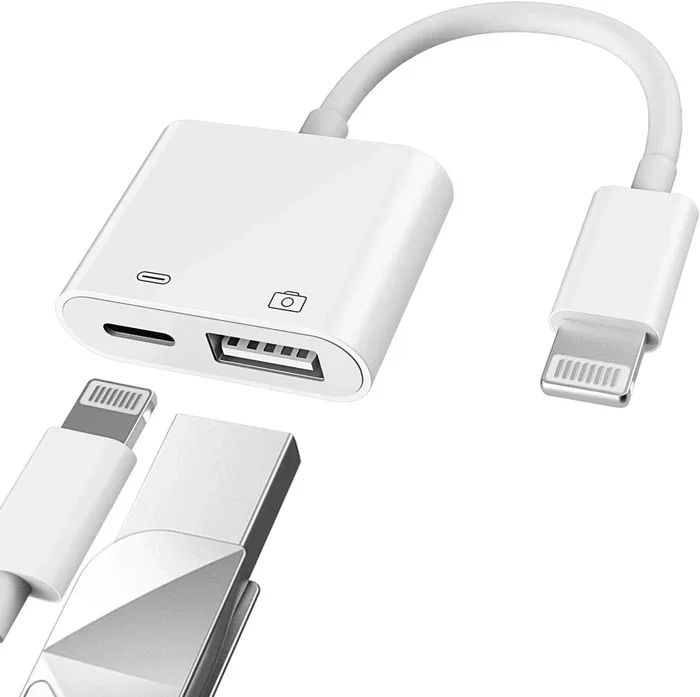
This is the most basic type of adapter. It has a standard USB-A plug on one end and a Lightning connector on the other. You use it to connect your iPhone to a computer for syncing or charging. It is also handy for plugging into older wall chargers that have a USB-A port.
Most iPhone users have at least one of these lying around. They work well for everyday charging and basic data transfer. However, they do not support fast charging on their own. You need a special power adapter for that.
USB-C to Lightning Adapter
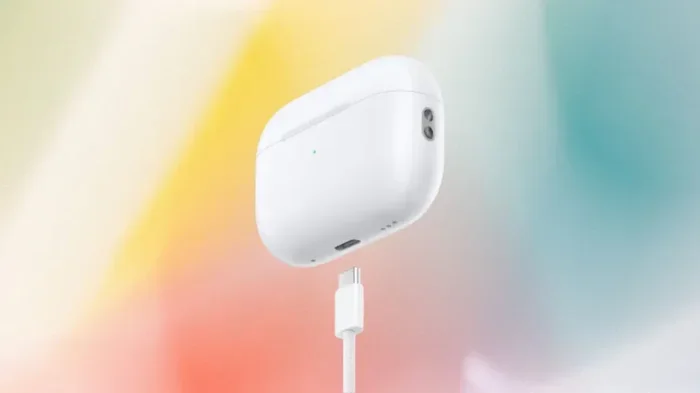
Apple introduced the USB-C to Lightning adapter to support faster charging and data transfer. This adapter is key for iPhone 15 and newer models that use a USB-C port. It also works with older iPhones that use Lightning connectors when paired with a USB-C power source.
If you want to take advantage of fast charging, this is the adapter you need. It supports higher power delivery, which means your iPhone charges much faster than with a standard USB-A adapter.
USB-C to USB-C Adapter
For the newest iPhones with USB-C ports, a simple USB-C to USB-C cable or adapter works perfectly. No extra adapter is needed if you have a USB-C charger. This setup offers the fastest speeds and best compatibility for modern iPhones.
USB Hub Adapters
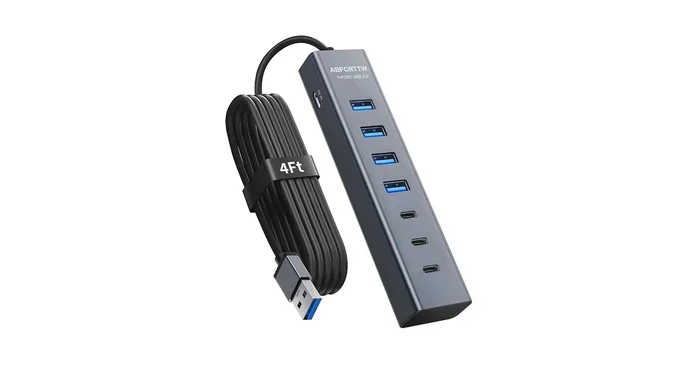
Some adapters work as hubs. They let you connect multiple devices at once through a single USB port. These are great for people who need to connect their iPhone to a monitor, keyboard, and external drive all at the same time. However, not all hub adapters are compatible with iPhones. Always check for MFi certification before buying one.
Can You Use Any USB Adapter for iPhone
This is the big question, and the answer is no. You cannot use just any USB adapter with your iPhone. Apple has strict guidelines for adapters that work with its devices. Here is why that matters.
The Role of MFi Certification
MFi stands for Made for iPhone. It is Apple’s certification program for accessories that are designed to work with iOS devices. When you see the MFi badge on an adapter, it means Apple has tested it for safety and performance.
Using a non-MFi adapter might seem harmless, but it can cause real problems. Here are some risks:
- Slow charging speeds: Non-certified adapters often cannot deliver the right amount of power.
- Data transfer failures: Your iPhone might not recognize the adapter at all.
- Overheating: Cheap adapters can overheat and potentially damage your iPhone.
- Battery damage: Poor voltage regulation can harm your battery over time.
- Error messages: You might see a “This accessory is not supported” warning on your screen.
So always look for MFi certification when buying a USB adapter for iPhone. It is the single most important factor to consider.
Why Counterfeit Adapters Are Dangerous
The market is flooded with cheap counterfeit adapters. They look real but are not. These knockoffs skip safety testing and use low-quality materials. They might work once or twice, but they can fail without warning.
In some extreme cases, counterfeit adapters have caused fires or damaged phones beyond repair. Apple has even issued warnings about uncertified accessories in the past. The few extra dollars you save are simply not worth the risk.
iPhone Model Compatibility Matters
Different iPhone models use different connectors. Here is a quick breakdown:
- iPhone 14 and older: Use Lightning connectors. You need a USB-A to Lightning or USB-C to Lightning adapter.
- iPhone 15 and newer: Use USB-C connectors. A USB-C to USB-C cable works directly without an adapter in most cases.
- iPhone 15 Pro and Pro Max: Also use USB-C but support faster data transfer speeds with USB 3 adapters.
Buying the wrong adapter for your specific model is one of the most common mistakes people make. Always double-check your iPhone model before purchasing an adapter.
How to Choose the Right USB Adapter for iPhone
Now that you know not every adapter works, let us talk about how to choose the right one. Follow these steps to make a smart purchase.
Step 1: Check Your iPhone Model
Go to Settings > General > About on your iPhone. Look for the Model Name or Model Number. This tells you whether you have a Lightning or USB-C iPhone. From there, you know exactly which adapter you need.
Step 2: Look for MFi Certification
This cannot be stressed enough. The MFi logo should be clearly visible on the product or its packaging. If it is not there, walk away. There are plenty of certified options at every price point.
Step 3: Consider Your Needs
Ask yourself what you need the adapter for. Here are some common scenarios:
- Basic charging: A simple USB-A to Lightning adapter works fine.
- Fast charging: Choose a USB-C to Lightning adapter with power delivery support.
- Data transfer: Look for adapters that support high-speed data sync.
- Business use: If you use your iPhone for electronic commerce communication, you need a reliable adapter that ensures consistent data sync and connection stability. For those managing online commerce from an iPhone, a certified adapter helps maintain secure and uninterrupted communication through value-added networks. Learn more about the advantages and disadvantages of using a value added network for electronic commerce communication to understand how stable connections impact your business operations.
- Multiple devices: A USB hub adapter can save you from carrying multiple cables.
Step 4: Buy from Reputable Brands
Stick with well-known brands like Apple, Anker, Belkin, or Ugreen. These companies invest in quality control and offer warranties. Their adapters are more likely to last and perform reliably.
Step 5: Read Reviews
Before you buy, read customer reviews. Look for feedback on charging speed, durability, and compatibility. Real-world experiences tell you a lot more than product descriptions.
Common Mistakes People Make with iPhone USB Adapters
Even with the best intentions, people make mistakes when buying and using USB adapters. Here are the most common ones to avoid.
Buying the Cheapest Option
A $3 adapter from an unknown brand might seem like a great deal. But cheap adapters often use inferior components. They may not support the power levels your iPhone needs. Over time, they can cause more harm than good. Spending a little more on a certified adapter saves you money in the long run.
Ignoring Adapter Quality
Not all adapters that look the same are the same. Some use thicker copper wires for better conductivity. Others have better heat dissipation. These small differences affect performance and safety. Always check the build quality before buying.
Assuming All USB Ports Are Equal
Not every USB port on your computer or charger delivers the same power. A USB 2.0 port charges much slower than a USB 3.0 port. Similarly, a basic wall charger may not support fast charging even with the right adapter. Check the power output of your source device too.
Using Damaged Adapters
If your adapter has frayed cables, bent pins, or visible damage, stop using it immediately. Damaged adapters can cause short circuits, overheating, or inconsistent charging. Replace them as soon as possible.
Forgetting to Update iOS
Sometimes an adapter that stopped working suddenly starts working again after an iOS update. Apple regularly improves compatibility with accessories. Keeping your iPhone updated ensures the best experience with your adapter.
Expert Tips for Getting the Most from Your USB Adapter
Want to get the best performance from your USB adapter for iPhone? Follow these expert tips.
Keep Your Adapter Clean
Dust and lint can build up inside the adapter port over time. Use a soft brush or compressed air to clean it gently. A dirty connection leads to intermittent charging and data transfer issues.
Avoid Extreme Temperatures
Adapters can degrade faster when exposed to extreme heat or cold. Do not leave them in your car during summer or winter. Store them in a cool, dry place when not in use.
Use One Adapter at a Time
Do not chain multiple adapters together. For example, do not plug a USB hub into another USB hub. This can cause power delivery issues and may damage your iPhone.
Unplug Gently
Yanking the cable out puts stress on both the adapter and your iPhone port. Pull gently or use the release button if your adapter has one. This small habit extends the life of your accessories.
Replace Adapters When They Wear Out
Adapters have a lifespan. If you notice slow charging, intermittent connections, or physical wear, replace the adapter. Continuing to use a worn-out adapter can harm your device.
Quick Tips for Choosing the Best USB Adapter
- Always check for MFi certification before purchasing any adapter.
- Match the adapter to your iPhone model (Lightning vs. USB-C).
- Choose USB-C adapters for fast charging and modern iPhones.
- Buy from reputable brands with good customer reviews.
- Avoid adapters with no brand name or certification.
- Check the power output of your charger or USB port.
- Keep spare adapters at home, work, and in your car.
Comparison: Best USB Adapters for iPhone
| Adapter Type | Best For | MFi Certified | Fast Charging | Price Range |
|---|---|---|---|---|
| USB-A to Lightning | Basic charging and syncing | Yes (certified models) | No | $8 – $15 |
| USB-C to Lightning | Fast charging and data transfer | Yes | Yes | $15 – $30 |
| USB-C to USB-C | Newest iPhone models | Yes (built-in) | Yes | $10 – $25 |
| USB Hub Adapter | Multiple device connections | Yes (certified models) | Varies | $20 – $50 |
| GaN Charger with Adapter | Compact fast charging | Yes | Yes | $25 – $60 |
As you can see from the table, the best adapter depends on your needs and iPhone model. A USB-C to Lightning adapter is the most versatile choice for most users. It supports fast charging, data transfer, and works with both older and newer iPhones.
Final Thoughts on Using USB Adapters with iPhone
The short answer to whether you can use any USB adapter for iPhone is no. Apple’s ecosystem is designed to work best with certified accessories. Using the right adapter protects your device, ensures fast charging, and enables reliable data transfer.
Investing in a quality USB adapter for iPhone is one of the smartest things you can do for your device. It costs a little more upfront but saves you from headaches, repairs, and replacements down the road. Always look for MFi certification, match the adapter to your iPhone model, and buy from trusted brands.
Your iPhone is a significant investment. Treat it right by using the right accessories. The next time you need a new adapter, you will know exactly what to look for. Happy charging!
Frequently Asked Questions
Can I use any USB-C adapter with my iPhone 15?
Not all USB-C adapters work with iPhone 15. You need an adapter that is MFi certified for full compatibility. Non-certified adapters may work for basic charging but could fail during data transfer or cause compatibility issues. Always check for the MFi badge before buying.
Why does my iPhone say “This accessory is not supported”?
This error message appears when your iPhone detects an uncertified or incompatible adapter. It usually means the adapter does not have MFi certification or is damaged. Try using a different certified adapter to resolve the issue.
Can I use an Android USB adapter with my iPhone?
No, Android USB adapters are not designed for iPhone compatibility. They may have different pin configurations and power delivery standards. Always use adapters specifically made for iOS devices or those with MFi certification.
Do I need a special adapter for fast charging my iPhone?
Yes, fast charging requires a USB-C to Lightning adapter paired with a USB-C power adapter that supports USB Power Delivery. Standard USB-A adapters cannot deliver the power needed for fast charging. Look for adapters rated for at least 20W of power delivery.
Are Apple-branded adapters better than third-party options?
Apple adapters offer excellent quality and guaranteed compatibility, but many third-party brands also produce high-quality MFi-certified adapters. Brands like Anker, Belkin, and Ugreen offer reliable alternatives at lower prices. The key is to ensure any adapter you buy has MFi certification regardless of the brand.
How can I tell if a USB adapter is MFi certified?
MFi certified adapters will have the official MFi logo on the product packaging and sometimes on the adapter itself. You can also check the product description on the manufacturer’s website. If there is no MFi certification visible, it is best to avoid the product to protect your iPhone.
=== CONCLUSION ===
To wrap it all up, you cannot use just any USB adapter for iPhone. Apple requires adapters to meet specific standards, especially MFi certification, to ensure safety and performance. Using the wrong adapter can lead to slow charging, data transfer problems, or even permanent device damage.
The good news is that choosing the right adapter is simple once you know what to look for. Match the adapter type to your iPhone model, always check for MFi certification, and buy from reputable brands. Whether you need a basic USB-A to Lightning adapter or a USB-C setup for fast charging, the right adapter makes a huge difference.
Take a few minutes to review your current adapter situation. If you are using an uncertified or damaged adapter, replace it today. Your iPhone will thank you with better performance, faster charging, and longer lifespan. Make the smart choice and invest in the right USB adapter for iPhone now.