Can You Name Your Wi Fi Anything You Have Ever Wondered
Can You Name Your Wi-Fi Anything? The answer is a simple yes. You have full control over your custom SSID and can set your wireless network name to whatever you like. This guide covers everything from router settings to creative naming ideas, security tips, and common mistakes to avoid. By the end, you will know exactly how to name your Wi-Fi network with confidence.
Have you ever walked into a coffee shop and seen a Wi-Fi network name that made you laugh out loud? Maybe it said “FBI Surveillance Van” or “Drop It Like Its Hotspot.” These funny names make you wonder one thing. Can You Name Your Wi-Fi Anything You Want?
The short answer is yes. You can name your wireless network almost anything you like. Whether you want something funny, professional, or totally random, the choice is yours. But there is more to it than just typing in a cool name. Your network name affects how others see your connection. It can also impact your network security and how well your devices connect.
This guide will walk you through everything you need to know. We will cover how Wi-Fi network names work, how to change them, and the best ideas for naming your wireless network. You will also learn about router settings, common mistakes, and Wi-Fi troubleshooting tips. By the end, you will feel confident naming your Wi-Fi hotspot the right way.
Key Takeaways
- You Can Name Your Wi-Fi Anything: There are no strict rules, so you have full creative freedom.
- Keep It Short and Simple: Shorter names connect faster and display better on all devices.
- Avoid Personal Info: Do not put your real name, address, or phone number in the network name.
- Change Default Names: Always replace the default SSID to improve security and avoid confusion.
- Special Characters Have Limits: Not all devices support emojis or special characters in Wi-Fi names.
- Your Name Affects Visibility: A unique name makes your network easy to find and identify.
📑 Table of Contents
Can You Name Your Wi-Fi Anything? The Short Answer
What Is a Wi-Fi Network Name?
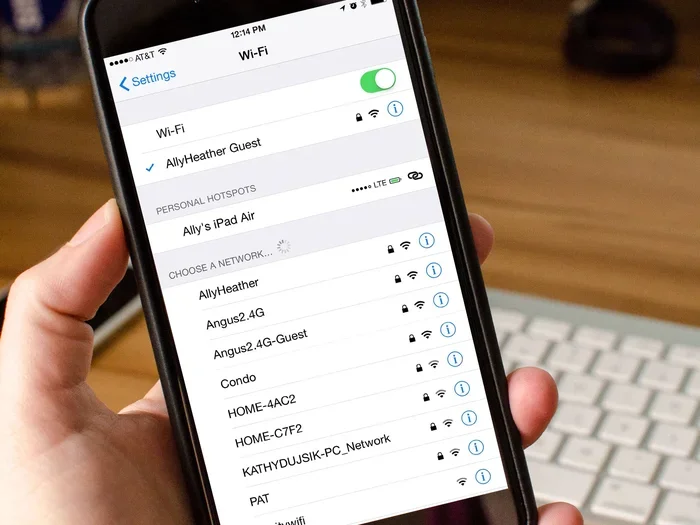
Every wireless network has a name. This name is called the SSID, which stands for Service Set Identifier. Think of it as the title of your internet connection. When you look at the list of available networks on your phone or laptop, the names you see are SSIDs.
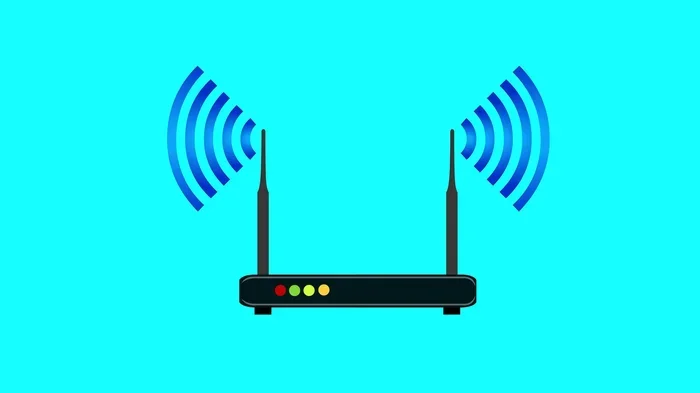
Your router broadcasts this name so your devices can find it. When you set up a new internet provider plan, the router often comes with a default name. These default names usually look something like “NETGEAR_5G” or “Linksys0042.” They are not very exciting, right?
The good news is that you can change this name anytime. You are not stuck with the boring default. You can pick any name that fits your style. Just keep in mind that there are a few rules and limits. More on that below.
The Technical Side of Wi-Fi Naming
Here is how SSID broadcast works in simple terms. Your router configuration sends out a signal. That signal includes the network name. Devices nearby scan for these signals and show them in a list. When you tap on your network, you enter your Wi-Fi password and connect.
The SSID can be up to 32 characters long. You can use letters, numbers, and most standard symbols. However, not all devices handle special characters well. Some older gadgets may not display names with emojis or unusual symbols correctly. So it is best to keep your name simple and clean.
Also, your SSID broadcast can be turned on or off. If you turn it off, your network will not show up in the list of available networks. You would need to manually type in the name to connect. This is a useful network security trick, but it can also be inconvenient.
How Wi-Fi Network Names Actually Work
Understanding SSID Basics
Your network name is more than just a label. It tells the world what kind of network you have. A clear, well-chosen name helps friends and guests connect easily. A confusing or generic name can cause Wi-Fi troubleshooting headaches later.
Here is how the process works step by step:
- Your router creates a wireless network using radio waves.
- The router assigns an SSID to that network.
- The SSID is broadcasted so devices can find it.
- You select the network name on your device.
- You enter the Wi-Fi password to connect.
That is it. The whole process happens in seconds. But the name you choose plays a bigger role than you might think. It affects how your network looks to others. It also affects how easily your devices find it.
How Routers Handle Network Names
Most modern routers let you set your custom SSID through a simple dashboard. You access this dashboard by typing your router’s IP address into a web browser. From there, you can change the name, password, and other settings.
Some routers also let you set different names for the 2.4 GHz and 5 GHz bands. This means your wireless network can have two names. For example, “HomeNetwork_2G” and “HomeNetwork_5G.” This helps devices connect to the best bandwidth for their needs.
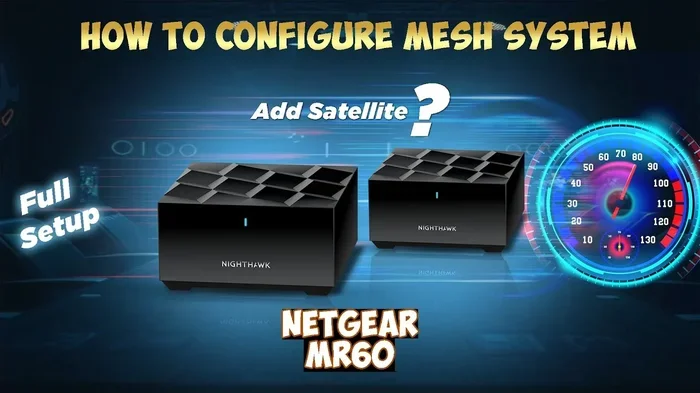
If you have a mesh Wi-Fi system, the setup is similar. Each node in the system shares the same network name by default. This creates one seamless Wi-Fi signal throughout your home. You can still customize the name if you want.
How to Change Your Wi-Fi Network Name
Accessing Your Router Settings
Changing your network name is easy. You just need to log into your router. Here is how to do it:
- Open a web browser on a device connected to your internet connection.
- Type your router’s IP address into the address bar. Common addresses are 192.168.1.1 or 192.168.0.1.
- Enter your admin username and password.
- Look for a section called “Wireless Settings” or “SSID Settings.”
- Delete the current name and type in your new custom SSID.
- Save the changes and restart your router.
Not sure what your router’s IP address is? Check the sticker on the back of the router. It usually lists the default IP address, username, and password. You can also check your device’s network settings for this info.
Step-by-Step Name Change Process
Let us walk through a real example. Say you have a Netgear router. You open your browser and type 192.168.1.1. You log in with the default credentials. Then you go to the “Wireless” tab.
In the “SSID Name” field, you delete “NETGEAR_5G” and type in “CozyHomeNetwork.” You hit save. The router restarts. Within a minute, your new network name appears in the list of available wireless networks on all your devices.
After you change the name, you will need to reconnect all your devices. They will forget the old network name and look for the new one. This only takes a few seconds per device.
Tips After Changing Your Network Name
Once you have changed your Wi-Fi network name, there are a few things to keep in mind:
- Update saved networks: Go through your devices and remove the old network name. Add the new one with the correct Wi-Fi password.
- Tell your guests: If you have a new name, make sure visitors know what to look for.
- Check smart home devices: Smart speakers, cameras, and other smart home devices may need to be reconnected to the new name.
- Restart your router: A quick restart helps the new name broadcast properly.
Creative Wi-Fi Name Ideas That Work
Funny and Clever Names
One of the best parts of naming your Wi-Fi hotspot is the fun you can have. A funny network name can make your neighbors smile. It can also start great conversations.
Here are some ideas to get you started:
- “The Internet Is Coming”
- “FBI Surveillance Van”
- “Drop It Like Its Hotspot”
- “No Free Wi-Fi Here”
- “UseAtYourOwnRisk”
- “MomKnowsBestPassword”
- “LoadingPleaseWait”
- “PrettyFlyForAWiFi”
These names are fun and memorable. They make your network stand out. Just make sure the name is not too long. Keep it under 32 characters for the best compatibility.
Professional and Subtle Names
If you prefer something clean and professional, that works too. A good network name for a home office might include your last name or a simple identifier. For example, “SmithHomeOffice” or “Floor2Internet.”
Professional names are great when you work from home. They make it easy for clients or coworkers to connect to your internet connection. They also keep things looking neat and organized.
Names That Warn Neighbors
Some people use their Wi-Fi network name to send a message. For example, names like “SecureNetwork_5G” or “PasswordProtected” let others know you take network security seriously. While this does not replace a strong Wi-Fi password, it does add a layer of clarity.
You can also use your name to make the network easy to identify. If your last name is Johnson, “Johnson_WiFi” is simple and effective. Just avoid putting too much personal information in the name.
Security Tips for Custom Wi-Fi Names
What Your Name Reveals
Your custom SSID can accidentally reveal more than you think. If your name includes your address, birth year, or family member names, it gives strangers clues. A smart attacker can use this information to guess your Wi-Fi password or answer security questions.
Here are some things to avoid in your network name:
- Your full name or family members’ names
- Your home address or zip code
- Your phone number or birth year
- Any personal identifiers
Keep your wireless network name generic enough to protect your privacy. A fun or neutral name is always a safer choice.
Best Practices for Safe Naming
To keep your internet connection safe, follow these best practices:
- Use a unique name: Avoid common default names like “admin” or “router.”
- Pair with a strong password: A creative network name means nothing without a strong Wi-Fi password.
- Enable WPA3 encryption: This is the latest and most secure network security protocol.
- Update your router firmware: Regular updates fix security flaws in your router settings.
- Turn off WPS: Wi-Fi Protected Setup can be a security risk. Disable it in your router configuration.
Following these steps keeps your Wi-Fi signal safe from unauthorized users. It also protects your personal data and bandwidth from being stolen.
Common Wi-Fi Naming Mistakes to Avoid
Names That Cause Problems
Not all network names are created equal. Some names can cause real problems with your wireless network. Here are mistakes to watch out for:
- Names with special characters: Emojis and unusual symbols may not display on all devices. This can cause Wi-Fi troubleshooting issues.
- Names that are too long: Names over 32 characters may be truncated by some devices.
- Names with spaces at the start or end: Extra spaces can confuse devices trying to connect.
- Names that are too generic: “Wi-Fi” or “Internet” may cause confusion if your neighbors have similar names.
- Names with offensive language: This can make your network unwelcoming to guests and neighbors.
Avoiding these mistakes ensures your Wi-Fi setup works smoothly for everyone. It also makes Wi-Fi troubleshooting much easier when issues arise.
What Experts Recommend
Networking experts agree on a few key points when it comes to naming your Wi-Fi network. First, keep it short. A name between 8 and 16 characters is ideal. Second, make it unique. This helps your network stand out in crowded areas like apartments or offices.
Third, be consistent. If you have a 2.4 GHz and 5 GHz band, use similar names for both. This makes it easier for devices to choose the right bandwidth and Wi-Fi signal. Fourth, avoid changing your name too often. Every time you change it, your devices need to reconnect, which can cause temporary internet connection issues.
Finally, remember that your network name is public information. Anyone nearby can see it. So keep it friendly, professional, and free of personal details. A well-chosen name improves both the user experience and your network security.
Frequently Asked Questions About Wi-Fi Naming
Can You Use Emojis in Your Wi-Fi Network Name?
Technically, yes. Most modern routers allow emojis in the custom SSID field. However, many devices cannot display or connect to networks with emoji names. Older phones, smart TVs, and gaming consoles may fail to find the network. For best compatibility, stick to letters, numbers, and basic symbols.
Does Your Wi-Fi Name Affect Internet Speed?
No, your network name does not affect speed. The Wi-Fi signal and bandwidth depend on your router, internet provider, and plan. However, a poorly chosen name can cause connection issues. If your name is too long or has unsupported characters, devices may struggle to connect. This can feel like slow speed even when the connection is fine.
Can Two Networks Have the Same Name?
Yes, two wireless networks can share the same SSID. This is called having the same network name. When this happens, your device may connect to the stronger Wi-Fi signal automatically. However, it can also cause confusion. If both networks have different passwords, your device might connect to the wrong one. It is best to use unique names to avoid this problem.
Is It Safe to Put Your Name in the Wi-Fi Network Name?
It is not recommended. Putting your full name or personal details in the custom SSID can expose you to privacy risks. Strangers can see your network name from outside your home. They might use this information for social engineering or targeted attacks. Use a neutral or creative name instead. It is safer and just as effective.
How Often Should You Change Your Wi-Fi Network Name?
There is no need to change your name often. Once is enough unless you suspect someone has accessed your network without permission. Changing it too often can cause inconvenience. Every device in your home needs to reconnect to the new name. If you do change it, make sure to update all smart home devices and inform regular guests.
Can You Hide Your Wi-Fi Network Name?
Yes, you can disable SSID broadcast in your router settings. This hides your network name from the list of available networks. To connect, you must manually type in the exact name. While this adds a layer of network security, it is not foolproof. Determined attackers can still find hidden networks. Use this feature along with strong passwords and encryption for the best protection.
Conclusion
Can You Name Your Wi-Fi Anything? Absolutely. You have the power to choose any custom SSID for your wireless network. Whether you go funny, professional, or mysterious, the choice is entirely yours. Just remember to keep it short, avoid personal details, and pair it with a strong Wi-Fi password.
Changing your network name is one of the simplest things you can do to improve your internet connection experience. It makes your network easier to find. It adds a personal touch to your home. And it can even boost your network security when done the right way.
Now that you know the ins and outs of Wi-Fi naming, it is time to take action. Log into your router settings and give your wireless network a name you are proud of. Follow the security tips we covered. Avoid the common mistakes. And enjoy a network that is both fun and safe.
Your Wi-Fi hotspot is yours to name. Make it count. Start today and see how a simple name change can make a big difference in your daily internet connection life.