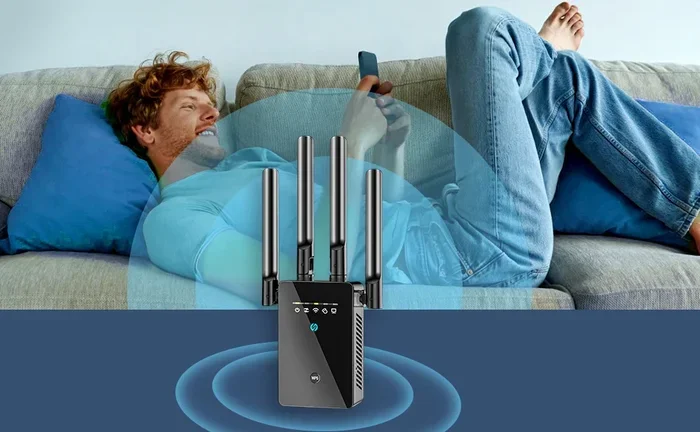
Do I Need A Repeater Or Access Point For Better WiFi
Choosing between a WiFi repeater and an access point can transform your home network. A repeater extends your existing signal, while an access point creates a new one from a wired connection. This guide helps you pick the right solution for better WiFi coverage and stronger signal strength.
Staring at a weak WiFi signal in the corner of your living room is frustrating. You click, you refresh, and nothing loads. It happens in bedrooms, basements, backyards, and home offices everywhere. The question most people ask is simple: do I need a repeater or access point to fix this?
The answer depends on your home layout, your budget, and what kind of internet experience you want. A WiFi repeater bounces your existing signal to new areas. An access point builds a fresh, strong connection from a wired source. Both solve the same problem, but they work in very different ways.
This guide breaks down everything you need to know. You will learn how each device works, when to use which one, and how to make the best choice for your home network setup. By the end, you will feel confident picking the right solution for better WiFi coverage.
Key Takeaways
- WiFi repeaters are affordable and easy to set up for small coverage gaps.
- Access points deliver faster, more reliable speeds for larger homes and offices.
- Your internet speed and home size determine which device you actually need.
- Router placement matters just as much as the device you choose.
- Dead zones can often be solved with the right equipment and positioning.
- Mesh networks are a third option worth considering for whole-home coverage.
- Wired connections always outperform wireless extenders in speed and stability.
📑 Table of Contents
- What Is a WiFi Repeater?
- What Is a Wireless Access Point?
- Repeater vs Access Point: Key Differences
- When Should You Use a WiFi Repeater?
- When Should You Choose an Access Point?
- How to Decide Between a Repeater and Access Point
- Common Mistakes People Make With Repeaters and Access Points
- Expert Insights on Repeater vs Access Point
- Final Thoughts
What Is a WiFi Repeater?
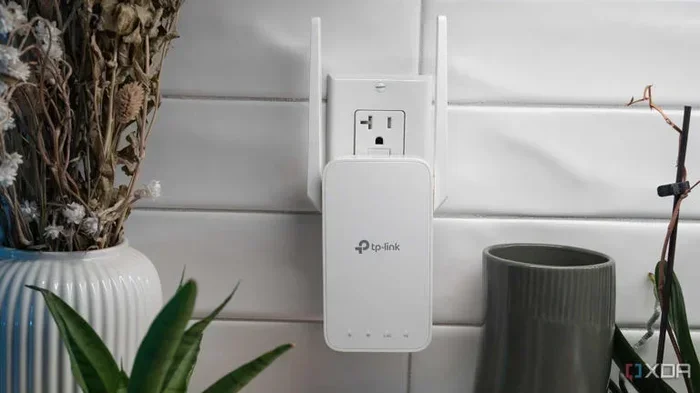
A WiFi repeater is a small device that catches your existing wireless signal and sends it out again. Think of it like a mirror for your router’s signal. It does not create a new network. It simply amplifies and rebroadcasts what your router already sends.
Repeaters are the most popular choice for people who want a quick fix. They are cheap, easy to set up, and require no cables. If you have a small dead zone behind a wall or in a distant room, a repeater often does the job.
How a Repeater Works
Here is how a wireless range extender operates in plain terms. Your router sends out a WiFi signal. The repeater picks up that signal from a certain distance. Then it rebroadcasts the same signal to areas your router cannot reach well.
The repeater creates a second zone of coverage. Your phone or laptop might connect to this second zone automatically. The device acts as a bridge between your router and the areas with poor signal.
Most repeaters work on the same frequency band as your router. This means they share the same bandwidth and channel. In simple terms, the repeater splits the available speed in half. So if your router delivers 100 Mbps, the repeater might give you around 50 Mbps to connected devices.
Pros and Cons of WiFi Repeaters
Let us look at the real benefits and downsides. This helps you decide if a repeater fits your situation.
- Pros: Low cost, easy plug-and-play setup, no cables needed, compact size, great for small spaces.
- Cons: Cuts your speed in half, can cause latency, creates a separate network name sometimes, depends on the strength of the original signal it receives.
The biggest weakness of a repeater is that it needs a decent signal to work well. If your router is too far away, the repeater gets a weak signal and amplifies a weak signal. The result is slow, unreliable WiFi performance in the extended area.
What Is a Wireless Access Point?
A wireless access point, or AP, is a device that connects to your network through a cable. It then creates a brand new WiFi signal from that wired connection. Unlike a repeater, an access point does not rely on an existing wireless signal. It gets its data directly from your router through an Ethernet cable or a powerline adapter.
Access points are the go-to choice for businesses, large homes, and anyone who needs strong, stable network coverage. They deliver full-speed WiFi because they do not split the signal the way a repeater does.
How an Access Point Works
The process is straightforward. You run an Ethernet cable from your main router to the access point. The access point then broadcasts a fresh WiFi signal in that area. Because it receives data through a wire, there is no speed loss from wireless bouncing.
Your devices connect to the access point as if it were a second router. But the access point is just doing the wireless part. The real brain and internet connection still live in your main router.
Many people use powerline adapters with access points when running a cable is not practical. A powerline adapter sends the network signal through your home’s existing electrical wiring. This gives the access point a wired connection without digging through walls.
Pros and Cons of Access Points
- Pros: Full-speed WiFi, very stable connection, supports many devices, no speed halving, great for large areas.
- Cons: Higher cost, requires cabling or powerline adapters, more complex setup, needs a physical connection to the router.
The main advantage is reliability. An access point gives you the same internet speed your router provides. You do not lose performance. For home offices, streaming setups, and gaming rooms, this makes a huge difference.
Repeater vs Access Point: Key Differences
Understanding the core differences helps you make a smart choice. Let us compare the two devices across the factors that matter most to everyday users.
| Feature | WiFi Repeater | Access Point |
|---|---|---|
| Connection Method | Wireless (receives and rebroadcasts) | Wired (Ethernet or powerline) |
| Speed Loss | Up to 50% speed reduction | No speed loss |
| Setup Difficulty | Very easy, plug and play | Moderate, requires cabling |
| Cost | $20 to $60 | $50 to $200+ |
| Best For | Small dead zones | Large homes and offices |
| Signal Quality | Good, but depends on source signal | Excellent and consistent |
| Number of Devices | Works fine for a few devices | Handles many devices easily |
| Network Name | May create a separate SSID | Can use the same SSID as router |
The table above shows the clear trade-offs. A repeater wins on convenience and price. An access point wins on performance and reliability. Your WiFi range needs and budget should guide your decision.
Signal Strength and Speed Comparison
When a repeater or access point is working, the difference in real-world performance is noticeable. A repeater might give you 40 to 50 Mbps in the extended area if your router delivers 100 Mbps. An access point gives you close to the full 100 Mbps because the connection between the router and the AP is wired.
This speed difference matters for streaming 4K video, video calls, online gaming, and downloading large files. For basic browsing and email, a repeater is usually fine. For anything that demands real speed, an access point is the better pick.
When Should You Use a WiFi Repeater?
Not everyone needs an access point. Sometimes a repeater is the perfect fit. Here are the situations where a WiFi booster makes the most sense.
Small Dead Zones
If you have one or two rooms with weak signal, a repeater solves this quickly. Maybe your bedroom is too far from the router. Or the bathroom down the hall gets no bars at all. A repeater placed halfway between your router and the dead zone works well in these cases.
The key is placement. Put the repeater where it still gets a strong signal from the router. If you place it too far away, it will amplify a weak signal and make things worse. A good rule of thumb is to position the repeater where your phone still shows at least three WiFi bars.
Budget-Friendly Fixes
Repeaters are the cheapest way to improve WiFi coverage. You can find a solid repeater for under $50. If you are renting or do not want to spend much, a repeater is a smart first step.
Many modern repeaters now support dual-band or even tri-band frequencies. This means they can use a dedicated backhaul channel, which reduces the speed loss. These models cost a bit more but perform much better than older single-band repeaters.
Temporary or Rental Situations
If you live in an apartment or a rental home, running cables is not an option. A repeater is non-invasive and easy to move. You plug it in, connect it through an app, and you are done. When you move, you unplug it and take it with you.
Guest Areas and Seasonal Use
Need better signal in a guest room only during holidays? A repeater works great for temporary needs. You set it up when guests arrive and unplug it when they leave. No permanent changes to your home network setup are required.
When Should You Choose an Access Point?
Access points shine in situations where performance and reliability matter most. Here are the clear signs that an AP is the right choice for you.
Large Homes with Multiple Floors
If your home has two or more floors and your router sits on the ground floor, upper floors often suffer from weak signal. A single repeater may not reach all the rooms. An access point on each floor gives you full, strong coverage everywhere.
For homes over 2,000 square feet, most experts recommend at least one access point per floor. This ensures every room gets a strong, dedicated signal without the speed penalties of a repeater.
Home Offices and Streaming Setups
If you work from home, you need a rock-solid connection. Video calls, file uploads, and cloud apps all demand stable speed. A repeater introduces latency and potential drops. An access point gives you a direct, wired connection to the network backbone.
The same goes for streaming setups. If you stream on Twitch, upload YouTube videos, or host video conferences daily, an access point eliminates the frustrations of a weak or fluctuating signal.
Many Connected Devices
Modern homes have dozens of connected devices. Smart TVs, phones, tablets, smart speakers, security cameras, gaming consoles, and smart home hubs all compete for bandwidth. An access point handles this load much better than a repeater.
Most quality access points support dozens of simultaneous connections without slowing down. This makes them ideal for families with heavy WiFi usage throughout the day.
Gaming and Low-Latency Needs
Online gaming demands low ping and consistent speed. A repeater adds extra hops to the data path, which increases latency. An access point keeps the data path short and wired, giving you the lowest possible latency for competitive gaming.
How to Decide Between a Repeater and Access Point
Still not sure which one you need? Follow this simple decision framework to find the right answer.
Step 1: Map Your Coverage Gaps
Walk around your home with your phone. Check the WiFi signal in every room. Note which areas have strong signal, which have weak signal, and which have no signal at all. This map tells you the size and number of the coverage gaps you need to fill.
If you only have one or two weak spots, a repeater is likely enough. If large portions of your home have poor signal, an access point setup is the better long-term solution.
Step 2: Check Your Router Placement
Where your router sits matters a lot. A router placed in a central location covers more area naturally. If your router is in a corner or behind thick walls, even the best repeater or access point will struggle.
Try moving your router to a central, elevated spot first. Sometimes better router placement solves the problem without buying any extra equipment at all.
Step 3: Consider Your Budget
Repeaters cost between $20 and $60 for basic models. Access points start around $50 and go up to $200 or more for high-end models. Factor in any cabling costs too if you go the access point route.
Keep in mind that a cheap repeater may cost you in slow speeds and frustration. A slightly more expensive access point often delivers better value over time.
Step 4: Think About Future Needs
Are you planning to add more devices? Moving to a bigger home? Working from home long-term? If your needs are growing, investing in an access point now saves you from buying another device later.
A repeater is a quick fix. An access point is a long-term solution. Choose based on where you see your network coverage needs in the next two to three years.
Quick Tips for Better WiFi Regardless of Your Choice
- Place your main router in a central, open location away from walls and metal objects.
- Keep your router’s firmware updated for the best WiFi performance.
- Use the 5GHz band for speed and the 2.4GHz band for range.
- Avoid placing routers near microwaves, baby monitors, and cordless phones that cause signal interference.
- Restart your router regularly to clear memory and refresh connections.
- Consider a mesh network system if your home has complex coverage needs.
Common Mistakes People Make With Repeaters and Access Points
Even with the right device, poor setup can ruin your results. Here are the most common mistakes to avoid.
Placing a repeater too far from the router. This is the number one error. The repeater needs a strong signal from the router to rebroadcast effectively. If it sits at the edge of your router’s range, it will extend a weak signal and make things slower.
Skipping the wired connection for an access point. Some people try to set up an access point wirelessly, which defeats the purpose. The whole advantage of an access point is the wired backhaul. Always use an Ethernet cable or a powerline adapter.
Ignoring the network name and password. Many repeaters create a separate network name. This confuses devices and forces manual switching. Choose a repeater or access point that supports the same SSID and password as your main router for seamless roaming.
Buying the cheapest option without checking specs. A $15 repeater from an unknown brand may do more harm than good. Look for devices that support the latest WiFi standards like WiFi 5 or WiFi 6 for the best wireless network performance.
Expert Insights on Repeater vs Access Point
Networking professionals agree on one core principle: wired is always better than wireless when it comes to extending your network. A repeater works well for quick fixes and budget setups. An access point delivers the best performance for any serious home network setup.
If you are torn, consider a mesh WiFi system. Mesh systems use multiple nodes that work together to cover your entire home. They are more expensive than a single repeater or access point, but they offer the best of both worlds: easy setup with strong, seamless coverage. Many modern mesh systems are designed to replace your router entirely and work as a complete WiFi range solution.
For most average homes with one or two problem areas, a quality repeater solves the issue at a low cost. For larger homes, multi-story buildings, or setups where speed and reliability are critical, an access point is the clear winner.
Final Thoughts
So do you need a repeater or access point? The answer comes down to your specific situation. If you have a small dead zone and want a quick, affordable fix, go with a WiFi repeater. If you need full-speed coverage across a large home or office, invest in a wireless access point with a wired connection.
Both devices serve an important purpose. Neither is universally better. The right choice is the one that matches your coverage needs, budget, and usage habits. Take the time to map your signal, understand your options, and make an informed decision.
Better WiFi coverage is within reach. You do not have to live with slow speeds and frustrating dead zones anymore. Pick the right device, set it up properly, and enjoy a stronger, faster connection in every corner of your home.
Frequently Asked Questions
Can I use both a repeater and an access point together?
Yes, you can combine both devices for wider coverage. Use an access point for the main extended area and a repeater for a smaller dead zone further away. Just make sure the repeater still receives a strong signal from the access point or router to avoid speed drops.
Does a repeater slow down my internet speed?
Yes, most repeaters cut your speed in half because they receive and rebroadcast on the same frequency. Newer dual-band and tri-band repeaters reduce this loss significantly but still introduce some speed reduction compared to a direct wired connection.
Is an access point better than a WiFi extender?
In most cases, yes. An access point uses a wired connection, so it delivers full speed and better stability. A WiFi extender (repeater) relies on a wireless connection, which reduces speed and can increase latency.
How many access points do I need for my home?
For homes under 1,500 square feet, one access point is usually enough. For larger homes, add one access point per floor or per 1,500 square feet. The number depends on wall materials, layout, and the number of connected devices.
Can I turn any router into an access point?
Yes, most routers can be configured to work as an access point. You just need to connect it to your main router with an Ethernet cable and disable its DHCP server. This is a great way to reuse an old router as a free access point.
What is the difference between a mesh system and an access point?
A mesh system uses multiple nodes that communicate wirelessly with each other to create a seamless network. An access point connects to the main router through a cable and creates one strong WiFi zone. Mesh systems are easier to set up, but access points offer better performance per node due to the wired connection.