Can You Plug Directly Into A WiFi Extender Right Now
Yes, you can plug directly into a WiFi extender in most cases, but it depends on the model and how your network is set up. Many WiFi extenders come with an Ethernet port that allows a wired connection, giving you faster and more stable speeds. Understanding how to use this port correctly can make a big difference in your network coverage and internet signal strength.
Let us talk about something that confuses a lot of people. You bought a WiFi extender to fix your dead zones. But now you are standing there with an Ethernet cable in your hand, wondering if you can just plug directly into the extender. It seems like it should be simple, right? But the answer is not always straightforward.
The truth is, plugging directly into a WiFi extender works differently depending on the device, the model, and how your home network is set up. Some extenders welcome a wired connection with open arms. Others limit what you can do with that Ethernet port. Either way, knowing what is possible helps you get the most out of your equipment.
In this guide, we will walk through everything you need to know. We will cover how the ports work, when a direct plug-in makes sense, and what mistakes to avoid. By the end, you will feel confident about setting up your wireless network extender the right way.
Key Takeaways
- Wired Connection Is Possible: Most WiFi extenders have an Ethernet port that supports a direct plug-in connection to your devices.
- Better Speeds Through Cable: Plugging in with an Ethernet cable often delivers faster and more reliable speeds than a wireless link.
- Not All Ports Work the Same Way: Some extender ports are for uplink only, while others can serve as access points for your devices.
- Setup Matters a Lot: Proper placement and configuration of your WiFi range extender determines how well a direct connection performs.
- Watch for Common Mistakes: Connecting to the wrong port or placing the extender poorly can hurt your network performance badly.
- Expert Tips Help: Small adjustments like firmware updates and correct channel selection can improve your wireless signal strength significantly.
📑 Table of Contents
- What Is a WiFi Extender and How Does It Work?
- Can You Plug Directly Into A WiFi Extender?
- What Happens When You Plug Directly Into a WiFi Extender?
- When Should You Plug Directly Into a WiFi Extender?
- Common Mistakes People Make With WiFi Extenders
- Tips for Getting the Best Results From Your WiFi Extender
- Conclusion
What Is a WiFi Extender and How Does It Work?
The Basic Idea Behind a WiFi Extender
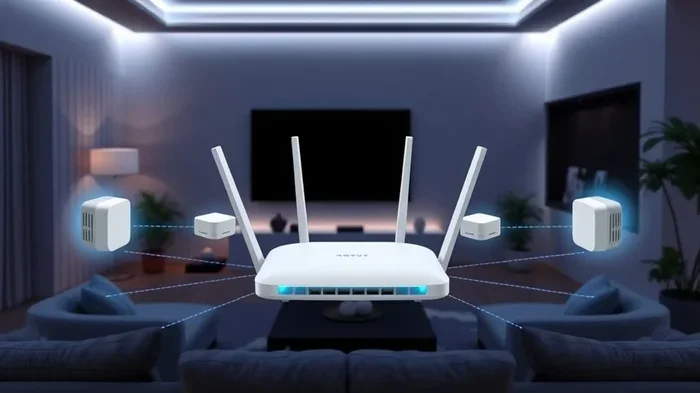
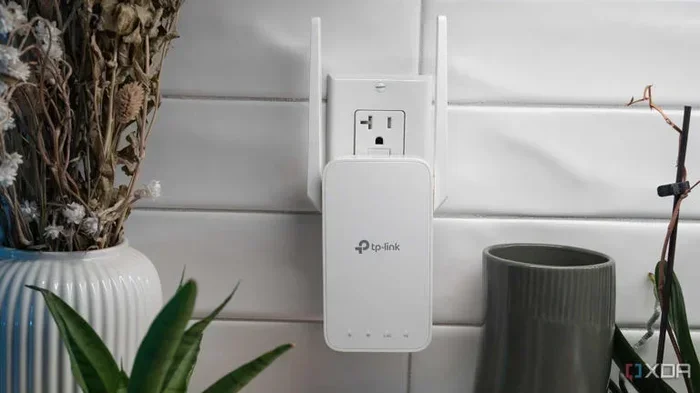
A WiFi range extender is a small device that boosts your existing wireless signal. It sits between your main router and the areas of your home where the signal is weak. Think of it as a relay runner. Your router passes the signal to the extender, and the extender passes it further into your home.
Most extenders connect wirelessly to your router. They pick up the existing WiFi network and rebroadcast it. This helps fill in gaps where the signal from your router cannot reach. Common trouble spots include basements, garages, and far-away bedrooms.
But here is the thing. A wireless connection between the extender and the router can slow things down. The signal has to travel twice. Once from the router to the extender, and then from the extender to your device. This double hop can reduce your bandwidth and increase latency. That is where a wired connection comes in handy.
Why People Use WiFi Extenders
People buy signal boosters for many reasons. Maybe your router is in one room and your home office is in another. Perhaps your backyard WiFi coverage is practically nonexistent. Or maybe you have a smart TV in a room where the signal keeps dropping.
A wireless repeater solves these problems without requiring you to move your router. It is a simple and affordable fix. But to get the best results, you need to understand how to connect to it properly. And that brings us to the big question.
Can You Plug Directly Into A WiFi Extender?
The Short Answer: Yes, But With Conditions
Can you plug directly into a WiFi extender? The short answer is yes. Most WiFi extenders have at least one Ethernet port. You can connect a device directly to the extender using an Ethernet cable. This gives you a wired link that is often faster and more stable than a wireless one.
However, not every port on every extender works the same way. Some ports are designed only for connecting to your router. Others let you plug in your own devices like laptops, gaming consoles, or smart TVs. Understanding the difference is key to making your setup work well.
Types of Ports You Will Find on an Extender
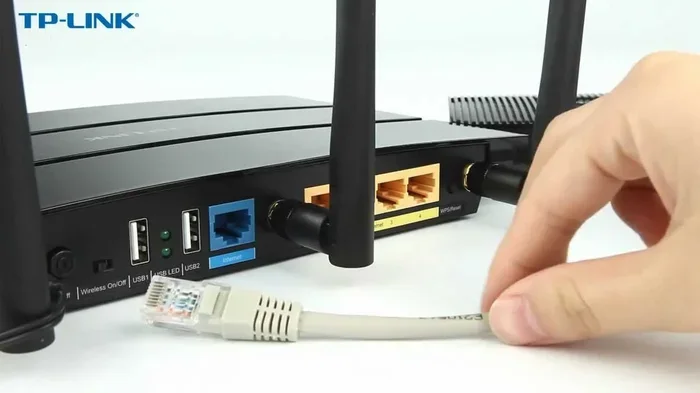
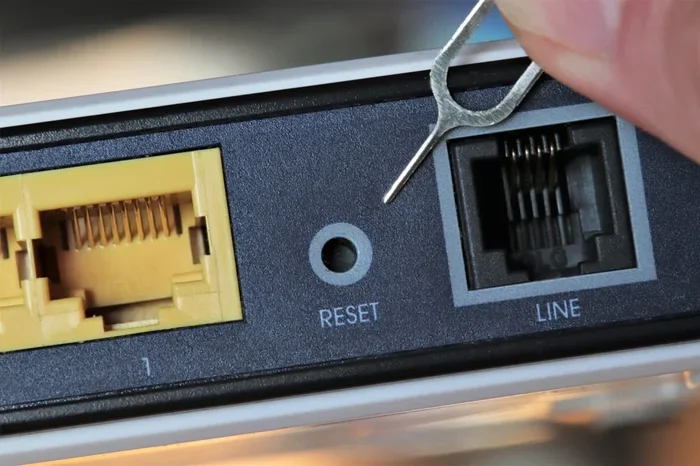
When you look at the back of a WiFi extender, you will usually see a few ports. Here is what they typically do:
- WAN or Internet Port: This port connects to your main router. It is the uplink port. It receives the internet signal and passes it to the extender.
- LAN or Ethernet Ports: These ports let you plug in devices directly. They can serve as a wired access point for your computers, consoles, or streaming boxes.
- Power Port: This is where you plug in the power adapter to keep the extender running.
Some budget models only have one Ethernet port total. That single port might serve as both the WAN and LAN port, depending on how you set it up. Higher-end models often have multiple LAN ports, giving you more flexibility for wired connections.
How a Direct Plug-In Improves Your Connection
When you plug a device directly into a WiFi extender via Ethernet, you skip the wireless hop entirely. Your device gets a full-speed wired connection to the extender. The extender then handles the wireless bridge to your router. This setup can significantly improve your internet speed and reduce lag.
This is especially useful for devices that need a strong and stable connection. Think about online gaming, video streaming, or video calls. A wired link to the extender gives these activities the reliability they need. You avoid the interference and signal drops that often come with a purely wireless setup.
What Happens When You Plug Directly Into a WiFi Extender?
Speed and Performance Changes
When you connect directly to a WiFi extender using a cable, your speed depends on a few factors. First, the quality of the Ethernet cable matters. A Cat5e or Cat6 cable will handle gigabit speeds easily. Older cables might limit your throughput.
Second, the extender itself has a speed limit. Many budget extenders can only handle half the speed of your main router. This is called the backhaul bottleneck. Even with a wired connection to the extender, your overall network speed might be lower than what your router can deliver.
That said, a wired connection to the extender is still much better than a weak wireless signal. A strong wired link to the extender will almost always outperform a spotty wireless connection through the same extender.
Does It Create a Separate Network?
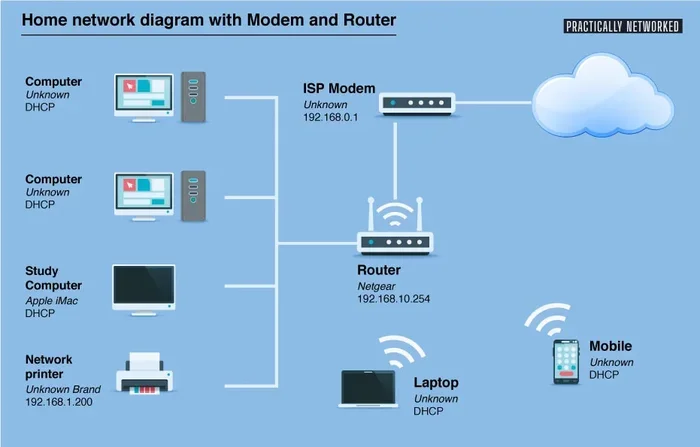
Here is something important to know. Plugging a device directly into a WiFi extender does not always create a separate network. It depends on the extender’s mode. In most cases, the extender acts as a simple signal repeater. Your device stays on the same network name (SSID) as your router.
Some extenders, however, let you switch to access point mode. In this mode, the extender becomes a mini router of its own. It can assign IP addresses and manage connected devices more like a traditional router would. This can be useful if you want more control over your local network setup.
Latency and Stability
One big advantage of a direct wired connection is lower latency. Wireless signals can fluctuate based on walls, other devices, and interference from microwaves or baby monitors. A cable connection removes all of that variability.
Your connection becomes much more stable. You will notice fewer drops and less jitter. For anyone who works from home or plays competitive online games, this stability is a game-changer. It can be the difference between a smooth experience and a frustrating one.
When Should You Plug Directly Into a WiFi Extender?
Best Use Cases for a Wired Extender Connection
Not every situation calls for a direct plug-in. But here are some cases where it really shines:
- Home Offices: If you work from home, a wired connection to the extender gives you the reliability you need for video calls and large file uploads.
- Gaming Setups: Gamers need low latency and consistent speeds. An Ethernet cable to the extender delivers both.
- Smart TVs and Streaming Boxes: Streaming 4K video requires a steady connection. A wired link prevents buffering and pixelation.
- Network-Attached Storage (NAS): If you have a NAS device, a wired connection ensures fast file transfers without wireless interruptions.
When a Wireless Connection Is Better
Sometimes plugging in is not the best option. If your device is mobile, like a phone or tablet, a wireless connection makes more sense. You want the freedom to move around without being tethered to a cable.
Also, if your extender is far from your router, the wireless backhaul might already be weak. In that case, a direct wired connection to the extender will not magically fix the weak link between the extender and the router. You need to address the backhaul first.
How to Decide What Works for You
Ask yourself a few questions. Is the device stationary? Does it need high speed and low latency? Is the wireless signal in that spot unreliable? If you answered yes to most of these, a direct plug-in is a great choice.
If the device moves around a lot, stick with the wireless connection. The convenience of mobility often outweighs the slight speed advantage of a wired link.
Common Mistakes People Make With WiFi Extenders
Plugging Into the Wrong Port
This is the number one mistake people make. They see an Ethernet port on the extender and plug their device into it, not realizing it is the WAN port meant for the router. This creates a loop or a broken connection. Always check which port is which before you plug anything in.
Look for labels on the extender. The WAN port is often a different color from the LAN ports. If you are unsure, check the manual or look up the model number online. A quick search can save you a lot of frustration.
Placing the Extender in a Bad Spot
Where you put your WiFi extender matters a lot. If you place it too far from the router, it cannot pick up a strong signal to rebroadcast. If you place it too close, there is no benefit. The sweet spot is roughly halfway between your router and the area with weak coverage.
Also, avoid placing the extender near thick walls, metal objects, or large appliances. These things block and interfere with wireless signals. A clear line of sight, even if partial, helps the extender work much better.
Ignoring Firmware Updates
Manufacturers release firmware updates for a reason. These updates fix bugs, improve signal strength, and sometimes add new features. Many people set up their extender and forget about it. Checking for updates every few months can keep your device running smoothly.
Most extenders have a mobile app or a web interface where you can check for updates. It takes just a few minutes and can make a noticeable difference in performance.
Using an Old or Cheap Ethernet Cable
If you are going to plug directly into a WiFi extender, use a good cable. A cheap or damaged cable can limit your speeds and cause connection issues. A Cat5e or Cat6 cable is affordable and handles modern internet speeds with ease.
Keep your cable run as short as practical. Longer cables can introduce signal loss. If you need to cover a long distance, consider using a higher-quality cable rated for better performance.
Tips for Getting the Best Results From Your WiFi Extender
Optimize Your Placement
The best WiFi extender in the world will not help if it is in the wrong spot. Place it where it can clearly see your router’s signal. Then make sure it is also close enough to the dead zone to reach it with a strong rebroadcast.
Many modern extenders have a signal indicator light. This light shows you how strong the connection is to the router. Use it to fine-tune the position. Move the extender a few feet at a time until the light shows a good connection.
Switch to Access Point Mode if Needed
Some extenders offer an access point mode. This turns the device into a simple wired-to-wireless bridge. It can be a great way to extend coverage in a specific room or area of your home.
To switch modes, you usually log into the extender’s settings page. Look for a mode or operation setting and select access point. This changes how the extender handles connections and can improve your overall network setup.
Keep Your Network Secure
When you extend your wireless network, make sure it is secure. Use WPA3 encryption if your router and extender support it. Set a strong password. This keeps unauthorized users off your network and protects your data.
Also, consider setting up a guest network for visitors. This keeps your main network clean while still giving guests access to the internet. Most extenders and routers support this feature in their settings.
Consider a Mesh System Instead
If you find yourself struggling with multiple extenders, it might be time to look at a mesh WiFi system. Mesh systems use multiple nodes that work together seamlessly. They create one unified network with smooth handoffs as you move around your home.
Mesh systems tend to be more expensive than traditional extenders. But they offer better performance, easier management, and fewer dead zones. If your home is large or has tricky layouts, a mesh system could be a worthwhile investment.
Quick Tips for Better Performance
- Restart your extender once a month to clear its memory and refresh connections.
- Place the extender on a shelf or table, not on the floor where obstacles can block signals.
- Keep the extender away from other electronic devices that cause interference.
- Use the manufacturer’s app to run a speed test and check your signal strength regularly.
- Change the wireless channel if your neighbors are using the same one and causing congestion.
Conclusion
Can you plug directly into a WiFi extender? Yes, you absolutely can. Most extenders have the ports and the capability to support a direct wired connection. This can give you faster speeds, lower latency, and a more stable connection for your devices.
But success depends on a few things. You need to use the right port. You need to place the extender properly. And you need to understand how your specific extender handles wired connections. Take the time to read your manual and experiment with placement.
A WiFi range extender is a powerful tool for improving your home network. When you use it correctly, it fills in the gaps and gives you reliable internet coverage everywhere. Plug in that Ethernet cable, try a direct connection, and see the difference for yourself. Your dead zones do not stand a chance.
Frequently Asked Questions
Do all WiFi extenders have an Ethernet port for direct connection?
Most WiFi extenders include at least one Ethernet port. However, very small or budget models might only have a single port that serves multiple purposes. Check the specifications of your specific model to confirm what ports are available before you try a direct plug-in connection.
Will plugging into a WiFi extender slow down my internet?
It can, but usually not in the way you might think. A wired connection to the extender is typically faster than a weak wireless signal. However, the extender itself may limit your total throughput based on its hardware. A good-quality extender will not noticeably slow down your connection.
Can I use a WiFi extender as a router by plugging directly into it?
Not exactly. Most extenders are designed to repeat a signal, not replace a router. However, some extenders can operate in access point mode, which gives them router-like features. For full routing capabilities, you would still need a dedicated router or a mesh system.
What is the difference between a WiFi extender and a WiFi repeater?
The terms are often used interchangeably. Both devices boost your wireless signal by rebroadcasting it. A repeater typically just receives and retransmits the signal. An extender may offer additional features like Ethernet ports for wired connections or access point mode for more flexible setup options.
How far should I place my WiFi extender from the router?
The ideal placement is roughly halfway between your router and the area with weak coverage. The extender needs a strong enough signal from the router to rebroadcast effectively. If it is too far away, it will repeat a weak signal, which does not help your network performance at all.
Can I plug multiple devices directly into a WiFi extender?
Yes, if your extender has multiple LAN ports. You can connect several devices using an Ethernet switch or a hub. Just be aware that all devices share the extender’s bandwidth. For the best experience with multiple wired devices, consider a mesh system with wired backhaul support.