Do I Need A Router If I Have A Modem With Built In Wifi
Do I Need A Router If I Have A Modem With Built In Wifi? The short answer is: it depends on your home setup. A modem with built in wifi can handle basic internet needs for small spaces, but a separate wireless router gives you better network coverage, faster browsing speed, and support for multiple devices. This guide breaks down everything you need to know about modem router combo units versus standalone gear.
So you have a modem with built in wifi, and now you are wondering: do I need a router? It is a great question, and you are not alone. Plenty of people sign up for internet service, get a single box from their internet provider, and assume that is all they need. But the truth is, there is a big difference between a modem with wifi and a full home network setup.
Think of your modem as the gateway that brings the internet into your home. It talks to your internet provider and converts that signal into something your devices can use. Now, the built-in wifi part? That is basically a small wifi router baked right into the modem. It works. It gets the job done. But does it do everything you need? That is what we are here to figure out.
In this article, we will walk through exactly what a modem with built in wifi can do, when you actually need a separate wireless router, and how to set up the best internet connection for your situation. Whether you live in a tiny apartment or a big house with multiple devices, we have got you covered.
Key Takeaways
- A modem with built in wifi combines two devices into one, saving space and simplifying your internet setup.
- A standalone wireless router offers stronger wifi signal, better network coverage, and faster internet speed for heavy users.
- ISP gateway devices work fine for light users, but they often lack advanced features found in dedicated wifi routers.
- Multiple devices streaming, gaming, or working simultaneously benefit greatly from a separate router.
- Dual band and tri band routers provide better wifi range and less interference than most built-in modem wifi modules.
- Setting up your home network correctly matters just as much as the hardware you choose.
- You can always start with a modem with wifi and add a router later if needed.
📑 Table of Contents
- How a Modem With Built-In Wifi Works
- What a Router Actually Does
- Modem With Wifi vs Router: Key Differences
- When You Can Skip the Router
- When You Really Need a Separate Router
- How to Set Up Your Home Network for Best Performance
- Common Mistakes People Make With Modem Wifi Setups
- Expert Insights
- Key Takeaways
- Conclusion
How a Modem With Built-In Wifi Works
What Your Modem Actually Does
Let us start with the basics. A modem connects your home to the wider internet. Your internet provider sends a signal through a cable, phone line, or fiber connection. The internet modem takes that signal and turns it into data your computer, phone, or smart TV can understand.
Without a modem, none of your devices could reach the internet. It is the bridge between your internet provider and your home network. Simple as that.
The Built-In Wifi Feature Explained
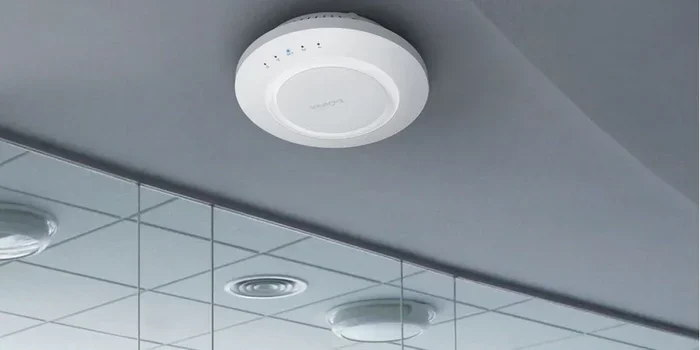
Now, many modern modems come with built-in wifi. This means the manufacturer added a basic wifi router right inside the modem itself. Instead of buying two separate boxes, you get one modem router combo unit that handles both tasks.
This is convenient. You plug in one device, connect a few cables, and you are online. The built-in wifi module creates a wireless network that your phones, laptops, and smart home gadgets can join. For many people, this is perfectly fine.
But here is the catch. The wifi built into most modems is basic. It uses a small antenna, has limited processing power, and often covers a smaller area. If you live alone or with one other person in a small apartment, this setup works well. But if you have a bigger space or lots of multiple devices, you may run into problems.
What a Router Actually Does
The Role of a Router in Your Home
A wireless router does something different from a modem. While the modem brings the internet in, the router distributes it. Think of the router as the traffic cop of your home network. It takes the internet connection from the modem and sends it out to all your devices, wirelessly or through cables.
A good wifi router does much more than just broadcast a signal. It manages data traffic, assigns local IP addresses, handles security settings, and prioritizes bandwidth. These are all things that keep your internet connection running smoothly.
Why Routers Matter for Multiple Devices
Here is where things get important. Most modern homes have multiple devices connected to the internet at the same time. Smart TVs stream shows. Phones check social media. Laptops work from home. Smart speakers, tablets, game consoles, security cameras, and smart appliances all compete for bandwidth.
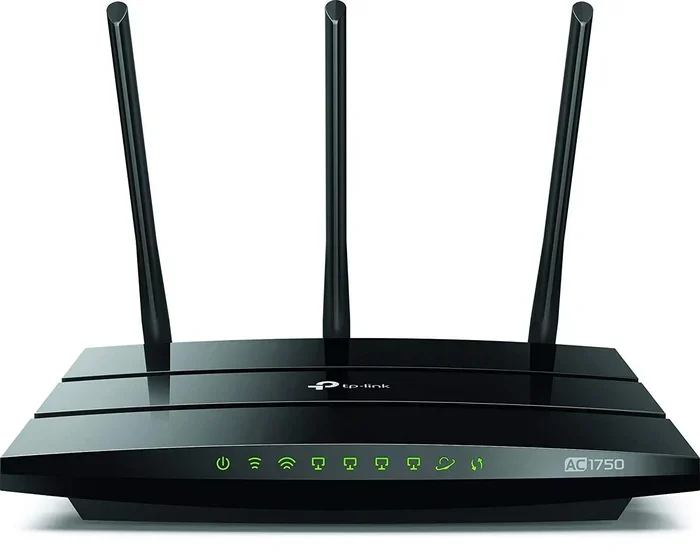
A basic modem with built in wifi often struggles with this. It was not designed to handle heavy traffic from many devices at once. A dedicated wireless router excels in this area. It has better processors, more memory, and advanced features like dual band or tri band support that keep everything running fast.
Modem With Wifi vs Router: Key Differences
Side-by-Side Comparison
It helps to see the differences laid out clearly. Here is a quick look at how a modem with wifi compares to a modem plus a separate wifi router:
- Modem with Built-In Wifi: One device handles everything. Easier setup. Takes up less space. Good for basic browsing and light streaming. Limited range and speed for heavy use.
- Modem Plus Separate Router: Two devices working together. More setup required. Takes up more space. Much better range, speed, and performance. Supports advanced features like parental controls and guest networks.
The bottom line is that a modem router combo unit saves you money and space upfront. But a separate modem and router setup gives you much better performance and flexibility over time.
Understanding Gateway Devices
Your internet provider may refer to your modem with built in wifi as a “gateway.” This is just a fancy name for a device that acts as both the modem and the router. Many ISP gateway devices are perfectly functional for everyday use.
However, ISPs often rent these out at a monthly fee, and the hardware tends to be several years behind what you can buy on your own. Over time, renting a gateway can cost you much more than buying your own equipment. Plus, you lose the ability to upgrade your wifi router independently when technology improves.
When You Can Skip the Router
Small Spaces and Light Usage
If you live alone or with a partner in a small apartment or condo, a modem with built in wifi might be all you need. You are not trying to cover 2,000 square feet with a strong wifi signal. You just need enough internet speed to browse the web, check email, and maybe stream a show or two.
In this situation, the built-in wifi on your modem works just fine. You will not notice a big difference in browsing speed or network coverage compared to a separate setup. Keep things simple and save yourself the hassle of managing extra equipment.
ISP Gateway Devices That Do It All
Some ISP gateway devices are surprisingly capable. Brands like Motorola, Arris, and Netgear make modem router combos that offer decent wifi range and solid speeds for most households. If your provider gave you one of these and you are happy with how it performs, there is no rush to buy a separate wireless router.
Just keep an eye on your internet speed and wifi signal strength. If you start noticing slow loading times, dropped connections, or dead zones in your home, that is a sign you might need better hardware.
Quick Tips
- Run a speed test on your phone in different rooms to check your wifi range.
- Restart your modem with built in wifi once a month to keep things running smoothly.
- Place your modem in a central location for the best possible wifi signal coverage.
- Avoid putting your modem inside a closet or behind furniture, as this weakens the wireless network.
When You Really Need a Separate Router
Large Homes and Weak Signals
This is the most common reason people add a separate wifi router to their setup. A modem with built in wifi uses a small antenna that simply cannot push a signal very far. If your home is larger than about 1,000 square feet, or if you have thick walls, multiple floors, or an unusual layout, the built-in wifi will struggle.
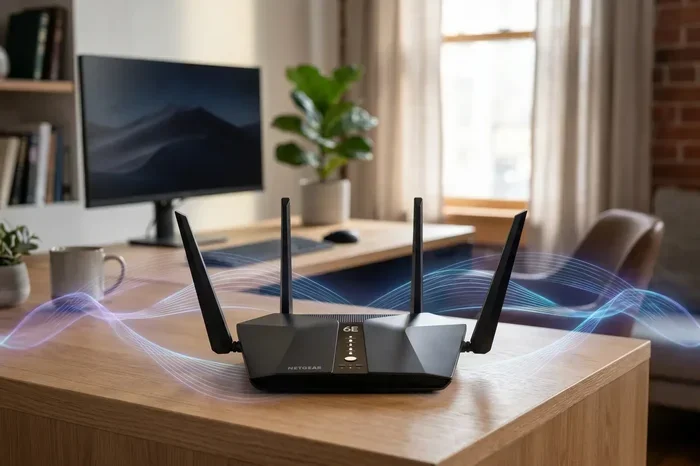
You may find that your phone loses connection in the bedroom or your smart TV buffers in the living room. A dedicated wireless router with better antennas and more powerful hardware solves this problem. It pushes a stronger wifi signal further, reaching every corner of your home.
Gaming, Streaming, and Heavy Usage
Do you game online? Do you stream 4K content on multiple TVs at once? Do you work from home while your family watches Netflix and your kids play video games? If any of this sounds familiar, a separate router is a must.
Heavy usage demands better hardware. A standalone wifi router handles data-heavy tasks with ease. It can prioritize traffic, reduce lag, and maintain fast browsing speed even when multiple devices are active. A modem with built in wifi simply was not built for this level of demand.
Advanced Features You Will Miss Without a Router
Separate routers come with features that most modem router combos lack. These include:
- Parental controls: Manage screen time and block content for kids.
- Guest networks: Give visitors internet access without sharing your main password.
- Quality of Service (QoS): Prioritize bandwidth for specific devices or activities.
- Better security: Regular firmware updates and advanced encryption options.
- Mesh wifi support: Add extra nodes to extend network coverage across large areas.
- Ethernet ports: More wired connections for devices that need the fastest, most stable internet connection.
These features make a real difference in daily use. Once you experience them, going back to a basic modem with wifi feels limiting.
How to Set Up Your Home Network for Best Performance
Placement Tips for Your Equipment
Where you place your modem and router matters more than most people realize. A great piece of hardware in a bad location will still give you poor wifi signal and slow internet speed.
Here is what works best:
- Place your modem near the main cable or fiber entry point in your home.
- Put your wireless router in a central, open location away from walls and metal objects.
- Keep equipment elevated, like on a shelf, rather than on the floor.
- Stay away from microwaves, baby monitors, and cordless phones, as they can interfere with the wireless network.
- If using a separate modem and router, connect them with a short ethernet cable for the best possible connection.
Quick Tips for Faster Wifi
Want to squeeze more performance out of your home network? Try these simple steps:
- Restart your equipment regularly. A fresh start clears out temporary issues and keeps things running fast.
- Use the 5GHz band on your dual band router for devices close to the router. Use the 2.4GHz band for devices farther away.
- Update your router firmware. Manufacturers release updates that improve wifi range and fix bugs.
- Change your wifi channel if your neighbors are causing interference. Most routers let you do this in the settings.
- Limit the number of devices connected to a single wireless network if you notice slowdowns.
These small changes can make a big difference in your browsing speed and overall internet connection quality.
Common Mistakes People Make With Modem Wifi Setups
Assuming One Box Does Everything
The biggest mistake is assuming that because your modem has wifi, you have a complete home network. A modem with built in wifi is a starting point, not a finished setup. Many people buy these combo units and never upgrade, even when their needs have grown.
As you add more multiple devices and use more bandwidth, the limitations of the built-in wifi become obvious. Recognizing this early helps you make a smart upgrade before frustration sets in.
Ignoring Your Internet Plan
Even the best wireless router cannot give you faster internet speed than what your internet provider delivers. If you pay for a 100 Mbps plan but your modem with wifi can only handle 50 Mbps, you will never get the full speed. Make sure your equipment matches your internet plan.
Check the specs on your modem and router. Look for the maximum speed rating and compare it to what you pay for each month. This simple step prevents a lot of confusion.
Skipping Security Settings
Another common mistake is setting up your wireless network and never touching the security settings. Default passwords, outdated encryption, and open networks leave your home network vulnerable. Always use WPA3 or WPA2 encryption and set a strong password for your wifi router.
Taking five minutes to secure your network protects your personal data and keeps strangers from slowing down your internet connection.
Expert Insights
Networking professionals agree that the decision between a modem with built in wifi and a separate router comes down to your specific situation. For light users in small spaces, the combo approach works well. For anyone with a larger home, heavy usage, or more than a few connected devices, a separate wireless router is the better investment.
“The built-in wifi in most modems is adequate for basic needs,” says networking expert Mark Dawson. “But if you want reliable network coverage, strong wifi signal, and room to grow, adding a quality router is the way to go.”
The good news is that you do not have to make this decision forever. You can start with a modem with wifi, test how it works in your home, and add a router later if you find you need one. This gives you flexibility without wasting money upfront.
Key Takeaways
- A modem with built in wifi combines two devices into one, saving space and simplifying your internet setup.
- A standalone wireless router offers stronger wifi signal, better network coverage, and faster internet speed for heavy users.
- ISP gateway devices work fine for light users, but they often lack advanced features found in dedicated wifi routers.
- Multiple devices streaming, gaming, or working simultaneously benefit greatly from a separate router.
- Dual band and tri band routers provide better wifi range and less interference than most built-in modem wifi modules.
- Setting up your home network correctly matters just as much as the hardware you choose.
- You can always start with a modem with wifi and add a router later if needed.
Conclusion
So, do you need a router if you have a modem with built in wifi? The honest answer is: maybe. For a small space with light internet use, your modem with wifi is probably enough. But for larger homes, multiple devices, heavy streaming, gaming, or work-from-home situations, a separate wireless router makes a noticeable difference.
The beauty of this decision is that it is not permanent. You can start simple with your modem router combo and upgrade later. The key is understanding your needs and choosing the right internet setup for your lifestyle. A strong home network starts with the right equipment in the right place, and now you have the knowledge to make that call with confidence.
Take a look at your current setup. How many devices are connected? How is your wifi signal in every room? What is your browsing speed really like? If the answers point to room for improvement, it might be time to add a dedicated router to your home network. Your internet experience will thank you for it.
Frequently Asked Questions
Can I use a modem with built-in wifi without a separate router?
Yes, you can. A modem with built in wifi creates its own wireless network and lets your devices connect directly. This works perfectly for basic internet tasks like browsing, emailing, and light streaming in small spaces.
Will adding a router improve my internet speed?
A separate wireless router can improve your effective internet speed by handling multiple devices better and maintaining a stronger wifi signal. However, it cannot make your internet provider deliver faster speeds than what your plan includes.
What is the difference between a modem router combo and separate devices?
A modem router combo is a single box that acts as both your internet modem and wifi router. Separate devices give you a dedicated modem that talks to your provider and a standalone router that distributes the signal with better range, speed, and features.
How do I know if my built-in modem wifi is strong enough?
Walk around your home with your phone and check the wifi signal strength in each room. If you notice weak signals, slow browsing speed, or dropped connections in certain areas, your built-in wifi may not be powerful enough for your space.
Should I buy my own modem and router or rent from my ISP?
Buying your own equipment usually saves money in the long run and gives you more control over your home network. However, renting from your internet provider means they handle troubleshooting and replacements. Weigh the monthly rental cost against the upfront purchase price to decide what makes sense for you.
Can I upgrade just the router and keep my existing modem?
Absolutely. If you have a modem with built in wifi that works fine as a modem, you can buy a separate wireless router and connect it to the modem using an ethernet cable. This gives you the benefits of a better router without replacing your existing modem.