Do Access Points Need To Be Wired For Maximum Coverage
Do Access Points Need To Be Wired? The short answer is yes, for the best performance and reliability. A wired access point delivers faster speeds, stronger signal, and more stable connectivity compared to wireless-only setups. In this guide, we break down everything you need to know about wiring your access points for maximum Wi-Fi coverage.
If you have been struggling with dead zones in your home or office, you are not alone. Weak Wi-Fi coverage frustrates millions of people every day. One of the most popular solutions is adding an access point to your network infrastructure. But here is the big question that keeps coming up: do access points need to be wired?
The answer is not a simple yes or no. It depends on your needs, your space, and what kind of performance you expect. A wired access point gives you the best speed and reliability. But a wireless access point can still work in certain situations. In this guide, we will walk you through everything you need to know. We will cover the pros and cons, compare your options, and give you practical tips you can use right away.
By the end of this article, you will know exactly whether wiring your access points is the right move for you. Let us dive in.
Key Takeaways
- Wired access points outperform wireless ones in speed, stability, and range
- PoE switches make wiring easier and reduce cable clutter
- Ethernet cable quality matters for long-distance runs
- Wireless access points can work without wires but with trade-offs
- Proper access point placement is key to maximizing coverage
- Network infrastructure decisions affect your overall internet experience
- Wired connections provide the backbone for strong Wi-Fi coverage
📑 Table of Contents
What Is an Access Point and Why Does It Matter?
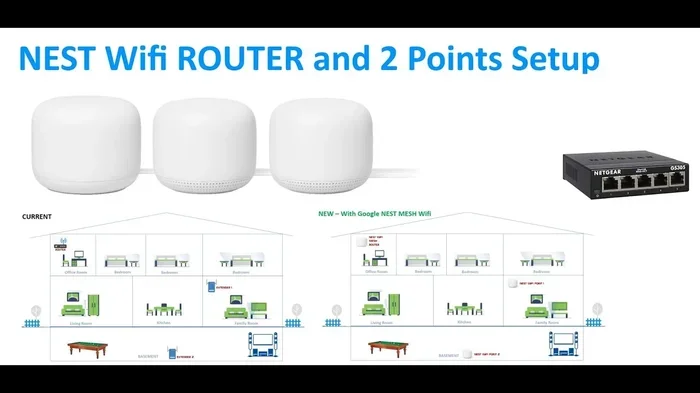
An access point is a device that creates a wireless local area network, or WLAN. It connects to your main router through a cable or wireless link and then broadcasts a Wi-Fi signal to your devices. Think of it as a signal booster that extends your wireless range into areas that your router cannot reach on its own.
Access points are used in homes, offices, schools, hospitals, and just about everywhere else that needs reliable internet. They are the backbone of modern connectivity options. Without them, large spaces would have terrible signal strength and slow network speed.
How Access Points Work
Here is a simple way to understand how an access point works. Your internet service provider sends a signal to your modem. The modem passes that signal to your router. The router connects to the access point, either through a cable or wirelessly. Then the access point broadcasts the Wi-Fi signal to your phones, laptops, tablets, and smart home devices.
The key difference between a router and an access point is this: a router manages traffic and assigns IP addresses. An access point just creates a wireless network for devices to connect to. In larger setups, you might have one router and several access points working together. This is called enterprise networking, and it is how big buildings get strong Wi-Fi coverage everywhere.
Why People Add Access Points
There are several reasons why someone might add an access point to their setup:
- Dead zones: Rooms or areas where the Wi-Fi signal is too weak or nonexistent.
- Large spaces: Big homes or offices where one router simply cannot cover everything.
- More devices: When you have too many devices for one router to handle smoothly.
- Better speeds: Access points can reduce congestion and improve bandwidth for each connected device.
- Stability: A wired setup is much less likely to drop connections or suffer from interference.
No matter the reason, the next question is always the same: do access points need to be wired?
Do Access Points Need To Be Wired?
Do Access Points Need To Be Wired? The short answer is no, they do not have to be wired. But the better question is whether you should wire them. And for most people, the answer is yes.
An access point can work in two ways: wired or wireless. A wired access point connects to your router using an ethernet cable. This is called a wired connection, and it is the gold standard for performance. A wireless access point, also known as a wireless extender or repeater, connects to your router using a wireless connection. It then rebroadcasts the signal to extend your wireless range.
Both options have their place. But they are very different in terms of speed, reliability, and ease of setup. Let us look at each one more closely.
The Case for Wired Access Points
When you wire an access point, you are giving it a direct, dedicated line to your router. This means the network speed stays fast and consistent. There is no signal loss from wireless hops, and there is no interference from walls, microwaves, or other wireless devices.
Wired access points also have lower latency. That means less lag when you are gaming, streaming, or on a video call. For anyone who needs rock-solid performance, a wired connection is the way to go.
Another big advantage is that wired access points do not share bandwidth with the router. When a device connects to a wired access point, it gets its own dedicated link back to the router. This keeps things fast even when many devices are online at the same time.
When Wireless-Only Works
There are times when a wireless access point makes sense. Maybe you rent your home and cannot run cables through walls. Maybe you just need a quick fix for a weak signal in one room. In these cases, a wireless extender or repeater can help.
But you should know the trade-offs. Wireless access points typically cut your speed in half because they use the same radio to receive and send data. They are also more prone to interference and drops. If you just need basic coverage for browsing and email, a wireless setup might be fine. But for anything that demands speed and reliability, wired is better.
The Bottom Line
So, do access points need to be wired? Not strictly. But if you want maximum coverage, the best speeds, and the most reliable connection, wiring your access points is the clear winner. It is the difference between a good setup and a great one.
Wired vs Wireless Access Points Compared
Not sure which option is right for you? Let us break down the differences. The table below compares wired and wireless access points across the most important factors.
| Feature | Wired Access Point | Wireless Access Point |
|---|---|---|
| Speed | Full speed, minimal loss | Up to 50% speed reduction |
| Reliability | Very high, stable connection | Moderate, prone to interference |
| Latency | Low, great for gaming | Higher, noticeable lag |
| Setup Difficulty | Moderate, requires cabling | Easy, plug and play |
| Cost | Higher upfront | Lower upfront |
| Coverage Stability | Consistent and strong | Varies by location |
| Best For | Homes, offices, enterprises | Quick fixes, rentals, small spaces |
As you can see, wired access points win in almost every performance category. The only real advantage of wireless access points is ease of setup and lower initial cost. But if you care about long-term performance, wiring is the smarter investment.
Quick Tips: Choosing the Right Type
Here are some quick tips to help you decide between wired and wireless:
- Measure your space. If your home or office is large, go wired. Small spaces may be fine with wireless.
- Think about your usage. Streaming, gaming, and video calls all need wired access points for the best experience.
- Check your walls. Thick concrete walls kill wireless signals. Wiring bypasses this problem entirely.
- Consider future needs. A wired setup is easier to expand later. You can just add more access points with cables.
Benefits of Wiring Your Access Points
Wiring your access points brings a lot of advantages. Let us look at the biggest benefits in detail.
Faster and More Consistent Speeds
When you use an ethernet cable to connect your access point, the data travels through copper or fiber at full speed. There is no wireless bottleneck. Your network speed stays fast from the router all the way to the access point. This means every device connected to that access point gets the best possible performance.
Better Signal Strength
A wired access point receives a strong, clean signal from the router. It then broadcasts that signal with full power. With a wireless extender, the signal is already weakened by the time it reaches the access point. This means the broadcast is weaker too. Wiring fixes this problem at the source.
Reduced Interference
Wireless interference is a real problem. Microwaves, cordless phones, Bluetooth devices, and even neighboring networks can all mess with your Wi-Fi signal. A wired access point is completely immune to these issues because it uses a physical cable for its backhaul connection.
Easier Network Management
When all your access points are wired, managing your network configuration becomes much simpler. You can set up seamless roaming, which means your devices switch between access points without dropping the connection. This is something wireless extenders struggle with.
Scalability
A wired setup is built to grow. Need to cover a new wing of your office? Just run another cable and add an access point. Your network infrastructure stays clean and organized. With wireless extenders, adding more devices can create a messy web of overlapping signals.
Quick Tips: Getting the Most From Wired Access Points
- Use Cat6 or Cat6a cables for the best performance and future-proofing.
- Invest in a PoE switch to power multiple access points with a single cable.
- Label your cables at both ends so you can troubleshoot easily later.
- Keep cables away from power lines to reduce electromagnetic interference.
- Use cable management clips to keep your setup clean and safe.
Common Mistakes to Avoid When Wiring Access Points
Even with the best intentions, people make mistakes when wiring access points. Here are some common ones to watch out for:
- Using cheap cables: Poor-quality ethernet cable can limit your speed and cause dropouts. Always use rated cables.
- Running cables near interference sources: Keep data cables away from power cables and large metal objects.
- Skipping the PoE switch: Without a PoE switch, you need a separate power outlet for each access point. This adds clutter and complexity.
- Ignoring cable length limits: Standard ethernet cable runs should not exceed 100 meters (about 328 feet) without a repeater.
- Poor access point placement: Even with a perfect wired connection, a badly placed access point will give you poor Wi-Fi coverage. Mount access points high up and centrally.
When Can You Skip the Wired Connection?
There are situations where skipping the wired connection makes sense. Let us look at when a wireless-only setup might be the right choice.
You Are Renting or Cannot Run Cables
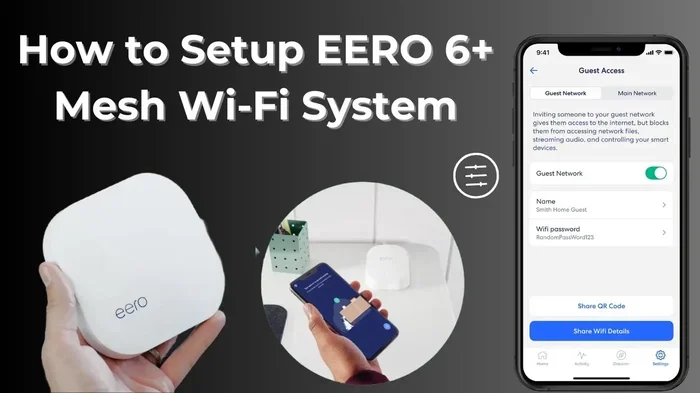
If you live in an apartment or a rental home, running cables through walls may not be an option. In this case, a wireless access point or mesh wireless router system is a practical solution. You can set it up in minutes without any drilling or wiring.
You Only Need Basic Coverage
If your main goal is to get internet in a guest room or a small backyard shed, a wireless extender might be all you need. You are not trying to build a high-performance network. You just need enough signal for basic browsing and streaming.
You Are on a Tight Budget
Wired setups cost more upfront. You need cables, switches, and possibly wall plates. A wireless access point is cheaper to get started. But remember, the long-term performance gap is significant. You may end up spending more on a wireless setup that does not meet your needs.
Quick Tip: The Hybrid Approach
Not everyone can wire every access point. A hybrid approach works well for many people. Wire the access points in your main living and working areas. Use wireless extenders for out-of-the-way spots like garages or basements. This gives you the best of both worlds.
How to Wire Your Access Points for Best Results
If you have decided to wire your access points, here is a step-by-step guide to get the best results.
Step 1: Plan Your Layout
Before you buy any cables, map out your space. Identify the areas with weak or no Wi-Fi signal. These are the spots where you need access points. Think about where your router is located and plan cable routes from there.
Step 2: Choose the Right Cables
For most setups, Cat6 ethernet cable is the sweet spot. It supports speeds up to 10 Gbps over short distances. If you want future-proofing, go with Cat6a. It handles 10 Gbps over longer runs too.
Step 3: Get a PoE Switch
A PoE switch (Power over Ethernet) sends both data and power through a single cable. This is a game-changer. You do not need a power outlet near each access point. Just plug the PoE switch into your router and connect all your access points with one cable each.
Step 4: Run Your Cables
Route your cables along baseboards, through walls, or along ceilings. Use cable clips to keep them neat and secure. Avoid sharp bends, which can damage the cable and reduce performance.
Step 5: Configure Your Access Points
Once everything is connected, log into each access point and configure it. Set the same network name (SSID) and password on all access points for seamless roaming. Use non-overlapping channels to reduce interference between access points.
Expert Insights: What Networking Professionals Recommend
Network engineers and IT professionals almost always recommend wired access points for serious setups. The internet backbone of any reliable network is the wired connection. Wireless is a convenience layer on top of that backbone. If you skip the backbone, your wireless range and network speed will suffer.
Professionals also emphasize the importance of proper access point placement. Even the best wired setup will underperform if the access points are in the wrong locations. Mount them high, keep them centered in the areas they need to cover, and avoid placing them near metal objects or large appliances.
Final Thoughts
Do Access Points Need To Be Wired? For the best Wi-Fi coverage and performance, the answer is yes. A wired setup gives you faster speeds, stronger signals, and far more reliability than a wireless-only setup. It does require more effort upfront, but the results are well worth it.
If you cannot wire every access point, a hybrid approach is a solid compromise. Wire the main access points and use wireless extenders for secondary spots. This way, you get the performance where it matters most.
Take some time to plan your setup. Choose the right cables, invest in a good PoE switch, and place your access points thoughtfully. Your network infrastructure will thank you with fast, stable, and far-reaching wireless coverage for years to come.
Now you have everything you need to make the right decision. Go ahead and wire those access points. Your internet experience will be better for it.
Frequently Asked Questions
Can I use a wireless access point without any wiring at all?
Yes, you can use a wireless access point without any wires. It connects to your router using a wireless signal and then rebroadcasts that signal. However, you will lose about half your speed and deal with more interference compared to a wired setup.
What is a PoE switch and why do I need one?
A PoE switch sends both data and power through a single ethernet cable. You need it because most access points do not have a separate power plug. A PoE switch lets you power multiple access points from one location, keeping your setup clean and simple.
How far can I run an ethernet cable for an access point?
Standard ethernet cables can run up to 100 meters (about 328 feet) without signal loss. If you need to go farther, you can use a repeater or switch the to fiber optic cable for longer runs.
Is it hard to wire access points in an existing building?
It can be a bit challenging, but it is doable. You can run cables along baseboards, through door frames, or use flat cables that slide under doors. Many people also use existing cable runs or conduits to make the job easier.
Can I mix wired and wireless access points in the same network?
Yes, you can absolutely mix wired and wireless access points. This is called a hybrid setup and it works well for many homes and offices. Just make sure your wired access points handle the heavy traffic and use wireless ones for supplementary coverage.
What type of ethernet cable should I use for access points?
Cat6 is the most common choice and handles speeds up to 10 Gbps over short distances. Cat6a is better for longer runs and future-proofing. Avoid Cat5 cables for new installations as they are outdated and limited to 1 Gbps.