Can All Cell Phones Do Wifi Calling Here Is The Answer
Not every cell phone can do wifi calling — it depends on your device, carrier, and plan. Many modern smartphones support wireless calling, but older or budget models may not. In this guide, we break down exactly which phones work, how to set it up, and what to do if your phone doesn’t support it.
This is a comprehensive guide about Can All Cell Phones Do Wifi Calling.
Key Takeaways
- WiFi calling is not universal: Your phone and carrier must both support the feature for it to work.
- Most modern smartphones support it: iPhones from the 6s onward and many Android devices from the mid-2010s can use wifi calling.
- Carrier compatibility matters: Even if your phone supports it, your carrier must offer the feature and your plan must include it.
- Setup is usually simple: You can enable wifi calling in just a few steps through your phone’s settings.
- WiFi calling improves call quality: It reduces dropped calls and boosts indoor coverage significantly.
- Older or locked phones may not work: Budget phones, prepaid devices, and older models often lack support.
- It’s a great backup tool: WiFi calling keeps you connected during network outages and poor signal areas.
[FEATURED_IMAGE_PLACEHOLDER]
Have you ever been inside your home or office and noticed your cellular signal drops to almost nothing? Maybe you’re in a basement, a thick-walled building, or a rural area where the network coverage just isn’t there. We’ve all been there — stuck trying to make an important call while standing by a window or walking around the room like a chicken. It’s frustrating, right?
That’s where wifi calling comes in. It promises to solve this problem by letting you make and receive calls over your Wi-Fi connection instead of relying solely on the cellular network. But here’s the big question: can all cell phones do wifi calling? The short answer is no, but the full answer is much more interesting. In this guide, we’re going to walk through everything you need to know about wireless calling, which phones support it, how to set it up, and what to do if your phone doesn’t have the feature.
What Is WiFi Calling and How Does It Work?
WiFi calling is a feature that lets you place and receive voice calls using a Wi-Fi network instead of a traditional cellular signal. Think of it as a bridge between your phone and your internet connection. When you make a call over Wi-Fi, your voice data travels through your home or office router and then routes through your carrier’s network to reach the other person.
It’s different from apps like WhatsApp or Skype because WiFi calling works just like a regular phone call. The person on the other end sees your regular phone number. They don’t need to download any special app. And you don’t need to tell them you’re using internet-based calls. It feels completely normal, just like a standard mobile phone call.
How WiFi Calling Connects Your Calls
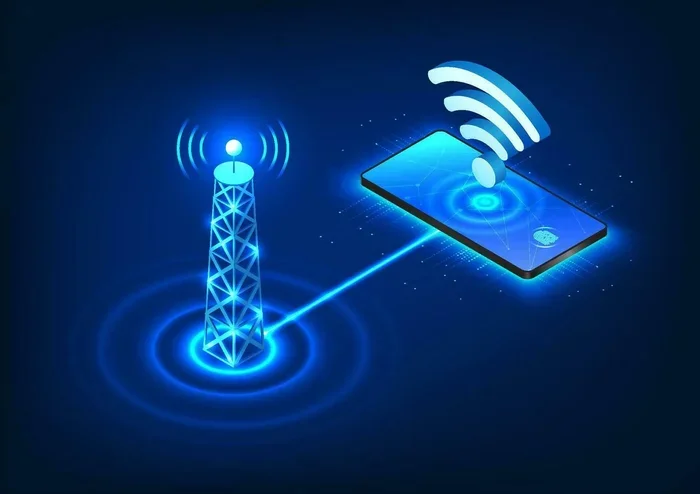
Here’s a simple way to understand how it works. When you make a regular call, your phone sends a signal to the nearest cell tower. That tower connects your call through the carrier’s infrastructure to the person you’re calling. But when your cellular signal is weak, the connection drops or becomes choppy.
With wifi calling, your phone sends the call data through your Wi-Fi router instead. The router sends it to the internet, and your carrier routes it to the destination. This bypasses the weak cellular signal entirely. The result? Clearer calls, fewer drops, and better connectivity in places where your phone normally struggles.
Can All Cell Phones Do WiFi Calling?
This is the question that brings most people here, and the answer is not a simple yes or no. Can all cell phones do wifi calling? No, they cannot. Whether your phone supports wifi calling depends on three main factors: the hardware in your device, the software it runs, and your carrier’s support.
Let’s break this down so you can figure out where your phone stands.
Device Compatibility
Your phone needs to have the right hardware and software to support wifi calling. Most modern smartphones made after 2015 include this capability. However, older models, very budget phones, and some regional devices may not support it.
Here’s a general breakdown of device compatibility:
- iPhone: Most iPhones from the 6s and later support wifi calling. The iPhone SE (first generation and later) also supports it. Older models like the iPhone 5s and earlier do not.
- Android Phones: Most Android phones from 2016 onward support wireless calling. Samsung, Google Pixel, LG, Motorola, and OnePlus devices from the mid-2010s and newer generally include this feature.
- Budget Phones: Some low-cost or prepaid phones may not support wifi calling. Always check your phone’s specifications before assuming it works.
- Carrier-Locked Phones: Phones bought through a specific carrier may have carrier compatibility restrictions that limit or disable wifi calling features.
Carrier and Plan Requirements
Even if your phone supports wifi calling, your carrier must also support it. Not all carriers offer wifi calling on all plans. Some carriers require you to have a specific mobile plan or pay an extra fee for the feature.
Here’s what you need to know about carrier support:
- Major US Carriers: AT&T, Verizon, T-Mobile, and most MVNOs (like Mint Mobile, Cricket, and Metro) support wifi calling on compatible devices and plans.
- International Carriers: Many carriers outside the US support wifi calling, but availability varies widely by country and provider.
- Prepaid Plans: Some prepaid plans include wifi calling while others don’t. Check your plan details or contact your carrier to confirm.
- VoWiFi vs. VoLTE: Some carriers use Voice over WiFi (VoWiFi) while others rely on Voice over LTE (VoLTE). Both improve call quality but work differently.
How to Check If Your Phone Supports WiFi Calling
Wondering if your phone can do wifi calling? It’s easy to check. You don’t need to be a tech expert. Just follow these simple steps for your device type.
Checking on iPhone
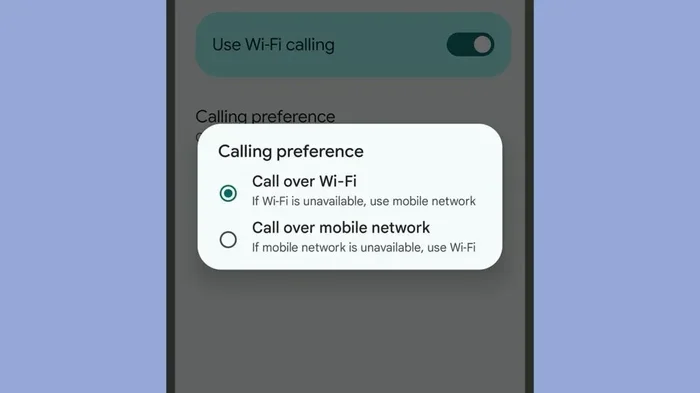
On an iPhone, go to Settings, then tap Phone, and look for WiFi Calling. If you see the option, your phone supports it. If the toggle is grayed out or missing, your carrier or plan may not support wireless calling, or your iPhone model may be too old.
Checking on Android
On most Android phones, go to Settings, then Connections (or Network & Internet), then WiFi Calling. The exact path varies by phone brand. Samsung phones, for example, put it under Connections, while Google Pixel phones may list it under Network & Internet. If you can’t find the option, your phone may not support it or your carrier may not offer it.
Alternative Ways to Check
If you can’t find the setting, try these other methods:
- Check your phone’s manual: The user guide or product page lists all supported features.
- Visit your carrier’s website: Most carriers have a compatibility checker tool on their site.
- Contact customer support: Call your carrier and ask directly if your phone and plan support wifi calling.
- Search your phone model online: Type your phone model and “wifi calling support” into a search engine.
How to Set Up WiFi Calling on Your Phone
If your phone and carrier both support wifi calling, setting it up is straightforward. Here’s how to do it on both iPhone and Android devices.
Setting Up WiFi Calling on iPhone
- Open the Settings app on your iPhone.
- Tap Phone, then tap WiFi Calling.
- Toggle on WiFi Calling on This iPhone.
- Follow the on-screen prompts to enter your address for emergency services.
- Your phone will now make and receive calls over Wi-Fi when the cellular signal is weak.
Setting Up WiFi Calling on Android
- Open the Settings app on your Android phone.
- Tap Connections or Network & Internet (the exact name depends on your phone).
- Tap WiFi Calling and toggle it on.
- Enter your address for emergency location services if prompted.
- Your phone will now use Wi-Fi for calls when needed.
Quick Tips for WiFi Calling Setup
- Make sure your Wi-Fi is connected: WiFi calling only works when you’re connected to a Wi-Fi network.
- Enable it before you need it: Set it up in advance so it’s ready when your signal drops.
- Check your Wi-Fi speed: A fast, stable connection gives you the best call quality.
- Restart your phone after setup: This ensures all settings take effect properly.
Benefits of WiFi Calling
Why should you care about wifi calling? There are several real-world benefits that make this feature worth using.
Better Call Quality Indoors
One of the biggest advantages of wifi calling is improved call quality inside buildings. Thick walls, multiple floors, and building materials can block or weaken cellular signals. When you use wifi calling, your call travels through your Wi-Fi router instead, bypassing these obstacles entirely.
Fewer Dropped Calls
Dropped calls are annoying and sometimes costly, especially in important conversations. WiFi calling reduces dropped calls significantly because it uses a more stable connection. Your Wi-Fi network is typically more reliable indoors than a distant cell tower.
Coverage in Rural and Remote Areas
If you live in a rural area or travel to places with poor network coverage, wifi calling can be a lifesaver. As long as you have a Wi-Fi connection, you can make calls even when the cellular signal is nonexistent. This is especially useful for people in remote homes, cabins, or rural communities.
No Extra Apps Needed
Unlike third-party calling apps, wifi calling works natively on your phone. You don’t need to download anything or create an account. It’s built into your phone’s operating system and works seamlessly with your existing mobile plan.
Emergency Calling Support
Most carriers support emergency calling over Wi-Fi. When you call 911 (or your local emergency number) using wifi calling, your phone sends your location to emergency services. This is a critical safety feature, especially if your cellular signal is too weak to reach emergency services directly.
Limitations and Things to Watch Out For
While wifi calling is a great feature, it’s not perfect. Here are some limitations you should know about.
WiFi Network Dependency
WiFi calling requires a working Wi-Fi network. If your internet goes down, your wifi calling won’t work either. You need a stable and reasonably fast connection for the best experience. Slow or congested networks may cause choppy audio or delays.
International Calling Limitations
Not all carriers support international wifi calling. If you travel abroad, check with your carrier before relying on wireless calling overseas. Some carriers enable it internationally while others restrict it to domestic use only.
Potential Battery Drain
Using wifi calling can drain your phone battery faster than a regular call. This is because your phone constantly communicates with the Wi-Fi router and the carrier’s servers. If battery life is a concern, consider turning off wifi calling when you’re not actively making calls.
Data Usage Considerations
Good news: wifi calling doesn’t use your cellular data. It uses your Wi-Fi network instead. However, if your Wi-Fi is metered or slow, voice data still passes through it. For most home networks, this isn’t an issue, but it’s worth keeping in mind.
WiFi Calling vs. Regular Calling: A Comparison
Let’s compare wifi calling with regular cellular calling so you can see the differences clearly.
| Feature | WiFi Calling | Regular Cellular Calling |
|---|---|---|
| Connection Method | Wi-Fi Network | Cellular Tower Signal |
| Works Without Cellular Signal | Yes (with Wi-Fi) | No |
| Indoor Coverage | Excellent | Often Poor |
| Call Quality | HD Voice (when Wi-Fi is strong) | Standard (varies by signal) |
| Extra Cost | Usually Free | Included in Plan |
| Battery Usage | Slightly Higher | Normal |
| Emergency Calling | Supported (with location) | Fully Supported |
| Works Abroad | Depends on Carrier | Depends on Roaming Plan |
Common Mistakes People Make with WiFi Calling
Even though wifi calling is easy to use, some common mistakes can cause problems. Here’s what to watch out for.
- Assuming all phones support it: Not every phone has wifi calling. Always verify before you need it.
- Not setting up emergency address: Without a registered address, emergency services may not know your location during a wifi call.
- Using a weak Wi-Fi network: A poor Wi-Fi connection can cause the same call quality issues you’re trying to avoid.
- Forgetting to turn it off when not needed: Leaving wifi calling on all the time can drain your battery unnecessarily.
- Ignoring carrier updates: Sometimes carriers release software updates that add or change wifi calling support. Keep your phone updated.
Expert Insights on WiFi Calling
Telecom experts generally agree that wifi calling is one of the most useful features for improving connectivity. According to network engineers, wifi calling is especially valuable in buildings with poor indoor coverage, which affects up to 80% of cellular calls in urban areas.
Experts also recommend using wifi calling as a backup tool rather than a primary calling method. While it works great for most situations, it depends on your Wi-Fi network quality and stability. For the best results, pair wifi calling with a strong broadband connection and a modern smartphone that supports the feature.
One thing experts emphasize is that wifi calling is not a replacement for a good cellular network. It’s a supplement. Think of it as a safety net that keeps you connected when your regular cellular signal falls short. As network coverage continues to improve worldwide, wifi calling will remain a valuable tool for specific situations rather than an everyday necessity.
Final Thoughts: Can All Cell Phones Do WiFi Calling?
So, can all cell phones do wifi calling? The answer is still no, but more phones support it every year. Most modern smartphones from major brands include wifi calling support, especially models released after 2016. However, older phones, very budget devices, and some carrier-locked phones may not have the feature.
The good news is that checking is easy. You can look at your phone’s settings, check your carrier’s website, or simply search your phone model online. If your phone supports it and your carrier offers it, setting up wifi calling takes just a few minutes and can make a huge difference in your daily connectivity.
WiFi calling is a simple yet powerful tool that improves call quality, reduces dropped calls, and extends your coverage in areas where cellular signals are weak. Whether you’re at home, at work, or traveling, it gives you a reliable backup that keeps you connected when you need it most.
Take a few minutes today to check if your phone supports wifi calling. If it does, enable it and test it out. You might be surprised at how much better your calls feel, especially in those tricky spots where your cellular signal normally lets you down. It’s one of those small settings that makes a big difference, and once you try it, you’ll wonder how you ever managed without it.
Frequently Asked Questions
Do all Android phones support WiFi Calling?
No, not all Android phones support wifi calling. Most Android phones from 2016 onward do, but some budget models and older devices may not. Check your phone’s settings or specifications to confirm whether your specific model supports wireless calling.
Is WiFi Calling Free to Use?
Yes, wifi calling is typically free. It doesn’t use your cellular minutes, and most carriers include it at no extra cost. However, it does use your Wi-Fi network, so make sure your internet plan can handle the additional data usage without extra charges.
Can I Use WiFi Calling Abroad?
It depends on your carrier. Some carriers support international wifi calling, while others restrict it to domestic use. If you travel frequently, check with your carrier about their international wifi calling policies before relying on the feature overseas.
Will WiFi Calling Work If I Turn Off Mobile Data?
Yes, wifi calling works over your Wi-Fi network and doesn’t require mobile data to be turned on. As long as you’re connected to a Wi-Fi network, you can make and receive calls even with mobile data disabled. This makes it great for conserving data while staying connected.
Does WiFi Calling Work with All Carriers?
Most major carriers support wifi calling, but not all carriers or plans include it. Some MVNOs and prepaid plans may not offer the feature. Always check with your specific carrier to confirm carrier compatibility before assuming it works.
Can WiFi Calling Replace a Home Phone?
For many people, wifi calling can effectively replace a traditional home phone. It provides reliable voice calls over your Wi-Fi connection and works just like a regular phone call. However, if you have a landline for internet or security systems, you may still need to keep that service active.
Frequently Asked Questions
What is Can All Cell Phones Do Wifi Calling?
Can All Cell Phones Do Wifi Calling is an important topic with many practical applications.