Can Anyone Do Anything With Your Home Wi Fi Password
Can anyone do anything with your home Wi-Fi password? The short answer is yes — and the risks are bigger than most people realize. When someone has your Wi-Fi password, they can access your network, steal data, slow your internet, and even launch attacks on other devices. Understanding these dangers is the first step toward securing your home network. This guide breaks down everything you need to know.
You share your Wi-Fi password with friends. Maybe a guest visits and needs internet access. It feels harmless, right? But here is the thing — can anyone do anything with your Wi-Fi password? The answer might surprise you. When someone has your network password, they are not just getting internet access. They are opening a door to your entire digital life.
Your home network connects everything. Smart TVs, laptops, phones, even your refrigerator might be on that same network. If a stranger gains access, the possibilities of what they can do are alarming. This article explores exactly what someone can do with your Wi-Fi password. More importantly, it shows you how to protect yourself.
Let us be real for a second. Most people never think about Wi-Fi security until something goes wrong. By then, it is already too late. You want to read this before that happens.
Key Takeaways
- Network Access: Anyone with your Wi-Fi password can connect to your network and use your internet connection.
- Data Theft Risk: Unauthorized users can intercept sensitive information on an unsecured network.
- Router Hijacking: Hackers can access your router settings and change configurations.
- Bandwidth Theft: Unauthorized users slow down your internet speed significantly.
- Legal Liability: Someone using your network for illegal activities could implicate you.
- Easy Prevention: Strong passwords and encryption make your network much safer.
📑 Table of Contents
What Can Someone Do With Your Wi-Fi Password?
Having your Wi-Fi password gives someone a lot more power than you might think. It is not just about streaming movies on your connection. The real dangers go much deeper. Let us break down exactly what a person can do once they have your network password.
1. Access Your Network and All Connected Devices
The most obvious risk is that someone can connect to your network. Once they are on your network, they can see every device connected to it. This includes your computers, phones, smart home devices, and even your baby monitor.
On many home networks, devices can communicate with each other freely. This means someone on your network could try to access shared files. They might reach your personal documents, photos, or financial files. If you do not have proper network segmentation, everything is potentially exposed.
Think about it this way. You would not give a stranger the keys to your house. But sharing your Wi-Fi password is essentially doing just that. They walk right into your digital home without a second thought.
2. Steal Your Personal Data
This is where things get really serious. When someone is on the same network as you, they can potentially intercept your data. This is especially true if you are using an unencrypted website — one that starts with HTTP instead of HTTPS.
Techniques like packet sniffing allow someone to capture data traveling over the network. They can see what websites you visit. They might capture login credentials if those sites are not properly encrypted. Your email passwords, banking details, and personal messages could all be at risk.
Even on encrypted connections, sophisticated attackers can use techniques like SSL stripping to downgrade your connection. This makes it easier to intercept your data. The risk is real, and it is happening more often than you might think.
3. Slow Down Your Internet Speed
Not everyone who uses your Wi-Fi has malicious intent. Some people just want free internet. But even without bad intentions, they cause a real problem — bandwidth theft.
Every device connected to your network uses up your bandwidth. If someone is streaming 4K videos or downloading large files on your connection, your speed drops. You might notice buffering when watching your favorite shows. Video calls might freeze. Downloads take forever.
This is one of the most common complaints people have when their Wi-Fi password is compromised. You pay for a certain speed, but someone else is using part of it without your knowledge. Over time, this gets frustrating and expensive.
4. Access Your Router Settings
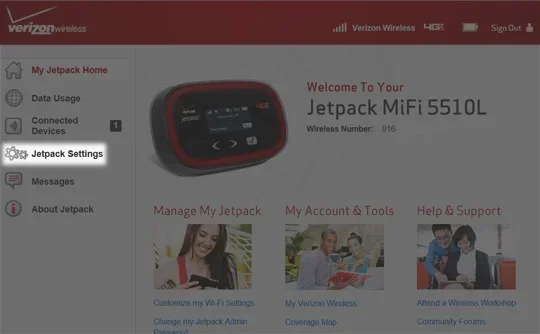
Most home routers have an admin panel accessible through a local IP address. When someone is on your network, they can often access this panel. From there, they can change your router settings in significant ways.
They could change your DNS settings to redirect you to fake websites. This is called DNS hijacking, and it is a common attack vector. You might think you are visiting your bank’s website, but you are actually on a fake copy designed to steal your login information.
They could also change your Wi-Fi password, locking you out of your own network. Some attackers go as far as setting up remote access to the router, giving them control even when they are not physically near your home.
5. Use Your Network for Illegal Activities
This might sound like something from a movie, but it happens in real life. Someone connected to your Wi-Fi could use your network to download illegal content. They could launch cyber attacks against other websites or individuals.
Because your IP address is tied to your internet connection, law enforcement would come looking for you. You would have to prove that someone else was using your network. This is a nightmare scenario that real people have faced.
Even if the illegal activity is not your fault, the process of clearing your name can be stressful, time-consuming, and expensive. This alone is a strong reason to protect your Wi-Fi password carefully.
6. Infect Your Devices with Malware
Once someone is on your network, they can attempt to spread malware to your devices. They might exploit vulnerabilities in outdated software or firmware. If your router has not been updated in months or years, it could be an easy target.
Malware can do all sorts of damage. It might steal your files. It could turn on your webcam without you knowing. Some malware mines cryptocurrency using your devices, slowing them down and increasing your electricity bill.
The scary part is that many people do not realize their devices are infected. Malware can sit quietly, collecting data in the background, for weeks or even months before being detected.
How Does Someone Get Your Wi-Fi Password?
Understanding the risks is important. But it is equally important to know how passwords get compromised in the first place. Let us look at the most common ways people lose control of their Wi-Fi network.
Default Router Passwords
Many people never change the default admin password on their router. Manufacturers often use simple, well-known passwords like “admin” or “password123.” Anyone who knows the router model can look up the default credentials online.
Once someone has admin access to your router, they can see your Wi-Fi password, change it, or do anything else they want. This is one of the easiest ways for attackers to gain full control of your network.
Weak Passwords
If your Wi-Fi password is something simple like “12345678” or “password,” it is only a matter of time before someone cracks it. Modern computers can brute-force weak passwords in minutes.
Password strength matters enormously. A short, simple password gives attackers very little to work against. A long, complex password with a mix of characters is much harder to crack.
Social Engineering
Sometimes people give out their Wi-Fi password without thinking. A friend of a friend asks for it. A delivery person needs to check something on their phone. These small, seemingly innocent moments can lead to big problems.
You never really know what someone will do with your password once they have it. They might share it with others without telling you. They might write it down somewhere it gets found.
Router Vulnerabilities
Even with a strong password, your router might have security flaws. Manufacturers sometimes release routers with known vulnerabilities that never get patched. Hackers can exploit these flaws to access your network without even needing your password.
This is why keeping your router’s firmware updated is so important. Updates fix known security holes and patch vulnerabilities before attackers can exploit them.
How to Protect Your Home Wi-Fi Network
The good news is that protecting your network is not as hard as you might think. A few simple steps can make a huge difference in your security. Here is what you should do right now.
Change Your Default Admin Password
Log into your router settings and change the default admin password immediately. Choose a strong, unique password that you do not use anywhere else. This is the first line of defense for your entire network.
Write this password down and keep it in a safe place. You do not want to forget it, but you also do not want it sitting on a sticky note on your router for anyone to see.
Use WPA3 or WPA2 Encryption
Check your router settings and make sure you are using the strongest encryption available. WPA3 is the latest and most secure option. If your router does not support WPA3, use WPA2 at minimum.
Never use WEP encryption. It is outdated and can be cracked in minutes. If your router only offers WEP, it is time for a new router.
Create a Strong Wi-Fi Password
Your Wi-Fi password should be long and complex. Aim for at least 16 characters. Use a mix of uppercase letters, lowercase letters, numbers, and symbols.
Consider using a passphrase instead of a single word. Something like “PurpleTiger$RunsFast2024!” is both strong and easier to remember than a random string of characters.
Set Up a Guest Network
Most modern routers allow you to create a separate guest network. This gives visitors internet access without exposing your main network and devices.
Keep your guest network password different from your main network password. Change it periodically, especially after guests leave. This simple step adds a layer of separation that protects your primary devices.
Keep Your Router Firmware Updated
Check for firmware updates regularly. Many routers have an auto-update feature you can turn on. If yours does not, make it a habit to check the manufacturer’s website once a month.
Firmware updates often include critical security patches. Skipping them leaves known vulnerabilities open for attackers to exploit.
Disable WPS
Wi-Fi Protected Setup (WPS) is a feature that lets you connect devices with the push of a button. However, it has known security flaws that can be exploited by attackers.
Go into your router settings and turn off WPS. It is not worth the convenience it provides when weighed against the security risks it creates.
Monitor Your Network Regularly
Check which devices are connected to your network regularly. Most routers have a dashboard where you can see all connected devices. If you see something you do not recognize, investigate immediately.
You can also use network monitoring tools to keep an eye on unusual activity. These tools alert you when something suspicious happens on your network.
What to Do If Someone Has Your Wi-Fi Password
If you suspect someone has your Wi-Fi password without permission, do not panic. There are clear steps you can take to regain control of your network.
First, change your Wi-Fi password immediately. Go into your router settings and create a new, strong password. This will kick anyone who does not have the new password off your network.
Second, change your router admin password as well. If the intruder accessed your router settings, they might still have access even after you change the Wi-Fi password.
Third, check your router logs. Most routers keep a record of connected devices and activity. Look for anything suspicious. If you find an unknown device, block it from your network.
Finally, consider resetting your router to factory settings if you are really concerned. This wipes all configurations, including any changes an attacker might have made. You will need to set up your network from scratch, but it ensures a clean start.
Common Myths About Wi-Fi Security
There are a lot of misconceptions floating around about Wi-Fi security. Let us clear up a few of the most common ones.
Myth 1: Hiding your network name makes it secure. Hiding your SSID makes your network harder to find, but it does not make it invisible. Skilled attackers can still detect hidden networks easily.
Myth 2: Only tech-savvy people get hacked. This is simply not true. Most Wi-Fi attacks are automated. Attackers use tools that scan for vulnerable networks without any human intervention. You do not need to be a target for an attack to happen.
Myth 3: Mac address filtering keeps you safe. Mac filtering adds a small layer of security, but it is easily bypassed. Attackers can sniff network traffic to find allowed Mac addresses and spoof them.
Final Thoughts on Wi-Fi Password Security
The answer to “can anyone do anything with your home Wi-Fi password” is a clear and concerning yes. When someone has your password, they can access your devices, steal your data, slow your internet, and even use your network for illegal purposes. The risks are real, and they are serious.
But here is the good news. You have the power to protect yourself. By following the steps outlined in this guide, you can dramatically reduce your risk. Strong passwords, proper encryption, regular updates, and network monitoring are your best defenses.
Do not wait until something goes wrong. Take action today. Change your passwords if they are weak. Update your router firmware. Set up a guest network. These small steps add up to significant protection.
Your home network is the gateway to your digital life. Treat it with the same care you would treat the front door to your house. Because when it comes to Wi-Fi security, prevention is always better than cure.
Stay safe, stay informed, and make sure your Wi-Fi password is doing its job protecting you. Your digital life depends on it.
Frequently Asked Questions
Can someone hack my devices through my Wi-Fi?
Yes, if your network is not properly secured, someone on your Wi-Fi can attempt to access your devices. They can exploit vulnerabilities in outdated software or weak security settings. This is why keeping your devices updated and using strong encryption is so important.
How do I know if someone is using my Wi-Fi without permission?
Check your router’s admin panel to see connected devices. If you see devices you do not recognize, someone is likely using your network. You might also notice slower internet speeds or unusual activity on your network.
Is it safe to share my Wi-Fi password with guests?
It can be safe if you take precautions. Use a guest network if your router supports it. Change the guest password regularly. Never share your main network password with people you do not trust completely.
What is the best Wi-Fi encryption type?
WPA3 is the most secure encryption available today. WPA2 is a solid alternative if your router does not support WPA3. Never use WEP, as it is outdated and easily cracked by attackers.
Can someone see what websites I visit on my Wi-Fi?
On an unencrypted or weakly encrypted network, yes. Someone with technical knowledge can use packet sniffing tools to see which websites you visit. Using HTTPS websites adds a layer of protection, but a VPN provides the best privacy.
How often should I change my Wi-Fi password?
It is a good practice to change your Wi-Fi password every few months. You should also change it immediately if you suspect someone has gained access. Using a strong, unique password means you do not need to change it as frequently as a weak one.
=== CONCLUSION ===
Can anyone do anything with your home Wi-Fi password? The answer is a definitive yes, and the risks are significant. From data theft to bandwidth theft to legal liability, an unprotected network opens the door to serious problems. But you are not powerless. With the right steps, you can lock down your network and keep your digital life safe.
Start with the basics. Use a strong Wi-Fi password. Enable WPA3 or WPA2 encryption. Change your router admin credentials. Set up a guest network. Keep your firmware updated. These steps take only a little time but provide powerful protection.
Share this information with friends and family. Wi-Fi security is something everyone needs to think about. The more people who take it seriously, the safer we all are. Stay proactive, stay protected, and never underestimate the power of a strong password.