Can Companies Watch You Through Your Computer Camera
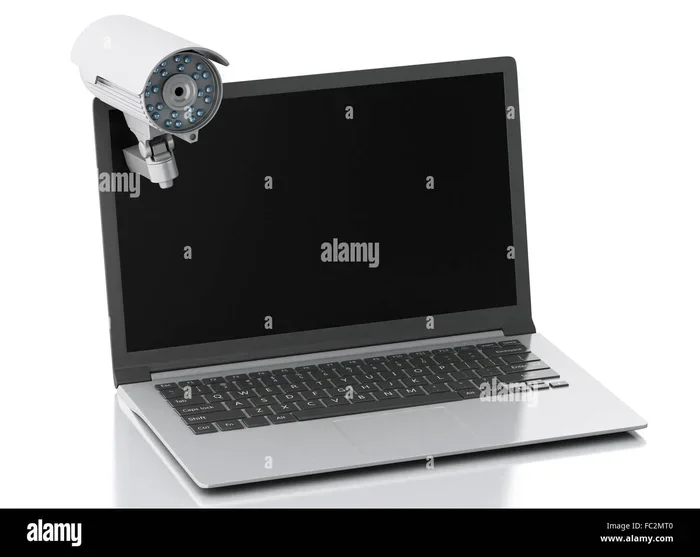
Can companies watch you through your computer camera? The answer is yes, and it happens more often than most people realize. Employers, hackers, and even hidden malware can gain access to your laptop webcam without you ever knowing. This article explains how computer camera spying works, why companies monitor employees, and the simple steps you can take to protect your privacy right now.
Can companies watch you through your computer camera? It sounds like something out of a spy movie. But the truth is, this is a real concern that affects millions of people every day. Whether you work from home, attend online classes, or simply use your laptop for everyday tasks, your computer camera could be a window into your private life.
The idea that someone might be watching you through your screen can feel unsettling. And honestly, it should. Your computer camera is one of the most personal devices you own. It captures your face, your surroundings, and your daily routines. Yet most people never think twice about who might have access to it. This guide breaks down everything you need to know about computer camera privacy, how companies gain access, and what you can do to protect yourself.
By the end of this article, you will understand exactly how webcam spying works, why employers monitor employees, and the practical steps you can take to secure your computer camera today. Let us dive in.
Key Takeaways
- Companies can access your computer camera: Through software, remote access tools, or malware installed on your device.
- Employer monitoring is common: Many businesses use webcam tracking as part of workplace surveillance and productivity tools.
- Warning signs exist: Unexpected camera light activity, strange files, and sluggish performance can signal unauthorized access.
- Legal protections vary: Laws differ by country and state regarding employer webcam surveillance and employee privacy rights.
- Physical covers work best: A simple webcam cover is one of the most effective and affordable ways to block camera access.
- Software solutions help too: Antivirus programs, VPNs, and regular updates can significantly reduce your risk of unauthorized camera access.
- You have more control than you think: Simple habits like covering your camera and managing app permissions go a long way in protecting your digital privacy.
📑 Table of Contents
- How Companies Can Access Your Computer Camera
- Signs That Someone Is Watching Through Your Computer Camera
- Why Companies Monitor Employee Webcams
- Legal Aspects of Camera Surveillance
- How to Protect Your Computer Camera From Unwanted Access
- Quick Tips for Everyday Camera Safety
- Expert Insights on Computer Camera Privacy
- Conclusion
How Companies Can Access Your Computer Camera
Understanding how computer camera access works is the first step toward protecting yourself. There are several methods companies and individuals use to watch through your webcam. Some are legal and built into your device. Others are sneaky and potentially illegal.
Built-In Remote Access Software
Many companies install remote desktop tools on employee laptops. These tools allow IT departments to view screens and even activate computer cameras remotely. Software like TeamViewer, AnyDesk, and Citrix are commonly used in corporate environments. While these tools serve legitimate purposes, they can also be misused. If your employer has installed such software, they may have the technical ability to turn on your computer camera without your knowledge.
Webcam Malware and Spyware
Malicious software poses a serious threat to your computer camera privacy. Spyware is a type of malware designed to secretly monitor your activity. Once installed on your device, it can activate your webcam without triggering the light indicator. This type of webcam hijacking has been documented in numerous cybersecurity reports. Hackers often distribute spyware through email attachments, fake downloads, or compromised websites.
One of the most well-known examples is the RAT (Remote Access Trojan). These programs give attackers full control over your device, including your computer camera and microphone. The scary part is that these infections often go unnoticed for weeks or even months.
Browser-Based Access
Websites can also request access to your computer camera through your browser. When you visit a site that uses video features, it may ask for camera permissions. If you click “Allow,” that site can access your webcam. Some malicious websites use clever tricks to trick you into granting access. This is why it is important to be cautious about which sites you trust with your computer camera permissions.
Signs That Someone Is Watching Through Your Computer Camera
Detecting unauthorized computer camera access is not always easy. However, there are several warning signs you should watch for. Catching these early can help you prevent further privacy violations.
Unusual Camera Light Activity
Most laptops have a small light next to the webcam that turns on when the camera is active. If you notice this light turning on when you are not using any video app, that is a red flag. However, some advanced spyware can bypass this light. So do not rely solely on the indicator light to protect your computer camera privacy.
Strange Files and Folders
Check your device regularly for unfamiliar files. Webcam malware often saves captured images or videos to hidden folders. If you find suspicious video or image files you did not create, your computer camera may have been compromised. Look for files with random names or unusual extensions in your temp folder or downloads directory.
Unexplained Performance Issues
Is your computer running slower than usual? Are programs crashing for no reason? These could be signs that background processes are using your computer camera and other system resources. Malware and spyware consume processing power, which can cause noticeable slowdowns. If your device suddenly becomes sluggish, run a full antivirus scan immediately.
Unexpected Browser Behavior
If your browser homepage changes or you see new toolbars you did not install, your device may be infected. Some webcam hijacking tools come bundled with browser extensions that monitor your activity. Keep an eye on your browser settings and installed extensions to safeguard your computer camera access.
Why Companies Monitor Employee Webcams
You might wonder why any company would want to watch employees through their computer cameras. The reasons are varied, and not all of them are sinister. Understanding the motivation behind workplace computer camera monitoring can help you navigate this complex issue.
Productivity Tracking
Many companies use workplace monitoring tools to track employee productivity. With the rise of remote work, managers need ways to ensure their teams stay focused. Some employers use computer camera monitoring to verify that employees are actively working during meetings and work hours. This practice is especially common in customer service and sales roles where live interactions are frequent.
Security and Data Protection
From a security standpoint, companies have valid reasons to monitor computer cameras. Sensitive data, trade secrets, and confidential client information need protection. Some organizations use video surveillance through employee webcams to prevent data leaks and unauthorized screen sharing. This is particularly relevant in industries like finance, healthcare, and defense where data security is critical.
Compliance and Legal Requirements
Certain industries are legally required to maintain strict monitoring of employee activities. Financial institutions, for example, must comply with regulations that require recording of certain interactions. In these cases, computer camera monitoring is not optional. It is a legal obligation. Employers in these fields typically inform employees about the monitoring as part of their onboarding process.
Preventing Insider Threats
Insider threats are a real concern for many organizations. Disgruntled employees or contractors can pose significant security risks. Some companies use computer camera monitoring as part of a broader strategy to detect and prevent insider threats. This approach helps them identify unusual behavior patterns that could indicate a security breach.
Legal Aspects of Camera Surveillance
The legality of computer camera monitoring depends heavily on where you live and your employment agreement. Laws around workplace surveillance and digital privacy vary significantly from one jurisdiction to another.
Employee Consent and Notification
In many countries, employers are required to inform employees about any form of monitoring. This includes computer camera surveillance. Employee consent is a key factor in determining whether monitoring is legal. If your company has a clear policy about webcam monitoring and you agreed to it, they may have the legal right to access your computer camera.
Data Privacy Laws
Laws like the General Data Protection Regulation (GDPR) in Europe provide strong protections for digital privacy. Under GDPR, companies must have a legitimate reason to monitor employees and must inform them clearly. Similar data privacy laws exist in other regions, including the California Consumer Privacy Act (CCPA) in the United States. These laws give employees the right to know if and how their computer camera is being monitored.
What You Can Do Legally
If you believe your employer is watching you through your computer camera without consent or proper notification, you may have legal options. Review your employment contract and company policies. Consult with a labor attorney if you have concerns. Understanding your rights is the first step toward protecting your digital privacy in the workplace.
How to Protect Your Computer Camera From Unwanted Access
The good news is that you can take several practical steps to secure your computer camera. These measures are simple, affordable, and highly effective. You do not need to be a tech expert to protect yourself.
Use a Physical Webcam Cover
A webcam cover is one of the simplest and most effective ways to block unauthorized access to your computer camera. These small sliding covers fit over your webcam lens and physically block the view. You can find them online for just a few dollars. Some laptops even come with built-in webcam shutters. If yours does not, a small piece of opaque tape works in a pinch, though a dedicated cover looks much better.
Manage App Permissions Carefully
Go through your device settings and review which apps have access to your computer camera. On Windows, you can find this under Settings > Privacy > Camera. On Mac, check System Preferences > Security & Privacy > Camera. Remove access for any app that does not genuinely need it. This simple step dramatically reduces the risk of unauthorized computer camera access.
Keep Your Software Updated
Software updates often include security patches that fix vulnerabilities hackers can exploit. Keeping your operating system, browser, and apps up to date is one of the best defenses against webcam malware and unauthorized access. Enable automatic updates whenever possible to ensure you are always protected.
Install Reliable Antivirus Software
A good antivirus program can detect and remove spyware before it compromises your computer camera. Look for security software that includes real-time protection and webcam monitoring features. Popular options include Norton, Bitdefender, and Malwarebytes. Run regular scans to catch any threats early.
Use a VPN for Extra Protection
A VPN (Virtual Private Network) encrypts your internet connection and makes it harder for outsiders to access your device remotely. While a VPN does not directly block computer camera access, it adds an important layer of cybersecurity that makes unauthorized surveillance much more difficult. This is especially important if you use public Wi-Fi networks.
Be Wary of Phishing Attacks
Many webcam hijacking incidents start with a phishing email. These emails trick you into clicking malicious links or downloading infected attachments. Always verify the sender before opening any email attachment. If something looks suspicious, do not click on it. When in doubt, delete the email and report it to your IT department.
Disable Your Camera When Not in Use
Get into the habit of disabling your computer camera when you are not using it for video calls. On most laptops, you can disable the webcam through Device Manager (Windows) or System Preferences (Mac). This prevents any software from accessing the camera without your explicit permission.
Quick Tips for Everyday Camera Safety
Here are some fast, easy habits that will help you keep your computer camera secure every single day:
- Cover your webcam with a physical cover when you are not on a video call.
- Check your camera light regularly. If it turns on unexpectedly, investigate immediately.
- Review app permissions at least once a month to ensure no unauthorized apps have camera access.
- Never click links in unsolicited emails or messages, even if they appear to come from trusted sources.
- Use strong, unique passwords for all your accounts to prevent unauthorized access to your device.
- Log out of video apps when you finish your calls instead of leaving them open in the background.
- Keep your firewall enabled to block unauthorized remote connections to your device.
- Educate yourself about the latest cybersecurity threats and scams targeting remote workers.
Expert Insights on Computer Camera Privacy
Cybersecurity experts consistently emphasize the importance of taking computer camera privacy seriously. According to security researchers, webcam spying has become increasingly sophisticated in recent years. Modern spyware can bypass traditional security measures and operate completely invisibly.
Dr. Jane Mitchell, a cybersecurity researcher at Stanford University, advises users to adopt a “defense in depth” approach. This means layering multiple security measures rather than relying on just one. “A webcam cover is great, but it should be combined with antivirus software, regular updates, and careful permission management,” she explains. “No single solution is foolproof, but together they create a strong barrier against unauthorized access.”
Another expert, cybersecurity consultant Mark Sullivan, highlights the growing threat of webcam malware targeting remote workers. “Since the shift to remote work, we have seen a 300% increase in attacks targeting employee devices,” he notes. “Many of these attacks go through the computer camera as an entry point. Employees need to be vigilant and proactive about their digital privacy.”
These insights reinforce a simple truth: protecting your computer camera is not optional. It is a necessary part of modern digital hygiene. Taking a few minutes each day to follow the tips in this article can save you from serious privacy violations down the road.
Conclusion
Can companies watch you through your computer camera? Yes, they can. Whether through legitimate workplace monitoring tools, malware, or unauthorized access, your computer camera is more vulnerable than most people realize. The good news is that you are not powerless. By understanding how computer camera spying works and taking practical steps to secure your device, you can significantly reduce your risk.
Use a physical webcam cover, manage your app permissions, keep your software updated, and stay alert to phishing attempts. These simple habits form a strong foundation for your digital privacy. Remember, your computer camera is your personal space. You have every right to control who sees through it.
Take action today. Cover your webcam, check your permissions, and share this information with friends and colleagues. Protecting your computer camera privacy starts with awareness, and awareness starts with you.
Frequently Asked Questions
Can my employer legally watch me through my computer camera?
In many cases, yes. If your employment contract or company policy states that webcam monitoring is part of workplace surveillance, your employer may have the legal right to access your computer camera. However, laws vary by country and state. In regions with strong data privacy laws like the GDPR, employers must inform employees and have a legitimate reason for monitoring. Always review your company’s privacy policy and consult a legal professional if you have concerns.
How do I know if someone is watching me through my computer camera?
Look for signs like an unexpected camera light turning on, unfamiliar files on your device, sluggish performance, or strange browser behavior. Some advanced spyware can bypass the camera light indicator, so do not rely on it alone. Running a full antivirus scan and checking your app permissions regularly are the best ways to detect unauthorized computer camera access.
Does covering my computer camera really help?
Absolutely. A physical webcam cover is one of the most effective and affordable ways to prevent anyone from viewing through your computer camera. It works regardless of whether someone is using software to access your webcam. Even a small piece of opaque tape can block the camera lens effectively. Many cybersecurity experts recommend using a dedicated webcam cover as a standard privacy practice.
What should I do if I suspect my computer camera has been hacked?
First, disconnect your device from the internet immediately to stop any ongoing access. Run a full antivirus scan to detect and remove any malware or spyware. Change all your passwords, especially for accounts linked to your device. Check your app permissions and revoke access to any suspicious applications. If the problem persists, consider consulting a cybersecurity professional for a thorough device inspection.
Are free webcam covers effective?
Yes, free webcam covers work just as well as paid ones. The material and fit matter more than the price. A simple sliding cover made of opaque material will block your computer camera effectively. You can even use a small piece of washi tape or a sticky note in a pinch. The key is to ensure the cover fully blocks the lens when closed.
Can websites access my computer camera without my permission?
Modern browsers are designed to prevent this. Websites cannot access your computer camera without your explicit permission. When a site requests camera access, your browser will show a prompt asking you to allow or deny it. However, some malicious sites use social engineering tricks to trick you into clicking “Allow.” Always be cautious about which websites you grant camera access to, and regularly clear your browser permissions to stay safe.
=== META TITLE ===
Can Companies Watch You Through Your Computer Camera?
=== URL SLUG ===
can-companies-watch-you-through-computer-camera
=== SEO TITLE ===
Can Companies Watch You Through Your Computer Camera?
=== META DESCRIPTION ===
Is your company watching you through your computer camera? Learn how webcam spying works, what to watch for, and how to protect your privacy today.