Do You Need A Modem For Frontier Internet Connection
Yes, you need a modem for Frontier Internet to connect your home network to the wider web. Whether you choose to rent Frontier’s equipment or buy your own modem, understanding your options saves money and keeps your connection running smoothly. This guide covers everything you need to know about Frontier modems, setup, and troubleshooting.
Do you need a modem for Frontier Internet? The short answer is yes. Every internet connection at your home needs a device that translates the signal from your provider into something your computers, phones, and smart devices can use. That device is a modem.
But the full story is a bit more interesting than a simple yes or no. Frontier Internet offers different types of service, and each one may require slightly different equipment. Whether you are a new Frontier customer or you have been with them for years, understanding your modem needs helps you get the best performance and avoid unnecessary costs.
In this guide, we will walk through everything you need to know. We will cover what a modem does, how Frontier Internet works, whether you should rent or buy your own equipment, and how to set things up without a headache. By the end, you will feel confident about your Frontier Internet setup.
If you have ever wondered about buying a modem instead of renting, or if you are troubleshooting a slow connection, you are in the right place. Let us dive in.
Key Takeaways
- You do need a modem: Frontier Internet requires a modem to translate the signal from their network into usable internet for your home.
- Rental vs. purchase matters: Renting from Frontier is convenient, but buying your own modem can save money over time.
- Frontier Fios uses fiber: If you have Frontier Fios, you may need an ONT (Optical Network Terminal) instead of a traditional modem.
- Setup is straightforward: Connecting your Frontier modem takes just a few steps if you follow the right process.
- Troubleshooting is simple: Most common modem issues can be fixed with a quick reset or repositioning.
📑 Table of Contents
- What Is a Modem and Why Does It Matter?
- How Frontier Internet Works
- Do You Need a Modem for Frontier Internet?
- Renting vs. Buying Your Frontier Modem
- Setting Up Your Frontier Modem
- Troubleshooting Common Frontier Modem Issues
- Can You Use a Different Modem with Frontier?
- Frequently Asked Questions
- Conclusion
What Is a Modem and Why Does It Matter?
A modem is the bridge between your home and the internet. Think of it as a translator. The internet signal coming from Frontier travels through cables or fiber lines. Your modem takes that signal and turns it into data your devices can understand.
Without a modem, your devices would have no way to reach the internet. It is like having a phone with no SIM card. The phone is there, but it cannot make calls.
Modems come in different types depending on your connection type:
- DSL modems work with phone-line-based internet.
- Cable modems work with coaxial cable connections.
- Fiber ONTs work with fiber-optic connections like Frontier Fios.
Your Frontier plan determines which type of modem you need. If you are not sure what kind of service you have, you can check your Frontier account or call customer support. Knowing your connection type is the first step toward setting up the right equipment.
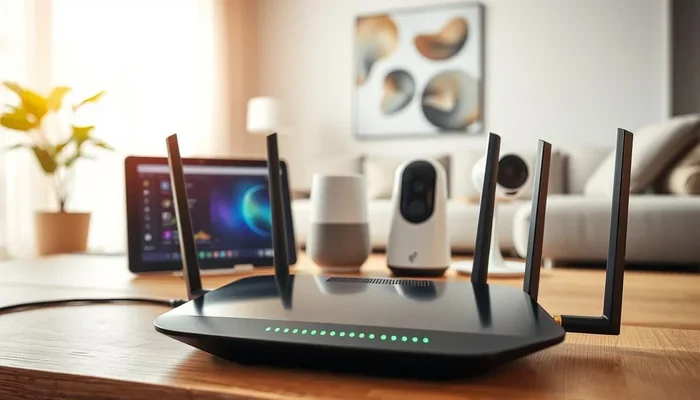
Many people confuse modems with routers. A modem vs router situation is common. The modem brings the internet into your home. The router spreads that internet to your devices wirelessly. Some devices combine both into one unit called a modem router combo. We will talk more about this later.
How Frontier Internet Works
Frontier Communications offers several types of internet service. Each type uses different technology and may require different equipment. Understanding your service type helps you choose the right modem.
Frontier DSL Internet
DSL stands for Digital Subscriber Line. It uses existing phone lines to deliver internet. DSL is widely available, especially in rural areas. Frontier DSL speeds are decent for everyday browsing, streaming, and working from home.
For Frontier DSL, you need a DSL-compatible modem. Frontier provides one when you sign up for service. You can also use your own modem if it is DSL-compatible and approved by Frontier. Just make sure to check the Frontier approved device list before purchasing.
Frontier Fios Fiber Internet
Frontier Fios uses fiber-optic cables, which are the fastest and most reliable internet connections available. Fiber uses light signals instead of electrical signals. This means much higher speeds and lower latency.
For Frontier Fios, you typically do not need a traditional modem. Instead, you get an ONT, or Optical Network Terminal. The ONT converts the light signals from the fiber line into electrical signals your devices can use. Some people still call the ONT a modem, but technically it is a different device.
If you are curious about how buying a modem works for fiber connections, the answer is a bit different. You generally cannot buy a traditional modem for Fios. The ONT is usually provided by Frontier. However, you can still bring your own router to improve wireless coverage.
Frontier Cable Internet
In some areas, Frontier offers cable internet through coaxial cables. This is the same type of cable used for cable TV. Cable internet tends to be faster than DSL but may share bandwidth with neighbors in your area.
For cable internet, you need a cable modem. Frontier provides one in their equipment package. You can also purchase a compatible cable modem on your own. Just make sure it meets Frontier’s specifications.
Do You Need a Modem for Frontier Internet?
The answer depends on your service type. But in almost every case, yes, you need some kind of modem or gateway device. Here is a breakdown:
- Frontier DSL: Yes, you need a DSL modem.
- Frontier Fios: You need an ONT, which serves the same purpose as a modem.
- Frontier Cable: Yes, you need a cable modem.
Some people wonder if they can skip the modem entirely. They might think they can just plug a router directly into the wall. This does not work. The router needs a modem to receive the internet signal first. Without a modem, your router has nothing to distribute.
If you are considering whether you can connect your phone to your TV for Wi-Fi or set up a home network without a modem, the answer is no. The modem is the essential first step in any home internet setup. It is the device that authenticates your account with Frontier and brings the signal into your home.
One thing to keep in mind: some Frontier plans include a gateway device. A gateway is a modem and router combined into one unit. This simplifies setup because you only have one device to manage. However, it also means less flexibility if you want to upgrade your router separately.
Renting vs. Buying Your Frontier Modem
This is one of the most common questions Frontier customers ask. Should you rent the modem from Frontier or buy your own? Both options have pros and cons. Let us break them down.
Renting from Frontier
When you rent a modem from Frontier, you pay a monthly fee. This fee is usually around $10 to $15 per month. The advantage is simplicity. Frontier sends you the right equipment for your service type. If something breaks, they replace it for free.
Rental also means you get Frontier customer support for your equipment. If your modem is not working, you call Frontier and they troubleshoot it. This can save a lot of headache, especially if you are not tech-savvy.
The downside is cost. Over a few years, the rental fees add up. After two or three years, you could have paid enough to buy your own modem outright.
Buying Your Own Modem
Buying your own modem means a higher upfront cost but lower monthly bills. You pay once and own the device. Your monthly Frontier bill may drop by $10 to $15 because you no longer pay the rental fee.
Over time, buying your own modem can save you a significant amount of money. A good modem costs between $100 and $200. If you save $15 per month on rental fees, you break even in about 7 to 13 months. After that, it is pure savings.
But there are trade-offs. You are responsible for troubleshooting your own equipment. If the modem fails, you must replace it yourself. Also, you need to make sure your modem is compatible with Frontier’s network.
If you want to explore options, check out whether you can buy a modem and have internet on your own. This article covers the process in detail and helps you decide if buying is right for you.
Quick Comparison
| Factor | Renting | Buying |
|---|---|---|
| Upfront Cost | Low or none | $100 – $200 |
| Monthly Cost | $10 – $15 | $0 (no rental fee) |
| Support | Included | Your responsibility |
| Long-Term Savings | None | Yes, after break-even |
| Equipment Replacement | Free from Frontier | You pay |
Setting Up Your Frontier Modem
Setting up a Frontier modem is easier than most people think. You do not need to be a tech expert. Follow these steps and you should be online in no time.
Step 1: Place Your Modem in the Right Spot
Where you put your modem matters. Place it in a central location in your home. Avoid putting it in a closet or behind furniture. Good airflow helps the modem stay cool and perform well.
Keep the modem away from thick walls and metal objects. These can block the Wi-Fi signal. If you have a multi-story home, try placing the modem on the main floor where it can reach all levels.
Step 2: Connect the Cables
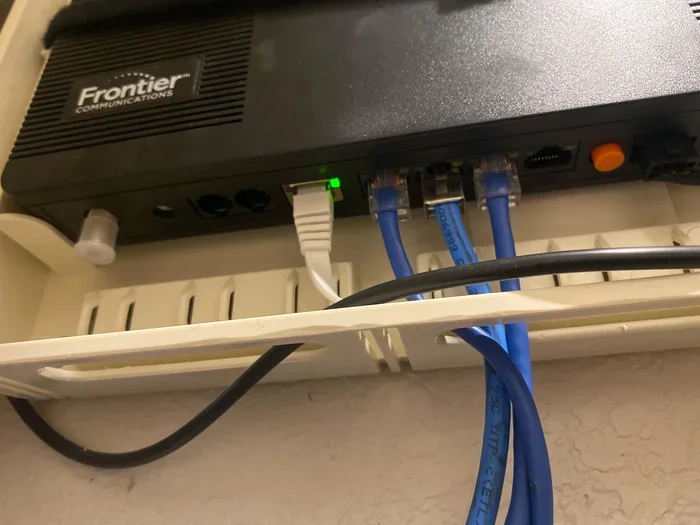
Connect the modem to the wall jack or fiber line. For DSL, plug in the phone cord. For cable, connect the coaxial cable. For Fios, connect the fiber line to the ONT.
Then connect the modem to your router using an Ethernet cable. If you have a modem-router combo, you can skip this step. Just plug in the power cable and wait for the lights to stabilize.
Step 3: Power On and Wait
Turn on the modem and give it a few minutes to boot up. You will see lights blink on the front panel. Wait until the online light turns solid. This means the modem has connected to Frontier’s network.
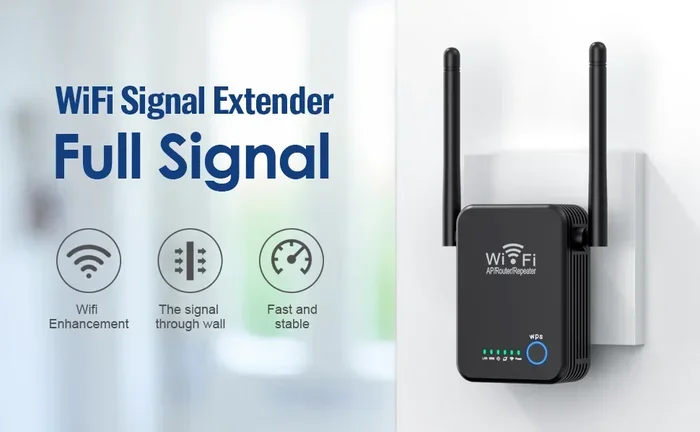
If you are setting up a new connection and wondering about extending your Wi-Fi, you might also look into whether you can get an extension on your Wi-Fi to improve coverage in larger homes.
Step 4: Connect Your Devices
Once the modem is online, connect your devices. You can use Wi-Fi or Ethernet cables. For the best speeds, use a wired connection when possible. Wi-Fi is convenient but slightly slower than a direct cable connection.
Open a web browser and test your connection. Visit a website like Google or YouTube. If the page loads, you are all set. If not, check the modem lights and try restarting the device.
Troubleshooting Common Frontier Modem Issues
Even with the best setup, you may run into issues from time to time. Most modem problems are easy to fix. Here are the most common issues and their solutions.
Slow Internet Speeds
If your internet feels slow, the modem might be the culprit. Start by running a speed test on your phone or computer. Compare the results to your Frontier plan speed.
If the speed is much lower than expected, try restarting the modem. Unplug it, wait 30 seconds, and plug it back in. This clears the cache and refreshes the connection.
Also check if too many devices are connected at once. Streaming videos and gaming use a lot of bandwidth. If everyone in your household is online at the same time, speeds may dip.
No Internet Connection
If you have no internet at all, check the modem lights. A red or blinking online light usually means there is no connection to Frontier’s network.
Try restarting the modem first. If that does not work, check all cable connections. Make sure the coaxial cable, phone cord, or fiber line is securely plugged in. A loose cable can cause a total loss of connection.
If the problem persists, contact Frontier customer support. They can check your account from their end and see if there is an outage in your area.
Modem Keeps Disconnecting
A modem that drops the connection frequently can be very frustrating. This is often caused by overheating or outdated firmware.
Make sure your modem has good ventilation. Do not stack other devices on top of it. Also, check if Frontier has released a firmware update for your modem model. Sometimes a simple update fixes connection drops.
If your modem is several years old, it might be time for a replacement. Older modems struggle to keep up with modern internet speeds. Consider upgrading to a newer model.
Can You Use a Different Modem with Frontier?
Yes, you can use a third-party modem with Frontier Internet, but it must be compatible. Frontier maintains a list of approved modems on their website. Before buying any modem, check that it is on the approved list.
Using a compatible modem gives you more control over your equipment. You can choose a model with better features or faster speeds than the rental option. Just keep in mind that Frontier may not provide support for third-party modems. You are on your own for troubleshooting.
If you are considering a switch, make sure your modem supports the right connection type. A DSL modem will not work with cable internet, and vice versa. Double-check the specifications before making a purchase.
Some customers also ask about extending their network setup. If you are dealing with weak Wi-Fi signals in certain parts of your home, you might explore options like Wi-Fi extenders or mesh systems. You can also look into whether you can connect a mesh router to an existing router to expand your coverage area without buying entirely new equipment.
Frequently Asked Questions
Can I use any modem with Frontier Internet?
No, not every modem works with Frontier. You need a modem that is compatible with Frontier’s network type. Whether you have DSL, cable, or fiber, the modem must match. Check Frontier’s approved device list before purchasing any third-party modem.
How much does it cost to rent a modem from Frontier?
Frontier typically charges between $10 and $15 per month for modem rental. This fee is added to your monthly bill. Over time, renting can cost more than buying your own modem, especially if you have been a customer for several years.
What is the difference between a modem and a router?
A modem brings the internet signal into your home from Frontier. A router spreads that signal to your devices wirelessly. Some devices combine both functions into one unit called a gateway. You need at least a modem to have internet access.
Do I need a modem if I have Frontier Fios fiber internet?
Yes, but the device is called an ONT instead of a modem. The ONT converts light signals from the fiber line into usable internet data. Frontier provides the ONT with your Fios installation. You can still use your own router for better wireless performance.
How do I know if my modem needs to be replaced?
Signs that your modem needs replacement include frequent disconnections, slow speeds even after a restart, and outdated technology that cannot support your plan speeds. If your modem is more than five years old, consider upgrading to a newer model for better performance.
Can I set up Frontier Internet without a technician visit?
Yes, for most service types, you can self-install your Frontier modem. Frontier provides setup instructions and a self-install kit. However, fiber optic installations may require a technician. Check with Frontier to confirm what options are available for your specific service type.
Conclusion
So, do you need a modem for Frontier Internet? The answer is a clear yes. Every Frontier Internet connection requires a modem or equivalent device to bring the signal into your home. Whether you have DSL, cable, or fiber, the modem is the essential first link in your internet chain.
Your choice between renting and buying depends on your budget and how long you plan to stay with Frontier. Renting is simple and worry-free. Buying saves money in the long run and gives you more control over your equipment.
Setting up your Frontier modem is straightforward, and troubleshooting common issues is easier than you might think. With the right equipment and a basic understanding of how things work, you can enjoy a fast, reliable internet connection every day.
Take the time to understand your Frontier plan and equipment needs. A little knowledge goes a long way toward getting the best internet experience at the best price. Your modem is the foundation of your home network, so make sure you choose wisely and keep it running smoothly.