Does Google Wifi Have 6e Here Is What You Need To Know
Does Google Wifi have 6E? The short answer is that only the Google Nest Wifi Pro supports Wi-Fi 6E, while older Google Wifi models do not. Wi-Fi 6E opens up the 6 GHz band for faster speeds and less interference. If you want the latest wireless technology in your home, you need the Nest Wifi Pro or a compatible router.
Does Google Wifi have 6E? This is a question many home network users are asking right now. Wi-Fi 6E is the newest wireless standard, and it promises faster speeds, wider coverage, and less interference. But not every Google Wifi device supports it. In this guide, we break down everything you need to know about Google Wifi and Wi-Fi 6E. We will cover which devices support it, what the benefits are, and whether you should upgrade your current setup.
If you are building or upgrading a home network, understanding Wi-Fi 6E is essential. This technology opens up a whole new frequency band that can transform your wireless experience. Let us dive into the details and find out if your Google Wifi device is part of the 6E family.
Key Takeaways
- Not all Google Wifi devices support 6E: Only the Nest Wifi Pro line includes Wi-Fi 6E capability.
- Wi-Fi 6E uses the 6 GHz band: This new frequency reduces congestion and boosts wireless performance.
- Older Google Wifi models are limited: Original Google Wifi and standard Nest Wifi only support Wi-Fi 5 or Wi-Fi 6.
- 6E offers real speed benefits: You can expect faster wireless speeds and better connectivity in busy homes.
- Device compatibility matters: Your phone, tablet, and laptop need 6E support to take advantage of the new band.
- Setting up a mesh network with 6E is easy: Google makes the process simple and beginner-friendly.
- Consider your needs before upgrading: If your current setup works fine, 6E may not be a must-have yet.
📑 Table of Contents
What Is Wi-Fi 6E and Why Does It Matter?
Wi-Fi 6E is an extension of the Wi-Fi 6 standard. The “E” stands for “Extended.” It adds access to the 6 GHz band, which was previously unused for consumer Wi-Fi. This means your wireless devices have a brand new highway to travel on, with far less traffic and interference.
Here is why this matters for your home network. Most home routers use the 2.4 GHz and 5 GHz bands. These bands are crowded. Your neighbor’s router, your microwave, and even your baby monitor all compete for space on these frequencies. Wi-Fi 6E gives you a clean, empty lane on the 6 GHz band. The result is faster speeds and more stable connections.
Key Features of Wi-Fi 6E
- Access to the 6 GHz band: This new band offers up to 1,200 MHz of extra spectrum.
- Faster data rates: Wi-Fi 6E supports speeds up to 9.6 Gbps under ideal conditions.
- Lower latency: Gaming, video calls, and streaming all benefit from reduced delay.
- Less interference: The 6 GHz band is currently very uncrowded compared to the other bands.
- Better multi-device handling: Wi-Fi 6E works well in homes with many connected devices.
For most households, Wi-Fi 6E is a game changer. As more devices connect to our home networks, the need for clean, fast wireless signals grows every day. Whether you are streaming 4K video or hosting a video call, the 6 GHz band helps keep everything running smoothly.
Does Google Wifi Have 6E Support?
Now for the big question: does Google Wifi have 6E? The answer depends on which Google Wifi device you own. Not all Google Wifi products are created equal when it comes to Wi-Fi 6E support.
The original Google Wifi device, released in 2016, supports Wi-Fi 5 (802.11ac). It does not have 6E capability. The standard Nest Wifi, released in 2019, supports Wi-Fi 6 (802.11ax) but not the 6 GHz band. So these devices cannot take advantage of Wi-Fi 6E.
However, the Google Nest Wifi Pro does support Wi-Fi 6E. This is the only Google Wifi device that includes the 6 GHz band. The Nest Wifi Pro was released in 2021 and was designed from the ground up to support the latest wireless standard. If you want 6E in your home, the Nest Wifi Pro is your go-to option from Google.
Google Wifi Models at a Glance
- Google Wifi (original): Wi-Fi 5 only. No 6E support.
- Nest Wifi (standard): Wi-Fi 6 support. No 6E support.
- Nest Wifi Pro: Wi-Fi 6E support with the 6 GHz band.
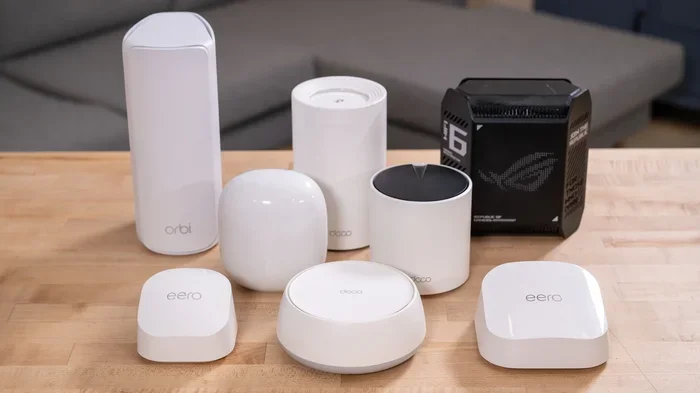
If you are unsure which model you have, check the product packaging or the Google Home app. The Nest Wifi Pro has a distinct design with a fabric-covered exterior and a built-in speaker. It also looks slightly different from the standard Nest Wifi unit.
What Makes Wi-Fi 6E Different From Regular Wi-Fi 6?
It is easy to confuse Wi-Fi 6 and Wi-Fi 6E. Both are fast and support modern devices. But there is one key difference: the 6 GHz band. Wi-Fi 6 works on the 2.4 GHz and 5 GHz bands. Wi-Fi 6E adds the 6 GHz band to the mix.
Think of it like a highway. Wi-Fi 6 has two lanes. Wi-Fi 6E has three lanes. The extra lane means less congestion and faster travel for your data. In a busy home with many devices, this extra lane can make a huge difference.
Speed Comparison
Both Wi-Fi 6 and Wi-Fi 6E can reach similar top speeds on paper. But real-world performance tells a different story. When your 5 GHz band is crowded with neighbors’ networks, your speeds can drop significantly. Wi-Fi 6E solves this problem by moving your devices to the less crowded 6 GHz band.
Here are some practical examples of where Wi-Fi 6E shines:
- 4K and 8K streaming: Video streams need consistent bandwidth. The 6 GHz band delivers this without interruption.
- Online gaming: Low latency is critical for gaming. Wi-Fi 6E reduces lag and ping times.
- Video conferencing: Work calls benefit from stable, high-quality connections on the clean 6 GHz band.
- Smart home devices: With more smart home gadgets than ever, the extra bandwidth helps everything stay connected.
If you have been looking into upgrading your wireless router, the 6 GHz band is a major selling point. It is especially valuable if you live in a dense neighborhood where many networks compete for the same airspace.
Should You Upgrade to a Google Nest Wifi Pro for 6E?
Deciding whether to upgrade depends on your current setup and needs. If you already own a Google Nest Wifi Pro, you are all set. You have Wi-Fi 6E and can start using the 6 GHz band right away. But if you have an older Google Wifi or standard Nest Wifi, you might be wondering if the upgrade is worth it.
Here are some factors to consider before making the switch:
- Your current internet speed: If your internet plan is under 1 Gbps, your current router might be enough for now.
- Number of connected devices: Homes with many smart devices benefit the most from Wi-Fi 6E.
- Device compatibility: You need 6E-compatible devices to use the 6 GHz band. Older phones and laptops may not support it.
- Your living situation: If you live in an apartment or townhouse with many nearby networks, 6E can reduce interference significantly.
One thing to keep in mind is that Wi-Fi 6E is backward compatible. This means your older devices can still connect to the Nest Wifi Pro. They just will not use the 6 GHz band. They will fall back to the 5 GHz or 2.4 GHz bands as usual.
Quick Tips Before You Buy
- Check if your devices support Wi-Fi 6E before purchasing a Nest Wifi Pro.
- Consider your home size. The Nest Wifi Pro works great as a mesh network for larger homes.
- Look for deals during sales events. Mesh systems can be pricey, but prices often drop.
- If you are not ready to upgrade, you can still improve your current setup by optimizing your router placement.
Some users also wonder if they can use their own modem with Google Wifi. If you are exploring options, you might want to check out whether you can buy a modem and still have internet service. This can save you money on rental fees from your internet provider.
How to Set Up Wi-Fi 6E on Your Nest Wifi Pro
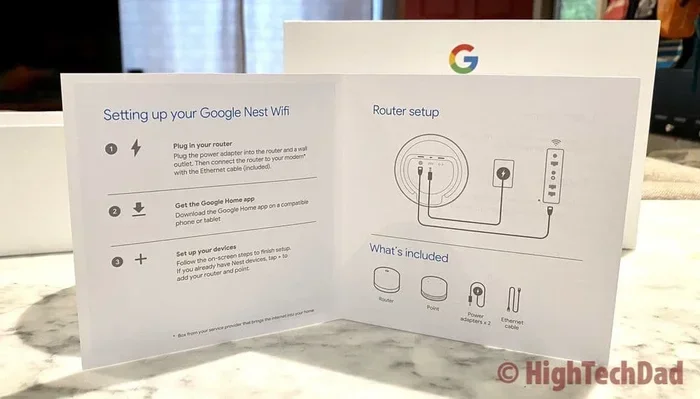
Setting up the Nest Wifi Pro is straightforward. Google designed the system to be simple, even if you are not tech-savvy. The Google Home app walks you through the entire process step by step.
Once your Nest Wifi Pro is set up, the router automatically manages the 2.4 GHz, 5 GHz, and 6 GHz bands. You do not need to manually switch your devices between bands. The router uses a feature called band steering to send each device to the best available band based on its needs and signal strength.
Optimizing Your 6E Network
To get the most out of your Wi-Fi 6E setup, follow these tips:
- Place your router centrally: This helps distribute the wireless signal evenly throughout your home.
- Keep the router in an open area: Walls and furniture can block the signal, especially on the higher 6 GHz band.
- Update your firmware: Google regularly releases updates that improve performance and security.
- Use the Google Home app: It lets you monitor your network, run speed tests, and manage connected devices.
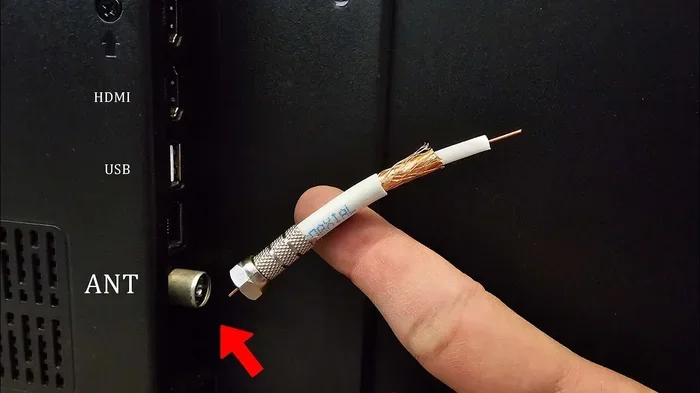
If you are having trouble with your wireless signal, you might consider adding an antenna to your setup for better coverage. While the Nest Wifi Pro has internal antennas, external options can help in certain situations. You can also check if your phone is connecting to the right frequency band to ensure you are getting the best speeds possible.
The Future of Wi-Fi 6E in Home Networks
Wi-Fi 6E is still relatively new, but it is growing fast. More devices are coming out with 6E support every year. Smartphones, laptops, tablets, and even smart home gadgets are starting to include 6 GHz band compatibility.
As the technology matures, we can expect even better performance and wider adoption. Internet service providers are also beginning to offer faster plans that take advantage of Wi-Fi 6E speeds. This means the gap between what your router can handle and what your internet plan delivers will continue to shrink.
For now, Google Wifi users who want the latest and greatest should look at the Nest Wifi Pro. It is the only Google mesh system that supports Wi-Fi 6E today. And as more devices join the 6 GHz ecosystem, having a 6E router will become increasingly valuable.
Whether you are setting up a new home network or upgrading an existing one, Wi-Fi 6E is a smart investment. It future-proofs your setup and ensures your wireless network can handle whatever comes next in the world of connected devices.
Conclusion
So, does Google Wifi have 6E? The answer is yes, but only for the Nest Wifi Pro model. The original Google Wifi and standard Nest Wifi do not support Wi-Fi 6E. If you want access to the 6 GHz band and all the benefits that come with it, you need the Nest Wifi Pro.
Wi-Fi 6E is a significant step forward in wireless technology. It offers faster speeds, less interference, and better performance for busy home networks. If you have compatible devices and a need for speed, upgrading to a 6E router is a smart move.
Take some time to evaluate your current setup. Check your devices, consider your internet usage, and decide if Wi-Fi 6E is right for you. With the right equipment and a little planning, you can build a home network that delivers fast, reliable wireless connectivity for years to come.
Frequently Asked Questions
Can I use Wi-Fi 6E with an older phone?
Most older phones do not support Wi-Fi 6E. To use the 6 GHz band, your device needs to have a Wi-Fi 6E-compatible wireless chip. You can check your phone’s specifications online or in the settings menu to see if it supports 6E. If it does not, your phone will still connect to the Nest Wifi Pro, but it will use the 5 GHz or 2.4 GHz bands instead.
Is Wi-Fi 6E the same as Wi-Fi 7?
No, Wi-Fi 6E and Wi-Fi 7 are different standards. Wi-Fi 6E is an extension of Wi-Fi 6 that adds the 6 GHz band. Wi-Fi 7 is the next generation standard that offers even faster speeds and improved efficiency. Wi-Fi 7 is still emerging, and most consumer devices currently use Wi-Fi 6 or Wi-Fi 6E.
How many devices can connect to a Google Nest Wifi Pro?
The Nest Wifi Pro can handle a large number of connected devices. Google designed the mesh system for homes with many smart devices, streaming gadgets, and computers. Most users report smooth performance with 20 to 30 devices or more. Your actual experience will depend on your internet speed and the types of devices you use.
Do I need special cables to set up Wi-Fi 6E?
No, you do not need special cables. The Nest Wifi Pro connects to your modem using a standard Ethernet cable. The 6 GHz band is wireless and does not require any special cabling. Just make sure your Ethernet cable is in good condition and supports gigabit speeds for the best performance.
Can I add more Nest Wifi Pro units to extend my network?
Yes, you can add more Nest Wifi Pro units to create a larger mesh network. This is great for bigger homes or spaces with thick walls that block wireless signals. Each additional unit extends your coverage and helps maintain fast speeds throughout your home. You can add units through the Google Home app with just a few taps.
Will Wi-Fi 6E work if my internet plan is slow?
Wi-Fi 6E will still work, but you will not see its full benefits with a slow internet plan. The 6 GHz band offers faster wireless speeds, but your internet speed is ultimately limited by your plan from your provider. If you have a basic internet plan, upgrading to Wi-Fi 6E may not make a noticeable difference. Consider upgrading your plan if you want to take full advantage of the 6 GHz band.