Do Internet Boosters Really Work or Are They Worth It
Many people ask: do internet boosters really work? The short answer is yes, but they work best for specific situations. Wi-Fi boosters, extenders, and repeaters can improve your home network coverage and eliminate dead zones. However, they are not magic devices that will triple your internet speed overnight. Understanding how they work and when to use them is the key to getting real results.
Do internet boosters really work? This is a question millions of people ask every year. Slow Wi-Fi is frustrating. Dead zones in your home are annoying. And when you see ads promising faster internet with a simple plug-in device, it is tempting to click “buy now.” But do these products actually deliver? Let us find out.
The truth is, internet boosters can work. But they work differently than most people expect. They do not create new internet. They do not boost your broadband speed from your provider. What they do is extend your existing Wi-Fi signal to areas where it is weak or missing. Understanding this difference is the first step to making a smart decision for your home network.
In this article, we will break down everything you need to know. We will look at how internet boosters work, the different types available, and whether they are worth your money. We will also share real-world tips and common mistakes to avoid. By the end, you will know exactly whether an internet booster is right for your situation.
Key Takeaways
- Internet boosters do work: They can extend your Wi-Fi signal to areas with poor coverage.
- They are not speed boosters: Boosters extend range, not raw bandwidth from your ISP.
- Placement matters a lot: A poorly placed booster can do more harm than good.
- Mesh networks are a strong alternative: They offer smoother coverage than traditional extenders.
- Check your existing setup first: Router placement and interference often solve the problem without extra devices.
- Not all boosters are equal: Budget models may underperform compared to mid-range options.
- Expect some speed loss: Repeaters typically reduce bandwidth by 30-50% in real-world use.
📑 Table of Contents
- What Are Internet Boosters?
- How Do Internet Boosters Actually Work?
- Do Internet Boosters Really Work? The Truth
- Types of Internet Boosters Compared
- When Should You Use an Internet Booster?
- Common Mistakes People Make With Internet Boosters
- Expert Tips for Better Internet Performance
- Internet Boosters vs. Other Solutions
- Final Verdict: Are Internet Boosters Worth It?
- Conclusion
What Are Internet Boosters?
An internet booster is a device designed to improve your wireless signal. It takes the signal from your existing router and sends it further. Think of it like a megaphone for your Wi-Fi. It does not make the original sound louder at the source. It just pushes it further out.
There are several types of internet boosters on the market:
- Wi-Fi range extenders: These plug into a wall outlet and repeat your existing signal.
- Wireless repeaters: Similar to extenders, they receive and rebroadcast your Wi-Fi signal.
- Wi-Fi boosters: A general term that covers extenders, repeaters, and mesh satellites.
- Powerline adapters: These use your home’s electrical wiring to carry internet to distant rooms.
- Mesh network systems: Multiple units work together to blanket your home in Wi-Fi.
Each type has its strengths. But they all share one goal: improving network coverage. The best choice depends on your home layout, your router, and your internet plan.
How Do You Know If You Need One?
Before buying any device, check if you actually need it. Common signs include weak signal in certain rooms, slow speeds far from the router, and frequent disconnections. If your router sits in one corner of the house, the signal may not reach the back bedrooms. This is where a booster can help.
How Do Internet Boosters Actually Work?
Understanding the mechanics helps you set realistic expectations. Internet boosters work by receiving your existing Wi-Fi signal, amplifying it, and then retransmitting it. This process is called signal repeating.
Here is a simple way to think about it:
- Your router sends out a broadband signal.
- The booster picks up that signal from a location closer to the router.
- The booster rebroadcasts the signal to a farther area.
- Your devices connect to the booster instead of the router directly.
But there is a catch. Every time a signal is repeated, some bandwidth is lost. This means the boosted signal is usually slower than the original. A typical wireless repeater can reduce your speed by 30 to 50 percent. So if your internet plan gives you 100 Mbps, the boosted connection might only deliver 50 to 70 Mbps.
The Role of Signal Strength
Signal strength plays a big role in how well a booster works. If the booster receives a weak signal from the router, it has even less to work with. This is why placement is so important. A booster placed too far from the router will just repeat a weak signal. The result is poor performance in the area you are trying to fix.
Think of it like a conversation across a room. If the person next to you whispers, and you whisper to someone across the room, the message gets even quieter. The same thing happens with Wi-Fi signals.
Latency and Internet Performance
Another factor is latency. This is the delay between sending a request and getting a response. Boosters can add a small amount of latency because the signal has to travel farther and be processed twice. For browsing and email, this is barely noticeable. For online gaming or video calls, it can matter more.
If you are looking for low-latency performance, a wired connection or a mesh system with dedicated backhaul is usually better than a simple repeater.
Do Internet Boosters Really Work? The Truth
So, do internet boosters really work? Yes, they do. But the word “work” depends on what you expect from them. If you want to eliminate dead zones and get Wi-Fi in areas where there was none, a booster can absolutely help. If you want to double your internet speed, a booster will not do that.
Let us look at what internet boosters can and cannot do:
What Internet Boosters Can Do
- Extend your Wi-Fi range to cover more of your home.
- Improve connectivity in areas with weak signal strength.
- Help devices connect that were previously dropping out.
- Reduce dead zones in larger homes or multi-story buildings.
- Provide a simple and affordable fix for coverage problems.
What Internet Boosters Cannot Do
- Increase your total bandwidth from your internet service provider.
- Fix slow internet caused by a poor ISP plan.
- Eliminate all speed loss entirely.
- Replace a high-quality router that is already outdated.
- Work well if placed in a location with no existing signal to repeat.
Real-World Performance
In real-world testing, most internet boosters deliver about 50 to 70 percent of the original signal speed. This is enough for browsing, streaming in HD, and video calls. It may not be enough for 4K streaming or heavy online gaming, especially if multiple devices are connected at once.
The key is to set realistic goals. A booster is a coverage tool, not a speed tool. If your main issue is that the back bedroom has no signal, a booster is a great solution. If your main issue is that your entire home is slow, you may need a different fix.
Types of Internet Boosters Compared
Not all boosters are the same. Different types work better for different situations. Here is a closer look at the main options.
Wi-Fi Range Extenders
Range extenders are the most common type. They are small, affordable, and easy to set up. You plug them into a wall outlet halfway between your router and the weak area. They pick up the signal and rebroadcast it.
Pros of range extenders:
- Low cost, usually under $50.
- Simple setup with most brands.
- No need for extra cables.
Cons of range extenders:
- Can cut your speed by half or more.
- Often create a separate network name (SSID).
- Performance drops if placed too far from the router.
Mesh Wi-Fi Systems
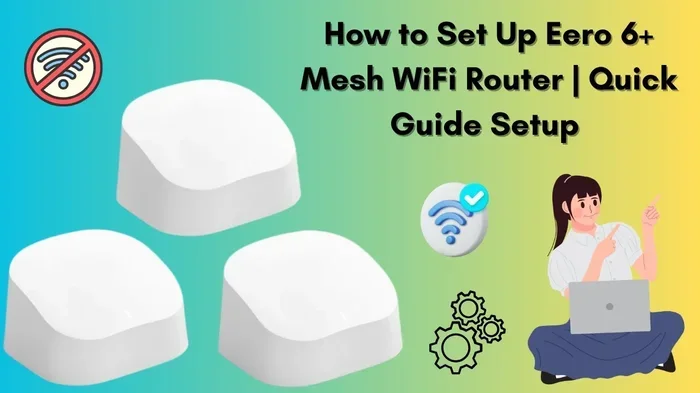
Mesh systems are the most advanced option. They use multiple units placed around your home. Each unit communicates with the others to create one seamless network. Unlike traditional boosters, mesh systems use a dedicated backhaul channel, which means less speed loss.
Pros of mesh systems:
- Better overall performance than standard extenders.
- Single network name, so devices switch smoothly.
- Easy to manage through a phone app.
- Great for large homes and multi-story buildings.
Cons of mesh systems:
- More expensive, often $150 to $400 for a full kit.
- Require more space and power outlets.
- Overkill for small apartments or homes with good coverage.
Powerline Adapters
Powerline adapters use your home’s electrical wiring to carry internet data. You plug one adapter near your router and connect it with an Ethernet cable. Then you plug another adapter in the room that needs better coverage. This is a solid option if Wi-Fi signals struggle to pass through thick walls.
Pros of powerline adapters:
- Stable connection with minimal speed loss.
- Not affected by wall materials or interference.
- Good for gaming and streaming.
Cons of powerline adapters:
- Performance depends on your home’s wiring quality.
- Requires electrical outlets on the same circuit.
- Not as flexible in placement as wireless options.
When Should You Use an Internet Booster?
Knowing when to use an internet booster is just as important as knowing how they work. Here are the best scenarios where a booster makes a real difference.
Large Homes with Multiple Floors
If your home is more than 1,500 square feet or has multiple floors, your router may not reach everywhere. A booster or mesh system can fill in the gaps. This is especially common in two-story homes where the router is on the first floor.
Homes with Thick Walls or Odd Layouts
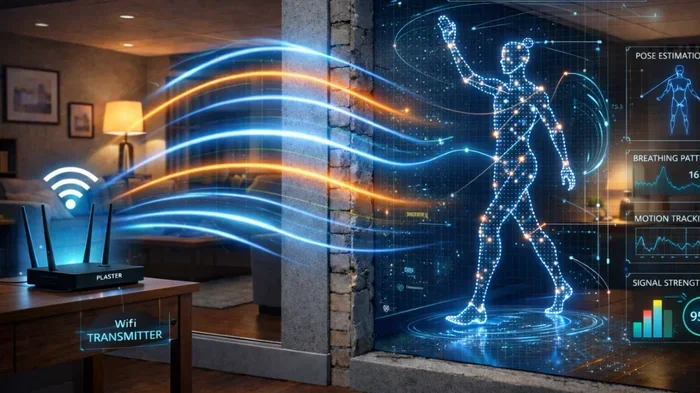
Brick, concrete, and metal can block Wi-Fi signals. Older homes with thick plaster walls can also cause problems. In these cases, a powerline adapter or mesh system works better than a basic extender because the signal has to pass through too much material.
Home Offices or Gaming Setups
If you work from home or game online, a weak connection in your office can be a real problem. A booster placed in the right spot can give you the stable connection you need. For the best results, consider a mesh system or powerline adapter for lower latency.
Homes with Many Connected Devices
Smart TVs, phones, tablets, smart speakers, and IoT devices all compete for bandwidth. If your router struggles to handle them all, a booster can help distribute the load. But remember, the booster shares the same total bandwidth. It does not add more.
Common Mistakes People Make With Internet Boosters
Even the best internet boosters will fail if used incorrectly. Here are the most common mistakes and how to avoid them.
Placing the Booster Too Far From the Router
This is the number one mistake. If you place the booster too far away, it receives a weak signal and just repeats that weak signal. The golden rule is to place the booster where it still gets a strong signal from the router. A good test is to stand where the booster will be and check your phone’s Wi-Fi signal. If it is strong there, the booster will work well.
Ignoring Your Router’s Placement
Sometimes the real problem is not the range. It is where the router sits. If your router is tucked behind a TV, inside a cabinet, or next to a microwave, moving it can solve many issues. Always optimize router placement before buying a booster.
Buying the Cheapest Option
Budget boosters under $20 often perform poorly. They may have weak antennas, slow processors, and outdated Wi-Fi standards. Spending a little more on a mid-range model from a reputable brand usually gives much better results.
Not Updating Firmware
Like any tech device, boosters need firmware updates. These updates fix bugs, improve security, and sometimes boost performance. Always check for updates after setting up your device.
Expecting Speed Increases
Boosters extend coverage. They do not increase your internet speed. If your ISP plan gives you 25 Mbps, a booster will not make it 100 Mbps. Upgrade your internet plan or your router if speed is the main issue.
Expert Tips for Better Internet Performance
Before you buy anything, try these expert tips to improve your home network without spending a dime.
1. Optimize Your Router Placement
Place your router in a central, elevated location. Avoid corners, closets, and cabinets. A router on a bookshelf in the middle of your home will outperform one hidden in a basement corner every time.
2. Reduce Interference
Microwaves, baby monitors, and cordless phones can interfere with your Wi-Fi signal. Keep your router away from these devices. Also, switching to the 5 GHz band instead of 2.4 GHz can reduce interference in crowded areas.
3. Update Your Router
Older routers may not support the latest Wi-Fi standards like Wi-Fi 6. If your router is more than five years old, upgrading it might solve your problems without needing a booster at all.
4. Use an Ethernet Cable When Possible
For devices that need the best performance, a wired connection is always superior. Game consoles, desktop PCs, and smart TVs benefit from a direct Ethernet connection to the router.
5. Run a Speed Test First
Before adding any booster, run a speed test in the problem area. This tells you exactly what you are working with. After adding a booster, run the same test again to measure the improvement.
Internet Boosters vs. Other Solutions
Internet boosters are not the only way to improve your home network. Here is how they compare to other options.
| Solution | Cost | Ease of Setup | Speed Loss | Best For |
|---|---|---|---|---|
| Wi-Fi Range Extender | Low ($20-$50) | Very Easy | 30-50% | Small coverage gaps |
| Mesh Wi-Fi System | Medium-High ($150-$400) | Easy | 10-20% | Large homes, whole-house coverage |
| Powerline Adapter | Medium ($40-$80) | Moderate | 10-25% | Thick walls, stable connections |
| Router Upgrade | Medium ($100-$250) | Easy | None | Outdated routers, slow speeds |
| Internet Booster | Low-Medium ($30-$100) | Easy | 30-50% | Eliminating dead zones |
As you can see, each solution has its place. The best choice depends on your budget, home size, and what problem you are trying to solve.
Final Verdict: Are Internet Boosters Worth It?
So, do internet boosters really work? The final answer is yes, they do work. They are a practical and affordable way to improve network coverage in your home. But they are not a one-size-fits-all solution.
If you live in a small apartment with decent coverage, you probably do not need a booster. But if you have a larger home, thick walls, or rooms with no signal, an internet booster can make a noticeable difference. The key is to set realistic expectations, choose the right type of booster, and place it correctly.
For the best results, start by optimizing your existing setup. Move your router to a central location. Reduce interference. Update the firmware. If those steps do not solve the problem, then an internet booster is a smart next step. And if your home is large or complex, consider a mesh system for the best overall experience.
Internet boosters are not magic. But they are a valuable tool in your networking toolkit. Use them the right way, and they can turn frustrating dead zones into strong, reliable connections.
Conclusion
Internet boosters really do work, but they work in a specific way. They extend your existing Wi-Fi signal to cover more of your home. They do not boost your raw internet speed from your provider. Understanding this distinction is the key to making a smart purchase.
Whether you choose a simple range extender, a powerline adapter, or a full mesh system, the goal is the same: better network coverage and fewer connectivity issues. With the right device and proper placement, you can enjoy a stronger, more reliable internet connection in every room of your home.
Take the time to assess your needs, compare your options, and set up your booster correctly. A little effort goes a long way when it comes to improving your home network. Do not let dead zones and weak signals hold you back from getting the most out of your internet connection.
Frequently Asked Questions
Do internet boosters really increase your internet speed?
No, internet boosters do not increase your speed from your ISP. They extend your Wi-Fi signal to areas with weak coverage. The speed you get through a booster is usually 30 to 50 percent slower than the original signal. But for most browsing and streaming, this is still fast enough to enjoy.
Can I use more than one internet booster in my home?
Yes, you can use multiple boosters. However, each one in the chain reduces speed further. It is better to use a single well-placed booster or switch to a mesh system for larger homes. Too many boosters can make your network slower and harder to manage.
What is the difference between a Wi-Fi booster and a Wi-Fi extender?
The terms are often used interchangeably. A Wi-Fi extender repeats your existing signal. A Wi-Fi booster is a general term that can include extenders, repeaters, and mesh satellites. In practice, they all do the same basic job of extending your network range.
Will a Wi-Fi booster work with any router?
Most boosters work with any standard router. They connect to your existing Wi-Fi network. However, for the best performance, make sure the booster supports the same Wi-Fi standard as your router. For example, a Wi-Fi 6 booster works best with a Wi-Fi 6 router.
How do I know where to place my internet booster?
Place the booster halfway between your router and the weak area. It needs to receive a strong signal from the router to repeat it effectively. Walk around your home with your phone and find the spot where the signal is still good but starting to fade. That is the ideal booster location.
Are mesh Wi-Fi systems better than traditional internet boosters?
Yes, mesh systems are generally better for whole-home coverage. They use dedicated backhaul channels, which means less speed loss. They also create one seamless network, so your devices switch smoothly between units. Mesh systems cost more but offer a much smoother experience than traditional boosters.