Do Wifi Strengtheners Really Work or Are They Worth It
Wifi strengtheners can boost your wireless signal and expand network coverage, but results depend on your setup, budget, and home layout. These devices range from simple repeaters to advanced mesh systems, and each works differently. This guide breaks down how they really perform, what to look for, and when they are actually worth buying.
Have you ever walked into a room and watched your wifi signal drop to nothing? You are not alone. Dead zones, slow loading pages, and buffering videos frustrate millions of people every day. That is why many homeowners turn to wifi strengtheners as a simple fix.
But here is the real question. Do wifi strengtheners actually work, or are they just a waste of money? The answer is not a simple yes or no. It depends on the type of device you buy, where you place it, and what you expect it to do. In this guide, we will break down everything you need to know. You will learn how these devices work, which types are worth your money, and what mistakes to avoid.
Key Takeaways
- Wifi strengtheners do work: They can improve signal strength and reduce dead zones in your home.
- Not all devices are equal: Repeaters, extenders, and mesh systems offer very different performance levels.
- Placement matters more than the device itself: A poorly positioned booster won’t fix connectivity issues.
- Budget options have limits: Cheap wifi strengtheners may slow down your internet speed.
- Mesh networks are the best long-term solution: They provide seamless coverage for larger homes.
- Try free fixes first: Router placement and channel changes can sometimes solve problems without buying anything.
📑 Table of Contents
What Are Wifi Strengtheners?
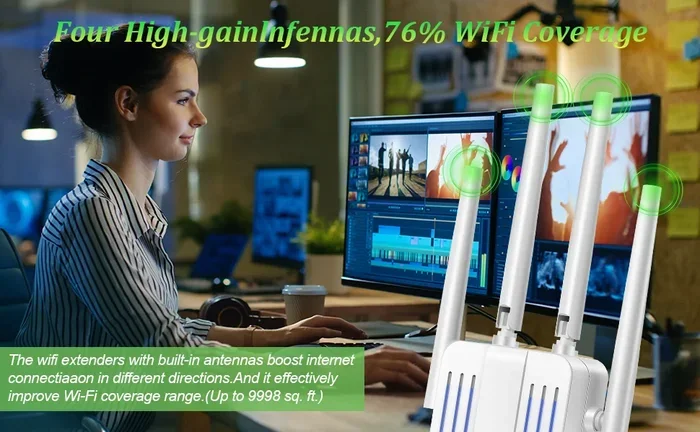
A wifi strengthener is a device that boosts your existing wireless signal. Think of it like a megaphone for your router. Your router sends out a wireless signal, and the strengthener picks it up and pushes it further into your home.
These devices go by many names. You might hear people call them wifi boosters, wifi extenders, or wifi repeaters. They all serve a similar purpose. They take the signal from your router and help it reach farther. This is especially helpful in larger homes or buildings with thick walls that block wireless signals.
Why Do People Need Them?
Most routers work well in small spaces. But the moment you add distance or obstacles, the signal weakens. Concrete walls, metal appliances, and even water pipes can block your wireless signal. Many people notice problems in basements, garages, or rooms at the far end of the house.
A wifi strengthener helps solve this problem. It fills in the gaps where your signal struggles to reach. The result is better network coverage throughout your home. You get fewer dropped connections and faster speeds in areas that used to be dead zones.
How Do Wifi Strengtheners Actually Work?
Understanding how these devices work helps you make a smart buying decision. The basic idea is simple, but the technology behind it has some important details you should know.
The Basic Mechanism
A wifi strengthener connects to your router wirelessly. It receives the existing signal, amplifies it, and then broadcasts the boosted signal to a wider area. Think of it like a relay race. The router passes the signal to the strengthener, and the strengthener passes it further down the line.
However, there is a catch. Most basic strengtheners use the same radio and channel to both receive and send data. This means they cut your bandwidth in half. The device has to talk to your router and your devices at the same time, using the same connection. So while the signal reaches farther, it may not be as fast.
Dual-Band vs. Single-Band Strengtheners
Not all wifi strengtheners are the same. Single-band models only work on the 2.4 GHz frequency. Dual-band models can use both 2.4 GHz and 5 GHz frequencies. The dual-band options tend to perform much better because they can dedicate one band to receiving and another to sending.
If you want the best results, look for a dual-band strengthener. It will give you a much stronger wireless coverage area without sacrificing too much speed. Some modern models even support the latest WiFi 6 standards, which offer faster speeds and better performance in crowded areas.
Can You Force Your Phone to Use a Specific Band?
Sometimes your phone connects to the wrong frequency band, which can slow things down. You might want to learn how to force your phone to use 2.4 GHz WiFi for better range, or switch to 5 GHz for faster speeds. This small tweak can make a big difference when paired with a good strengthener.
Types of Wifi Strengtheners
The market is full of different devices, and they are not all created equal. Here is a closer look at the most common types.
Wifi Repeaters
Repeaters are the simplest and most affordable type of wifi strengthener. They sit between your router and the area with weak signal. The repeater receives your router’s signal, then rebroadcasts it. They are easy to set up and work well for small areas.
However, repeaters have limitations. Because they rebroadcast on the same channel, they can reduce your overall speed. They work best for light tasks like browsing the web or checking email. If you need high-speed streaming or gaming, a repeater alone might not cut it.
Wifi Extenders
Extenders are similar to repeaters but slightly more advanced. They connect to your router and extend the range of your network. The key difference is that some extenders use a wired backhaul connection, which means they plug into your router with an Ethernet cable.
This wired connection eliminates the speed loss that happens with wireless repeaters. An extender with a wired backhaul gives you full-speed coverage in the extended area. It is a much better option if you need reliable internet performance in a specific room.
Mesh Wifi Systems
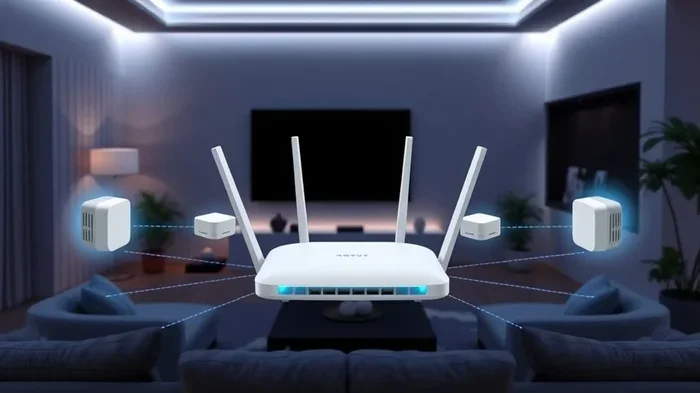
Mesh systems are the most advanced type of wifi strengthener. Instead of one device, you get multiple nodes that work together. One node connects to your modem, and the others spread the signal throughout your home. The result is seamless wireless coverage with no dead zones.
Mesh systems are more expensive, but they offer the best performance. They handle roaming automatically, which means your phone or laptop stays connected to the strongest node as you move around. If you have a large home or serious connectivity needs, a mesh system is the way to go. Some systems even let you set up Google WiFi as an access point to extend coverage further.
Powerline Adapters
Powerline adapters use your home’s electrical wiring to carry the network signal. You plug one adapter near your router and another in the room where you need better coverage. They are a great alternative to wireless strengtheners, especially in homes with thick walls that block wifi signals.
These adapters are not technically wifi strengtheners, but they solve the same problem. They deliver a stable, wired connection to any room with an electrical outlet. From there, you can connect a separate wifi access point or use the adapter’s built-in wifi.
When Do Wifi Strengtheners Work Best?
Wifi strengtheners are not magic. They work best under certain conditions and can fall short in others. Understanding when they shine and when they struggle helps you set realistic expectations.
Ideal Situations for Strengtheners
Strengtheners work best when you have a strong signal near the device but weak signal farther away. For example, if your router is in the living room and the bedroom at the end of the hall has no signal, a repeater placed halfway in between can do wonders.
They also work well in homes with specific problem areas. Maybe your basement always drops the connection, or your backyard patio has no coverage. A single strengthener placed in the right spot can fix these issues quickly and affordably.
Another great use case is multi-story homes. Wifi signals tend to struggle going up and down stairs. Placing a strengthener on the staircase landing can bridge the gap between floors and give you solid connection stability on every level.
When Strengtheners Fall Short
Strengtheners will not fix every problem. If your router is already weak or outdated, a booster cannot make it better. The strengthener can only amplify what it receives. If the original signal is poor, the boosted signal will also be poor.
Also, if your internet plan itself is slow, no strengthener will speed it up. Strengtheners improve coverage, not your internet speed from your service provider. You need a fast enough plan for the strengthener to work with effectively.
The Role of Router Placement
Before you buy any strengthener, check your router placement first. A router tucked behind a TV or inside a cabinet will always underperform. Move it to a central, elevated location and see if your coverage improves on its own.
Sometimes a simple repositioning solves the problem without spending a dime. If you still have dead zones after optimizing placement, that is when a strengthener makes the most sense.
Common Mistakes People Make With Wifi Strengtheners
Even the best strengthener will disappoint if you make these common mistakes. Avoiding them saves you time, money, and frustration.
Placing the Strengthener Too Far from the Router
The most common mistake is placing the strengthener too far away. If the strengthener cannot get a strong signal from the router, it has nothing to amplify. The result is a weak boost that barely helps.
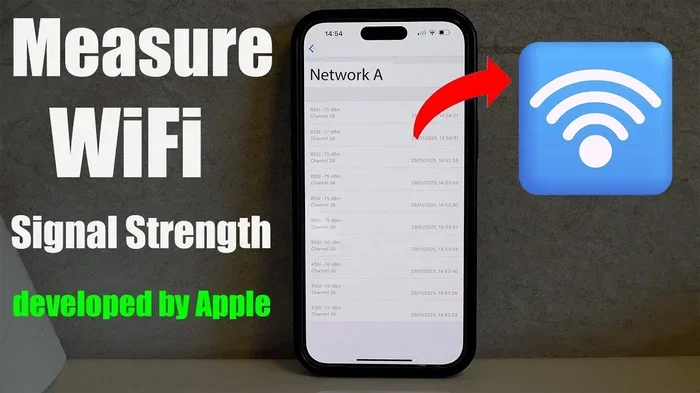
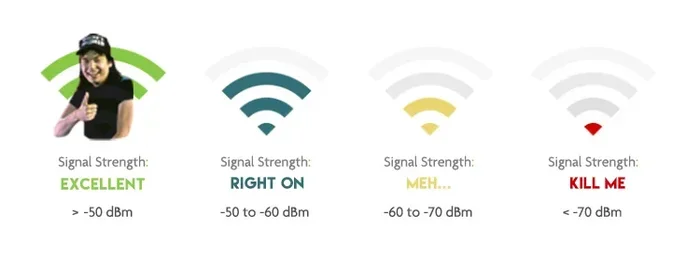
A good rule of thumb is to place the strengthener where it still gets at least 50% of your router’s signal strength. You can check this on your phone or computer. Walk around your home and find the sweet spot where the signal is still solid but starting to fade.
Buying the Cheapest Option
Budget strengtheners are tempting, but they often come with trade-offs. Cheap single-band repeaters can cut your speed in half and introduce lag. They work for basic tasks but struggle with anything that demands consistent bandwidth.
Invest in a quality device from a reputable brand. Look for dual-band support and at least WiFi 5 or WiFi 6 compatibility. The extra cost is worth the performance gain.
Ignoring Interference
Many household devices cause wifi interference. Microwaves, baby monitors, cordless phones, and even Bluetooth devices can disrupt your signal. If you place a strengthener near these devices, it will struggle to perform well.
Keep your strengthener away from electronics that emit wireless signals. Also, consider changing your router’s channel to reduce interference from neighboring networks. You can learn more about optimizing your wifi band by exploring how to force your phone to use 2.4 GHz WiFi or switch to 5 GHz depending on your needs.
Not Updating Firmware
Like any tech device, wifi strengtheners need firmware updates to perform their best. Manufacturers release updates that fix bugs, improve stability, and boost performance. Skipping updates means you miss out on these improvements.
Check your strengthener’s app or admin panel regularly. Enable automatic updates if the option is available. It takes just a few minutes and can make a noticeable difference.
Expecting the Strengthener to Fix Everything
A strengthener is not a cure-all for every wifi problem. If your internet service itself is unreliable, no amount of boosting will fix that. Strengtheners improve coverage and signal strength, but they do not replace a good internet plan or a quality router.
Before buying a strengthener, make sure your router is up to date and your internet plan meets your household’s needs. If your router is more than five years old, upgrading it might solve your problems without needing a separate strengthener at all.
Are Wifi Strengtheners Worth the Money?
This is the question everyone wants answered, and the honest answer is: it depends. Let us break it down by situation so you can decide for yourself.
Who Should Buy a Strengthener?
If you live in a medium to large home with dead zones, a wifi strengthener is absolutely worth it. The cost is usually low, especially for basic repeaters, and the improvement in coverage can be dramatic. Even a budget model can eliminate frustrating signal drops in key areas of your home.
Families who stream movies, play online games, or work from home benefit the most. A strengthener ensures everyone stays connected, no matter where they are in the house. It also supports more devices without straining the network.
If you have tried repositioning your router and it did not help, a strengthener is the next logical step. It is a simple, affordable solution that delivers real results.
Who Should Skip a Strengthener?
If you live in a small apartment with no dead zones, you probably do not need a strengthener. Your router should already cover the space just fine. Buying one would be an unnecessary expense.
Also, if your internet speed is the problem and not your coverage, a strengthener will not help. In that case, you should contact your internet provider or upgrade your plan. A strengthener amplifies what you have, it does not create more speed.
The Mesh Alternative
For homeowners with serious coverage issues, a mesh wifi system is often a better investment than a single strengthener. Mesh systems cost more upfront, but they provide superior coverage, faster speeds, and easier management.
They also future-proof your network. Mesh systems support the latest wifi standards and can handle dozens of devices without breaking a sweat. If you plan to stay in your home for several years, the extra investment pays off over time.
Comparison Table: Strengthener Types
Here is a quick comparison of the main types of wifi strengtheners to help you decide.
- Wifi Repeaters: Affordable, easy to set up, but can reduce speed by up to 50%. Best for small areas with mild coverage issues.
- Wifi Extenders: Moderate price, better performance with wired backhaul. Great for extending coverage to one specific room.
- Mesh Systems: Most expensive but best overall performance. Ideal for large homes and households with many devices.
- Powerline Adapters: Uses electrical wiring for stable connections. Great for thick-walled homes where wireless signals struggle.
If you want to explore other ways to improve your home network, you might also look into whether you can add an antenna to your wifi router for a free signal boost before investing in a separate device.
Tips for Getting the Most Out of Your Wifi Strengthener
Once you have your strengthener, a few simple tips help you get the best results.
Place It Strategically
Position your strengthener halfway between your router and the dead zone. It needs a strong signal from the router to amplify effectively. Avoid placing it behind walls, inside closets, or near metal objects.
Keep It Updated
Check for firmware updates regularly. Manufacturers release patches that improve performance and fix security vulnerabilities. An up-to-date strengthener runs smoother and safer.
Use the Right Band
If your strengthener supports dual-band, make sure your devices connect to the right frequency. Use 2.4 GHz for range and 5 GHz for speed. Understanding this difference helps you get the most from your setup.
Restart Periodically
Like any electronic device, strengtheners benefit from occasional restarts. A simple power cycle once a week clears out memory and refreshes the connection. It takes seconds and keeps things running smoothly.
Secure Your Network
Always use a strong password for your wifi network. Weak passwords let unauthorized users slow down your network. A secure network ensures your strengthener works for you, not for someone else.
Final Thoughts
So, do wifi strengtheners really work? The short answer is yes. They can significantly improve your wireless coverage and eliminate frustrating dead zones. But they are not a one-size-fits-all solution. The right type of strengthener, placed in the right spot, makes all the difference.
For small coverage issues, a basic repeater or extender does the job at a low cost. For larger homes or more demanding needs, a mesh system delivers the best long-term value. And sometimes, simple fixes like better router placement or changing your wifi band are all you need before buying anything.
The key is understanding what you actually need. Identify your problem areas, choose the right device, and set it up correctly. With the right approach, a wifi strengthener can transform your home network from frustrating to fantastic.
Do not let weak wifi hold you back. Explore your options, do a little research, and find the solution that fits your home and budget. A stronger, more reliable connection is closer than you think.
Frequently Asked Questions
Do wifi strengtheners slow down internet speed?
Basic wifi strengtheners can reduce your speed by up to 50% because they use the same radio to receive and send data. Dual-band models and wired extenders minimize this speed loss significantly. Choosing the right type of strengthener for your needs helps maintain good internet performance.
Can I use a wifi strengthener with any router?
Yes, most wifi strengtheners work with any standard router. They connect wirelessly to your existing network and extend the signal. Just make sure the strengthener supports the same wifi standards as your router for the best compatibility and results.
How many wifi strengtheners do I need for my home?
It depends on your home size and the number of dead zones. A single strengthener usually covers one problem area. For larger homes with multiple weak spots, a mesh system with multiple nodes works much better than stacking several separate devices.
Are wifi strengtheners the same as mesh wifi systems?
Not exactly. A wifi strengthener boosts your existing router’s signal, while a mesh system replaces your router with multiple nodes that work together. Mesh systems provide seamless coverage and better performance, but they cost more upfront than traditional strengtheners.
Where is the best place to put a wifi strengthener?
The best spot is halfway between your router and the area with weak signal. It needs to receive a strong signal from the router in order to amplify it effectively. Avoid placing it behind walls, inside cabinets, or near interference sources like microwaves.
Can I connect my air conditioner to wifi using a strengthener?
Yes, if your smart air conditioner has a weak wifi signal, a strengthener can help. Place the device near the air conditioner and make sure it receives a solid signal from the router. This improves connectivity and lets you control your unit reliably from your phone.