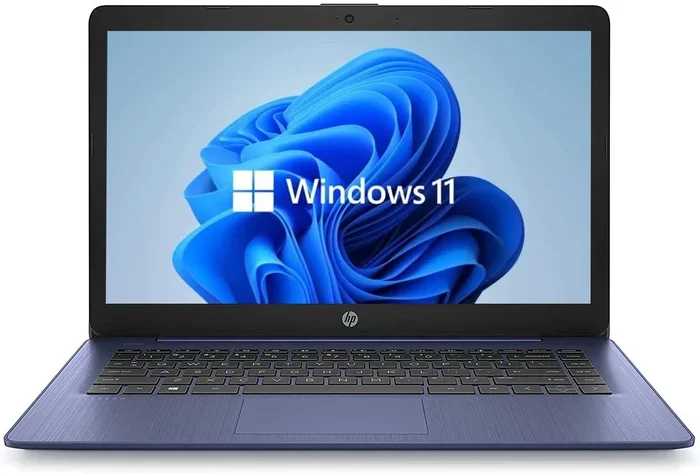
Do Any Laptops Come With Windows 11 Preinstalled Today
Yes, many new laptops come with Windows 11 preinstalled right out of the box. You no longer need to buy a separate license or go through a complicated setup process. This guide will show you exactly which machines offer this operating system and how to pick the best one for your needs.
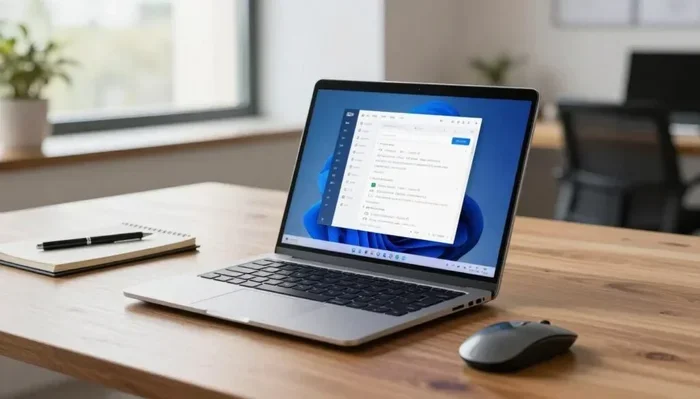
The computer world has changed a lot recently. Microsoft released a new operating system called Windows 11. Many people wonder if they can buy a laptop with this system already installed. The answer is a clear yes. You can find many laptops with Windows 11 preinstalled right now. Buying a new computer with the system already set up saves you time. It also saves you the hassle of installing everything yourself. You just open the box and start working. This is a big change from a few years ago. Back then, you often had to install the software yourself. Now, the system comes ready to go. This makes things much easier for everyone.
When you walk into a store or browse online, you see many new computers. Most of them come with the latest Microsoft Windows already loaded. This shift happened because Microsoft wants everyone on the newest platform. They also want to make the experience smoother for users. You do not need to hunt for a driver or install a basic setup. The laptop comes ready to go right out of the box. This is great news for people who are not tech experts. It means you can start working or playing games immediately. You do not have to wait hours for installations. The setup process is quick and easy for most users. You just follow the on-screen steps. In a few minutes, you are ready to browse the web. You can also check your email right away.
The operating system is the brain of your computer. It makes everything work together smoothly. Windows 11 brings a fresh new look to the screen. The menus are cleaner and easier to read. Microsoft spent a lot of time making the interface simple. They also added new features for better multitasking. You can now snap windows into neat layouts. This helps you work faster and smarter. The software also focuses on security. It keeps your personal data safe from hackers. You get built-in protection against viruses and malware. This means you do not need to buy extra software right away. The system is designed to keep you safe from day one.
So, do any laptops come with Windows 11? The answer is yes, and they are everywhere. You can find them in big box stores like Best Buy. You can also find them on Amazon and Walmart. Even smaller online retailers sell them. The demand for the software has driven the market. Manufacturers know that buyers want the latest system. They have stopped putting Windows 10 on new laptops. Now, Windows 11 is the default choice. This is great if you want a fresh start. You get a clean operating environment right away.
Key Takeaways
- Widespread Availability: Most major brands now offer Windows 11 as the default operating system.
- System Requirements Matter: Your new machine must have a Trusted Platform Module and secure boot to run the software.
- Home vs Pro: You can choose between Windows 11 Home and Windows 11 Pro depending on your work needs.
- OEM vs Retail: Preinstalled licenses are tied to the motherboard and cannot be transferred.
- Upgrade Path: If you have an older Windows 10 device, you can still upgrade for free.
- Check the Specs: Always review the laptop specifications before buying to ensure compatibility.
📑 Table of Contents
- The Shift From Windows 10 to Windows 11
- Do Any Laptops Come With Windows 11 Preinstalled Today?
- Understanding Windows 11 Requirements
- Windows 11 Home vs Windows 11 Pro
- The Pros and Cons of Buying Preinstalled
- Where to Buy Laptops With Windows 11 Preinstalled
- How to Verify Your Laptop Has Windows 11
- Common Mistakes When Buying a New Laptop
- Expert Insights on Buying Preinstalled Systems
- Quick Tips for Your New Laptop Setup
- Conclusion
The Shift From Windows 10 to Windows 11
Microsoft ended support for Windows 10. This pushed many buyers toward newer machines. The company wants users on the latest software. They believe it offers better security and a fresh look. If you are buying a new computer today, you will likely get Windows 11. The upgrade eligibility rules have changed too. Microsoft made it easier for people to move to the new system. Your old Windows 10 device can still get the update. But new laptops come with the software already active. This is the standard now for all new machines.
The change from Windows 10 to Windows 11 was a big deal. Microsoft wanted to fix the problems of the old system. They also wanted to bring back the Start menu. The new design is more centered and modern. You will notice the rounded corners on your windows. The taskbar looks cleaner and less cluttered. Microsoft also improved the snap feature. You can now have up to six windows open at once. This is perfect for people who multitask a lot. The operating system also supports Android apps. You can run mobile apps right on your laptop. This opens up a whole new world of possibilities. You do not need your phone to check those apps anymore.
Why Microsoft Made the Change
The company wanted to modernize the laptop experience. Windows 11 brings a cleaner design. It also improves how you multitask with windows. Security is a big focus for the new software. Microsoft built in better protection against viruses. The operating system requires newer hardware to run. This ensures that your machine stays fast and safe. You also get direct support from Microsoft for a longer time. They will not be pushing updates for very old computers anymore. This keeps the ecosystem healthy and secure. New features will only drop for the latest system.
How This Affects Your New Purchase
When you shop for a new computer, the options are clear. Most brands now ship devices with Windows 11 preloaded. You will see this on boxes from Dell, HP, Lenovo, and Asus. The laptop specifications list the operating system right on the box. This means you do not have to buy a separate license. You pay for the hardware, and the software comes with it. It is a simple way to get a new computer. You just unbox it, turn it on, and start using it. The setup process is quick and easy for most users. You do not need a USB drive or a product key. Everything is already taken care of for you.
Do Any Laptops Come With Windows 11 Preinstalled Today?
The short answer is absolutely yes. Almost every new laptop from major brands comes with Windows 11 installed. You do not have to look far to find them. Whether you want a budget model or a high-end machine, options are everywhere. The system is now the standard for new computers. This makes shopping much easier for everyday buyers. You can walk into any electronics store and pick one up. They are ready to use the moment you power them on.
Many people ask, “Do any laptops come with Windows 11?” The answer is yes, and they are everywhere. You can find them in big box stores like Best Buy. You can also find them on Amazon and Walmart. Even smaller online retailers sell them. The demand for the software has driven the market. Manufacturers know that buyers want the latest system. They have stopped putting Windows 10 on new laptops. Now, Windows 11 is the default choice. This is great if you want a fresh start. You get a clean operating environment right away.
Major Brands and Their Offerings
Many top computer companies now use Windows 11 as the default. Let us look at some popular brands. Dell offers Inspiron and XPS lines with the software preloaded. HP includes it in their Pavilion and Envy series. Lenovo puts it in their IdeaPad and ThinkPad laptops. Asus features it in their ZenBook and VivoBook models. Acer also offers it in their Swift and Aspire lines. Microsoft sells their Surface laptops with the system preinstalled. Even gaming brands like MSI and Razer use it. You have many choices for your laptop buying guide. Each brand offers different laptop specifications to fit your needs.
Apple is the big exception here. They still use their own macOS system. But if you want a Windows machine, you have plenty of choices. Most people do not need a Mac for everyday tasks. They just want a reliable and fast computer. Windows 11 delivers that experience perfectly. You can browse the web, watch videos, and play games. The system works great for school and office work. You can even edit photos and videos with it. The options are truly endless when you buy a new laptop today.
The Retail Box Experience
Buying a laptop in a retail box is very common. You open the box, and the laptop is inside. It comes with a power adapter and a quick start guide. There might also be a warranty card included. When you first turn it on, you see the Windows setup screen. You pick your language and connect to Wi-Fi. The system asks for your Microsoft account details. After that, you are ready to go. The factory settings are already optimized for the hardware. You do not need to install any drivers manually. The laptop performance is smooth right from the start. You can start using it in just a few minutes.
The preloaded software is another nice touch. You get Microsoft Edge as your default browser. You also get the Microsoft Store for apps. Some laptops come with free trials of Office. This gives you a great head start. You do not have to buy extra software right away. Just make sure to remove any apps you do not want. This keeps your system fast and clean. A clean install is always best for speed.
A Comparison of Popular Preinstalled Models
Let us look at a quick comparison of popular models. This helps you understand what to expect when you shop.
| Brand | Model Line | Windows Version | Best For |
|---|---|---|---|
| Dell | Inspiron 15 | Windows 11 Home | Everyday use and students |
| HP | Pavilion 14 | Windows 11 Home | Budget-friendly browsing |
| Lenovo | ThinkPad E14 | Windows 11 Pro | Business professionals |
| Asus | ZenBook 13 | Windows 11 Home | Travel and light work |
| Acer | Swift 3 | Windows 11 Home | Students and budget users |
Understanding Windows 11 Requirements
Before you buy a new laptop, you must check the system requirements. Not every old laptop can run the new software. Microsoft set strict rules for the operating system. These rules ensure that your computer runs smoothly. You need a modern processor and enough memory. The laptop specifications must meet these basic needs. If they do not, you might face slow performance. Always check the specs before you spend your money. This saves you from buying a machine that will not work.
Hardware Needs for the Operating System
The system requirements for Windows 11 are specific. You need a 64-bit processor with at least two cores. Your laptop should have four gigabytes of RAM or more. You also need at least sixty-four gigabytes of storage space. A high-definition display is necessary for the new look. Your computer must support DirectX 12 or later. These rules help the software run without problems. They keep your operating environment fast and stable. If your old computer does not meet these rules, you cannot upgrade. You must buy a new machine that has the software preinstalled. This is why checking the laptop specifications is so important.
Do not worry if these terms sound confusing. The 64-bit processor just means your computer can handle more memory. The two cores mean it can do many things at once. Four gigabytes of RAM is enough for most tasks. Sixty-four gigabytes of storage gives you room for files. You can always add more storage later if you need it. The DirectX 12 requirement ensures your graphics work well. This is important for watching videos and playing games. Meeting these requirements guarantees a smooth experience. You will not face lag or crashes.
The Role of TPM and Secure Boot
Two security features are very important for the software. They are called Trusted Platform Module and secure boot. The TPM is a special chip on your motherboard. It stores passwords and encryption keys safely. Secure boot checks if your system software is genuine. It stops harmful software from loading at startup. Your laptop must have both of these features. Most computers made after 2016 have them. You can check your laptop specifications in the system info. If your old PC lacks these, it will not run the new system. This is why preinstalled laptops are so reliable. They come with the right hardware built in.
These security features protect your data every day. They make sure no one can tamper with your system. You can rest easy knowing your computer is safe. The TPM works in the background without you noticing. It just makes your laptop more secure overall. Secure boot also helps your computer start faster. It checks the software before loading Windows. This prevents errors and keeps your system clean. Together, these features make your operating environment much safer.
RAM and Storage Needs
Memory is very important for your new laptop. You need enough RAM to run multiple apps. Four gigabytes is the minimum for Windows 11. But eight gigabytes is much better for smooth performance. If you plan to edit photos or play games, go for sixteen gigabytes. Storage space is also crucial. The system needs sixty-four gigabytes just to install. You will need more room for your personal files. A solid-state drive is the best choice for speed. It makes your laptop feel much faster. You can open apps in seconds. Traditional hard drives are too slow for the new system. Always check the laptop specifications before you buy. This ensures you get a machine that lasts for years.
Windows 11 Home vs Windows 11 Pro
When you shop, you will see two main versions. Most laptops come with Windows 11 Home. Some business models offer Windows 11 Pro. Both versions look very similar on the outside. But they have different features inside. Home is perfect for everyday users. Pro is better for professionals and IT teams. You should know the difference before you buy. This helps you choose the right laptop for your needs.
Which Version Do You Get?
Most retail laptops ship with Windows 11 Home. This version includes all the basic features you need. You get the new Start menu and snap layouts. You can use Microsoft Edge and the Microsoft Store. Home is great for browsing, streaming, and schoolwork. It runs well on most laptop models. If you are a student or casual user, Home is enough. You do not need extra business tools. The laptop performance is great for everyday tasks. You will not notice any missing features in your daily life.
Feature Differences for Users
Windows 11 Pro adds extra tools for power users. It includes BitLocker for stronger file encryption. You also get Remote Desktop for accessing other PCs. Pro supports joining a corporate domain network. This makes it ideal for office work. If you run a small business, Pro might be a better fit. However, it costs more than the Home version. You should only pay extra if you need these tools. For most people, the Home version works perfectly fine. Do not pay for features you will never use.
Another difference is the update control. Pro lets you pause updates for longer. This is useful if you need stability for a big project. Home users get updates automatically. This keeps the system secure and up to date. Both versions get new features over time. Microsoft pushes regular updates to improve performance. You can check for updates in the Settings app. Keeping your system updated is always a good idea.
What Is OEM Windows?
OEM stands for Original Equipment Manufacturer. This means the license comes with the laptop. It is not a separate box you buy. The license is tied to the hardware. You cannot move it to a different computer. This is different from a retail box license. Retail licenses can be transferred to new machines. OEM licenses stay with the motherboard. If you upgrade your laptop, the license goes with it. If you build a new PC, you cannot use an old OEM key. This is an important thing to know. It protects Microsoft and the laptop makers. It also keeps the cost of preinstalled laptops lower. You get a great deal when you buy a new computer. The license is already paid for in the price.
The Pros and Cons of Buying Preinstalled
Buying a laptop with the software already set up has good and bad sides. You need to weigh these before you decide. Many people love the convenience of a preloaded system. Others worry about bloatware or licensing rules. Let us look at the advantages and disadvantages. This will help you make a smart buying choice.
Advantages of a Ready-to-Use System
The biggest advantage is convenience. You open the box and start working. There is no need to install the operating system yourself. The laptop comes with all the preloaded software you need. You also get the latest driver updates right away. The system is already activated and ready to connect to the internet. This saves you hours of setup time. It is perfect for people who are not tech-savvy. You just plug it in and go. The operating environment is optimized for the hardware too.
Another big plus is the warranty support. When you buy a new computer, the warranty covers the whole system. If something goes wrong with the software, you can call for help. The manufacturer will guide you through any fixes. You do not have to troubleshoot alone. This peace of mind is very valuable. It is especially helpful for first-time laptop buyers. You know that the system is stable and working. You can focus on your work instead of fixing problems.
Potential Drawbacks to Consider
One downside is the presence of bloatware. Manufacturers sometimes add extra apps to the system. These apps can slow down your new computer. You might see games or trial software you do not want. You should take the time to remove them. This keeps your laptop performance at its best. Another issue is the license tie. The OEM Windows license is locked to the motherboard. You cannot transfer it to another computer if you upgrade. This is different from a retail box license. However, for most users, this is not a problem. You usually keep the same laptop for many years.
Some people also worry about the bloatware slowing things down. But it is easy to fix. You just uninstall the apps you do not need. This only takes a few minutes. You can also run a disk cleanup to free up space. Your laptop will feel brand new after this. The slight inconvenience is worth the lower price. Preinstalled systems are usually cheaper than building your own. They also come with better support options.
Where to Buy Laptops With Windows 11 Preinstalled
You have many options for buying your new laptop. Big box stores are a great place to start. Best Buy and Walmart carry many models. You can see and touch the computer before you buy. This helps you check the build quality. Online retailers like Amazon also offer great deals. You can read reviews from other buyers. This helps you make a smart choice. You can compare prices easily online. Manufacturer websites like Dell and HP are also good. They often have custom configurations. You can pick the exact laptop specifications you want. This ensures you get the exact machine you need. Always check the return policy before you buy. You want to be able to return the laptop if it does not work out. A good return policy gives you peace of mind.
How to Verify Your Laptop Has Windows 11
If you already own a laptop, you might want to check. You may be unsure if it has the new software. Checking the system information is very easy. You do not need to be a computer expert. A few quick clicks will tell you the truth. This is helpful if you are buying a used computer too.
Checking the System Information
You can check your system information in just a few steps. Click the Start menu and type “System Information.” Open the app that appears. Look for the “System Model” and “OS Name” fields. If it says Windows 11, you are all set. If it says Windows 10, you might have an older machine. You can also check the laptop specifications on the manufacturer’s website. Just enter your model number online. The support page will list the exact operating system. This is a quick way to verify your machine.
What to Look For in the Settings
Another easy way to check is through the Settings app. Click the Start button and choose “Settings.” Go to the “System” section and click “About.” Look at the “Windows specifications” area. It will show your edition and version number. If the version is 22H2 or higher, you have the new software. Microsoft Windows updates regularly, so keep your system fresh. Always install the latest driver updates to keep things running smoothly. You can also use the “Check for updates” button. This ensures you have the newest security patches.
Common Mistakes When Buying a New Laptop
Many buyers make mistakes when shopping for a new computer. These mistakes can cost you money or time. You should avoid these pitfalls to have a better experience. Here are a few common errors people make.
First, people ignore the system requirements. They buy a laptop that looks fast but lacks the right chips. This means they cannot run the new software. Second, they forget to check the laptop specifications. They assume all new computers have the latest features. Third, they overlook the importance of driver updates. A clean install needs the right drivers to work well. Finally, they do not read the return policy. You should always test the operating environment before committing. Avoid these mistakes, and you will have a smooth experience.
Expert Insights on Buying Preinstalled Systems
We asked a few tech experts for their advice on buying new laptops. They shared some valuable tips for everyday buyers. Here is what they had to say.
One expert says, “Always check if the laptop comes with a genuine license. Some cheap deals use illegal copies.” Another expert adds, “Do not just look at the price. Focus on the laptop specifications and build quality. A cheap machine with poor performance will frustrate you.” They also recommend buying from reputable retailers. This ensures you get a computer with real OEM Windows support. Following these tips will save you from big headaches later.
Experts also suggest testing the laptop before you buy. Turn it on in the store. Check the screen for dead pixels. Test the keyboard and trackpad. Make sure the fan does not get too loud. A good laptop should feel solid and fast. Do not be afraid to ask the store staff questions. They can tell you about the operating system and the warranty. A little homework goes a long way. It ensures you get the best machine for your money.
Quick Tips for Your New Laptop Setup
Once you get your new laptop, there are a few things you should do. These tips will help you get the best experience.
- Remove bloatware: Uninstall any trial apps you do not need.
- Check for updates: Run Windows Update to get the latest patches.
- Install antivirus: Even with Windows Defender, extra protection is wise.
- Create a restore point: This saves your system if something goes wrong.
- Adjust power settings: This helps improve your laptop performance.
- Organize your desktop: Keep your files neat for faster access.
- Set up backups: Use OneDrive or an external drive for safety.
Conclusion
So, do any laptops come with Windows 11 preinstalled today? The answer is yes. Almost every new laptop from major brands comes with the software ready to go. You can choose from many models and price points. Whether you want Windows 11 Home or Windows 11 Pro, there is an option for you. Just make sure your laptop specifications meet the system requirements. This ensures you get the best performance and security. Buying a new computer with the software preloaded is very convenient. It saves you time and effort right from the start. Enjoy your new laptop and the fast, secure experience it provides.
Frequently Asked Questions
Can I upgrade my old laptop to Windows 11?
Yes, you can upgrade if your old laptop meets the system requirements. Check for a Trusted Platform Module and a compatible processor. If your hardware supports it, the upgrade is free and easy.
Is Windows 11 better than Windows 10?
Windows 11 offers a cleaner design and better multitasking features. It also has stronger security features like secure boot. Most users find the new operating system to be a smooth and modern upgrade.
Can I transfer my Windows 11 license to a new laptop?
It depends on the type of license. OEM Windows licenses are tied to the motherboard and cannot be transferred. Retail licenses can be moved to a new computer, but most preinstalled laptops use OEM keys.
Why do some laptops come with bloatware?
Manufacturers often preload extra apps to offer a complete experience right out of the box. These apps can include trials, games, or utility software. You can easily remove them to keep your laptop performance fast.
Do gaming laptops come with Windows 11?
Yes, almost all new gaming laptops come with Windows 11 preinstalled. Brands like MSI, Razer, and Asus use the latest operating system. This ensures you get the best laptop performance for gaming.
What should I look for in a laptop buying guide?
Focus on the laptop specifications like RAM, storage, and processor speed. Make sure the system meets the Windows 11 requirements. Also, check the warranty and return policy before you buy.