Can You Put 12×12 Paper In A Printer Without Damage
Yes, you can put 12×12 paper in a printer, but it depends on your printer model and tray capacity. Large format printing requires the right settings, proper paper alignment, and a compatible printer to avoid jams or damage. This guide covers everything you need to know about printing on 12×12 sheets safely and effectively.
Have you ever stared at a beautiful 12×12 sheet of paper and wondered if your printer could handle it? Maybe you are working on a craft project, printing a poster, or creating a presentation board. The question seems simple enough, but the answer is not always straightforward. Not every printer can accommodate 12×12 paper, and feeding the wrong size into the wrong machine can lead to costly mistakes. In this guide, we will walk you through everything you need to know about putting 12×12 paper in your printer without causing damage.
Whether you use an inkjet printer at home or a heavy-duty laser printer in the office, paper size compatibility matters a lot. Printer specifications vary widely from one model to the next. Some machines handle standard letter and legal sizes with ease but choke on anything larger. Others are built specifically for large format printing and can handle sheets up to 13×19 inches or more. Understanding your printer’s capabilities before you start is the single most important step you can take.
In this article, we will cover how printers handle different paper sizes, which models work best for 12×12 sheets, and the settings you need to adjust. We will also share practical tips to prevent paper jams, improve print quality, and get the best results every time. Let us dive in.
Key Takeaways
- Check your printer specs: Not all printers accept 12×12 paper. Verify the maximum paper size before feeding.
- Use the correct tray: Manual feed trays or large format trays handle oversized paper better than standard trays.
- Adjust printer settings: Custom paper size, proper scaling, and correct margins prevent misfeeds and damage.
- Choose the right paper type: Cardstock, photo paper, and specialty sheets behave differently in printers.
- Paper jams are common: Proper alignment and slow feed speeds reduce jam risks with large sheets.
- Consider a large format printer: For frequent 12×12 printing, investing in a wide-format printer saves time and frustration.
📑 Table of Contents
Understanding Printer Paper Size Limits
Every printer comes with a maximum paper size it can handle. This limit is determined by the physical dimensions of the paper tray, the feed mechanism, and the internal rollers. Before you attempt to print on 12×12 paper, you need to know what your printer supports.
Standard Paper Sizes vs. 12×12
Most home and office printers are designed for standard sizes. The most common are letter (8.5×11 inches), legal (8.5×14 inches), and A4 (8.3×11.7 inches). 12×12 paper is significantly larger than all of these. It measures 12 inches by 12 inches, which means it is about four inches wider and one inch taller than a standard letter sheet.
This difference in size has a real impact on how the paper moves through the printer. Standard trays are built to hold smaller sheets. The rollers and guides are calibrated for those dimensions. When you introduce a larger sheet, the paper may not align properly with the feed rollers. This misalignment is the number one cause of paper jams and misfeeds.
Some printers offer a manual feed slot that can handle larger sizes. This slot is usually located at the back or side of the printer. It bypasses the standard paper tray and allows you to feed individual sheets one at a time. If your printer has this feature, it is your best option for 12×12 paper.
How Printers Measure Maximum Paper Size
Printer manufacturers list the maximum paper size in the product specifications. You can usually find this information on the manufacturer’s website or in the user manual. Look for terms like “maximum supported paper size” or “largest paper dimension.”
Here are some common maximum paper sizes by printer category:
- Home inkjet printers: Typically support up to 8.5×14 inches (legal size). A 12×12 sheet will not fit.
- Office laser printers: Many support up to 11×17 inches (tabloid size). A 12×12 sheet may fit in the tray.
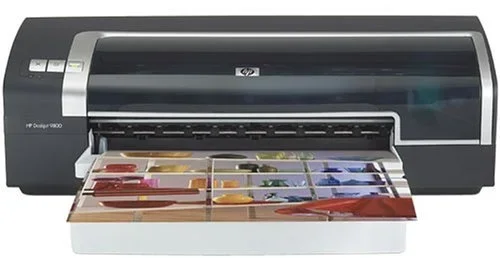
- Large format printers: These handle sizes from 13×19 inches up to 36 inches or more. A 12×12 sheet is no problem at all.
- Wide format printers: Designed for posters, banners, and graphics. They easily accommodate 12×12 and larger sheets.
If your printer’s maximum size is smaller than 12×12, do not force the paper into the tray. This can damage the rollers, bend the paper, or jam the mechanism. Instead, consider using a large format printer at a local print shop or office supply store.
Which Printers Can Handle 12×12 Paper
Not all printers are created equal when it comes to handling larger paper sizes. Some models are specifically designed for oversized printing, while others are strictly limited to standard sizes. Here is a closer look at the types of printers that can handle 12×12 paper.
Inkjet Printers with Large Trays
Some inkjet printers come with expandable trays or adjustable guides that can accommodate larger sheets. These models are often marketed toward photographers and graphic designers who need to print on various paper sizes. Brands like Epson and Canon offer several inkjet models that support paper sizes up to 13×19 inches or larger.
When shopping for an inkjet printer that handles 12×12 paper, look for these features:
- A rear manual feed slot for single sheets
- Adjustable paper guides that slide out to accommodate wider sheets
- A maximum paper size of at least 12×12 inches in the specifications
- Support for custom paper size settings in the printer driver software
Laser Printers for Larger Formats
Laser printers tend to have larger paper handling capacities than their inkjet counterparts. Many office-grade laser printers support tabloid and even larger sizes. If you need to print 12×12 sheets regularly, a laser printer with a large-capacity tray is a solid choice.
One thing to keep in mind is that laser printers use heat to fuse the toner to the paper. The fuser unit inside the printer gets very hot. When you feed a thicker or heavier paper like cardstock, the fuser temperature may need adjustment. Printer settings should always match the paper type you are using to avoid scorching or wrinkling.
Large Format and Wide Format Printers
For frequent large format printing, a dedicated wide format printer is the best investment. These printers are designed to handle rolls of paper or oversized sheets. They are commonly used in architecture, engineering, signage, and graphic design businesses.
If your work or hobbies regularly involve printing on 12×12 paper or larger, a wide format printer pays for itself over time. You will have full control over paper weight, print quality, and sizing without worrying about whether the paper fits.
Preparing Your Printer for 12×12 Paper
Once you have confirmed that your printer can handle 12×12 paper, the next step is preparation. Proper setup makes a big difference in print quality and prevents damage to both the printer and the paper.
Adjusting the Paper Tray
Start by adjusting the paper guides in the tray. The side guides should be snug against the paper but not so tight that they bend or warp the sheet. For 12×12 paper, you may need to remove the paper tray entirely and use the manual feed slot instead.
Here is a quick step-by-step for preparing your printer:
- Turn off the printer and unplug it for safety.
- Remove any paper currently in the tray.
- Adjust the side guides to match the 12-inch width of the paper.
- Adjust the rear guide to match the 12-inch height.
- Place the 12×12 sheet neatly in the tray or manual feed slot.
- Fan the paper edges slightly to prevent sticking.
Setting Custom Paper Size in Printer Software
Most modern printers allow you to define a custom paper size in the driver software. This tells the printer exactly what dimensions to expect, which helps it align the print correctly.
To set a custom paper size in Windows:
- Go to Settings > Devices > Printers & Scanners
- Select your printer and click Manage
- Click Printing Preferences
- Look for the Paper/Quality tab
- Select Custom Size and enter 12×12 inches
- Save the settings and try a test print
On a Mac, the process is similar. Go to System Settings > Printers & Scanners, select your printer, and choose Custom Paper Size from the settings menu. Always run a test print on scrap paper before committing your final document.
Matching Paper Type Settings
Your printer driver includes settings for different paper types. Common options include plain paper, glossy photo paper, matte paper, cardstock, and heavy weight paper. Selecting the correct paper type ensures the printer applies the right amount of ink and adjusts the print head height accordingly.
For 12×12 paper, the type you choose matters a lot. Thick paper like cardstock moves through the printer more slowly and requires different roller pressure than standard copy paper. If you select the wrong paper type, you risk smudging, misfeeding, or even damaging the print head.
Common Problems and How to Avoid Them
Printing on 12×12 paper is not without its challenges. Even with the right printer and settings, issues can arise. Here are the most common problems and how to prevent them.
Paper Jams
A paper jam is the most frequent problem when printing oversized sheets. The paper may curl, fold, or catch on the rollers. This happens when the paper is not aligned properly or when the feed speed is too fast.
To reduce paper jams with 12×12 sheets:
- Always fan the paper before loading it into the tray
- Make sure the paper is perfectly flat and not wrinkled
- Use the manual feed slot instead of the automatic tray when possible
- Reduce the print speed in your printer settings
- Clean the rollers regularly with a dry cloth
Misaligned Prints
When the paper is not fed correctly, the print may come out crooked or shifted. This is especially common with 12×12 sheets because they are larger than what most printers are used to handling.
The fix is simple. Go into your printer settings and adjust the print margins. Some printers allow you to set custom margins that match the 12×12 sheet. You can also try centering the paper more precisely in the tray or manual feed slot.
Ink Smudging and Drying Issues
Large sheets of paper take longer to pass through the printer. This means the ink has more time to dry on the surface before the paper exits the printer. Depending on the paper type, this can lead to smudging if you handle the print too soon.
To avoid smudging:
- Let the print dry for at least 30 seconds before handling
- Use paper specifically designed for your printer type (inkjet vs. laser)
- Adjust the print quality to a faster setting if smudging persists
- Consider using quick-dry paper for large format prints
Roller Wear and Damage
Feeding oversized paper repeatedly can wear down the printer rollers faster than normal. The rollers have to work harder to grip and move a larger, heavier sheet. Over time, this can lead to reduced grip and more frequent jams.
To protect your printer’s rollers:
- Do not force 12×12 paper if the printer clearly cannot handle it
- Clean the rollers every few weeks with a slightly damp cloth
- Replace worn rollers when you notice slipping or misfeeds
- Use the correct paper weight for your printer type
Tips for Getting the Best Print Quality on 12×12 Paper
Once you have your printer set up correctly, you want to make sure your prints look their best. A few simple tips can make a huge difference in the final output.
Use High-Quality Paper
The paper you choose affects the print quality just as much as the printer does. 12×12 paper comes in many varieties, from lightweight copy paper to heavy cardstock and textured specialty sheets. For the best results, use paper that is rated for your printer type.
If you are using an inkjet printer, choose inkjet-compatible paper. These sheets have a special coating that helps the ink adhere evenly and dry quickly. If you are using a laser printer, use laser-rated paper that can withstand the heat of the fuser unit.
Run a Print Test Before the Final Print
Always run a test print before you commit to your final document. Use a scrap piece of 12×12 paper or even a regular sheet to check the alignment, margins, and color accuracy. This saves paper and ink while giving you a chance to adjust the settings if needed.
Keep Your Printer Maintained
Regular maintenance keeps your printer running smoothly, especially when you are pushing it with larger paper sizes. Clean the print heads, align the cartridges, and check for dust or debris inside the paper path. A well-maintained printer handles 12×12 paper with much less fuss.
Many printers have a built-in maintenance utility in the software. Run the alignment and cleaning tools at least once a month, or more often if you print frequently. This is especially important for inkjet printers where dried ink can clog the nozzles and affect print quality on larger sheets.
When to Use a Professional Printing Service
Sometimes, the best option is not to print at home at all. If your printer cannot handle 12×12 paper, or if you need high-volume large format prints, a professional printing service is the way to go. Many office supply stores, print shops, and online services accept custom paper sizes and deliver professional-quality results.
Professional printing services use large format printers that can handle sheets much larger than 12×12. They also offer a wide range of paper types, finishes, and coatings that you cannot replicate at home. For important projects like presentations, marketing materials, or art prints, the investment is worth it.
If you run a business that regularly needs oversized prints, consider setting up a value added network for electronic commerce communication with your print vendor. This can streamline your ordering process and ensure consistent quality across large print runs. You can learn more about the advantages and disadvantages of using a value added network for electronic commerce communication to decide if this approach fits your business needs.
For specialized applications like medical imaging or scientific printing, the printer and paper requirements can be very different from standard home or office use. Understanding how computers are used in medicine for imaging and diagnostics can give you insight into the precision printing demands of those fields. Check out our article on 10 ways computers are used in medicine for more context on how technology drives precision in specialized industries.
Frequently Asked Questions
Can any printer print 12×12 paper?
No, not every printer can handle 12×12 paper. Most home printers are limited to standard sizes like letter and legal. You need a printer with a maximum paper size of at least 12×12 inches, which is often found in office laser printers, large format printers, or wide format printers. Always check your printer’s specifications before attempting to print on oversized sheets.
What happens if you put 12×12 paper in a printer that only supports smaller sizes?
If you force 12×12 paper into a printer that only supports smaller sizes, you risk paper jams, misfeeds, and potential damage to the rollers and feed mechanism. The paper may bend, wrinkle, or get stuck inside the printer. In some cases, this can cause permanent damage to internal components. Always match your paper size to your printer’s supported maximum size.
Is 12×12 paper the same as 12×12 scrapbook paper?
Yes, 12×12 scrapbook paper is the same size as any other 12×12 sheet. The difference lies in the paper weight, texture, and finish. Scrapbook paper is often thicker and more textured than standard copy paper. If you are printing on scrapbook paper, make sure to select the correct paper type in your printer settings and use the manual feed slot for best results.
Can you print 12×12 photos at home?
Yes, you can print 12×12 photos at home if your printer supports that paper size and you use the right type of photo paper. Many photo printers and some inkjet models accept 12×12 sheets. Use photo-quality paper, adjust the print settings to match the paper type, and run a test print first for the best results.
What is the best paper weight for 12×12 printing?
The best paper weight depends on your printer type and the purpose of the print. For everyday documents, 20 to 24 pound bond paper works well. For presentations or posters, 28 to 32 pound paper provides a more substantial feel. For photo prints, use photo paper rated for your printer type. Always check your printer manual for recommended paper weight ranges.
Do you need special software to print 12×12 paper?
You do not need special software, but you do need to set up a custom paper size in your printer driver. Both Windows and Mac operating systems allow you to define custom dimensions. This tells the printer the exact size of the paper you are using and helps it align the print correctly. Most design and document software also lets you set the page size to 12×12 inches directly.
Final Thoughts
So, can you put 12×12 paper in a printer without damage? The answer is yes, as long as your printer supports that paper size and you follow the right setup steps. The key is to check your printer’s maximum paper size, use the correct tray or feed slot, adjust the settings to match your paper type, and take it slow.
Printing on 12×12 paper opens up creative possibilities for projects, presentations, posters, and more. But it also requires a bit more care and attention than standard-sized paper. By following the tips in this guide, you can avoid common problems like paper jams, misaligned prints, and roller damage.
Remember, every printer is different. What works for one model may not work for another. When in doubt, consult your printer manual or the manufacturer’s website for specific guidance. And if your printer simply cannot handle 12×12 paper, a professional printing service is always a reliable backup option. With the right approach, you can print confidently on 12×12 sheets and get great results every single time.