Can I Use My Apple Watch Without My Phone Every Day
Yes, you can use your Apple Watch without your phone every day — but it depends on your model and what you want to do. With a cellular plan or Wi-Fi, many core features work fully on their own. You can track workouts, make calls, send texts, and even stream music. However, some features still need your iPhone nearby. Here is everything you need to know about using your Apple Watch independently.
Can I use my Apple Watch without my phone every day? This is a question that many new Apple Watch owners ask. The short answer is yes. You can absolutely use your Apple Watch without your iPhone for many daily tasks. But the full experience depends on your watch model, your setup, and what features matter most to you.
Apple designed the Apple Watch to be a smart, independent device. Over the years, it has gotten much better at working on its own. Whether you are heading to the gym, running errands, or just want to leave your phone at home, your watch can handle a lot. In this guide, I will walk you through everything you need to know about using your watch without your phone every single day.
We will cover what works, what does not, and how to set it all up. By the end, you will know exactly if going phone-free with your Apple Watch is right for you. Let us dive in.
Key Takeaways
- Standalone use is possible: Cellular and Wi-Fi models let you go phone-free with full functionality.
- Core features work offline: Fitness tracking, time-telling, and alarms do not need a phone at all.
- Cellular plans unlock more: A mobile data plan lets you make calls, stream, and use apps anywhere.
- Setup is simple: You can pair and configure your watch with just Wi-Fi, no phone required after setup.
- Battery matters: Going standalone may drain your watch battery faster than usual.
- Know the limits: Some features like app downloads and software updates still need your iPhone.
📑 Table of Contents
- Can I Use My Apple Watch Without My Phone?
- Features You Can Use Without Your Phone
- Features That Still Need Your Phone
- How to Set Up Your Apple Watch for Phone-Free Use
- Apple Watch Without Phone: Daily Use Scenarios
- Battery Life When Using Your Watch Without a Phone
- Common Mistakes to Avoid
- Expert Insights: Getting the Most From Standalone Use
- Key Takeaways
- Conclusion
Can I Use My Apple Watch Without My Phone?
The answer is a clear yes. You can use your Apple Watch without your phone. But how much you can do depends on a few things. Let us break this down so it is easy to understand.
What Makes an Apple Watch Work Without a Phone?
Not all Apple Watches are the same when it comes to going standalone. There are two main types:
- GPS-only models: These watches use your phone’s location. Without your phone nearby, they still track time and basic features. But they cannot make calls or use data on the go.
- Cellular models: These watches have their own mobile connection. They can make calls, send texts, and use apps even when your phone is far away.
Both types can connect to Wi-Fi. This opens up even more features when your phone is not around. So if you want full independence, a cellular Apple Watch is the way to go.
Which Apple Watch Models Support Standalone Use?
Most modern Apple Watches support some level of standalone use. Here is a quick look:
- Apple Watch Series 3 and later: These models offer cellular options and Wi-Fi connectivity.
- Apple Watch SE (1st and 2nd generation): Great budget options with solid standalone features.
- Apple Watch Series 9 and Ultra 2: The latest models with the best watchOS features for phone-free use.
If your watch runs watchOS 9 or later, you have access to great standalone tools. Always check your model to see what it can do.
Features You Can Use Without Your Phone
When you leave your phone behind, your Apple Watch still has plenty to offer. Here are the features you can count on.
Time-Telling and Basic Tools
This might sound obvious, but your watch is still a great clock. You can check the time, set alarms, use a timer, and track the world clock. These basic tools work 100% without your phone. They are always ready to go.
Fitness and Workout Tracking
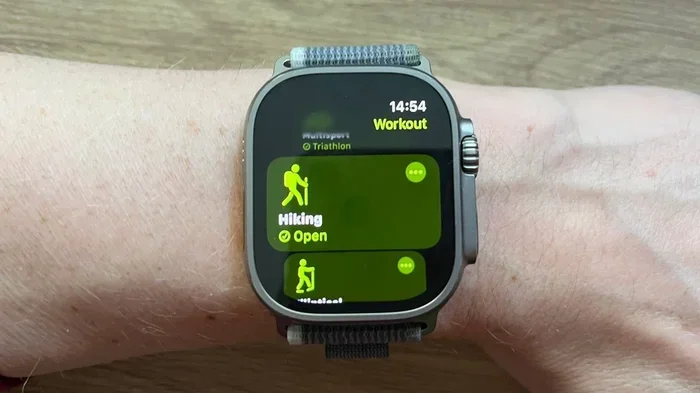
One of the best reasons to wear an Apple Watch is fitness tracking. You can track runs, walks, bike rides, and gym workouts all on your own. The Apple Watch fitness tracking uses built-in sensors. These include the heart rate monitor, accelerometer, and gyroscope.
Here is what works without your phone:
- Workout tracking for running, cycling, swimming, and more
- Real-time heart rate monitoring
- Step counting and daily activity rings
- GPS tracking on cellular models
- Post-workout summaries and trends
You can start a workout, track your progress, and save your data. All of this happens right on your wrist. No phone needed at all.
Music and Podcasts
Want to listen to music during a workout? You can. With a cellular Apple Watch or a Wi-Fi connection, you can stream music and podcasts. Apple Music, Spotify, and other apps work well for this.
You can also store music directly on your watch. This is great for offline use. Just sync your favorite playlists before you head out. Then you can listen without any phone or data connection.
Messaging and Calls
Cellular models let you make and receive calls. You can also send and receive iMessages and texts. This is huge if you want to leave your phone at home but still stay connected.
Here is how it works:
- Make phone calls using your watch’s cellular connection
- Send text messages using Messages or third-party apps
- Receive notifications for calls, texts, and apps
- Use Walkie-Talkie mode with other Apple Watch users
Just make sure your cellular plan is active on your watch. You will need a compatible carrier plan for this to work. Most major carriers in the US and other countries support Apple Watch cellular plans.
Features That Still Need Your Phone
It is important to know what your watch cannot do alone. Even though many features work standalone, some still need your iPhone nearby.
Setting Up and Pairing
The very first time you set up your Apple Watch, you need your iPhone. You use the Watch app on your phone to pair the devices. After setup, you can use your watch independently. But you cannot skip the phone during initial pairing.
Downloading New Apps
Want to add a new app to your watch? You typically need your iPhone for this. The App Store on your phone lets you browse and install watch apps. You can also install apps directly from your watch in some cases. But having your phone makes the process much easier.
WatchOS Updates
When Apple releases a new watchOS update, you usually need your phone to install it. The update downloads through the Watch app on your iPhone. Then it installs on your watch. Without your phone nearby, you may miss out on updates until you reconnect.
Syncing Large Data
Your watch syncs data with your phone regularly. Things like health data, music libraries, and app settings sync over Bluetooth or Wi-Fi. If your watch has been offline for a long time, some data may be out of date when you reconnect.
How to Set Up Your Apple Watch for Phone-Free Use
Setting up your watch for standalone use is pretty simple. Follow these steps to get ready.
Step 1: Check Your Watch Model
First, confirm your watch has cellular or Wi-Fi support. Open the Settings app on your watch. Tap on “General” and then “About.” Look for “Wireless” or “Cellular” in the model name. If you see “GPS + Cellular,” you are good to go for full standalone use.
Step 2: Activate a Cellular Plan
If you have a cellular model, you need to set up a mobile plan. You can do this through the Watch app on your iPhone. Go to “My Watch” and tap “Cellular.” Follow the prompts to add a plan with your carrier.
Some carriers offer eSIM plans just for the watch. This means you get a separate phone number for your watch. You can share your existing number too. Check with your carrier for options.
Step 3: Connect to Wi-Fi
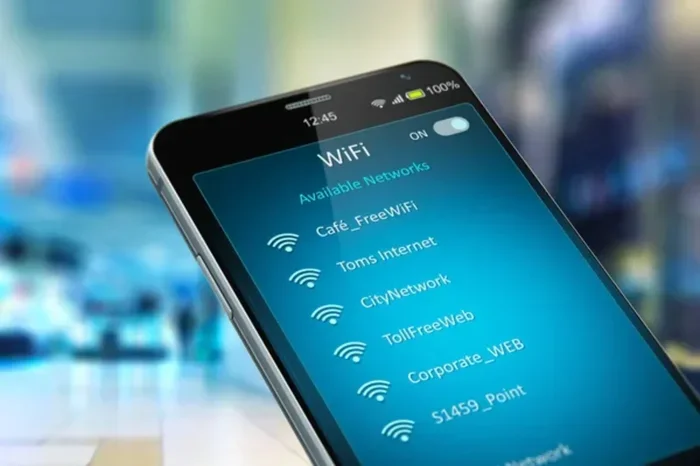
Even without cellular, Wi-Fi gives your watch a lot of power. Go to Settings > Wi-Fi on your watch. Pick a network and enter the password. Now you can stream music, use apps, and send messages over Wi-Fi.
Step 4: Download Content Before You Go
Before you leave your phone at home, prepare your watch. Download your favorite playlists on Apple Music or Spotify. Save offline podcasts. Make sure your watch face has the complications you want. A little prep goes a long way.
Apple Watch Without Phone: Daily Use Scenarios
Let us look at real-life situations where going phone-free with your watch shines.
Morning Run or Gym Session
You are heading out for a run. Leave your phone at home and take just your watch. A cellular model lets you stream music, track your GPS route, and still receive calls if needed. Your Apple Watch workout tracking works perfectly without any phone nearby.
Quick Errands
Running to the store for groceries? Your watch is all you need. You can pay with Apple Pay, check the time, and even reply to texts. A cellular watch handles calls too, so you never miss an important one.
Workout at the Office or Travel
At the gym during lunch or traveling without your phone, your watch keeps you connected. You can check emails, use maps, and stay on top of notifications. Wi-Fi connectivity in hotels and offices makes this easy.
Kids and Family
Apple Watch also supports Apple Watch family setup. This lets kids and family members use a watch managed from a parent’s phone. The watch works independently for many features, even though the phone stays at home.
Battery Life When Using Your Watch Without a Phone
One thing to keep in mind is battery life. Using your watch without your phone can drain the battery faster. Here is why:
- Cellular connection: Using mobile data uses more power than Bluetooth.
- GPS tracking: Standalone GPS workouts can drain your battery quickly.
- Streaming music: Streaming over cellular or Wi-Fi uses more energy than playing offline music.
- Screen brightness: Higher brightness and always-on display use more battery.
To get the most out of your watch battery, try these tips:
- Lower your screen brightness when you can
- Use offline music instead of streaming when possible
- Turn off always-on display if battery is low
- Use Power Reserve mode for emergencies
- Charge your watch before you leave home
Most Apple Watches last about 18 hours on a full charge. With heavy standalone use, you may need to charge more often. Plan ahead, and you will be fine.
Common Mistakes to Avoid
Going phone-free with your Apple Watch is great. But there are some common mistakes that can trip you up.
Forgetting to Download Content
Not downloading music or podcasts before you leave home is a big mistake. Without pre-downloaded content, you may not have anything to listen to. Always sync before you go.
Ignoring Cellular Plan Costs
A cellular plan for your watch costs extra each month. Some people forget this and go over budget. Check with your carrier about the monthly fee before you activate.
Not Updating watchOS
Running an old version of watchOS can cause issues. Updates fix bugs and add new features. Try to update your watch regularly when your phone is nearby.
Assuming All Features Work Offline
Not every app works without a connection. Some apps need data or phone access. Check which apps support offline use before you count on them.
Expert Insights: Getting the Most From Standalone Use
According to Apple Watch experts, the key to successful standalone use is preparation. Before you leave your phone, make sure your watch is charged, your content is downloaded, and your cellular plan is active. These small steps make a big difference.
Tech reviewers also suggest using the Apple Watch for at least a week with your phone nearby first. This helps you learn which features you use most. Then you can plan your phone-free days around those features.
From a fitness perspective, the Apple Watch is one of the best standalone fitness devices on the market. It tracks your heart rate, workouts, and activity without needing a phone. For many people, this alone is worth the investment.
Key Takeaways
- Standalone use is possible: Cellular and Wi-Fi models let you go phone-free with full functionality.
- Core features work offline: Fitness tracking, time-telling, and alarms do not need a phone at all.
- Cellular plans unlock more: A mobile data plan lets you make calls, stream, and use apps anywhere.
- Setup is simple: You can pair and configure your watch with just Wi-Fi, no phone required after setup.
- Battery matters: Going standalone may drain your watch battery faster than usual.
- Know the limits: Some features like app downloads and software updates still need your iPhone.
Conclusion
So, can I use my Apple Watch without my phone every day? Absolutely. With the right model and setup, your Apple Watch can handle most of your daily needs on its own. You can track workouts, make calls, send messages, and stream music. The Apple Watch without phone experience has never been better.
Just remember to prepare before you go. Download your content, check your battery, and make sure your cellular plan is active. Know what works and what does not. With a little planning, you can confidently leave your phone at home and still stay connected, fit, and productive.
Your Apple Watch is more than just a phone accessory. It is a powerful standalone device that can serve you every day. Embrace the freedom and enjoy the convenience of going phone-free.
Frequently Asked Questions
Do I need a cellular plan to use my Apple Watch without my phone?
You do not need a cellular plan for basic features like time-telling and workout tracking. But for calls, texts, and streaming without your phone, a cellular plan is essential. Wi-Fi also helps fill in the gaps for many tasks.
Can I set up an Apple Watch without an iPhone?
The initial setup requires an iPhone. You use the Watch app on your phone to pair and configure the watch. After setup, you can use the watch independently for most daily tasks.
Will my Apple Watch work without my phone during a workout?
Yes, it will. Your watch tracks workouts using built-in sensors and GPS. You can start a workout, track your pace, and monitor your heart rate all without your phone nearby.
How long does the Apple Watch battery last without a phone?
Most Apple Watches last around 18 hours on a full charge. Standalone use with cellular and GPS may reduce battery life. Plan to charge your watch daily if you use it heavily without your phone.
Can I use Apple Pay on my Apple Watch without my phone?
Yes, Apple Pay works fully on your watch without your phone. You can tap to pay at stores, in apps, and online. Your payment cards are stored securely on the watch itself.
What Apple Watch models are best for going phone-free?
The Apple Watch Cellular models work best for phone-free use. The Apple Watch Series 9 and Ultra 2 offer the most features. The Apple Watch SE is also a great budget option for standalone daily use.