Can You Use An Unlocked Phone With Verizon Wireless
Yes, you can use an unlocked phone with Verizon Wireless. Verizon supports both GSM and CDMA networks, which means most unlocked devices are compatible. You simply need to check compatibility, verify your phone’s IMEI, and activate it through Verizon’s portal or store. Whether you are switching from AT&T, T-Mobile, or a foreign carrier, this guide covers everything you need to know about bringing your own device to Verizon.
Have you been wondering whether can you use an unlocked phone with Verizon? This is a question many people ask when they want more freedom with their mobile device. Maybe you bought a phone from another carrier, or you are traveling internationally and need local service. Whatever the reason, the good news is that Verizon does support unlocked phones.
Using an unlocked phone with Verizon gives you flexibility. You are not tied to a single carrier. You can switch plans whenever you want. You can also use your phone abroad with local SIM cards. But there are a few things you need to know before making the switch. This guide walks you through everything step by step.
Key Takeaways
- Unlocked phones work with Verizon: Verizon accepts unlocked GSM and compatible CDMA devices on its network.
- Check compatibility first: Use Verizon’s BYOD tool or verify your IMEI number before switching.
- Activation is simple: You can activate online, in-store, or by calling Verizon customer support.
- No contract required: You can pick prepaid or postpaid plans without being locked into a long-term deal.
- 5G and LTE coverage is available: Unlocked phones can access Verizon’s full 5G and LTE network if supported.
- Watch out for common mistakes: Avoid skipping compatibility checks or ignoring financing balances on your device.
📑 Table of Contents
- What Does It Mean to Have an Unlocked Phone?
- Can You Use An Unlocked Phone With Verizon Wireless?
- How to Check Phone Compatibility with Verizon
- How to Activate an Unlocked Phone on Verizon
- Benefits and Drawbacks of Using an Unlocked Phone on Verizon
- Common Mistakes to Avoid When Switching to Verizon
- Expert Tips for a Smooth Transition to Verizon
- Frequently Asked Questions
- Final Thoughts
What Does It Mean to Have an Unlocked Phone?
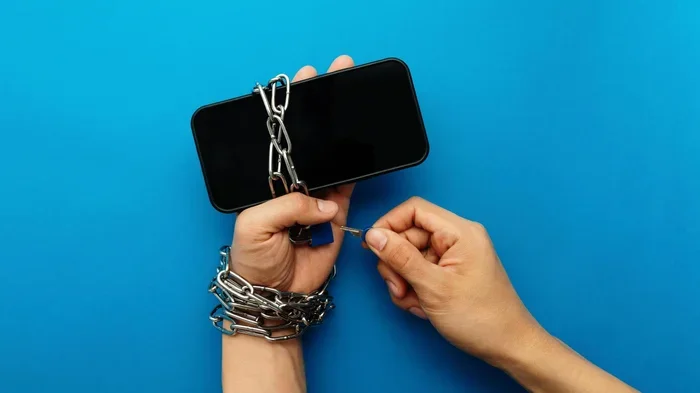
An unlocked phone is a device that is not restricted to one carrier. You can use it with any compatible network. This is different from a locked phone, which only works with the carrier that sold it to you. When you buy an unlocked phone, you own it outright. You are free to choose your service provider.
There are two main types of unlocked phones. The first is a carrier-unlocked phone. This means the original carrier has removed the software lock. The second is a factory-unlocked phone. This means the phone was never locked in the first place. Both types work just as well on Verizon’s network.
Most modern smartphones sold today come unlocked or can be unlocked. Apple, Samsung, Google, and OnePlus all sell unlocked versions of their popular devices. If you are unsure whether your phone is unlocked, you can usually check the settings or contact your current carrier.
Can You Use An Unlocked Phone With Verizon Wireless?
The short answer is yes. Verizon Wireless allows you to bring your own device, often called BYOD. This means you can activate an unlocked phone on their network. However, there are some requirements your phone must meet. Not every unlocked device will work with Verizon.
Verizon uses a mix of GSM and CDMA technologies. GSM is the standard used by most carriers worldwide, including AT&T and T-Mobile. CDMA is an older technology that Verizon historically relied on. Today, Verizon has moved mostly to LTE and 5G, which use GSM-based standards. This makes things easier for users with unlocked phones.
To use an unlocked phone with Verizon, your device must support the right frequency bands. Verizon uses bands like Band 2, Band 4, Band 5, Band 13, and Band 66 for LTE. For 5G, it uses bands like n5, n66, n77, and n260. If your unlocked phone supports these bands, you should have no problem getting service.
Here is a quick look at what you need for a successful switch:
- An unlocked GSM-compatible phone
- A Verizon SIM card or eSIM profile
- A Verizon-compatible plan (prepaid or postpaid)
- A clean IMEI number with no outstanding balances or flags
As long as your phone checks these boxes, can you use an unlocked phone with Verizon? Absolutely. The process is straightforward and well-supported by Verizon’s customer team.
Verizon’s Network and Compatibility Explained
Verizon has one of the largest and most reliable networks in the United States. Their LTE coverage reaches over 99 percent of the population. Their 5G network is also expanding rapidly. This means you get fast speeds and strong signal whether you are in a city or a rural area.
When you bring an unlocked phone to Verizon, the network will automatically detect your device. It will configure the right settings for data, calls, and texts. In most cases, everything works right out of the box. If it does not, Verizon support can help you troubleshoot.
How to Check Phone Compatibility with Verizon
Before you switch, you need to confirm that your unlocked phone is compatible with Verizon. This is a crucial step. Not all unlocked phones work on every network. Checking ahead of time saves you from frustration and wasted effort.
Verizon offers a Bring Your Own Device tool on its website. You simply enter your phone’s IMEI number, and the tool tells you if it is compatible. You can find your IMEI by dialing #06# on your phone. It will also be printed on your original box or in your phone’s settings under “About Phone.”
Here are the steps to check compatibility:
- Find your IMEI number by dialing #06# or checking in Settings.
- Visit Verizon’s BYOD page on their official website.
- Enter your IMEI and submit the form.
- Review the results to see if your phone is supported.
- Contact Verizon support if you have any questions or issues.
Another way to check is by looking at your phone’s specifications. Search for your phone model online and check which network bands it supports. If it lists Verizon bands like Band 13 or Band 66, you are good to go.
Keep in mind that some older phones may not support Verizon’s newer LTE or 5G bands. In that case, your phone might work for basic calls and texts but may not get fast data speeds. Always double-check before making a purchase or switch.
What to Do If Your Phone Is Not Compatible
If Verizon tells you that your unlocked phone is not compatible, do not worry. You still have options. You can look for a different unlocked phone that supports Verizon’s bands. Many affordable options are available from brands like Motorola, Nokia, and Google Pixel.
You can also check if your phone can be updated to support new bands. Sometimes a software update adds network compatibility. Contact your phone manufacturer to see if this is possible for your model.
How to Activate an Unlocked Phone on Verizon
Once you have confirmed compatibility, the next step is activation. Activating an unlocked phone on Verizon is simple and can be done in several ways. You can do it online, in a store, or over the phone.
Option 1: Activate Online
Go to Verizon’s website and sign in to your account. Navigate to the Device Activation section. Enter your phone’s IMEI number and follow the prompts. You will be asked to choose a plan and configure your settings. Once complete, your phone should be ready to use within a few minutes.
Option 2: Activate In-Store
Visit a Verizon retail store with your unlocked phone and a valid ID. A store associate will help you activate your device. They can also help you pick the right plan and transfer your phone number if needed. This is a great option if you are not comfortable doing it yourself.
Option 3: Activate Over the Phone
Call Verizon customer service and let them know you want to activate a BYOD. They will guide you through the process. Have your IMEI number and account information ready. This method takes a bit longer but works well if you prefer not to go online or visit a store.
Tips for a Smooth Activation
- Back up your data before wiping your phone for activation.
- Have your IMEI ready so you can provide it quickly.
- Choose the right plan before you start the activation process.
- Keep your old SIM card until your new Verizon service is fully working.
- Test all features including calls, texts, data, and mobile hotspot after activation.
After activation, you should see Verizon’s signal bars on your phone. You can now make calls, send texts, and use mobile data. If anything does not work right away, try restarting your phone or toggling airplane mode on and off.
Benefits and Drawbacks of Using an Unlocked Phone on Verizon
Using an unlocked phone with Verizon comes with several advantages. But it also has a few drawbacks you should be aware of. Let us break them down.
Benefits
- Carrier freedom: You are not locked into a contract with Verizon or any other carrier. You can switch whenever you want.
- Travel flexibility: Unlocked phones work with foreign carriers. You can buy local SIM cards when you travel abroad and save on roaming charges.
- No hidden restrictions: There are no carrier-imposed software locks or bloatware on your device.
- Better resale value: Unlocked phones generally sell for more money than locked ones.
- Flexibility with plans: You can choose between Verizon prepaid and postpaid plans based on your needs and budget.
Drawbacks
- Upfront cost: Unlocked phones usually cost more upfront because you pay the full price without a carrier subsidy.
- Financing challenges: If you have an outstanding balance on a financed device, Verizon may not activate it until the balance is cleared.
- Compatibility risks: Not every unlocked phone works on Verizon’s network. You need to verify compatibility before purchasing.
- Limited warranty support: Verizon may not provide full support for devices they did not originally sell or certify.
Overall, the benefits of using an unlocked phone with Verizon far outweigh the drawbacks for most users. The freedom and flexibility are well worth it, especially if you value choice and control over your mobile experience.
Common Mistakes to Avoid When Switching to Verizon
Switching carriers can be exciting, but it is easy to make mistakes. Here are some common errors people make when bringing an unlocked phone to Verizon and how to avoid them.
Skipping the Compatibility Check
The biggest mistake is not checking if your phone is compatible. Do not assume that just because a phone is unlocked, it will work on Verizon. Always use the BYOD compatibility tool or check your IMEI first. Skipping this step can lead to a phone that does not connect to the network.
Ignoring the IMEI Balance
If your phone has an outstanding balance or is flagged as lost or stolen, Verizon will not activate it. Before switching, make sure your IMEI is clean. Contact your previous carrier to confirm there are no outstanding obligations on the device.
Forgetting to Transfer Your Number
Do not cancel your old service before you have successfully activated your phone on Verizon. Keep your old SIM active until your new Verizon line is fully working. This prevents you from losing access to calls and texts during the transition.
Choosing the Wrong Plan
Verizon offers several plans, including prepaid and postpaid options. Prepaid plans are great for budget-conscious users. Postpaid plans offer more perks like international roaming and device financing. Choose the plan that fits your usage habits and budget.
Not Testing All Features After Activation
After activation, test everything. Make a call. Send a text. Use mobile data. Try the mobile hotspot feature. If something is not working, contact Verizon support right away. The sooner you catch an issue, the easier it is to fix.
Expert Tips for a Smooth Transition to Verizon
Switching to Verizon with an unlocked phone does not have to be stressful. Here are some expert tips to make the process as smooth as possible.
Research your phone model first. Look up whether your specific model supports Verizon bands. Websites like GSMArena and PhoneArena are great resources for this information.
Get a Verizon SIM card in advance. You can order a free SIM card online or pick one up at a store. Having it ready before activation saves time.
Consider eSIM activation. Many newer phones support eSIM, which lets you activate without a physical SIM card. Check if your phone and Verizon plan support eSIM.
Set up your account online first. Create or sign in to your Verizon account before you visit a store. This speeds up the activation process significantly.
Keep your old phone handy. During the transition, keep your old phone active. This gives you a backup if anything goes wrong with the new setup.
Be patient with the process. Activation can sometimes take a few hours to fully propagate across the network. If your phone does not work immediately, give it some time before contacting support.
Why Verizon Is a Great Choice for BYOD Users
Verizon is one of the most welcoming carriers for bring your own device users. They have a dedicated BYOD portal, clear compatibility tools, and responsive customer support. Their network coverage is among the best in the country. And their plans are flexible enough to suit different needs and budgets.
Whether you are a light user who needs basic talk and text or a heavy data user who relies on streaming and mobile hotspot, Verizon has a plan for you. And with an unlocked phone, you are in full control of your mobile experience.
Frequently Asked Questions
Can I bring my unlocked phone from another country to Verizon?
Yes, you can bring an unlocked international phone to Verizon as long as it supports Verizon’s LTE and 5G bands. Use the BYOD compatibility tool on Verizon’s website to verify. You may also need a nano-SIM card, which you can order or pick up at a Verizon store.
Will I lose my phone number when switching to Verizon with an unlocked phone?
No, you do not have to lose your number. Verizon supports number portability. You can transfer your existing phone number to your new Verizon line during the activation process. Just have your old account details ready.
Do I need a contract to use an unlocked phone on Verizon?
No, you do not need a contract. Verizon offers both prepaid and postpaid plans without requiring a long-term commitment. You can pay month to month and switch plans or carriers whenever you want.
Can I use an unlocked phone on Verizon’s 5G network?
Yes, if your unlocked phone supports Verizon’s 5G bands. Most modern smartphones released in the last few years include 5G compatibility. Check your phone’s specifications to confirm it supports bands like n5, n66, n77, or n260.
What is the difference between Verizon prepaid and postpaid for BYOD users?
Verizon Prepaid plans are budget-friendly and do not require a credit check. Verizon Postpaid plans offer more features like international roaming, device financing, and higher data allowances. Both work with unlocked phones, so choose based on your needs.
How long does it take to activate an unlocked phone on Verizon?
Activation usually takes just a few minutes if you do it online. In some cases, it may take up to a few hours for the network to fully recognize your device. If you do not see signal right away, try restarting your phone or toggling airplane mode.
Final Thoughts
So, can you use an unlocked phone with Verizon? The answer is a clear and confident yes. Verizon welcomes unlocked devices and makes the activation process simple and accessible. Whether you are switching from another carrier or bringing a phone from abroad, you can enjoy Verizon’s powerful network without being locked into a contract.
The key is to do your homework first. Check compatibility using your IMEI number. Choose the right plan for your needs. Follow the activation steps carefully. And avoid the common mistakes that can slow you down.
Using an unlocked phone with Verizon gives you the freedom to choose. You control your device, your plan, and your experience. That is a level of flexibility that more people are starting to appreciate. If you have been thinking about making the switch, now is a great time to do it.
Take the steps outlined in this guide, and you will be up and running on Verizon in no time. Enjoy the strong coverage, fast speeds, and peace of mind that comes with knowing your phone is truly yours.