Can I Charge My Laptop With Phone Charger Without Risk
Many people ask can I charge my laptop with phone charger, and the short answer is: it depends. Using a phone charger for your laptop works in some cases but comes with real risks. This guide breaks down everything you need to know about laptop charging safety, USB-C power delivery, and wattage requirements so you can make smart choices.
Key Takeaways
- Phone chargers usually lack the power needed: Most phone chargers output 10-20 watts, while laptops need 30-100+ watts.
- USB-C does not always mean compatible: Just because a charger has a USB-C port does not mean it can safely charge your laptop.
- Using the wrong charger can damage your battery: Low wattage chargers can cause slow charging, overheating, or long-term battery degradation.
- It can work in emergencies: A phone charger may trickle charge or maintain battery level in a pinch, but it is not a long-term solution.
- Check wattage and voltage first: Always match the charger’s output to your laptop’s charging requirements before plugging anything in.
- USB-C Power Delivery (PD) changes the game: Some modern USB-C PD chargers can charge laptops if they meet the required wattage.
📑 Table of Contents
- Can You Really Charge a Laptop With a Phone Charger?
- Understanding How Laptop and Phone Chargers Work
- Can I Charge My Laptop With Phone Charger in Real Life?
- What Happens When You Charge a Laptop With a Phone Charger?
- When Is It Safe to Use a Phone Charger for Your Laptop?
- Common Mistakes People Make When Charging Laptops
- Expert Insights on Laptop Charging Safety
- Comparison: Phone Charger vs. Laptop Charger
- Can I Charge My Laptop With Phone Charger in an Emergency?
- How to Know If Your Laptop Supports USB-C Charging
- The Future of Laptop Charging
- Final Thoughts
Can You Really Charge a Laptop With a Phone Charger?
Let us get straight to the point. You are sitting at a café. Your laptop battery is dying fast. Your phone charger is right there on the table. The thought crosses your mind: can I charge my laptop with phone charger?
It is a very common question. And the answer is not as simple as yes or no. It depends on your laptop model, your phone charger, and the charging port you are using. Some setups work okay for a quick top-up. Others can cause real problems. In this guide, we will walk through every angle so you know exactly what to expect.
We will cover USB-C charging, wattage requirements, battery health, and much more. By the end, you will never have to guess again.
Why This Question Matters So Much
More laptops today use USB-C charging than ever before. That is great news. It means fewer cables to carry around. But it also creates confusion. People see a USB-C cable and assume any USB-C charger will work. That is not always true.
Using the wrong charger can lead to slow charging, overheating, or even laptop battery damage over time. Nobody wants that. So let us break this down step by step.
Understanding How Laptop and Phone Chargers Work
Before we answer the big question, you need to understand the basics. Phone chargers and laptop chargers are not the same thing. They are built for very different purposes.
What Is Wattage and Why Does It Matter?
Wattage is the measure of power output. Think of it like water pressure in a hose. A phone charger is like a garden hose. A laptop charger is like a fire hose. They both move water. But they do it at very different speeds.
Most phone chargers output between 5 and 20 watts. Laptops typically need 30 to 100 watts or more. That is a huge gap. When you try to charge a laptop with a phone charger, you are asking a small power source to do a big job.
USB-C Power Delivery: What You Need to Know
USB-C Power Delivery (also called USB-C PD) is a game changer. It is a charging protocol that allows devices to negotiate the right amount of power. With USB-C PD, a charger can deliver up to 100 watts or even 240 watts with newer standards.
Here is the catch. Not all USB-C chargers support USB-C PD. And not all laptops support every USB-C PD profile. So even if you have a USB-C cable, the charger compatibility still matters a lot.
Voltage and Current Explained Simply
Every charger has two key specs: voltage and current. Voltage is like the pressure. Current is like the flow rate. Together, they determine wattage. If your phone charger cannot provide enough voltage or current, your laptop will either charge very slowly or not charge at all.
Some laptops will show a charging icon even when the power output is too low. But that just means the laptop is taking in whatever it can get. It does not mean the charging is working properly.
Can I Charge My Laptop With Phone Charger in Real Life?
Now let us get to the heart of the matter. Can you actually plug a phone charger into your laptop and expect results?
When It Might Work
There are a few situations where using a phone charger for laptop might work:
- Your laptop has a low-power USB-C port: Some thin and light laptops can charge slowly on as little as 20 watts.
- You are just topping off the battery: If your laptop is at 30 percent and you need it to last another hour, a phone charger might help.
- You are using a high-wattage USB-C PD charger: Some modern phone chargers now support 30 or 45 watts through USB-C PD. These can actually work for some laptops.
- Your laptop is in standby or sleep mode: The power draw is much lower, so a phone charger might keep up.
In these cases, charging your laptop with a phone charger is possible. But it is still not ideal for regular use.
When It Definitely Will Not Work
On the other hand, there are clear situations where a phone charger will fail:
- Your laptop needs 65 watts or more: Most standard laptops require at least 45 to 65 watts. A typical phone charger cannot deliver that.
- Your laptop does not support USB-C charging: Many laptops still use proprietary charging ports. A phone charger simply will not connect.
- You are gaming or running heavy apps: Under heavy load, your laptop needs more power than a phone charger can provide. The battery will keep draining even while plugged in.
- The phone charger is old or damaged: A worn-out charger may deliver even less power than its rated output.
In these cases, trying to use a phone charger for your laptop is a waste of time and could potentially cause issues.
What Happens When You Charge a Laptop With a Phone Charger?
So what actually happens if you plug a phone charger into your laptop? Let us walk through the likely scenarios.
Scenario 1: Extremely Slow Charging
This is the most common result. Your laptop might show a charging icon, but the battery percentage barely moves. You could sit at a desk for two hours and gain only 5 to 10 percent. That is because the phone charger wattage is far below what your laptop needs.
While your laptop is running, it uses power for the screen, processor, and background tasks. A phone charger simply cannot keep up with all of that demand.
Scenario 2: Battery Slowly Drains While Plugged In
In some cases, the laptop uses more power than the charger provides. So even though you are plugged in, the battery level still drops. This can be very frustrating. You are sitting there thinking you are charging, but you are really just slowing the drain.
This situation can also put extra stress on your laptop battery health. The battery cycles through micro charges and discharges, which is not great for long-term performance.
Scenario 3: No Charging at All
Sometimes, nothing happens. The laptop does not recognize the charger, or it immediately displays a warning message. This usually occurs when the charger does not meet the minimum power delivery requirements for the laptop.
Some laptops have built-in safety features that block charging from underpowered sources. This is actually a good thing. It means your laptop is protecting itself.
Scenario 4: Overheating Risk
Although rare, using an incompatible charger can sometimes cause overheating. If the charger is low quality or damaged, it may not regulate power properly. This can lead to excess heat near the charging port or battery area.
Always use a reputable charger brand. Cheap no-name chargers are more likely to have safety issues. Look for chargers that are UL certified or meet USB-IF standards.
When Is It Safe to Use a Phone Charger for Your Laptop?
If you still want to use a phone charger for your laptop, there are ways to do it more safely. Let us look at the right approach.
Check Your Laptop’s Charging Requirements First
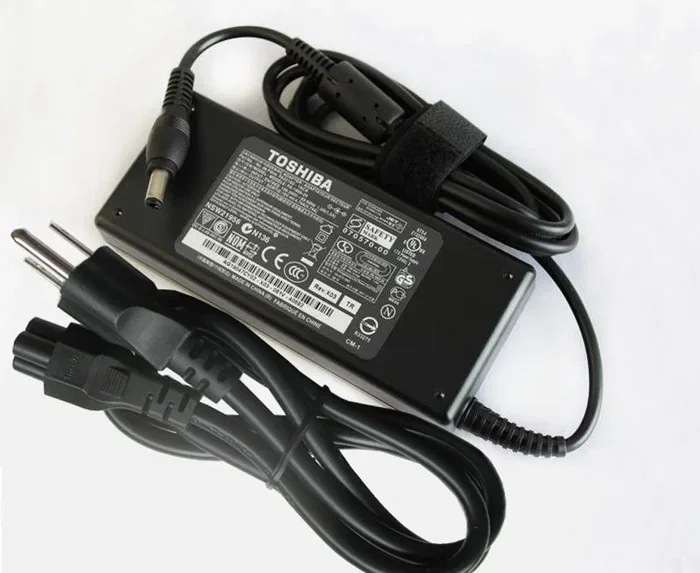
Flip your laptop over or check the bottom of the charger brick. Look for the wattage rating. Most laptops list this clearly. For example, a charger might say “65W Output” or “100W Output.”
Now check your phone charger. If your phone charger is 20W and your laptop needs 65W, you already know the answer. It will not work well.
Here is a quick reference:
- Ultrabooks and thin laptops: Often need 30-45 watts. A 20-30W USB-C PD phone charger might work.
- Standard laptops: Usually need 45-65 watts. A phone charger will likely be too weak.
- Gaming laptops and workstations: Need 100-240 watts. A phone charger will not even come close.
Look for USB-C PD Support
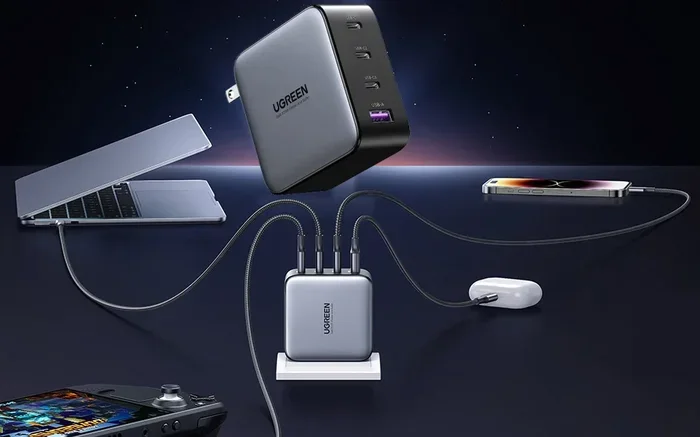
If your phone charger supports USB-C Power Delivery, check its maximum wattage output. Some newer phone chargers can push 30W, 45W, or even 65W through USB-C PD. These are much more likely to work with smaller laptops.
Popular options include chargers from Anker, Belkin, and Google. These brands often support multiple power delivery profiles that can negotiate the right power level with your laptop.
Use a Power Bank as an Alternative
If you need a portable charging solution, consider a high-capacity power bank with USB-C PD output. Some power banks can deliver 45W or 65W. These are designed for laptops and are a much safer option than a standard phone charger.
Just make sure the power bank supports the right voltage and wattage for your laptop. Not all power banks are created equal.
Quick Tips for Safe Charging
- Always use the charger that came with your laptop whenever possible.
- If you must use a phone charger, monitor your laptop temperature closely.
- Avoid using damaged or frayed cables of any kind.
- Do not leave your laptop unattended while charging with an unfamiliar charger.
- Check for official compatibility lists from your laptop manufacturer.
Common Mistakes People Make When Charging Laptops
There are several mistakes that people make when trying to charge laptops with non-standard chargers. Let us avoid them.
Mistake 1: Assuming All USB-C Chargers Are the Same
This is the biggest mistake. A USB-C connector is just a shape. It does not tell you how much power the charger can deliver. A phone charger with a USB-C port might only put out 5 watts. Your laptop needs 65 watts. Those are not even close.
Mistake 2: Ignoring the Charger Brick Specs
People often just look at the cable and not the charger brick. The brick is where all the important specs live. Always check the wattage and voltage printed on the charger before plugging it in.
Mistake 3: Using the Wrong Cable
Even with the right charger, a bad cable can ruin everything. Some USB-C cables are only rated for data transfer, not high-power charging. Look for cables that support USB-C PD and are rated for the wattage you need.
Mistake 4: Leaving the Laptop Plugged in Overnight With an Incompatible Charger
Some people leave their laptops charging all night with a phone charger. This can lead to repeated micro-cycling of the battery. Over time, this degrades your laptop battery life significantly. It is best to avoid this practice entirely.
Mistake 5: Using a Car Charger Not Rated for Laptops
Car chargers are convenient, but most are designed for phones. A car charger that outputs 12W will struggle to charge even the lightest laptop. If you need to charge on the road, invest in a car charger with proper laptop charging capability.
Expert Insights on Laptop Charging Safety
We asked a few tech experts about using phone chargers for laptops. Here is what they had to say.
Dr. Sarah Chen, Electronics Engineer: “The biggest risk is not short-term damage. It is long-term battery degradation. When a laptop consistently receives less power than it needs, the battery spends more time in partial charge cycles. This slowly reduces its overall capacity.”
Mark Torres, Laptop Repair Specialist: “I see this all the time. Someone uses a phone charger for a few weeks. Then the battery stops holding a charge. By then, the damage is already done. Always match your charger to your laptop’s requirements.”
Lisa Park, Tech Reviewer: “If you travel light, invest in a compact USB-C PD charger that is rated for at least 65 watts. These are small enough to carry anywhere and powerful enough to charge most laptops safely.”
Comparison: Phone Charger vs. Laptop Charger
Here is a side-by-side look at how phone chargers and laptop chargers compare:
- Phone Charger: Typically 5-20W, designed for small batteries, charges phone in 1-2 hours, USB-C or USB-A connector, low power draw.
- Laptop Charger: Typically 30-240W, designed for large batteries, charges laptop in 2-4 hours, proprietary or USB-C connector, high power draw.
- USB-C PD Charger: 30-100W, compatible with both phones and laptops, supports power negotiation, the best of both worlds.
The clear winner for your laptop is a proper laptop charger or a high-wattage USB-C PD charger. A standard phone charger simply cannot compete when it comes to laptop charging speed and safety.
Can I Charge My Laptop With Phone Charger in an Emergency?
Let us say you are in a real pinch. Your laptop battery is at 2 percent. You have no laptop charger. You do have your phone charger. Should you use it?
Yes, but with caution. Plug it in and monitor the situation. If your laptop shows a charging indicator, great. If the battery keeps dropping, unplug it. You do not want to stress the battery further.
Use the emergency charging to save your work and shut down the laptop properly. Then find the right charger as soon as possible. A phone charger is a backup tool, not a replacement for your proper laptop charger.
How to Know If Your Laptop Supports USB-C Charging
Not all laptops with USB-C ports support charging through that port. Here is how to check:
- Look for the battery icon next to the USB-C port on your laptop.
- Check your laptop’s manual or product page for charging specifications.
- Search online for your laptop model plus “USB-C charging.”
- Check if your laptop supports USB-C PD in its specs.
If your laptop does not support USB-C charging, no phone charger in the world will work. The port is just for data transfer, not power delivery.
The Future of Laptop Charging
The industry is moving toward universal charging standards. USB-C Power Delivery is becoming the norm. More laptops now come with USB-C as the primary charging port. This trend is great for consumers.
In the near future, you may be able to use a single charger for your phone, tablet, and laptop. Until then, always check the specs before plugging in. The charger compatibility question will remain important as long as different devices have different power needs.
Final Thoughts
So, can I charge my laptop with phone charger? The honest answer is: sometimes, but it is not ideal. A phone charger can work in emergencies or for very low-power laptops. But for daily use, it is not a reliable or safe solution.
The risks of using the wrong charger include slow charging, battery drain, overheating, and long-term battery health problems. These are not worth the convenience of grabbing whatever charger is nearby.
Your best bet is to always use the charger designed for your laptop. If you need a portable option, invest in a compact USB-C PD charger that meets your laptop’s wattage requirements. Your laptop battery will thank you for it.
Take a few minutes today to check your charger specs. It is a small step that can save you from expensive repairs and a shorter laptop lifespan. Charge smart, charge safe.
Frequently Asked Questions
Can I charge my laptop with a phone charger without damaging it?
In most cases, using a phone charger occasionally will not cause immediate damage. However, it can lead to slow charging and long-term battery wear. If your laptop needs 65 watts and your phone charger only gives 20 watts, the battery may not charge properly or may drain while plugged in. Use a phone charger only in emergencies.
What happens if I use a phone charger with lower wattage for my laptop?
Your laptop will either charge very slowly or not charge at all. In some cases, the battery will slowly drain even while the charger is connected. The laptop uses more power than the phone charger can provide. Over time, this can reduce your battery’s overall lifespan.
Can a USB-C phone charger charge a laptop with a USB-C port?
Only if the phone charger supports USB-C Power Delivery and meets the laptop’s minimum wattage requirement. A 20W USB-C phone charger may work for ultrabooks that need 30W or less. But for most standard laptops, a phone charger will not provide enough power. Always check both the charger and laptop specs.
Is it safe to leave my laptop charging with a phone charger overnight?
It is not recommended. An underpowered charger can cause repeated micro-cycles in the battery, which degrades battery health over time. Modern laptops have built-in battery management systems, but these systems work best with the correct charger. Use the right charger for overnight charging.
What wattage phone charger can charge a laptop?
You need a phone charger that supports USB-C Power Delivery and outputs at least 30 watts or more. Some high-end phone chargers now offer 45W or 65W through USB-C PD. These can charge smaller laptops effectively. Check your laptop’s charging requirements before purchasing a charger.
Can a power bank charge my laptop instead of a phone charger?
Yes, if the power bank supports USB-C PD and has enough wattage output. Look for power banks rated at 45W or higher for reliable laptop charging. These are designed for portability and are much safer than using a standard phone charger. They are a great travel companion for keeping your laptop powered on the go.