Are All Toshiba Satellite Laptop Chargers Actually The Same
Not all Toshiba Satellite laptop chargers are the same. Different Satellite models require specific voltage, wattage, and connector types to charge properly. Using the wrong charger can damage your laptop or void your warranty. This guide covers everything you need to know about Toshiba Satellite charger compatibility, how to identify the right one, and common mistakes to avoid.
If you own a Toshiba Satellite laptop, you have probably wondered at some point whether all the chargers out there will work with your machine. The short answer is no. Not all Toshiba Satellite laptop chargers are the same, and using the wrong one can lead to serious problems. From voltage mismatches to different connector sizes, there are several factors that determine whether a charger is compatible with your specific Satellite model.
Many people assume that because a charger fits into the laptop, it is the right one. That is a dangerous assumption. A charger might physically plug in but deliver the wrong amount of power. This can fry your motherboard, damage your battery, or even create a fire hazard. Understanding your charger specifications is essential for keeping your laptop safe and running smoothly.
In this guide, we will break down everything you need to know about Toshiba Satellite charger compatibility. We will cover voltage and wattage requirements, connector types, how to find the right replacement, and the differences between OEM and third-party options. By the end, you will know exactly what to look for and how to avoid costly mistakes.
Key Takeaways
- Chargers vary by model: Different Toshiba Satellite laptops need different charger specs.
- Voltage and wattage matter: Mismatched power delivery can harm your device.
- Connector types differ: The plug shape and size are not universal across all Satellite models.
- OEM vs third-party: Both can work, but quality and safety standards vary significantly.
- Check your label: The original charger and laptop label give you the exact specs you need.
- Using the wrong charger risks damage: It can fry circuits, ruin batteries, or cause overheating.
- Always verify compatibility before buying: Match voltage, wattage, and connector type every time.
📑 Table of Contents
- Why Toshiba Satellite Chargers Are Not Universal
- How to Find the Right Charger for Your Toshiba Satellite
- OEM vs Third-Party Toshiba Satellite Chargers
- Common Mistakes People Make with Toshiba Satellite Chargers
- Quick Tips for Toshiba Satellite Charger Safety
- What Happens If You Use the Wrong Charger?
- Where to Buy a Replacement Toshiba Satellite Charger
- How to Tell If Your Charger Is Failing
- Final Thoughts
Why Toshiba Satellite Chargers Are Not Universal
One of the biggest misconceptions about laptop chargers is that they are one-size-fits-all. This could not be further from the truth. Toshiba Satellite laptops span many different series and generations, and each one has unique power requirements. The charger that works for a Satellite C55 will likely not work for a Satellite P50 or a Satellite L50.
Several factors make Toshiba Satellite chargers different from one another. Let us break them down so you understand exactly what to look for.
Voltage Differences Across Models
Every Toshiba Satellite laptop has a specific voltage requirement. Voltage is the measure of electrical pressure that pushes power into your device. Most Toshiba Satellite laptops run on 19 volts, but some older models use 15 volts or 20 volts. If you supply too much voltage, you can fry the internal components. Too little voltage, and the laptop may not charge at all or may run poorly.
Always check the label on the bottom of your laptop or the original charger. It will list the exact voltage your model needs. Do not guess. Even a one-volt difference can cause problems over time.
Wattage and Amperage Explained
Wattage tells you how much total power the charger can deliver. It is calculated by multiplying voltage by amperage. A higher wattage charger can power more demanding tasks like gaming or video editing. It can also charge your battery faster.
Using a lower wattage charger than your laptop requires is not ideal either. The charger will overheat trying to keep up, and your laptop may not charge while you use it. Here are some common wattage ranges for Toshiba Satellite models:
- Basic office models: 45 to 65 watts
- Mid-range models: 65 to 90 watts
- Gaming and performance models: 90 to 120 watts
Always match or exceed the wattage listed on your original charger. Going higher is generally safe, but going lower is risky.
Connector Type and Size
The physical plug that goes into your laptop is another key difference. Toshiba Satellite laptops have used several different connector types over the years. The most common is a cylindrical barrel plug, but the size and polarity can vary. Some models use a 4.5mm by 3.0mm plug, while others use 5.5mm by 2.5mm or even different configurations entirely.
If the connector does not fit snugly, you should not force it. A loose connection can spark, short-circuit, or damage the charging port on your laptop. Always verify the connector size before purchasing a replacement Toshiba Satellite charger.
How to Find the Right Charger for Your Toshiba Satellite
Finding the correct charger does not have to be confusing. You just need to know where to look and what information to gather. Follow these steps to make sure you get the right one every time.
Step 1: Check Your Laptop Label
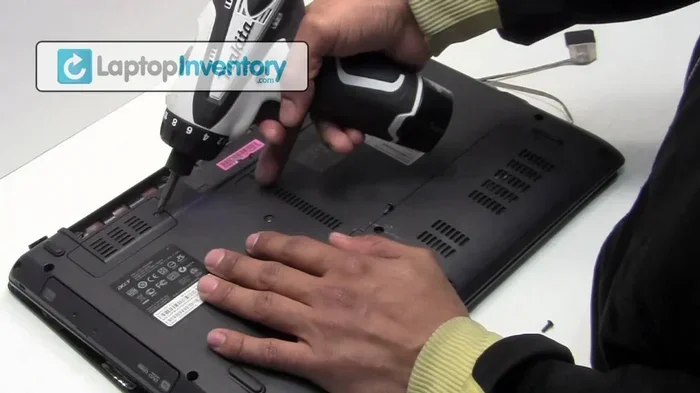
Flip your laptop over and look for a white sticker. This label contains all the critical information you need. It will list the model number, voltage, amperage, and wattage. Write this information down before you start shopping for a replacement.
Step 2: Check the Original Charger
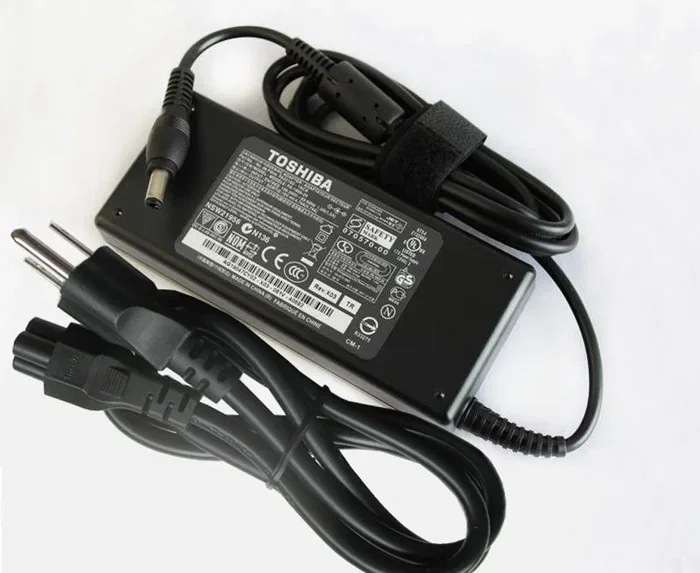
The charger itself also has a label. Compare the specs on the charger with the specs on your laptop. They should match. If they do not, you may have a different charger than the one your laptop came with, or the original charger may have been swapped at some point.
Step 3: Identify Your Satellite Series
Toshiba Satellite laptops come in many series. Each series has slightly different power requirements. Here are some of the most common ones:
- Satellite C Series: Budget-friendly everyday laptops
- Satellite L Series: Lightweight and portable
- Satellite P Series: Performance-oriented with dedicated graphics
- Satellite Radius Series: Convertible touchscreen models
- Satellite Pro Series: Business and professional use
Knowing your series helps you narrow down the right charger type. Search for “Toshiba Satellite [your model number] charger” to find compatible options quickly.
Step 4: Use Online Compatibility Tools
Many online retailers offer compatibility checkers. You enter your laptop model number, and the tool shows you the correct charger options. This is a fast and reliable way to confirm compatibility before you buy.
OEM vs Third-Party Toshiba Satellite Chargers
When it is time to replace your charger, you will have two main options: OEM (Original Equipment Manufacturer) chargers and third-party alternatives. Both have pros and cons, and understanding them helps you make a smart decision.
What Is an OEM Charger?
An OEM charger is made by Toshiba or an authorized manufacturer. It is the exact same charger that came with your laptop when you bought it. OEM chargers meet Toshiba’s strict quality and safety standards. They are designed specifically for your Satellite model, which means perfect compatibility.
The downside? OEM chargers tend to cost more. They are also harder to find for older Satellite models that are no longer in production.
What Is a Third-Party Charger?
A third-party charger is made by a different company. Brands like Targus, Tenergy, and Accell make replacement chargers that work with many Toshiba Satellite models. These chargers are often much cheaper than OEM options and are widely available online.
The risk with third-party chargers is quality control. Some are excellent and safely deliver the right power. Others are cheap knockoffs that underdeliver voltage or overheat during use. Always buy from reputable sellers and check reviews before purchasing.
Comparison Table: OEM vs Third-Party
| Feature | OEM Charger | Third-Party Charger |
|---|---|---|
| Price | Higher | Lower |
| Compatibility | Guaranteed | Varies by brand |
| Build Quality | Excellent | Good to poor |
| Safety Certifications | Always included | Sometimes missing |
| Availability | Limited for older models | Widely available |
| Warranty | Usually included | Varies |
Both options can work well. The key is to verify the voltage, wattage, and connector type regardless of which route you choose.
Common Mistakes People Make with Toshiba Satellite Chargers
Mistakes with laptop chargers are more common than you might think. Here are some of the most frequent errors people make, and how to avoid them.
Assuming Any Charger That Fits Will Work
This is the number one mistake. Just because a charger physically plugs into your laptop does not mean it is safe. A charger with the right connector but the wrong voltage can destroy your motherboard in seconds. Always check the specs before you plug anything in.
Ignoring Polarity
Every DC charger has a polarity indicator, usually shown as a diagram with a plus and minus sign. The center pin can be positive or negative depending on the model. If you reverse the polarity, you can seriously damage your Toshiba Satellite laptop. Always match the polarity of the replacement charger to the original.
Using a Damaged Charger
Frayed cables, bent plugs, and cracked housings are red flags. A damaged charger can cause sparks, short circuits, or inconsistent power delivery. If your charger looks worn out, replace it immediately. Do not wait for it to fail completely.
Buying the Cheapest Option
It is tempting to grab the cheapest charger you find online, especially when you need a replacement fast. But ultra-cheap chargers often cut corners on safety features. They may lack overcharge protection, short-circuit protection, or proper insulation. Spending a little more on a quality charger is always worth it.
Not Checking the Ground Wire
Some Toshiba Satellite chargers include a ground wire for safety. Cheaper replacement chargers sometimes omit this feature. While the laptop might still charge without it, you lose an important layer of protection against electrical surges.
Quick Tips for Toshiba Satellite Charger Safety
Keeping your charger and laptop safe is easier than you think. Follow these quick tips to extend the life of your equipment and stay safe.
- Always unplug your charger when it is not in use.
- Do not wrap the cable too tightly. This damages the internal wiring over time.
- Keep the charger away from water and heat. Both can cause serious damage.
- Inspect the cable and plug regularly. Look for fraying, bending, or discoloration.
- Use a surge protector. This adds an extra layer of defense against power spikes.
- Store the charger in a cool, dry place. Heat degrades the internal components faster.
These small habits add up. They can prevent expensive repairs and keep your Toshiba Satellite running smoothly for years.
What Happens If You Use the Wrong Charger?
Using the wrong Toshiba Satellite charger is not something to take lightly. The consequences range from minor inconveniences to permanent damage. Here is what can go wrong.
If the voltage is too high, the excess power surges through your circuits. This can burn out the motherboard, damage the hard drive, or destroy the charging port. In the worst cases, it can cause the laptop to catch fire. If the voltage is too low, your laptop may not charge at all. It might run fine on battery power but refuse to charge when plugged in.
Wrong amperage is also problematic. A charger with too low amperage will overheat because it is trying to push more current than it can handle. A charger with too high amperage is generally safer because the laptop only draws what it needs. But the physical connector still must match, or you risk poor contact and intermittent charging.
The bottom line is simple. Always use the correct charger for your specific Toshiba Satellite model. It protects your investment and keeps you safe.
Where to Buy a Replacement Toshiba Satellite Charger
Once you know what charger you need, the next step is finding a reliable source. Here are some trusted places to buy a replacement Toshiba Satellite charger.
- Toshiba’s official website: The best place for OEM chargers, especially for newer models.
- Amazon: Offers a wide range of both OEM and third-party options. Read reviews carefully.
- Best Buy: Carries replacement chargers in-store and online.
- eBay: Good for older Satellite models, but verify seller ratings before buying.
- Local electronics stores: Stores like Micro Center or Fry’s often carry compatible chargers.
- Authorized Toshiba resellers: These dealers sell genuine Toshiba accessories and offer warranties.
Wherever you buy, double-check the specifications against your laptop label. A reliable seller will list the compatible models and specs clearly on the product page.
How to Tell If Your Charger Is Failing
Even with the right charger, things wear out over time. Knowing the signs of a failing charger helps you replace it before it causes damage.
Here are the most common warning signs:
- Intermittent charging: The laptop charges when you wiggle the plug but stops when it settles.
- Slow charging: Your battery takes much longer to charge than it used to.
- Overheating: The charger gets unusually hot during use.
- Frayed or exposed wires: Visible damage to the cable is a clear sign of wear.
- Burning smell: Unplug immediately if you smell anything burning. This is a serious safety hazard.
- Laptop only runs on battery: If your Toshiba Satellite will not charge at all, the charger may be dead.
If you notice any of these signs, stop using the charger and replace it right away. Continuing to use a failing charger risks further damage to your laptop and creates a potential safety hazard.
Final Thoughts
So, are all Toshiba Satellite laptop chargers the same? The answer is a clear no. Each Satellite model has specific voltage, wattage, and connector requirements. Using the wrong charger can lead to poor performance, battery damage, or even permanent hardware failure. The good news is that finding the right charger is straightforward once you know what to look for.
Always check your laptop label, verify the connector type, and match the voltage and wattage exactly. Whether you choose an OEM or third-party charger, make sure it meets all the specifications for your specific Toshiba Satellite model. Taking a few extra minutes to verify compatibility can save you hundreds of dollars in repairs and a lot of frustration down the road.
Your Toshiba Satellite is a valuable tool, and the charger is what keeps it powered. Treat it with care, choose the right replacement when needed, and your laptop will serve you well for years to come.
Frequently Asked Questions
Can I use a Toshiba Satellite charger with a different Toshiba model?
Sometimes, but not always. Different Toshiba models have different voltage and wattage requirements. Even if the connector fits, mismatched power delivery can damage your laptop. Always verify the specs match before using a charger with a different model.
What happens if I use a charger with higher wattage than my laptop needs?
Using a higher wattage charger is generally safe. Your laptop will only draw the power it needs. However, the connector type and voltage must still match exactly. A higher wattage charger with the wrong voltage can still cause serious damage.
How do I know if my Toshiba Satellite charger is OEM or third-party?
OEM chargers have the Toshiba logo and part number on the label. Third-party chargers will list the manufacturer’s brand name instead. Check the label carefully and compare the specs with your original charger to confirm authenticity.
Are universal laptop chargers safe for Toshiba Satellite laptops?
Universal chargers can work if you set the correct voltage and use the right tip size. However, they may not provide the same build quality or safety features as OEM chargers. Always verify the polarity and power output before using a universal charger with your Toshiba Satellite.
How long should a Toshiba Satellite charger last?
A quality charger typically lasts between two and five years, depending on usage and care. Frequent bending of the cable, exposure to heat, and heavy use can shorten its lifespan. If you notice any signs of wear, replace the charger promptly.
Where can I find the charger specs for my specific Toshiba Satellite model?
Check the white label on the bottom of your laptop. You can also look at the label on your original charger. The Toshiba support website allows you to enter your model number and view the full specifications, including the required charger details.