Did Netflix Take Away The Download Feature Forever
Many users have noticed that downloading content on Netflix has become confusing. The Netflix download feature is still available, but it has changed significantly. Some titles are no longer downloadable, and new limits have been added. This guide explains exactly what happened and how you can still enjoy offline viewing in 2024 and beyond.
Did Netflix really take away the download feature? This question has been popping up everywhere lately. People love watching their favorite shows on the go. And downloading content for offline viewing has been a game-changer for millions of users worldwide.
But things have changed. Some users report that downloads are missing. Others notice certain titles are no longer available offline. It’s enough to make anyone wonder what happened. The truth is, Netflix has not removed the download feature entirely. But there are important changes you need to know about.
In this article, we will break down everything you need to know. We will cover what changed, why it changed, and how you can still use downloads on Netflix today. Whether you are a casual viewer or a binge-watcher, this guide has you covered.
Key Takeaways
- Netflix download feature is still active: You can still download content, but with new restrictions and fewer titles available.
- Download limits vary by plan: Standard and Premium plans offer more download slots than Basic.
- Not all content is downloadable: Licensing agreements mean some shows and movies are unavailable for offline viewing.
- Downloads expire after a set time: Most downloads last 48 hours once you start watching, and some expire after 30 days.
- Storage management matters: Keeping your device storage clean helps downloads work smoothly.
- VPNs may affect downloads: Using a VPN can sometimes block or interfere with Netflix downloads.
📑 Table of Contents
- What Happened to the Netflix Download Feature?
- How Netflix Downloads Work Right Now
- Why the Netflix Download Feature Changed
- Common Problems with Netflix Downloads
- How to Get the Most Out of Netflix Downloads
- Is the Netflix Download Feature Going Away Completely?
- Quick Tips for Netflix Downloads
- Final Thoughts on the Netflix Download Feature
What Happened to the Netflix Download Feature?
The Netflix download feature has been around for years. It allowed users to save content directly to their phones, tablets, or computers. This meant you could watch shows and movies without an internet connection. It was perfect for long flights, commutes, and travel.
So what changed? Netflix has not pulled the feature altogether. However, the company made several updates that affected how downloads work. Some titles were removed from the downloadable catalog. New limits were introduced. And some users experienced technical issues they had never seen before.
The biggest reason behind these changes comes down to licensing. Netflix does not own all the content it streams. Studios and production companies set rules about how their content can be used. These rules include whether a title can be downloaded and for how long. When licenses expire or change, Netflix removes download availability for those titles.
Why Are Some Titles No Longer Downloadable?
Not every show or movie on Netflix can be downloaded. This surprises many users. The reason is simple. Licensing agreements between Netflix and content creators come with specific rules. Some studios do not allow their content to be saved offline. Others allow it but only for a limited time.
Netflix has to respect these agreements. If a license does not permit offline viewing, Netflix removes the download option for that title. This happens more often than you might think. Popular shows sometimes lose their download availability when licensing deals are renegotiated.
For example, some major blockbuster movies and recently released content are often not downloadable. This protects the studio’s distribution strategy. They want to control how and when people can access their content.
How Netflix Downloads Work Right Now
Even with all the changes, the Netflix download feature is still very much alive. Millions of people use it every day. But the experience looks different from what it did a few years ago. Here is how it works in 2024 and beyond.
Who Can Download Content on Netflix?
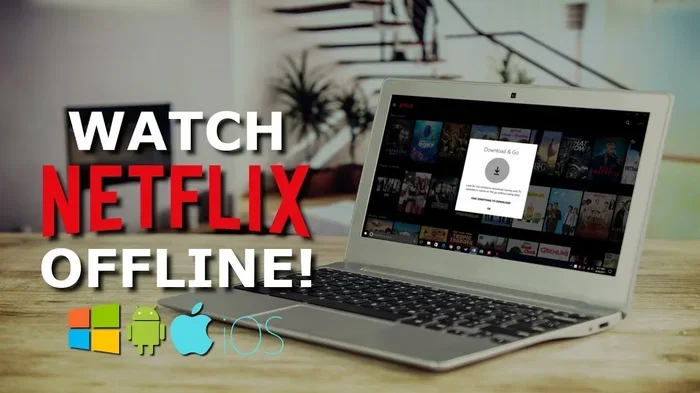
Downloading is available on the Netflix mobile app and tablet app. You can also download on computers using the Netflix desktop app. However, not all devices support downloads. Smart TVs and gaming consoles do not have a download option. You need a phone, tablet, or computer to save content offline.
The type of Netflix plan you have also matters. Here is a quick breakdown:
- Basic Plan: Allows downloads on one device at a time.
- Standard Plan: Allows downloads on two devices at a time.
- Premium Plan: Allows downloads on four devices at a time.
This means your plan level directly affects how many devices you can use for offline viewing. If you share your account, this is an important detail to keep in mind.
How Many Downloads Can You Have?
Netflix does not give you unlimited downloads. There is a cap on how many titles you can save at one time. This limit depends on your device storage and your Netflix plan. On most devices, the maximum is around 100 downloads. But you can delete titles to make room for new ones whenever you want.
The good news is that deleting a download does not remove it from your account. You can re-download it anytime as long as the title is still available for offline viewing. This gives you flexibility. You do not have to worry about losing access to a title just because you cleared space.
Why the Netflix Download Feature Changed
Netflix did not make these changes overnight. There are several reasons behind the shift. Understanding these reasons helps explain why downloads feel different now.
Licensing and Content Ownership
As mentioned earlier, licensing is the biggest factor. Netflix streams content from many different studios and distributors. Each content owner has their own rules. Some allow downloads. Others do not. Some allow downloads for 30 days. Others restrict downloads to 48 hours after you start watching.
When Netflix renews its licensing deals, the terms can change. A title that was downloadable last year might not be downloadable this year. This is frustrating for users, but it is a reality of the streaming industry. Netflix has no control over these decisions.
Bandwidth and Storage Concerns
Downloading content uses storage space on your device. High-quality downloads take up even more room. Netflix has found that many users download content they never watch. This wastes storage and server resources. By limiting downloads and making the feature more selective, Netflix aims to create a more efficient system.
Also, downloads put a strain on Netflix’s servers. The company has to store and deliver content for millions of offline viewers. Managing this at scale is a technical challenge. Changes to download policies help Netflix balance supply and demand.
Encouraging Streaming Over Downloads
There is another reason. Netflix wants people to stream more. Streaming generates more data usage. More data usage means more engagement. More engagement means more value for Netflix’s advertising and subscription revenue. While this might sound cynical, it is a business reality.
That said, Netflix still supports downloads. The feature is not going away. But it is being managed more carefully than before.
Common Problems with Netflix Downloads
Even when downloads are available, users run into issues. Here are the most common problems and how to fix them.
Downloads Not Appearing or Not Starting
If your downloads are not showing up, the first thing to check is your internet connection. You need a stable Wi-Fi connection to download content. A weak signal can cause downloads to fail or stall.
Next, make sure your Netflix app is up to date. Outdated apps often have bugs that affect downloads. Go to your app store and check for updates. If an update is available, install it and try again.
Restarting your device can also help. Sometimes the app just needs a fresh start to process download requests properly.
Downloads Expiring Too Quickly
One of the most frustrating issues is when a download expires before you finish watching. Most Netflix downloads expire 48 hours after you start playing them. If you pause halfway through a movie, the clock keeps ticking.
Some titles expire after 30 days if you never start watching them. This is set by the content owner, not Netflix. Unfortunately, there is no way to extend these expiration windows. You either watch the content in time or you lose access to the download.
Storage Errors and Download Limits
If your device is running low on storage, Netflix will not let you download more content. This is a good thing. It prevents your phone or tablet from running out of space entirely. To fix this, go through your downloaded titles and delete anything you have already watched or do not plan to watch soon.
You can also change the download quality in Netflix settings. Lower quality downloads take up less space. This lets you save more titles on your device. Just keep in mind that lower quality means a less sharp picture.
How to Get the Most Out of Netflix Downloads
Want to make your Netflix downloads work better? Here are some practical tips that actually help.
Plan Your Downloads Ahead of Travel
Do not wait until you are about to leave to start downloading. Downloads take time, especially for longer movies or entire seasons. Connect to Wi-Fi the night before and download everything you want to watch. This way, you are not stuck waiting in an airport terminal with a half-finished download.
Manage Your Download Storage Regularly
Make it a habit to clean out old downloads every week or two. Delete anything you have already finished. This keeps your device running smoothly and ensures you always have room for new content. Netflix also has a built-in setting that lets you auto-delete downloads after you watch them.
Check Download Availability Before You Travel
This is a big one. Not every title is downloadable. Before your trip, search for the shows and movies you want and look for the download icon. If you do not see it, that title is not available for offline viewing. Do not wait until you are offline to find out.
Use the Right App Version
Make sure you are using the latest version of the Netflix app. Older versions may have bugs or missing features. The app store on your phone will notify you when an update is available. Keeping your app current is one of the easiest ways to avoid download problems.
Is the Netflix Download Feature Going Away Completely?
This is the question on everyone’s mind. Will Netflix eventually remove the download feature for good? The short answer is no. Not anytime soon. The download feature remains a key part of Netflix’s offering. It attracts users who travel frequently or have limited internet access.
However, the feature will likely continue to evolve. Netflix is always tweaking its platform based on user behavior and licensing deals. We may see more titles become downloadable in the future as licensing agreements change. Or we may see new restrictions added. The streaming landscape is always shifting.
For now, you can still rely on Netflix downloads. Just be aware of the limitations. Check which titles are available before you need them. Keep your app updated. And manage your storage regularly. With these habits, you will have a smooth offline viewing experience.
Quick Tips for Netflix Downloads
- Always use Wi-Fi: Downloads use a lot of data. Save your mobile data for streaming.
- Download in standard quality: This saves storage space and lets you download more titles.
- Check expiration dates: Look at how long a download lasts before you start watching.
- Use the Netflix app, not the browser: Downloads are only supported in the mobile and desktop apps.
- Keep your device charged: Downloads can drain your battery. Plug in while downloading.
- Update the app regularly: New updates fix bugs and improve download performance.
Final Thoughts on the Netflix Download Feature
So did Netflix take away the download feature forever? No, not entirely. The Netflix download feature is still there. But it has changed. Fewer titles are downloadable. New limits exist. And the rules around expiration are strict. These changes can feel like a step backward for loyal users.
That said, the download feature is far from dead. Millions of people still use it every single day. With a little planning and the right expectations, you can still enjoy offline viewing on Netflix. Just remember to check download availability, manage your storage, and keep your app updated.
The streaming world is always changing. Netflix will continue to adjust its features based on licensing, technology, and user demand. Staying informed is the best way to keep up. Now you know exactly where things stand with Netflix downloads. You are ready to make the most of offline viewing, no matter what changes come next.
Frequently Asked Questions
Can you still download shows on Netflix in 2024?
Yes, you can still download content on Netflix. The download feature is available on mobile devices, tablets, and computers through the Netflix app. However, not all titles are available for download due to licensing restrictions.
Why can’t I download a specific movie or show on Netflix?
This usually happens because the content owner has not given Netflix permission to allow offline viewing. Licensing agreements control which titles can be downloaded. If a title is not downloadable, there is no way to change that from your side.
How long do Netflix downloads last?
Most Netflix downloads expire 48 hours after you start watching them. If you never start playing a downloaded title, it usually expires after 30 days. Some titles have shorter expiration windows set by the content owner.
Does Netflix limit the number of downloads you can have?
Yes, Netflix has a download limit. The exact number depends on your plan and device storage. Most users can download up to 100 titles at a time. You can delete old downloads to make room for new ones.
Can you download Netflix content on a smart TV?
No, Netflix downloads are not available on smart TVs or gaming consoles. You can only download content on mobile devices, tablets, and computers using the Netflix app. This is a platform limitation set by Netflix.
Does using a VPN affect Netflix downloads?
Yes, using a VPN can sometimes interfere with Netflix downloads. Netflix may block or limit downloads if it detects a VPN connection. For the best experience, turn off your VPN before downloading content.
=== CONCLUSION ===
The Netflix download feature is still alive and well. While it has faced changes and restrictions, it is far from disappearing. Understanding how the feature works today will help you get the most out of your offline viewing experience. Keep your app updated, manage your downloads wisely, and always check which titles are available before you need them. With the right approach, you can enjoy Netflix content anywhere, anytime, even without an internet connection.