Do Virgin Flights Have Netflix In Flight Entertainment
Do Virgin flights have Netflix? The short answer is: it depends on the airline and route. Virgin Atlantic and Virgin Australia offer in-flight entertainment, but Netflix streaming access varies based on WiFi availability and your device. Let us break down exactly what you can expect on your next Virgin flight.
Do Virgin flights have Netflix? It is a question that more travelers are asking every day. With streaming services becoming a huge part of our daily lives, it makes sense that people want to watch their favorite shows while flying. The good news is that Virgin airlines do offer in-flight entertainment. But the full Netflix experience depends on a few things you need to know about beforehand.
In this guide, we will walk you through everything you need to know about Netflix on Virgin flights. We will cover WiFi requirements, device compatibility, and the best ways to stay entertained at 35,000 feet. Whether you are flying Virgin Atlantic across the Atlantic or Virgin Australia domestically, this article has you covered.
Key Takeaways
- Virgin Atlantic offers a robust inflight entertainment system with movies, TV shows, and music on seatback screens.
- Netflix streaming on Virgin flights is possible only when the airline provides WiFi and your device supports the streaming app.
- Virgin Australia also provides cabin entertainment options, but Netflix access depends on the WiFi package you select.
- Downloading Netflix content before your flight is the most reliable way to watch shows during your trip.
- Not all Virgin routes have WiFi, so always check your specific flight before assuming streaming is available.
- Bring your own personal entertainment device as a backup in case the inflight system has limited options.
📑 Table of Contents
- What In-Flight Entertainment Looks Like on Virgin Airlines
- Can You Stream Netflix on Virgin Flights?
- How Virgin Airlines’ WiFi Affects Streaming
- Virgin Atlantic vs Virgin Australia: Entertainment Compared
- What Shows and Movies Are Available on Virgin Flights?
- Tips for Getting the Best Entertainment on Virgin Flights
- Common Mistakes People Make When Trying to Stream Netflix on Flights
- Expert Insights on Airline Streaming and Inflight Entertainment
- Final Thoughts
What In-Flight Entertainment Looks Like on Virgin Airlines
Before we dive into Netflix specifically, let us talk about what Virgin airlines offer for inflight entertainment in general. Both Virgin Atlantic and Virgin Australia have invested heavily in their cabin entertainment systems. These systems are designed to keep passengers entertained on long-haul and short-haul flights alike.
Virgin Atlantic is known for its excellent seatback entertainment on most aircraft. Every seat comes with a personal screen that offers movies, TV shows, music, and games. The library is regularly updated, and there is something for everyone. Families with kids will find plenty of children’s content. Solo travelers can catch up on the latest blockbuster films. And if you are a music lover, there are curated playlists and radio stations to enjoy.
Virgin Atlantic’s Inflight Entertainment System
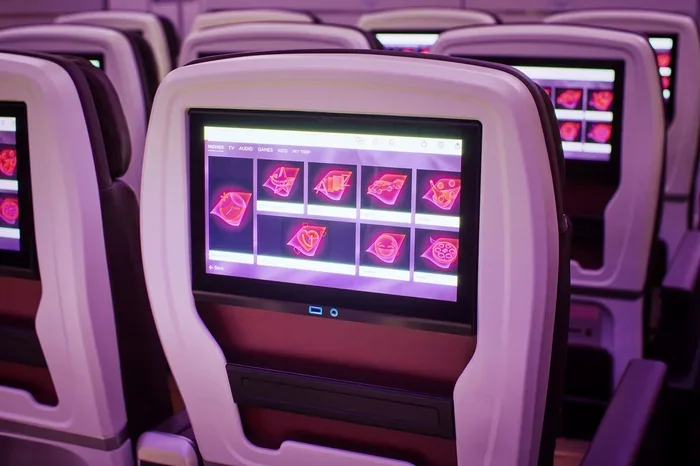
Virgin Atlantic uses a system called Red for its inflight entertainment. It is a touchscreen system built into the seatback or available through the airline’s app. Passengers can browse a large catalog of content. The selection includes Hollywood hits, indie films, documentaries, and popular TV series. You can also listen to music channels and podcasts.
The quality of the experience is quite good. The screens are bright and responsive. Audio quality is clear. And the interface is easy to navigate, even for passengers who are not very tech-savvy. Virgin Atlantic also offers USB charging ports and power outlets, so your device stays powered up throughout the flight.
Virgin Australia’s Entertainment Options
Virgin Australia also provides inflight entertainment for its passengers. On most domestic and international flights, you will have access to seatback screens. The content library includes movies, TV shows, and music. The selection may be smaller than what Virgin Atlantic offers on long-haul routes, but it still provides plenty of options to pass the time.
For shorter domestic flights, Virgin Australia may offer streaming entertainment through the Virgin Australia app. This means you can use your own device and connect to the airline’s WiFi to access movies and shows. This is where things get interesting for anyone wondering about Netflix access.
Can You Stream Netflix on Virgin Flights?
This is the big question, isn’t it? Can you watch Netflix on a Virgin flight? The answer is more nuanced than a simple yes or no. Let us break it down clearly.
Virgin Atlantic and Virgin Australia do not have a direct partnership with Netflix to offer the service built into their inflight systems. You will not find a Netflix app pre-installed on the seatback screens. However, you can still access Netflix content on Virgin flights under certain conditions. The key factor is WiFi connectivity.
When Netflix Streaming Works on Virgin Flights
If your Virgin flight offers WiFi, and you have a personal device like a phone, tablet, or laptop, you can potentially stream Netflix. Here is how it works:
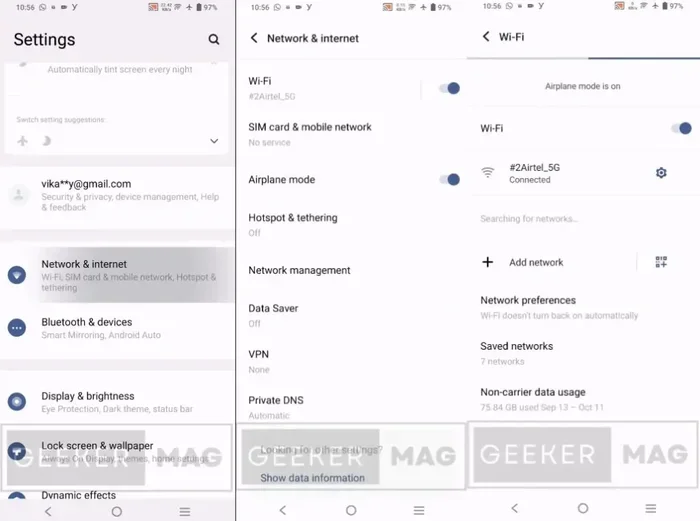
- Connect to the Virgin WiFi network during your flight.
- Open the Netflix app or visit Netflix.com on your browser.
- Log in to your account and start streaming.
Sounds simple, right? It can be, but there are some important caveats. The WiFi speed on most airlines is not as fast as your home connection. This means you may experience buffering or lower video quality. For the best experience, download your favorite shows or movies before you board the plane.
When Netflix Streaming Does Not Work
There are situations where Netflix streaming will not be possible on Virgin flights. Here are the most common ones:
- Your flight route does not offer WiFi. Not all Virgin flights have WiFi installed. Short domestic routes sometimes skip WiFi altogether.
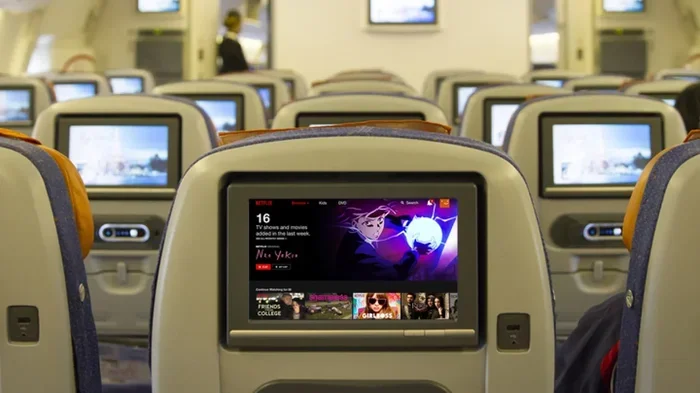
- You are using a seatback screen only. The built-in entertainment system does not support Netflix. It only plays the pre-loaded content from the airline.
- The WiFi is too slow for streaming. Even if WiFi is available, the bandwidth may not be enough for smooth Netflix playback.
- Your device battery dies. Without a power source, you cannot stream anything on a long flight.
How Virgin Airlines’ WiFi Affects Streaming
In-flight WiFi is the gateway to streaming Netflix on Virgin flights. But WiFi on airplanes works differently than WiFi at home or in a café. Understanding how it works will help you set realistic expectations.
Types of Inflight WiFi
Most airlines use one of two WiFi technologies:
- Air-to-ground WiFi: This uses cell towers on the ground to provide internet access. It works well over land but can drop out over oceans or remote areas.
- Satellite WiFi: This connects to satellites in space. It works over oceans and remote areas but can be slower and more expensive.
Virgin Atlantic uses satellite WiFi on most of its long-haul flights. Virgin Australia offers WiFi on select domestic and international routes. The speed and reliability vary depending on the technology and the number of passengers using the network at the same time.
Streaming Netflix Over Airline WiFi
Streaming Netflix requires a decent internet connection. Standard definition streaming needs about 3 Mbps. High definition needs about 5 Mbps. Ultra HD needs about 15 Mbps. Most airline WiFi connections offer speeds between 1 and 10 Mbps. This means standard definition should work fine, but high definition might be a struggle.
Here are some tips for getting the best Netflix streaming experience on Virgin WiFi:
- Download content before your flight. This is the most reliable option. You can watch downloaded content without any WiFi at all.
- Choose standard definition over HD. It uses less bandwidth and will stream more smoothly.
- Avoid peak usage times. WiFi tends to slow down when everyone on the plane is online at once.
- Use the Netflix app instead of the browser. Apps are often more optimized for slower connections.
Virgin Atlantic vs Virgin Australia: Entertainment Compared
While both airlines are part of the Virgin brand, their entertainment offerings differ. Let us compare them side by side so you know what to expect.
| Feature | Virgin Atlantic | Virgin Australia |
|---|---|---|
| Seatback Screens | Yes, on most aircraft | Yes, on most aircraft |
| WiFi Available | Yes, on most long-haul flights | Yes, on select routes |
| Netflix Streaming | Possible via WiFi on personal devices | Possible via WiFi on personal devices |
| Content Library Size | Large, regularly updated | Moderate |
| Personal Device Streaming | Supported through app | Supported through app |
| Download Before Flight | Recommended for best experience | Recommended for best experience |
As you can see, both airlines follow a similar model. They offer built-in entertainment systems with pre-loaded content and WiFi for personal device streaming. Neither airline has a direct Netflix partnership that puts Netflix on the seatback screens. Your best bet is to use WiFi and your own device to access Netflix during the flight.
Which Virgin Airline Is Better for Entertainment?
For long-haul international flights, Virgin Atlantic generally offers a more polished entertainment experience. The seatback screens are larger, the content library is bigger, and the WiFi is more reliable on most routes. For domestic and short-haul flights, Virgin Australia provides a solid entertainment option through its app and WiFi, but the seatback experience may be more limited on shorter aircraft.
What Shows and Movies Are Available on Virgin Flights?
If Netflix streaming is not available or does not work well on your flight, what can you watch? Both Virgin Atlantic and Virgin Australia offer a range of pre-loaded content. Here is a quick look at what you can expect.
Virgin Atlantic Content Library
Virgin Atlantic’s inflight entertainment library includes:
- Latest Hollywood blockbusters
- Popular TV series from major networks
- Independent and award-winning films
- Kids’ cartoons and family-friendly movies
- Documentaries and true crime shows
- Music channels and live radio
- Podcasts on various topics
The library is updated regularly, so you will often find current and trending content. Virgin Atlantic also partners with major studios to offer new releases soon after they hit theaters.
Virgin Australia Content Library
Virgin Australia’s entertainment selection includes:
- A mix of popular movies and TV shows
- Australian and international content
- Kids’ programming
- Music and entertainment channels
- News and lifestyle content
The selection is smaller than Virgin Atlantic’s, but it covers the essentials. If you are on a short domestic flight, you will find plenty to keep you entertained.
Tips for Getting the Best Entertainment on Virgin Flights
Want to make sure you have the best entertainment experience on your Virgin flight? Here are some practical tips that will help.
1. Download Netflix Content Before You Fly
This is the single best piece of advice we can give you. Open the Netflix app on your phone or tablet before you leave for the airport. Download a few episodes or movies to watch offline. This way, you do not need WiFi at all. You can watch your downloaded content from takeoff to landing without any interruptions.
2. Bring a Portable Charger
Streaming video drains your battery fast. Even if the plane has USB ports, they may not be enough to keep up with your usage. Bring a portable power bank so your device stays charged throughout the flight. This is especially important on long-haul flights where you might want to watch multiple movies or shows.
3. Check WiFi Availability Before Booking
Not every Virgin flight has WiFi. Before you book, check the airline’s website or contact customer service to confirm WiFi availability on your route. This will save you from disappointment if you were planning to stream Netflix during the flight.
4. Pack Headphones
This sounds obvious, but you would be surprised how many passengers forget their headphones. The seatback screens on Virgin flights usually have headphones available for purchase, but having your own pair ensures you get the best sound quality and comfort. Noise-cancelling headphones are ideal for long flights.
5. Have a Backup Plan
Technology can be unpredictable. WiFi might not work. The seatback screen might have a glitch. Always have a backup plan. Download a few shows or movies before your flight. Bring a book or a magazine. Have some offline games on your device. The more prepared you are, the more enjoyable your flight will be.
Quick Tips for Netflix on Virgin Flights
- Download before you go. Always download content to your device before boarding.
- Use standard definition. It streams better on slower WiFi connections.
- Log in before the flight. Make sure your Netflix app is logged in and ready to go.
- Check WiFi pricing. Some Virgin flights charge for WiFi. Check the cost before you connect.
- Be patient. Airline WiFi can be slow. Give your video time to buffer before you start watching.
Common Mistakes People Make When Trying to Stream Netflix on Flights
There are a few common mistakes that travelers make when trying to use Netflix on Virgin flights. Avoiding these will save you frustration.
Assuming All Virgin Flights Have WiFi
This is the biggest mistake. Not every Virgin flight offers WiFi. Assuming it will be available can lead to disappointment. Always check your specific flight before you assume you can stream Netflix.
Not Downloading Content Before the Flight
Many people forget to download content before they leave home. By the time they realize they cannot stream, it is too late. Make downloading part of your pre-flight routine. Do it the night before or right before you leave for the airport.
Expecting Home WiFi Speeds
Airline WiFi is not the same as your home WiFi. It is slower and less reliable. If you expect to watch ultra HD content without any buffering, you will likely be disappointed. Adjust your expectations and choose standard definition for a smoother experience.
Forgetting to Charge Your Device
Streaming video uses a lot of battery power. If your device dies mid-flight, you lose your entertainment. Always charge your device fully before the flight and bring a backup charger or power bank.
Expert Insights on Airline Streaming and Inflight Entertainment
Inflight entertainment has come a long way over the past decade. Airlines are investing more in WiFi and streaming options because passengers expect it. The trend is moving toward more personalized entertainment experiences where passengers can use their own devices to access a wider range of content.
Industry experts predict that within the next few years, more airlines will partner with streaming services like Netflix to offer direct access through their inflight systems. Until then, the best approach is to download content beforehand and use WiFi when it is available.
Virgin airlines are ahead of many competitors when it comes to inflight entertainment. Their seatback systems are well-designed, and their WiFi coverage is expanding. But the reality is that streaming Netflix directly on a Virgin flight still depends on WiFi availability and your personal device setup.
Final Thoughts
So, do Virgin flights have Netflix? The answer is yes, but with some conditions. You can access Netflix on Virgin flights if WiFi is available and you use your personal device. The built-in seatback entertainment systems do not include Netflix directly. Your best strategy is to download content before your flight and use WiFi for streaming when the connection is good.
Virgin flights offer a solid entertainment experience overall. Whether you choose to use the seatback screens or stream on your own device, you will have plenty of options to stay entertained. Just plan ahead, manage your expectations, and you will have a great flight.
Next time you are booking a Virgin flight, keep these tips in mind. Download your favorite shows, charge your devices, and get ready for a more enjoyable journey. Safe travels and happy watching.
Frequently Asked Questions
Can I watch Netflix on Virgin Atlantic flights?
Yes, you can watch Netflix on Virgin Atlantic flights if WiFi is available on your route. You will need to use your personal device and connect to the Virgin Atlantic WiFi network. Downloading content beforehand is the most reliable option since WiFi speeds can vary.
Does Virgin Australia offer Netflix streaming?
Virgin Australia does not have Netflix built into its seatback screens. However, you can stream Netflix through the Virgin Australia app if WiFi is available on your flight. Always check WiFi availability for your specific route before you travel.
Is WiFi free on Virgin flights?
WiFi pricing varies by airline and route. Virgin Atlantic offers WiFi packages that you can purchase during your flight. Virgin Australia also charges for WiFi on most routes. Check the airline’s website for current WiFi pricing and packages before your trip.
Can I use the Virgin app to access entertainment offline?
Yes, the Virgin app allows you to access some entertainment content offline. You can download movies and shows before your flight and watch them without WiFi. This is a great backup option if the inflight WiFi is slow or unavailable.
What devices work for streaming Netflix on Virgin flights?
Most personal devices work for streaming Netflix on Virgin flights. This includes smartphones, tablets, and laptops. Make sure your device is fully charged and has enough storage for downloaded content. Noise-cancelling headphones are also recommended for the best experience.
Why is Netflix streaming slow on airplanes?
Airline WiFi speeds are typically slower than home internet. Streaming Netflix requires a stable connection with at least 3 Mbps for standard definition. When many passengers are using the WiFi at the same time, speeds can drop further. Downloading content before your flight is the best way to avoid slow streaming.
=== CONCLUSION ===
Do Virgin flights have Netflix? Yes, you can access Netflix on Virgin flights, but it requires WiFi and a personal device. The built-in entertainment systems on Virgin Atlantic and Virgin Australia do not include Netflix directly. Instead, they offer a wide range of pre-loaded movies, TV shows, music, and games through seatback screens and their airline apps.
The best way to enjoy Netflix on a Virgin flight is to download content before you board. This ensures you have entertainment regardless of WiFi availability or speed. If you do want to stream live, make sure your route has WiFi, choose standard definition for smoother playback, and bring a portable charger to keep your device powered up.
Virgin flights offer a solid entertainment experience overall. With a little preparation, you can enjoy your favorite Netflix shows and movies while flying. Plan ahead, stay connected, and make your next Virgin flight a more enjoyable experience.