Can I Still Use Wi Fi On Airplane Mode Here Is How
Yes, you can still use Wi-Fi on airplane mode by manually turning the wireless radio back on after enabling flight mode. This simple trick lets you connect to in-flight Wi-Fi networks and stay connected without disrupting aircraft systems. Here is how to do it on any device, whether you are on a plane, a train, or anywhere else.
Have you ever been on a plane, train, or in a quiet room and wondered if you could still get online? The answer is yes. You can still use Wi-Fi on airplane mode, and it is easier than you think. Airplane mode is a setting on your phone, tablet, or laptop that turns off all wireless signals. It blocks cellular data, Bluetooth, and Wi-Fi by default. But here is the good news. You can turn Wi-Fi back on while airplane mode is still active. This lets you connect to wireless networks without breaking any rules. Whether you are flying across the country or sitting in a library, this trick works everywhere. In this guide, here is how to do it on any device, step by step.
Many people think airplane mode means total disconnection. That is not true. Wi-Fi on airplane mode is a feature built into almost every modern device. It gives you control over which signals stay on and which ones go off. This is super useful when you want to save battery life but still need internet access. Airlines now offer in-flight Wi-Fi on most flights. You can use it without turning off airplane mode. This keeps your device safe and your connection stable. Let us dive into the details and show you exactly how this works.
Key Takeaways
- Airplane mode disables cellular and wireless signals but you can re-enable Wi-Fi manually.
- Most modern phones and laptops allow Wi-Fi access even with airplane mode turned on.
- In-flight Wi-Fi is available on many airlines and works with airplane mode enabled.
- Bluetooth also works in this mode, so you can use wireless headphones and keyboards.
- Turning on airplane mode saves battery while still letting you pick up Wi-Fi signals.
- You cannot make phone calls or send texts using cellular data when airplane mode is active.
- Follow simple steps to connect to Wi-Fi safely on any device.
📑 Table of Contents
- What Happens When You Turn On Airplane Mode
- Can You Still Use Wi-Fi On Airplane Mode
- How To Connect To Wi-Fi While Airplane Mode Is On
- Why Would You Want Wi-Fi On Airplane Mode
- In-Flight Wi-Fi And Airplane Mode Explained
- Common Mistakes And How To Avoid Them
- Expert Insights On Wireless Connectivity In Restricted Settings
- Key Takeaways
- Conclusion
What Happens When You Turn On Airplane Mode
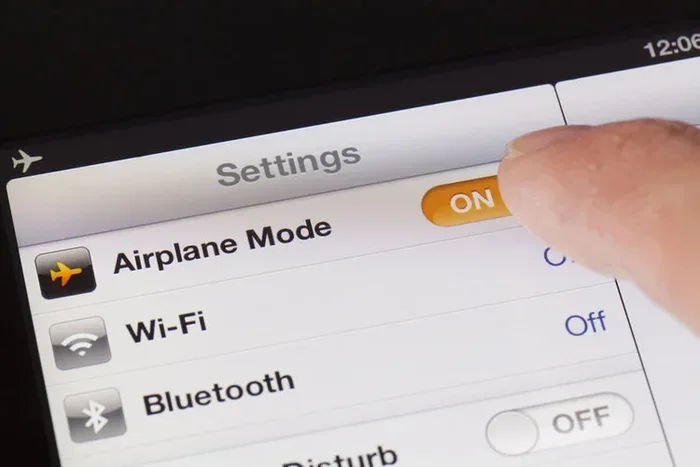
When you switch on airplane mode, your device shuts down all wireless radios. This includes the cellular transmitter, Wi-Fi, and Bluetooth. The goal is to prevent your device from sending out signals that could interfere with aircraft systems. This is why airlines ask you to turn it on during takeoff and landing. But the setting does not lock you out of the internet forever. You can pick and choose which signals to turn back on. Wi-Fi on airplane mode is one of those signals you can re-enable easily.
Which Signals Get Turned Off
Airplane mode blocks several types of wireless connections at once. Here is what gets turned off when you flip the switch:
- Cellular data — your phone stops connecting to mobile networks
- Wi-Fi — your device stops scanning for and connecting to wireless networks
- Bluetooth — wireless connections to headphones, keyboards, and other devices are paused
- GPS signals — location services that rely on cellular networks stop working
Now here is the key part. You can turn Wi-Fi and Bluetooth back on individually while airplane mode is still active. This is the core feature that makes Wi-Fi on airplane mode possible. Your phone or laptop knows the difference between cellular signals and wireless network signals. It treats them separately. So even though airplane mode blocks one, it leaves the other one available for you to use.
Why Airlines Require Airplane Mode
Airlines ask passengers to use airplane mode settings during flights for safety reasons. The concern is that wireless signals from your device could interfere with the plane’s navigation and communication systems. While modern aircraft are built to handle some interference, the precaution is still taken seriously. By turning on airplane mode, you stop your phone from constantly searching for cellular towers. This reduces signal emissions. It also prevents annoying ringing or buzzing sounds during the flight. Using Wi-Fi on airplane mode is safe because the Wi-Fi radio operates at a much lower power than cellular towers.
Can You Still Use Wi-Fi On Airplane Mode
The short answer is absolutely yes. You can still use Wi-Fi on airplane mode on almost every device. Whether you are using an iPhone, Android phone, iPad, or laptop, the process is the same. You turn on airplane mode first. Then you go into your settings and re-enable Wi-Fi. Your device will start scanning for available networks. Once you connect, you can browse the web, stream videos, check email, and use apps that need internet access. The only thing that stays off is your cellular connection. You cannot make phone calls or send text messages through your mobile carrier while airplane mode is on.
How It Works on Different Devices
Every device handles Wi-Fi on airplane mode a little differently. But the basic steps are similar across all platforms. Here is how it works on the most common devices.
On iPhone and iPad:
- Swipe down from the top right corner to open Control Center
- Tap the airplane icon to turn on airplane mode
- Wait about five seconds
- Tap the Wi-Fi icon to turn Wi-Fi back on
- Select your network and enter the password
On Android phones:
- Swipe down from the top of the screen to open Quick Settings
- Tap the airplane icon to enable airplane mode
- Wait a few seconds
- Tap the Wi-Fi icon to re-enable wireless connectivity
- Choose your network and connect
On Windows laptops:
- Click the network icon in the bottom right corner
- Turn on airplane mode using the quick action
- Click the Wi-Fi icon to turn it back on
- Select your network and connect
On MacBooks:
- Click the Wi-Fi icon in the menu bar
- Turn on airplane mode from the Control Center
- Click the Wi-Fi icon again to re-enable it
- Pick your network and enter the password
Does Airplane Mode Turn Off Wi-Fi Completely
Here is something many people do not know. Airplane mode turns off Wi-Fi temporarily. But it does not delete your saved networks. Once you re-enable Wi-Fi, your device remembers all the networks you have connected to before. This makes reconnection fast and easy. You do not need to search for networks or type in passwords again. Wi-Fi on airplane mode works because the device treats the Wi-Fi radio as a separate switch from the cellular radio. They operate independently. So turning one off does not mean the other stays off forever.
How To Connect To Wi-Fi While Airplane Mode Is On
Connecting to Wi-Fi while airplane mode is active is a simple process. You just need to follow a few quick steps. This works whether you are on a plane, in a hotel, or at home. Let us walk through it together.
Step-by-Step Connection Guide
Follow these steps to get online while airplane mode is enabled:
- Turn on airplane mode — this disables all wireless signals first
- Wait ten seconds — let your device fully process the change
- Open settings — go to your device settings or quick settings panel
- Toggle Wi-Fi on — find the Wi-Fi switch and turn it back on
- Scan for networks — your device will start looking for available networks
- Select your network — tap on the network name you want to join
- Enter the password — type in the Wi-Fi password if required
- Connect — wait a few seconds and you are online
That is it. You are now connected to Wi-Fi while airplane mode is still on. Your cellular data remains off, which means you will not use any mobile data or incur roaming charges. This is especially helpful when you are traveling internationally. Wi-Fi on airplane mode keeps you connected without the extra costs or signal interference concerns.
Quick Tips For Faster Connections
Sometimes connecting to Wi-Fi with airplane mode on can take a few extra seconds. Here are some tips to speed things up:
- Turn on airplane mode and wait at least ten seconds before re-enabling Wi-Fi
- Make sure Wi-Fi is set to always scan in your device settings
- Forget old networks you no longer use to speed up the scan process
- Restart your device if Wi-Fi does not show up after re-enabling it
- Check that airplane mode is fully on before toggling Wi-Fi back on
Why Would You Want Wi-Fi On Airplane Mode
You might be wondering why anyone would want to use Wi-Fi on airplane mode in the first place. There are actually several great reasons for this. Let us look at the most common ones.
Saving Battery Life
One of the biggest benefits of using airplane mode settings is battery savings. When your phone is constantly searching for cellular signals, it drains your battery fast. This is especially true in areas with weak coverage. By turning on airplane mode and then re-enabling Wi-Fi, you cut off the power-hungry cellular radio. Your device only uses the Wi-Fi radio, which uses much less energy. This can extend your battery life by a surprising amount. If you are on a long flight and your phone is running low, this trick is a lifesaver.
Avoiding Roaming Charges
When you travel internationally, cellular roaming charges can be very expensive. Your phone connects to foreign cellular towers and your carrier bills you for the data. By using Wi-Fi on airplane mode, you avoid this problem completely. Your cellular radio stays off, so no roaming charges apply. You can still get online through Wi-Fi networks at the airport, on the plane, or at your hotel. This keeps your data usage free and your phone bill safe.
Reducing Signal Interference
In some situations, your phone might struggle with weak cellular signals. This can cause dropped calls, slow data speeds, and battery drain. By switching to airplane mode and using Wi-Fi instead, you get a much more stable connection. Wi-Fi networks in airports, cafes, and hotels are often stronger and more reliable than cellular signals in crowded areas. Wireless connectivity through Wi-Fi is also faster for downloading large files or streaming content.
Focus and Distraction-Free Time
Some people use airplane mode as a way to disconnect from distractions. They turn off all notifications and calls. But they still want to check email or browse the web. By re-enabling Wi-Fi, they get the best of both worlds. They stay focused but remain connected to the internet. This is a great productivity hack for work or study sessions.
In-Flight Wi-Fi And Airplane Mode Explained
Many airlines now offer in-flight Wi-Fi to passengers. This allows you to stay connected during your flight. But how does it work with airplane mode? The answer is simple. Airlines use special systems to provide internet access at high altitudes. These systems use satellite connections or ground-based cell towers. Your device connects to these networks through Wi-Fi, not through cellular signals. This is why Wi-Fi on airplane mode works perfectly for in-flight internet access.
How Airlines Provide Wi-Fi At 30,000 Feet
Airlines use two main technologies to deliver internet access during flights:
- Air-to-ground systems — these use cell towers on the ground to provide internet access
- Satellite-based systems — these use satellites orbiting the Earth to deliver internet signals
Both systems work with airplane wireless connections. Your device connects to the airline’s Wi-Fi network using the Wi-Fi radio. This radio operates independently from the cellular radio that airplane mode disables. So there is no conflict. You get internet access while your cellular radio stays off. This is safe, reliable, and fully compliant with airline regulations.
Which Airlines Offer In-Flight Wi-Fi
Most major airlines now offer some form of airplane Wi-Fi on their flights. Here are some of the most popular ones:
- Delta Air Lines — offers free messaging and paid browsing options
- American Airlines — provides Wi-Fi on most domestic and international flights
- United Airlines — offers Wi-Fi on the majority of its fleet
- Southwest Airlines — provides free Wi-Fi on all flights
- JetBlue — offers free high-speed Wi-Fi on all flights
- Alaska Airlines — provides Wi-Fi on most domestic routes
Before your next flight, check with your airline to see what Wi-Fi options are available. Some airlines offer free messaging through apps like iMessage and WhatsApp. Others charge a fee for full internet access. Either way, Wi-Fi on airplane mode lets you connect to their network without any issues.
Common Mistakes And How To Avoid Them
While using Wi-Fi on airplane mode is simple, there are a few common mistakes people make. Let us look at them and how to avoid each one.
Forgetting to Re-Enable Wi-Fi After Turning On Airplane Mode
The most common mistake is turning on airplane mode and forgetting to turn Wi-Fi back on. Your device will not connect to any network if Wi-Fi stays off. Always remember to toggle Wi-Fi back on after enabling airplane mode. A quick tip is to check your status bar at the top of your screen. You should see the Wi-Fi icon after re-enabling it.
Confusing Airplane Mode With Do Not Disturb
Some people confuse airplane mode with Do Not Disturb. These are two very different settings. Airplane mode turns off wireless signals. Do Not Disturb only silences calls and notifications. If you want to save battery and stay connected to Wi-Fi, use airplane mode. If you just want quiet notifications, use Do Not Disturb.
Not Waiting Long Enough After Enabling Airplane Mode
When you first turn on airplane mode, your device needs a few seconds to shut down all wireless radios. If you try to re-enable Wi-Fi too quickly, it may not work properly. Wait at least five to ten seconds after turning on airplane mode before toggling Wi-Fi back on. This ensures a clean connection and avoids connectivity issues.
Trying to Use Cellular Data Instead of Wi-Fi
Remember that airplane mode settings block cellular data completely. You cannot use mobile data while airplane mode is on. If you need internet access, you must connect to a Wi-Fi network. This is not a bug. It is a feature. It keeps your device safe and prevents interference with aircraft systems.
Expert Insights On Wireless Connectivity In Restricted Settings
Wireless connectivity experts agree that using Wi-Fi on airplane mode is one of the smartest things you can do while traveling. It keeps your device compliant with airline rules while still giving you access to the internet. The key is understanding how your device manages different wireless radios. Each radio operates independently. Airplane mode is just a master switch that turns them all off. But you can flip individual switches back on. This gives you precise control over your device’s connections.
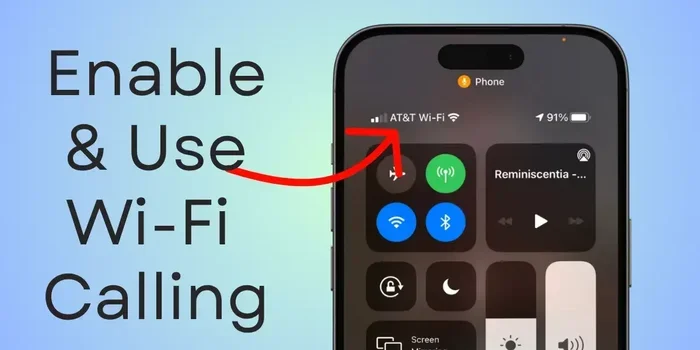
Network specialists also recommend using Wi-Fi calling when you have access to a Wi-Fi network. This lets you make phone calls over the internet instead of through cellular towers. It works great when airplane mode is on and you have Wi-Fi access. Just make sure your carrier supports Wi-Fi calling and it is enabled in your settings. This is a great way to stay in touch with family and friends during long flights without using cellular data.
Another tip from connectivity experts is to download content before your flight. Even with in-flight Wi-Fi, speeds can be slow at high altitudes. Download movies, music, and documents before you board. Then use Wi-Fi on airplane mode for lighter tasks like checking email or browsing the web. This gives you the best of both worlds. You stay entertained and stay connected without frustration.
Key Takeaways
- You can still use Wi-Fi on airplane mode by re-enabling the Wi-Fi toggle after turning on flight mode
- Airplane mode disables cellular data but leaves Wi-Fi and Bluetooth available for manual re-enabling
- In-flight Wi-Fi works perfectly with airplane mode enabled on all major airlines
- The process is the same across iPhones, Android phones, Windows laptops, and MacBooks
- Using Wi-Fi on airplane mode saves battery and avoids roaming charges while traveling
- Always wait ten seconds after enabling airplane mode before re-activating Wi-Fi
- Wi-Fi on airplane mode is safe and fully compliant with airline regulations worldwide
Conclusion
Can I still use Wi-Fi on airplane mode The answer is a clear yes. Wi-Fi on airplane mode is a simple but powerful feature that keeps you connected without breaking any rules. Whether you are flying across the country or settling in for a long train ride, this trick works every time. You get the benefits of airplane mode, like battery savings and signal safety, while still staying online through Wi-Fi networks. The steps are easy. Turn on airplane mode. Re-enable Wi-Fi. Connect to a network. You are done.
Remember that airplane mode settings give you control over your device’s wireless connections. You decide what stays on and what stays off. This level of control is incredibly useful in many situations. From avoiding roaming charges to saving battery life, the benefits are real and practical. Next time you are on a flight or in a place where you need to stay connected, try this method. You will be surprised how simple and effective it is. Here is how to stay online using Wi-Fi on airplane mode. Now you know the answer, and you have everything you need to make it work.
Frequently Asked Questions
Can I use Wi-Fi while airplane mode is on?
Yes, absolutely. Airplane mode turns off all wireless signals, but you can manually turn Wi-Fi back on while keeping airplane mode active. This lets you connect to any available wireless network, including in-flight Wi-Fi on airlines.
Does airplane mode completely block all internet access?
No, it does not. Airplane mode blocks cellular data and disables Wi-Fi and Bluetooth by default. However, you can re-enable Wi-Fi and Bluetooth individually while airplane mode is still on. This gives you internet access through wireless networks without using cellular data.
Can I make phone calls using Wi-Fi on airplane mode?
You can make calls using Wi-Fi calling if your carrier supports it and it is enabled on your device. Since airplane mode blocks cellular signals, Wi-Fi calling routes your calls through the internet instead. This works great when you have a Wi-Fi connection available.
Is it safe to use Wi-Fi on airplane mode during a flight?
Yes, it is completely safe. Airlines require airplane mode to prevent cellular signals from interfering with aircraft systems. Wi-Fi operates on a different frequency and power level. Using Wi-Fi on airplane mode is compliant with all airline regulations and poses no safety risk.
Why does my Wi-Fi not turn on after enabling airplane mode?
This can happen if you toggle Wi-Fi back on too quickly. Wait at least five to ten seconds after enabling airplane mode before turning Wi-Fi back on. If the issue persists, restart your device and try again. Also check that your Wi-Fi is not disabled in your device settings.
Will using Wi-Fi on airplane mode drain my battery?
Actually, it helps save battery. Airplane mode turns off the power-hungry cellular radio. When you re-enable only Wi-Fi, your device uses much less energy than it would with cellular data active. This makes Wi-Fi on airplane mode an excellent battery-saving strategy during travel.