Does Msi Z790 Tomahawk Have Bluetooth Wireless Support
The MSI Z790 Tomahawk does come with Bluetooth wireless support, but only on the WiFi edition models. The board includes Intel Wi-Fi 6E and Bluetooth 5.3 built right in, giving you seamless wireless connectivity for gaming headsets, peripherals, and more. If you own the non-WiFi version, you will need a separate Bluetooth adapter to get wireless functionality. Let us walk you through every detail you need to know.
If you are building or upgrading a gaming PC, the MSI Z790 Tomahawk is one of the most popular choices on the market. It is a powerful board with great features, solid VRM cooling, and fast memory support. But one question keeps popping up: does this board actually have Bluetooth wireless support? The short answer is yes, but with an important caveat. Let us break it all down for you.
When you are shopping for a motherboard, wireless features matter a lot. Nobody wants to run cables across their desk just to connect a headset or a mouse. The MSI Z790 Tomahawk handles this well on its WiFi edition, but the standard version leaves you without built-in Bluetooth. In this guide, we will cover everything you need to know about Bluetooth on this board, from setup to troubleshooting and everything in between.
Key Takeaways
- WiFi Edition Required: The MSI Z790 Tomahawk only has Bluetooth on the WiFi variant, which includes Intel Wi-Fi 6E and Bluetooth 5.3.
- Bluetooth 5.3 Offers Great Range: You get stable wireless connections with low latency for gaming and audio.
- Non-WiFi Models Need an Adapter: If you have the standard Z790 Tomahawk, a USB Bluetooth dongle will add wireless support.
- Easy Setup Process: Pairing Bluetooth devices on this board is straightforward through Windows settings.
- Gaming-Friendly Wireless: The Bluetooth support works well with wireless headsets, keyboards, and mice for a clean desk setup.
- Driver Updates Matter: Keeping your Intel wireless drivers up to date ensures the best Bluetooth performance.
📑 Table of Contents
- What Is the MSI Z790 Tomahawk?
- Does the MSI Z790 Tomahawk Have Bluetooth?
- How to Set Up Bluetooth on the MSI Z790 Tomahawk
- What If Your Board Does Not Have Built-In Bluetooth?
- Bluetooth vs. Wired Connections: Which Is Better for Gaming?
- Troubleshooting Bluetooth Issues on the MSI Z790 Tomahawk
- Final Thoughts
What Is the MSI Z790 Tomahawk?
The MSI Z790 Tomahawk is a high-end gaming motherboard built around Intel’s LGA 1700 socket. It supports 13th and 14th generation Intel Core processors and delivers excellent performance for gaming, content creation, and everyday use. The board comes in two main versions: the standard edition and the WiFi edition. The difference between them matters a lot when it comes to wireless features.
The WiFi edition includes an Intel Wi-Fi 6E wireless card and Bluetooth 5.3 right out of the box. This means you get both high-speed wireless networking and Bluetooth connectivity without buying any extra hardware. The standard edition, on the other hand, does not include any wireless capabilities. You will need to add a WiFi card or Bluetooth adapter if you want to go wireless.
Does the MSI Z790 Tomahawk Have Bluetooth?
Here is the thing you need to know. The MSI Z790 Tomahawk WiFi edition absolutely has Bluetooth support. It uses Intel Bluetooth 5.3, which is one of the latest Bluetooth versions available. This gives you fast speeds, low latency, and a solid wireless range of around 30 to 40 feet in typical home environments.
If you have the non-WiFi version of the board, then no, it does not have Bluetooth built in. There is no Bluetooth chip or antenna on that board. But do not worry. You can still add Bluetooth support easily with a USB Bluetooth adapter or by installing a WiFi card that includes Bluetooth functionality.
Bluetooth 5.3: What Does It Mean for You?
Bluetooth 5.3 is the latest standard in wireless short-range communication. It brings several improvements over older versions. First, it uses less power, which means your wireless peripherals last longer on a single charge. Second, it offers better connection stability. Third, it supports faster data transfer speeds, which is great for wireless audio and gaming peripherals.
For gamers, Bluetooth 5.3 is a big deal. It means your wireless headset connects faster and stays stable even when you are moving around your room. The latency is low enough that you will not notice any delay during intense gaming sessions. Whether you are using a wireless headset, a Bluetooth keyboard, or a wireless mouse, the experience on the MSI Z790 Tomahawk WiFi edition is smooth and reliable.
How to Set Up Bluetooth on the MSI Z790 Tomahawk
Setting up Bluetooth on the MSI Z790 Tomahawk WiFi edition is simple. You do not need any special software or technical skills. Just follow these steps and you will be connected in minutes.
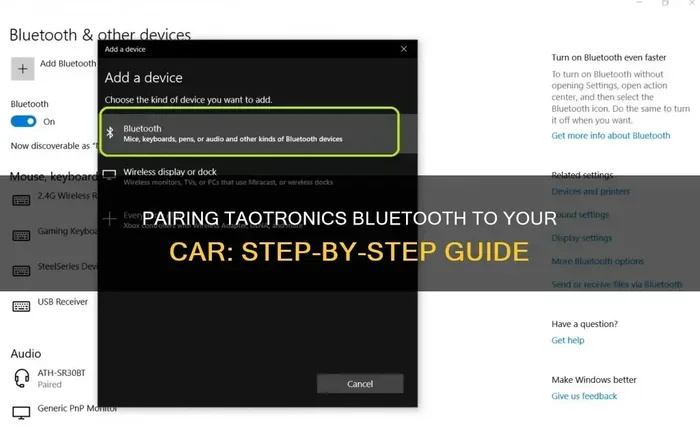
First, make sure your board has the latest Intel wireless drivers installed. You can download these from the MSI website or through the MSI Center software. Updated drivers ensure your Bluetooth works properly and avoids connection issues. Next, go to your Windows Settings and click on Devices. Then select Bluetooth and other devices. Toggle Bluetooth on and click Add device. Your PC will start scanning for nearby Bluetooth devices.
Once your device appears in the list, click on it and follow any on-screen prompts. Most devices pair within seconds. If you are connecting a wireless headset, put it in pairing mode first. If you are connecting a keyboard or mouse, the process is usually automatic.
Quick Tips for Better Bluetooth Performance
- Keep your Bluetooth devices within 30 feet of your PC for the best signal strength.
- Update your Intel wireless drivers regularly to fix bugs and improve performance.
- Avoid placing your PC near thick walls or metal objects that can block the Bluetooth signal.
- If you experience interference, try moving your Bluetooth receiver or adjusting the position of your device.
- Use the MSI Center software to monitor and manage your wireless connections.
What If Your Board Does Not Have Built-In Bluetooth?
If you own the standard MSI Z790 Tomahawk without WiFi, you can still add Bluetooth support. The easiest way is to use a USB Bluetooth adapter. These small dongles plug into any USB port on your board and provide Bluetooth connectivity instantly. They are affordable and work with most devices.
Another option is to install a PCIe WiFi card that includes Bluetooth. Cards like the Intel AX210 or similar models offer both WiFi and Bluetooth in one package. This is a great option if you want a cleaner setup without USB dongles taking up space. Just make sure the card is compatible with your motherboard and that you install the correct drivers.
Some users also ask about downloading Bluetooth drivers separately. In most cases, Windows 11 and Windows 10 will install the necessary drivers automatically when you connect a Bluetooth device. However, for the best experience, downloading drivers from the Intel or MSI website is always a good idea.
Bluetooth vs. Wired Connections: Which Is Better for Gaming?
This is a common debate among gamers. Wired connections offer the lowest latency and the most stable connection. Bluetooth has improved a lot over the years, but it still has slightly more latency than a direct wired connection. For most casual and competitive gamers, modern Bluetooth 5.3 is more than fast enough.
However, if you are a professional esports player or someone who needs absolute zero latency, a wired headset or peripheral might still be the better choice. The difference is tiny, but in high-level competitive play, every millisecond counts.
For the average gamer, the convenience of wireless Bluetooth far outweighs the tiny latency difference. You get a cleaner desk, freedom of movement, and no cable clutter. The MSI Z790 Tomahawk WiFi edition handles Bluetooth connections beautifully for everyday gaming, music listening, and video calls.
Common Bluetooth Devices You Can Connect
- Wireless gaming headsets from brands like SteelSeries, HyperX, and Razer.
- Bluetooth keyboards and mice for a wireless setup.
- Wireless speakers and audio systems.
- Game controllers like Xbox and PlayStation wireless pads.
- Smartphones for file transfers and notifications.
- Fitness trackers and smartwatches.
Troubleshooting Bluetooth Issues on the MSI Z790 Tomahawk
Even with great hardware, you might run into Bluetooth issues from time to time. This is normal and usually easy to fix. Here are the most common problems and how to solve them.
If your Bluetooth is not showing up in Windows settings, the first thing to check is your drivers. Open Device Manager and look for Bluetooth adapters. If you see a yellow warning icon, right-click and update the driver. If the Bluetooth adapter is missing entirely, try reinstalling the Intel wireless drivers from the MSI website.
If your device connects but keeps dropping, the issue might be signal interference. Other wireless devices, microwaves, and even USB 3.0 ports can cause Bluetooth interference. Try moving your Bluetooth device closer to the PC or connecting it to a different USB port.
If pairing fails, make sure your device is in pairing mode. Most Bluetooth devices have a specific button or combination of buttons to enter pairing mode. Also, try removing the device from your Bluetooth list and pairing it again from scratch.
When to Consider a Bluetooth Adapter Instead
If you have the non-WiFi version of the MSI Z790 Tomahawk, a Bluetooth adapter is your best bet. These adapters are cheap, easy to use, and widely available. You can pick one up for under $15 on most online stores. Look for an adapter that supports Bluetooth 5.0 or higher for the best performance.
A USB Bluetooth adapter is a plug-and-play solution. You do not need to open your PC case or mess with internal hardware. Just plug it into a USB port, install the drivers, and you are good to go. It is a simple and effective way to add wireless Bluetooth support to any desktop or laptop.
Final Thoughts
So, does the MSI Z790 Tomahawk have Bluetooth? Yes, but only on the WiFi edition. The board comes with Intel Wi-Fi 6E and Bluetooth 5.3, which is excellent for wireless gaming, audio, and peripherals. If you have the standard version, you can always add a USB Bluetooth adapter or a PCIe WiFi card to get the same functionality.
The MSI Z790 Tomahawk is a fantastic motherboard for anyone who wants a powerful and feature-rich platform. Its Bluetooth support makes it even more convenient for users who prefer a wireless setup. Whether you are connecting a headset, a keyboard, or a game controller, the experience is smooth and reliable.
Before you buy, make sure you know which version you are getting. The WiFi edition gives you everything you need right out of the box. The standard edition requires a small extra investment in a Bluetooth adapter or WiFi card. Either way, the MSI Z790 Tomahawk is a solid choice for any gaming build in 2024 and beyond.
Frequently Asked Questions
Can I use Bluetooth on the MSI Z790 Tomahawk without the WiFi edition?
No, the standard version of the MSI Z790 Tomahawk does not have built-in Bluetooth. You will need to add a USB Bluetooth adapter or install a PCIe WiFi card that includes Bluetooth support to get wireless connectivity.
What Bluetooth version does the MSI Z790 Tomahawk WiFi edition support?
The WiFi edition of the MSI Z790 Tomahawk supports Bluetooth 5.3, which is one of the latest Bluetooth standards. It offers fast speeds, low latency, and excellent connection stability for gaming and everyday use.
How far can Bluetooth devices connect from the MSI Z790 Tomahawk?
Bluetooth 5.3 on the MSI Z790 Tomahawk WiFi edition offers a typical range of about 30 to 40 feet in open spaces. Walls and other obstacles can reduce this range, so keeping your devices closer to the PC ensures the best performance.
Do I need to install drivers for Bluetooth on the MSI Z790 Tomahawk?
Windows usually installs Bluetooth drivers automatically. However, for the best performance and stability, it is recommended to download the latest Intel wireless drivers from the MSI website or use the MSI Center software to keep everything updated.
Can I connect a wireless gaming headset to the MSI Z790 Tomahawk via Bluetooth?
Yes, you can connect most wireless gaming headsets that support Bluetooth. The MSI Z790 Tomahawk WiFi edition handles Bluetooth audio well, though some gaming headsets use proprietary wireless dongles instead of standard Bluetooth for lower latency.
Is Bluetooth on the MSI Z790 Tomahawk good for competitive gaming?
Bluetooth 5.3 offers low enough latency for most gaming scenarios. However, competitive esports players who need absolute zero latency may prefer wired connections. For casual and mid-level gaming, the Bluetooth wireless support on this board works great.