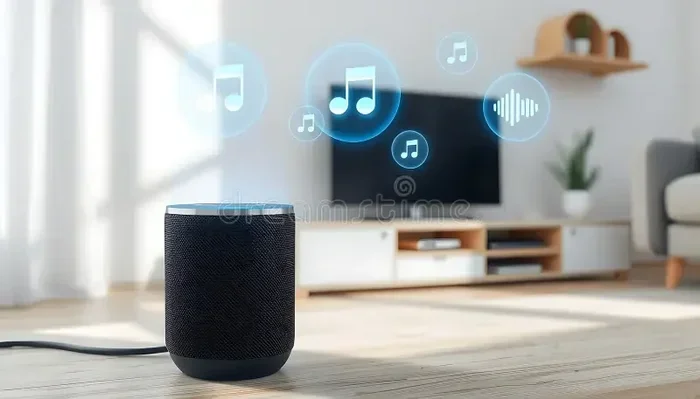
Can I Use Alexa As A Bluetooth Speaker For Music Playback
Yes, you can use Alexa as a Bluetooth speaker for music playback with a few simple steps. Alexa Bluetooth speaker functionality works on most Amazon Echo devices, letting you stream music wirelessly from your phone or tablet. This guide covers pairing, setup, troubleshooting, and the best devices to use. You will learn quick tips to improve audio quality and avoid common mistakes. By the end, you will know exactly how to turn any Alexa device into a powerful Bluetooth speaker.
Key Takeaways
- Easy Pairing: Connecting your phone to Alexa as a Bluetooth speaker takes less than a minute using simple voice commands or the Alexa app.
- Wide Device Support: Most Amazon Echo devices, including the Echo Dot, Echo Show, and Echo Studio, support Bluetooth connectivity.
- Better Sound Options: Using stereo pairing or connecting multiple Echo devices can significantly improve your music experience.
- Troubleshooting Tips: Common Bluetooth issues like disconnections and low audio can be fixed with simple resets and updates.
- Wi-Fi vs Bluetooth: Wi-Fi streaming offers better audio quality, but Bluetooth is more convenient for on-the-go use.
- Hands-Free Calling: Alexa doubles as a speakerphone, letting you take calls through the Bluetooth connection.
📑 Table of Contents
- Can I Use Alexa As A Bluetooth Speaker For Music Playback
- What Is Alexa Bluetooth Speaker Mode
- How to Connect Alexa as a Bluetooth Speaker
- Best Alexa Devices for Bluetooth Music
- Bluetooth vs Wi-Fi: Which Sounds Better
- Tips to Improve Bluetooth Audio Quality
- Common Problems and How to Fix Them
- Expert Insights on Using Alexa as a Bluetooth Speaker
- Key Takeaways
- Conclusion
Can I Use Alexa As A Bluetooth Speaker For Music Playback
Have you ever wanted to use your Amazon Echo device as a simple Bluetooth speaker? Maybe you are at a party and need more volume. Or perhaps you just want to stream music from your phone without extra cables. The good news is that Alexa Bluetooth speaker mode is built right into most Echo devices. You do not need any fancy equipment to make it work.
Using Alexa as a Bluetooth speaker for music playback is straightforward and works with just about every Amazon Echo model. Whether you own an Echo Dot or a full-size Echo Studio, you can pair your phone in seconds. This guide will walk you through everything you need to know. You will learn how to connect, which devices work best, and how to fix common problems. Let us dive in and get your Alexa Bluetooth speaker up and running.
Bluetooth speaker technology has come a long way over the years. What used to require complicated setups now works with a simple voice command. Amazon has made it incredibly easy to turn your smart speaker into a wireless audio powerhouse. Whether you are at home, in the kitchen, or at a backyard gathering, your Alexa device can serve as a reliable Bluetooth speaker for all your music needs.
What Is Alexa Bluetooth Speaker Mode
Alexa Bluetooth speaker mode lets your Echo device receive audio from another source through a wireless connection. Instead of streaming music over Wi-Fi, your phone sends audio directly to the Echo device using Bluetooth connectivity. This means you can play music from any app on your phone, even apps that do not have built-in Alexa support.
The Bluetooth speaker feature works as an alternative to Wi-Fi music streaming. When you use Wi-Fi, your Echo device pulls music from the internet directly. But with Bluetooth connectivity, your phone does the work. The Echo simply plays whatever audio signal it receives. This is useful when you want to play music from a source that Alexa does not natively support.
How Bluetooth Pairing Works with Alexa
The Bluetooth pairing process between your phone and Alexa is simple. First, your Alexa device needs to be in pairing mode. Then your phone searches for available devices and connects. Once paired, the connection stays active until you manually disconnect or the devices move out of range.
Bluetooth range typically extends up to 30 feet in open spaces. Walls and other obstacles can reduce this distance. For best results, keep your phone within a reasonable range of your Alexa device. If you move too far away, the audio may cut out or the connection may drop entirely.
How to Connect Alexa as a Bluetooth Speaker
Setting up your Alexa Bluetooth speaker is quick and easy. You can do it using voice commands or through the Alexa app. Both methods work well, so pick whichever feels more comfortable for you.
Method 1: Using Voice Commands
The fastest way to connect is by using your voice. Simply say, “Alexa, pair my Bluetooth device.” Alexa will then enter pairing mode. On your phone, go to your Bluetooth settings and look for the Echo device in the list of available devices. Tap on it to connect.
Once connected, you will hear a confirmation sound from your Alexa device. You can now play music from any app on your phone, and the audio will come through your Alexa Bluetooth speaker. To disconnect, just say “Alexa, disconnect Bluetooth.”
Method 2: Using the Alexa App
If you prefer using your phone’s screen, the Alexa app makes it easy. Open the app and go to Devices. Select your Echo device. Then tap on Bluetooth Devices and choose Pair a New Device. Your phone will search for available devices, and your Echo will appear in the list.
Tap on your Echo device to complete the pairing. You will see a confirmation on both your phone and the Echo device. This method gives you more control and lets you manage multiple paired devices easily. You can also view your list of previously connected devices in the app.
Quick Tips for First-Time Pairing
- Make sure your phone’s Bluetooth is turned on before starting.
- Keep your phone close to the Echo device during pairing.
- Restart both devices if the pairing does not work on the first try.
- Check that your Alexa device is updated to the latest software version.
- Turn off other Bluetooth devices nearby to avoid connection conflicts.
Best Alexa Devices for Bluetooth Music
Not all Alexa devices are created equal when it comes to music playback. Some models offer better sound quality, while others are more portable. Here is a look at the best options for using Alexa as a Bluetooth speaker.
Echo Dot
The Echo Dot is the most popular and affordable Alexa Bluetooth speaker option. It is compact, easy to carry, and delivers surprisingly good sound for its size. The Echo Dot is perfect for bedrooms, kitchens, and small rooms. Its Bluetooth connectivity works flawlessly, and the setup takes seconds.
Echo Studio
If you want premium sound, the Echo Studio is the best choice. It features a 3-inch woofer, three tweeters, and a bass radiator. The audio quality through Bluetooth speaker mode is excellent, with deep bass and clear highs. The Echo Studio also supports stereo pairing, which lets you connect two units for an even richer sound experience.
Echo Show 10
The Echo Show 10 adds a screen to the Bluetooth speaker experience. It is great for video calls, watching music videos, and of course, playing music. The built-in speakers deliver solid audio quality, and the Bluetooth connectivity works just as well as on other Echo models.
Echo Flex
The Echo Flex is a tiny plug-in device that can also function as a mini Bluetooth speaker. It is not as powerful as the full-size Echo devices, but it works well for background music in small spaces. Its compact size makes it incredibly portable and easy to set up anywhere.
Comparison Table: Alexa Devices for Bluetooth Use
| Device | Sound Quality | Portability | Price Range | Best For |
|---|---|---|---|---|
| Echo Dot | Good | High | $30-$50 | Small rooms and budget use |
| Echo Studio | Excellent | Low | $150-$200 | Premium music listening |
| Echo Show 10 | Good | Medium | $100-$150 | Video and music combined |
| Echo Flex | Fair | Very High | $15-$25 | Background music in small spaces |
Bluetooth vs Wi-Fi: Which Sounds Better
Many people wonder whether Bluetooth connectivity or Wi-Fi streaming sounds better for music. Both methods have their pros and cons, and the answer depends on what you value most.
Audio Quality Comparison
Wi-Fi streaming generally offers better audio quality than Bluetooth. This is because Wi-Fi can transmit more data at a faster rate. When you stream music over Wi-Fi, your Echo device pulls the highest quality audio file available from the service. The result is clearer sound with more detail.
Bluetooth audio uses a compressed format, which means some audio data is lost during transmission. For most casual listeners, this difference is barely noticeable. However, audiophiles who care about every detail in their music may prefer Wi-Fi streaming for the best audio quality.
Convenience Factor
Where Bluetooth really shines is convenience. You do not need a Wi-Fi connection to use your Alexa Bluetooth speaker. This makes it perfect for outdoor gatherings, travel, or situations where your Wi-Fi signal is weak. You can connect any device with Bluetooth, even if it does not have the Alexa app installed.
Wi-Fi streaming also supports voice commands. You can say “Alexa, play jazz music” and the Echo will find and stream the music directly. With Bluetooth, you control everything from your phone. The choice between the two comes down to your specific needs and situation.
When to Use Each
- Use Bluetooth when you want to play music from a non-Alexa app or device.
- Use Bluetooth when you are outdoors or in an area with poor Wi-Fi.
- Use Wi-Fi when you want the best possible audio quality.
- Use Wi-Fi when you want to use voice commands to control music.
- Use Bluetooth for quick, easy connections without setup.
Tips to Improve Bluetooth Audio Quality
You can take several steps to get the best sound from your Alexa Bluetooth speaker. These simple tips can make a noticeable difference in your listening experience.
Keep Devices Close Together
Bluetooth range matters more than most people realize. The closer your phone is to your Echo device, the stronger the signal and the better the audio quality. Try to keep your phone within 15 feet of the Alexa device for optimal performance. Walls and furniture can weaken the signal, so line-of-sight connections work best.
Update Your Software
Keeping your Alexa device and phone updated ensures the best Bluetooth connectivity. Software updates often include improvements to wireless performance and bug fixes. Check for updates regularly in the Alexa app and on your phone’s settings. An outdated device can cause connection drops and poor audio quality.
Use Stereo Pairing
Stereo pairing is a great way to improve sound quality and fill a room with music. You can pair two compatible Echo devices to create a left and right channel setup. This works especially well with two Echo Dots or two Echo Studios. The result is a wider soundstage and richer audio that sounds much better than a single device.
Reduce Wireless Interference
Other wireless devices can interfere with your Bluetooth speaker signal. Microwaves, baby monitors, and even other Bluetooth devices can cause disruptions. Try to keep your Alexa device away from sources of interference. If you experience audio issues, moving closer to the Echo device or turning off nearby electronics can help.
Adjust EQ Settings
Many music streaming apps let you adjust equalizer settings. Boosting the bass or treble can help compensate for any audio loss during Bluetooth transmission. Experiment with different EQ settings to find the sound profile that works best for your music taste and room setup.
Common Problems and How to Fix Them
Even with the simplest technology, issues can pop up. Here are the most common problems people face when using Alexa as a Bluetooth speaker and how to solve them.
Alexa Will Not Connect to Bluetooth
If your Alexa Bluetooth speaker will not connect, start by restarting both devices. Turn off Bluetooth on your phone, wait a few seconds, and turn it back on. Then try pairing again. If that does not work, restart your Echo device by unplugging it and plugging it back in after 30 seconds.
Audio Keeps Cutting Out
Intermittent audio usually means a weak Bluetooth connection. Move your phone closer to the Echo device and remove any obstacles between them. Check if other devices are connected to the same Echo and disconnect them if needed. Sometimes simply turning off and turning back on Bluetooth on your phone fixes the issue.
Paired Device Will Not Disconnect
If a previous device keeps connecting automatically, go to the Alexa app and clear your paired Bluetooth device list. You can also say “Alexa, disconnect Bluetooth” and then say “Alexa, forget Bluetooth device.” This removes the old connection and lets you pair a new device fresh.
Poor Audio Quality Through Bluetooth
Bluetooth compression can sometimes make audio sound muffled or flat. Try adjusting the equalizer settings on your phone or music app. You can also try switching to Wi-Fi streaming to compare the difference. If the audio quality is consistently poor, the issue may be with the source app or the audio file itself.
Bluetooth Mode Will Not Turn Off
Sometimes Alexa stays in Bluetooth mode even after you disconnect. To fix this, go to the Alexa app, select your device, and navigate to Bluetooth settings. Choose the connected device and select Disconnect. You can also say “Alexa, Bluetooth off” to exit Bluetooth mode and return to Wi-Fi streaming.
Expert Insights on Using Alexa as a Bluetooth Speaker
Audio professionals and smart home experts agree that using Alexa as a Bluetooth speaker is one of the most underrated features of Echo devices. Many people buy an Echo for Wi-Fi streaming and never explore the Bluetooth capabilities.
“The Bluetooth connectivity on modern Echo devices is surprisingly versatile,” says smart home expert Mark Thompson. “People use it for everything from backyard parties to connecting their laptops during video calls. The Bluetooth speaker mode opens up possibilities beyond just music.”
Another expert, audio engineer Sarah Chen, adds that stereo pairing two Echo devices can rival dedicated Bluetooth speakers in many situations. “For the price of a single high-end Bluetooth speaker, you can get two Echo Dots that sound incredible when paired together,” she explains.
The hands-free calling feature also deserves mention. When your phone connects to Alexa via Bluetooth, you can take calls through the Echo device. This works great for speakerphone calls in the kitchen or home office. The built-in microphones on Echo devices pick up your voice clearly, making conversations smooth and natural.
One thing to keep in mind is that Bluetooth version matters for performance. Newer Echo devices use Bluetooth 5.0 or later, which offers better range, faster connections, and improved audio quality compared to older versions. If you have an older Echo device, you may notice some limitations in range and connection stability.
Key Takeaways
- Easy Setup: Connecting your phone to Alexa as a Bluetooth speaker takes less than a minute using voice commands or the Alexa app.
- Wide Device Support: Most Amazon Echo devices, including the Echo Dot, Echo Show, and Echo Studio, support Bluetooth connectivity for wireless music streaming.
- Better Sound with Stereo Pairing: Connecting two compatible Echo devices creates a stereo setup that significantly improves audio quality for music playback.
- Wi-Fi vs Bluetooth: Wi-Fi streaming offers better audio quality, but Bluetooth is more convenient and works without an internet connection.
- Common Issues Are Fixable: Most Bluetooth connection problems can be resolved with simple resets, software updates, and repositioning of devices.
- Hands-Free Calling: Alexa doubles as a speakerphone through Bluetooth, making it useful for both music and calls.
- Bluetooth Range Matters: Keep your phone within 30 feet of your Echo device for the most stable connection and best sound.
Conclusion
Using Alexa as a Bluetooth speaker for music playback is one of the simplest and most useful features of any Echo device. Whether you are hosting a party, working from home, or just relaxing in the kitchen, your Alexa device can serve as a reliable wireless speaker. The setup is fast, the connection is stable, and the sound quality is more than good enough for most listening situations.
Remember that Bluetooth connectivity is just one way to enjoy music on your Echo device. Wi-Fi streaming offers better quality, while Bluetooth provides unmatched convenience. The best approach is to use both depending on your situation. When you need the best sound and a strong internet connection, go with Wi-Fi. When you need flexibility and portability, switch to Bluetooth speaker mode.
Take some time today to try connecting your phone to your Alexa device as a Bluetooth speaker. You might be surprised at how well it works and how much more you use your Echo device once you unlock this feature. With the tips and troubleshooting steps in this guide, you are fully equipped to get the most out of your Alexa Bluetooth speaker setup. Enjoy your music, and happy listening!
Frequently Asked Questions
Can I use any Echo device as a Bluetooth speaker?
Yes, most Amazon Echo devices support Bluetooth connectivity and can be used as a Bluetooth speaker. This includes the Echo Dot, Echo Show, Echo Studio, Echo Flex, and Echo Plus. Even older Echo models from several years ago support Bluetooth pairing. Simply check your device settings or ask Alexa to pair a new device to confirm compatibility.
How do I disconnect my phone from Alexa Bluetooth speaker mode?
You can disconnect by saying “Alexa, disconnect Bluetooth” or “Alexa, Bluetooth off.” You can also go to the Alexa app, select your device, and tap on Bluetooth Devices to manage connections. From there, you can choose to disconnect the currently paired device or clear all paired devices from the list.
Can I connect multiple phones to the same Alexa Bluetooth speaker?
Yes, you can pair multiple phones with the same Echo device. However, only one phone can stream audio at a time. To switch between phones, simply disconnect the current device and pair the new one. The Alexa app lets you view and manage all previously connected Bluetooth devices for easy switching.
Does using Alexa as a Bluetooth speaker drain more battery?
Using Bluetooth does use more battery than Wi-Fi streaming on your phone, but the difference is usually minimal. The Echo device itself is plugged into a wall outlet, so battery life is not a concern for the speaker. On your phone, Bluetooth usage will reduce battery life slightly, but most modern phones handle it well throughout the day.
Can I use Alexa Bluetooth speaker mode outdoors?
Yes, you can use your Alexa Bluetooth speaker outdoors as long as your phone is within Bluetooth range of about 30 feet. Keep in mind that Echo devices are not designed to be weatherproof, so keep them protected from rain and moisture. For outdoor use, consider placing the device under a covered area like a porch or patio.
Why is my Bluetooth audio quality poor on Alexa?
Poor audio quality through Bluetooth connectivity is usually caused by distance, interference, or outdated software. Try moving closer to the Echo device, reducing wireless interference from other devices, and updating both your Echo and phone software. If the quality does not improve, switching to Wi-Fi streaming will give you noticeably better audio quality for your music playback.