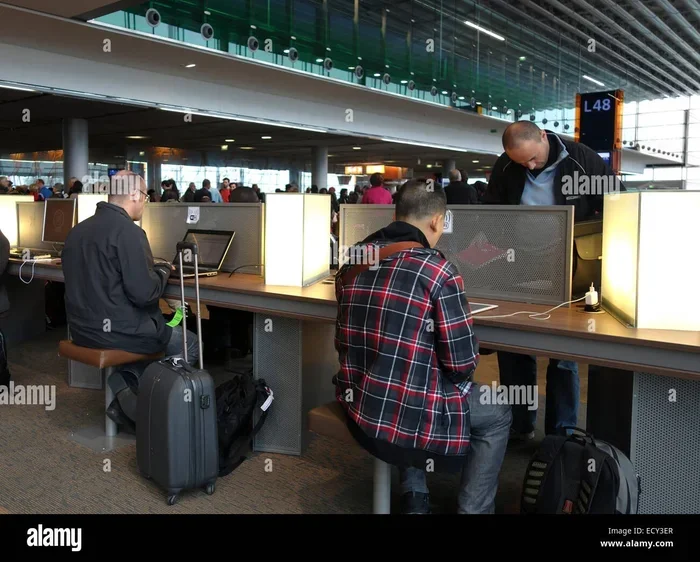
5 Essential Ways To Connect To The Web When Traveling Abroad
Staying connected while traveling overseas is easier than you think. This guide covers 5 essential ways to connect to the web when traveling overseas, including international data plans, local SIM cards, portable hotspots, free Wi-Fi, and eSIM technology. Learn practical tips, avoid common mistakes, and choose the best option for your next trip.
Key Takeaways
- International Data Plans: Add a travel plan to your existing carrier for seamless coverage abroad.
- Local SIM Cards: Save money by buying a SIM card at your destination for local rates.
- Pocket Wi-Fi Hotspots: Share a single connection with multiple devices on the go.
- Free Wi-Fi Networks: Use cafes, hotels, and public spaces to stay connected without extra costs.
- eSIM Technology: Switch carriers digitally without swapping physical SIM cards.
- Compare Options: The best choice depends on your trip length, budget, and device compatibility.
- Plan Ahead: Research connectivity options before you leave to avoid stress and extra charges.
📑 Table of Contents
- Why Staying Connected Abroad Matters So Much
- Way 1: Use International Data Plans from Your Carrier
- Way 2: Buy a Local SIM Card at Your Destination
- Way 3: Use a Portable Wi-Fi Hotspot (Pocket Wi-Fi)
- Way 4: Rely on Free Wi-Fi Networks
- Way 5: Switch to an eSIM for Seamless Global Connectivity
- Comparing Your Options: Which Way Is Best?
- Quick Tips for Staying Connected While Traveling Overseas
- Common Mistakes Travelers Make with Internet Abroad
- Expert Insights on Travel Connectivity
- Final Thoughts
Why Staying Connected Abroad Matters So Much
Traveling overseas used to mean going off the grid. You would disconnect from work, skip social media, and just enjoy the moment. But those days are largely behind us. Today, staying connected is not a luxury. It is a necessity.
Whether you need connect to the web when traveling overseas for work updates, navigation, translation apps, or sharing photos with family, having reliable internet access changes everything. It gives you peace of mind. It keeps you safe. And it makes your trip smoother from start to finish.
The same technology that powers our daily digital lives also supports critical fields like healthcare. For instance, computers play a vital role in modern medicine, from patient records to telemedicine consultations. The connectivity we rely on every day is part of a much bigger technological ecosystem that touches every aspect of our lives, including the way we travel.
But here is the challenge. Not every country offers the same internet access you enjoy at home. Roaming charges can bankrupt you. Public Wi-Fi can be risky. And buying a new SIM card in a foreign country can feel overwhelming if you have never done it before. This is exactly why knowing your options matters so much.
In this guide, we will walk through five essential ways to connect to the web when traveling overseas. Each method has its strengths and weaknesses. By the end, you will know exactly which approach fits your travel style, budget, and device setup.
Way 1: Use International Data Plans from Your Carrier
How It Works
Most major carriers now offer international data add-ons. These plans let you use your existing phone number and plan while abroad. You simply add a travel package before your trip or upon arrival.
This is one of the simplest ways to connect to the web when traveling overseas because nothing changes on your end. Your phone works exactly as it does at home. You keep your number, your contacts, and your apps.
Pros and Cons
- Pros: No need to buy a new SIM card. Your phone works immediately. Easy to set up online or through your carrier app.
- Cons: Can be expensive for longer trips. Data limits are often low. Speeds may slow down after a certain usage threshold.
Who Is This Best For?
If you are traveling for a short trip of a few days to a week, an international data plan from your carrier is often the most convenient choice. Business travelers who need a reliable number also benefit greatly from this option.
Tips to Save Money
- Check your carrier’s international page before booking your flight.
- Look for daily or weekly passes instead of monthly plans.
- Turn off automatic backups and large downloads while roaming.
- Use Wi-Fi whenever possible to conserve your roaming data.
Way 2: Buy a Local SIM Card at Your Destination
How It Works
A local SIM card gives you a new phone number and a data plan tailored to the country you are visiting. You can usually buy one at the airport, a local phone shop, or even a convenience store upon arrival.
This is one of the most popular ways to connect to the web when traveling overseas for budget-conscious travelers. Local SIM cards offer incredibly affordable data rates compared to roaming charges. In many countries, you can get gigabytes of data for just a few dollars.
Pros and Cons
- Pros: Very affordable data rates. Generous data allowances. You get a local number for calls and texts.
- Cons: Requires an unlocked phone. You need to set up the new SIM each time. You lose access to your home number temporarily.
Who Is This Best For?
Budget travelers, digital nomads, and anyone staying in one country for more than a few days will save a lot of money with a local SIM card. It is also ideal for long-term travelers who want a reliable and cheap data connection throughout their stay.
Tips for Buying a Local SIM
- Make sure your phone is unlocked before you leave home.
- Bring a passport. You will need it to register the SIM in most countries.
- Buy from official stores or reputable kiosks to avoid fake cards.
- Ask the seller to set up the data and APN settings for you.
Unlocked phones are a game-changer for international travel. If you are not sure whether your phone is unlocked, check with your carrier before your trip. Switching to an unlocked device gives you the freedom to use any SIM card worldwide. For a deeper look at how technology has transformed everyday life, including the way we use connected devices, explore how computers are used in medicine to see how interconnected devices have reshaped critical industries around the world.
Way 3: Use a Portable Wi-Fi Hotspot (Pocket Wi-Fi)
How It Works
A portable Wi-Fi hotspot, often called a pocket Wi-Fi or mobile hotspot device, is a small gadget that creates a personal Wi-Fi network wherever you go. You connect your phone, tablet, and laptop to it just like you would connect to a home router.
You can rent a pocket Wi-Fi device online before your trip or sometimes buy one at your destination. The device comes with its own data plan, and you can share the connection with multiple devices at once.
Pros and Cons
- Pros: Connects multiple devices simultaneously. No need to swap SIM cards. Keeps your personal phone number active. Great for families or group trips.
- Cons: You have to carry an extra device. Rental fees can add up. Battery life depends on usage. You need to charge it regularly.
Who Is This Best For?
Families, group travelers, and digital nomads who need to stay connected on multiple devices will love a portable Wi-Fi hotspot. It is also a great option if you do not want to mess with SIM cards or change your phone number.
Popular Pocket Wi-Fi Providers
Several companies specialize in renting pocket Wi-Fi devices for international travel. Look for providers that offer delivery to your home address before your trip. This way, the device is ready to go the moment you land. Compare data limits, coverage maps, and rental prices to find the best deal for your destination.
Way 4: Rely on Free Wi-Fi Networks
How It Works
Free Wi-Fi is everywhere in popular travel destinations. Hotels, cafes, airports, train stations, and even some public parks offer free internet access. All you need is your phone or laptop and a little patience to find a good connection.
Relying on free Wi-Fi is one of the oldest ways to connect to the web when traveling overseas without spending a single extra dollar. It works well for travelers on a tight budget or those staying in areas with strong free network coverage.
Pros and Cons
- Pros: Completely free. No extra devices to carry. Easy to find in cities and tourist areas.
- Cons: Unreliable in rural areas. Slow speeds during peak hours. Security risks if you do not use a VPN.
Stay Safe on Public Wi-Fi
Free Wi-Fi is convenient, but it is not always safe. Public networks can expose your personal data to hackers. Here are some simple steps to protect yourself:
- Always use a VPN (Virtual Private Network) when connecting to public Wi-Fi.
- Avoid logging into banking apps or entering sensitive information on open networks.
- Turn off file sharing and auto-connect features on your devices.
- Visit websites that use HTTPS encryption whenever possible.
- Forget the network after you are done to prevent your phone from auto-connecting later.
Who Is This Best For?
Budget travelers, short-trip visitors, and anyone staying in a city with excellent free Wi-Fi coverage will find this method very effective. Just make sure you have a backup plan for when free Wi-Fi is not available.
Way 5: Switch to an eSIM for Seamless Global Connectivity
How It Works
An eSIM, or embedded SIM, is a digital SIM built directly into your phone. Instead of inserting a physical card, you download a carrier profile and activate it instantly. This technology has revolutionized the way we connect to the web when traveling overseas.
Many modern smartphones now support eSIM, including the latest iPhones and Android devices. You can purchase an eSIM plan online, receive it instantly, and activate it without visiting a store or swapping any cards.
Pros and Cons
- Pros: Instant activation. No physical SIM needed. Switch between carriers easily. Keep your home SIM and eSIM active at the same time on dual-SIM phones.
- Cons: Not all phones support eSIM yet. Not all carriers offer eSIM plans in every country. Setup can be confusing for first-time users.
Who Is This Best For?
Tech-savvy travelers who want convenience and flexibility will love eSIM technology. It is perfect for frequent travelers who visit multiple countries and do not want to buy a new SIM card each time. Digital nomads and long-term travelers benefit the most from the ease of switching plans on the fly.
Getting Started with eSIM
First, check if your phone supports eSIM. You can usually find this in your phone settings under “Cellular” or “Mobile Data.” Next, choose an eSIM provider that covers your destination. Popular providers like Airalo, Holafly, and Ubigi offer data plans for over 200 countries. Purchase your plan, download the eSIM profile, and activate it. The entire process takes just a few minutes.
Comparing Your Options: Which Way Is Best?
Every traveler has different needs. What works for a two-day weekend trip might not work for a three-month backpacking adventure. Here is a quick comparison to help you decide.
| Method | Cost | Setup Ease | Best For |
|---|---|---|---|
| International Data Plan | Medium to High | Very Easy | Short trips, business travelers |
| Local SIM Card | Low | Moderate | Budget travelers, long stays |
| Portable Wi-Fi Hotspot | Medium | Easy | Families, group trips |
| Free Wi-Fi | Free | Very Easy | Budget travelers, city visits |
| eSIM | Low to Medium | Easy | Frequent travelers, tech users |
Use this table as a starting point. Your final choice may even be a combination of two or more methods. For example, you could use an eSIM for your primary data and rely on free Wi-Fi at your hotel to save even more.
Quick Tips for Staying Connected While Traveling Overseas
Here are some extra tips that will help you get the most out of your connectivity options:
- Download offline maps before you go. Google Maps and Maps.me let you download maps for offline use. This saves a ton of data and keeps you navigating even without a connection.
- Turn off background app refresh. Many apps use data in the background without you noticing. Disable this feature to stretch your data allowance.
- Set your phone to data saver mode. Both iOS and Android have built-in data-saving features that reduce usage without killing your experience.
- Carry a power bank. Portable Wi-Fi hotspots and phones drain batteries fast when you are constantly connected. A good power bank keeps everything running.
- Inform your contacts. Let friends and family know you might be on a different network or time zone. This prevents confusion and missed messages.
- Research your destination’s internet landscape. Some countries have restricted or slow internet. Knowing this ahead of time helps you set realistic expectations.
Common Mistakes Travelers Make with Internet Abroad
Avoid these common pitfalls so your trip goes smoothly:
- Not checking if your phone is unlocked. A locked phone will reject any local SIM card you buy abroad. Always verify this before you leave.
- Forgetting to turn off roaming. If you do not add an international plan, your phone will rack up roaming charges the moment it connects to a foreign network.
- Relying only on free Wi-Fi. Free networks are not always available, and they are not always reliable. Always have a backup data plan.
- Ignoring security risks. Connecting to unsecured public Wi-Fi without a VPN puts your personal data at risk. Always use protection.
- Buying a SIM card from an unverified seller. Fake or pre-activated SIM cards are a real problem in some countries. Stick to official stores and trusted vendors.
Expert Insights on Travel Connectivity
Technology has made staying connected abroad simpler than ever before. The rise of eSIM technology alone has transformed how millions of people handle internet access overseas. Instead of walking into a store and hunting for a SIM card, you can now download a plan in seconds and be online before you even leave the airport.
Travel technology experts also emphasize the importance of having a backup plan. Even the best-laid connectivity strategy can fail. A hotel Wi-Fi network might go down. A local SIM might have poor coverage in a rural area. Carrying a second option, like a pocket Wi-Fi device or an eSIM backup, ensures you are never truly offline.
Another expert tip is to research your destination’s connectivity culture. In some countries, people rely heavily on messaging apps like WhatsApp or WeChat rather than traditional SMS. Understanding these local habits helps you choose the right connectivity approach and communicate more effectively while you are there.
Final Thoughts
Knowing how to connect to the web when traveling overseas is one of the most important travel skills you can develop. It keeps you safe, informed, and connected to the people and services that matter most. Whether you choose an international data plan, a local SIM card, a portable hotspot, free Wi-Fi, or an eSIM, the key is to plan ahead and understand your options.
The best travelers are not the ones who have the most expensive plan. They are the ones who prepare. They know what works in their destination, they carry the right tools, and they stay flexible when things do not go as planned.
So before your next trip, take 30 minutes to research your connectivity options. Compare prices, check device compatibility, and set up your chosen method in advance. That small effort will save you time, money, and a lot of stress once you arrive. The world is more connected than ever. Make sure you are part of that connection, no matter where your travels take you.
Technology continues to evolve and make global connectivity more accessible every year. From the way we use devices in everyday life to how they support essential services like medicine, the digital world is deeply woven into our experiences. As you explore new destinations, staying connected is your gateway to a richer, safer, and more enjoyable travel experience. Choose your method, pack your devices, and get ready to explore the world fully connected.
Frequently Asked Questions
Can I use my phone abroad without an international plan?
Yes, but only if you use alternative methods like a local SIM card, eSIM, pocket Wi-Fi, or free Wi-Fi networks. Without any plan, your phone will not have data access outside your home network, and you may incur high roaming charges if data roaming is turned on accidentally.
Is it cheaper to buy a local SIM card or use roaming?
Buying a local SIM card is almost always cheaper than using roaming, especially for trips longer than a few days. Roaming charges can quickly add up, while local SIM cards offer affordable data packages designed for the local market.
Do I need an unlocked phone to use a local SIM card?
Yes. An unlocked phone can accept SIM cards from any carrier worldwide. If your phone is locked to your home carrier, you will need to request an unlock code before your trip. Most carriers unlock phones after your contract is fully paid off.
What is an eSIM and which phones support it?
An eSIM is a digital SIM built into your phone that lets you activate a carrier plan without a physical SIM card. Most recent iPhone models (iPhone 13 and later) and many flagship Android phones support eSIM. Check your phone settings or manufacturer’s website to confirm compatibility.
Are free Wi-Fi networks safe to use while traveling?
Free Wi-Fi is convenient but can pose security risks. Always use a VPN when connecting to public networks. Avoid accessing sensitive accounts like banking on open Wi-Fi. Stick to HTTPS websites and turn off auto-connect features on your devices.
How much data do I need for a week of travel?
This depends on your usage. Light users who mostly check messages and browse websites need around 1 to 3 GB per week. Heavy users who stream video or use navigation constantly may need 5 to 10 GB. Always check your planned activities and estimate accordingly.
=== CONCLUSION ===
Staying connected while you travel overseas does not have to be complicated or expensive. With the five methods covered in this guide, you have everything you need to choose the right connectivity solution for your next adventure. Whether you prefer the simplicity of an international data plan, the savings of a local SIM card, the flexibility of an eSIM, the convenience of a pocket Wi-Fi hotspot, or the accessibility of free Wi-Fi, there is an option that fits your travel style.
Take the time to prepare before you leave. Your future self will thank you when you are navigating a new city, sharing real-time updates with loved ones, or finishing work tasks without a hitch. Connect to the web when traveling overseas with confidence, and make every trip a connected and memorable experience.