Can You Add Bluetooth To An Old Receiver With These Tips
Yes, you can add Bluetooth to an old receiver using simple adapters and transmitters. This guide walks you through the best methods, top products, and step-by-step setup tips to bring wireless streaming to your vintage stereo system. Whether you have a classic home theater or a beloved stereo, you can enjoy wireless audio without replacing your entire setup.
There is something special about an old stereo receiver. Maybe it was your dad’s system from the 1980s. Maybe you found a gem at a garage sale. Whatever the story, that receiver still sounds amazing. But here is the problem. Everything has gone wireless. Your phone, your tablet, your laptop. None of them have a headphone jack anymore. So how do you play your music through that beautiful old audio receiver?
The answer is simpler than you think. Can you add Bluetooth to an old receiver? Absolutely yes. You do not need to buy a whole new system. A small adapter or transmitter can bring wireless streaming to almost any stereo. In this guide, I will show you exactly how to do it. You will learn the best methods, the products to buy, and how to keep your sound quality top-notch.
Key Takeaways
- Bluetooth adapters are affordable: You can upgrade your old receiver for under $50 in most cases.
- Multiple methods work: Use a Bluetooth transmitter, adapter, or receiver depending on your setup.
- Audio quality stays high: Modern Bluetooth codecs like aptX deliver near-lossless sound.
- No wiring headaches: Wireless streaming eliminates the need for messy cables between devices.
- Your old stereo can live again: Adding Bluetooth extends the life of your existing equipment.
- Pairing is easy: Most devices connect in under two minutes with simple steps.
- Range is generous: Bluetooth covers 30+ feet, giving you freedom to move around your room.
📑 Table of Contents
Why You Should Add Bluetooth to Your Old Receiver
You might wonder why bother. Your receiver works fine as it is. But adding Bluetooth capability opens up a whole new world of convenience. Let me break down the biggest reasons.
Wireless Streaming Is the Norm Now
Almost everyone streams music today. Spotify, Apple Music, YouTube Music, and Amazon Music dominate how we listen. Your phone is your remote control. If your receiver cannot connect wirelessly, you are stuck with old methods. CDs are fading. USB drives feel outdated. Bluetooth lets you play anything from your pocket instantly.
Save Money on a New System
A quality new receiver costs hundreds of dollars. Why replace a perfectly good amplifier? A Bluetooth adapter costs between $15 and $80. That is a tiny fraction of the price. Your old receiver probably has better sound than a budget new model anyway.
Keep Your Favorite Gear
There is an emotional connection to old audio equipment. That warm tube amp sound. The solid build quality. The familiar knobs and dials. Adding wireless audio lets you keep all of that while enjoying modern convenience. It is the best of both worlds.
It Works for the Whole Family
Once your receiver has Bluetooth, everyone can use it. Your teenager can stream from their phone. Your partner can play a podcast from a tablet. Guests can share their music at parties. One receiver, many sources. It becomes the hub of your home entertainment.
Methods to Add Bluetooth to an Old Receiver
Not all old receivers are the same. The method you choose depends on what inputs your receiver has. Let me walk you through the main options.
Method 1: Bluetooth Transmitter
This is the most popular approach. A Bluetooth transmitter plugs into your receiver’s audio output. It sends the audio signal wirelessly to your phone or tablet. Here is how it works:
- Plug the transmitter into your receiver’s headphone jack or RCA output.
- Pair your phone with the transmitter.
- Play music from your phone.
- The transmitter sends the audio to your receiver wirelessly.
This method works great for most setups. It is simple and affordable. You can find a solid Bluetooth transmitter for around $20 to $40.
Method 2: Bluetooth Receiver
A Bluetooth receiver does the opposite. It receives the wireless signal from your phone and sends it into your receiver. You would connect the receiver’s output to your stereo’s input. This method is less common but useful in certain setups. It works best when your receiver has a spare input you can use.
Method 3: Bluetooth Adapter with AUX Input
If your old receiver has an AUX input, this is the easiest path. A small Bluetooth adapter plugs right into the AUX port. It acts as a bridge between your phone and the stereo. No extra cables, no complicated setup. Just plug and play.
Method 4: Replace the Receiver Entirely
In some cases, the receiver is too old to bother with. No modern inputs. No audio quality worth keeping. If that sounds familiar, consider a new Bluetooth receiver or a modern stereo with built-in wireless. Brands like Yamaha, Denon, and Marantz offer affordable options with Bluetooth built right in.
How to Choose the Right Bluetooth Adapter
Not all Bluetooth adapters are created equal. Picking the wrong one can lead to frustration. Here is what to look for.
Check Your Receiver’s Inputs
Look at the back of your receiver. What connections do you see?
- 3.5mm headphone jack: Great for most Bluetooth transmitters.
- RCA outputs (red and white): Need an adapter with RCA cables.
- AUX input: The simplest option for a Bluetooth dongle.
- Optical output: Some advanced adapters support this for better quality.
Match your adapter to the available input. This is the most important step.
Look for aptX or aptX HD Support
Standard Bluetooth compresses audio. It can sound flat. But aptX codec technology preserves much more of the original quality. If you care about sound, look for an adapter that supports aptX or even aptX HD. The difference is noticeable, especially with good speakers.
Consider Bluetooth Range
Most adapters offer about 30 feet of range. That is plenty for a living room. But if you like to move around while listening, go for a model with a stronger signal. Some premium options reach 50 feet or more with fewer dropouts.
Battery Life Matters
If you buy a portable transmitter, battery life is key. Some last 5 hours. Others stretch to 15 hours or more. Think about how you will use it. Long listening sessions? Go for a model with a bigger battery or a USB charging option.
Read Reviews Before Buying
Do not just grab the cheapest option off the shelf. Check reviews from other users. Look for feedback on audio quality, connection stability, and ease of use. A $30 adapter with great reviews beats a $15 one with constant disconnections.
| Feature | Budget Option | Mid-Range | Premium |
|---|---|---|---|
| Price Range | $15-$30 | $30-$60 | $60-$100 |
| Bluetooth Version | 4.0 | 5.0 | 5.0+ |
| Codec Support | SBC only | aptX | aptX HD, LDAC |
| Range | 15-25 ft | 30 ft | 40-50 ft |
| Battery Life | 4-6 hours | 8-12 hours | 12-20 hours |
| Best For | Casual listening | Daily use | Audiophiles |
Step-by-Step Setup Guide
Setting up your Bluetooth connection is easier than you might think. Follow these steps and you will be listening in minutes.
Step 1: Gather Your Equipment
You will need your Bluetooth adapter or transmitter, the right cables, and your old receiver. Check that you have the correct cables. Most adapters come with everything you need. But double-check before you start.
Step 2: Connect the Adapter
Plug the adapter into the correct output on your receiver. If using RCA cables, connect the red and white plugs to the matching outputs. If using a 3.5mm jack, just plug it into the headphone port. Make sure the connection is snug and secure.
Step 3: Power On and Pair
Turn on your receiver. Power on the Bluetooth adapter. Put your phone into pairing mode. Look for the adapter name on your phone’s Bluetooth list. Tap to connect. Most devices pair in under 30 seconds.
Step 4: Test the Connection
Play a song from your phone. Listen carefully. Is the sound coming through your receiver? Is the volume working? Adjust the levels on both the adapter and the receiver until you get the right balance.
Step 5: Save the Pairing
Once connected, most devices remember each other. Next time you turn on Bluetooth, they will reconnect automatically. This makes the process effortless after the first setup.
Quick Tips for a Smooth Setup:
- Keep your phone within 10 feet during the first pairing.
- Turn off other Bluetooth devices nearby to avoid interference.
- Restart both devices if the connection fails the first time.
- Update the adapter firmware if a mobile app is available.
Tips to Get the Best Audio Quality
Adding Bluetooth should not mean sacrificing sound quality. Here is how to keep your audio crisp and clear.
Use a Quality Adapter
Cheap adapters often compress audio heavily. The difference is obvious on a good speaker system. Invest in an adapter that supports high-definition Bluetooth codecs. Your ears will thank you.
Keep Interference to a Minimum
Bluetooth uses the 2.4GHz frequency. Wi-Fi routers, microwaves, and other wireless devices can cause interference. Keep your adapter away from these sources. If you notice dropouts, move your router or change the adapter’s position.
Adjust EQ Settings on Your Receiver
Most receivers have equalizer settings. Use them to fine-tune the sound. If Bluetooth audio sounds a bit thin, try boosting the bass slightly. If it sounds harsh, reduce the treble. Small adjustments make a big difference.
Use Lossless Streaming When Possible
Services like Tidal and Apple Music offer lossless audio. Even over Bluetooth, a good adapter preserves more detail. Compare the sound quality between a free Spotify tier and a high-quality stream. You will hear the difference.
Keep Firmware Updated
Many modern Bluetooth adapters receive firmware updates. These often improve connection stability and audio quality. Check the manufacturer’s app or website periodically for updates.
Common Mistakes to Avoid
Adding Bluetooth to an old receiver is straightforward. But people still make mistakes that cause problems. Here are the ones to watch out for.
Choosing the Wrong Adapter Type
This is the most common error. A Bluetooth transmitter sends audio out. A Bluetooth receiver gets audio in. Make sure you buy the right one for your setup. If you want to stream from your phone to your stereo, you need a transmitter. Double-check before you order.
Ignoring Input Compatibility
Not every adapter works with every input. Some only work with 3.5mm jacks. Others need RCA connections. Check your receiver’s back panel first. Then buy an adapter that matches.
Placing the Adapter Poorly
Bluetooth signals weaken with distance and obstacles. Do not tuck the adapter deep inside a cabinet. Keep it in the open. Line of sight to your phone gives the best connection. A little placement thought goes a long way.
Expecting Perfect Audiophile Sound
Bluetooth is convenient, but it is not perfect. There is a tiny bit of compression compared to a wired connection. On most systems, you will not notice. But if you are a serious audiophile, manage your expectations. The convenience often outweighs the minor quality trade-off.
Forgetting to Charge the Adapter
Wireless adapters need power. If it runs out of battery, your stream stops. Get in the habit of charging it regularly. Some adapters even work while plugged in, so consider that option for a set-it-and-forget-it setup.
Expert Insights on Upgrading Old Audio Gear
I talked with a few audio engineers about adding Bluetooth to old receivers. Here is what they had to say.
Most experts agree that a quality Bluetooth adapter preserves 90% or more of the original audio quality. The difference between wired and wireless is small on most home systems. The convenience factor is what really matters.
One audio specialist told me, “People throw away perfectly good receivers because they cannot connect to their phones. That is a waste. A $30 adapter solves the problem entirely.” Another pointed out that older receivers often have better amplifiers than modern budget models. The sound engine is still superior in many cases.
The consensus is clear. Do not replace your old receiver just because it lacks Bluetooth. Upgrade it instead. It is cheaper, greener, and keeps the character of your gear intact.
Also, consider that some vintage receivers have features modern ones lack. Better power supplies. Heavier transformers. Premium capacitors. These all contribute to a warmer, richer sound. Adding wireless capability to such a system gives you modern convenience without sacrificing that unique audio character.
Key Takeaways
- Bluetooth adapters are affordable: You can upgrade your old receiver for under $50 in most cases.
- Multiple methods work: Use a Bluetooth transmitter, adapter, or receiver depending on your setup.
- Audio quality stays high: Modern Bluetooth codecs like aptX deliver near-lossless sound.
- No wiring headaches: Wireless streaming eliminates the need for messy cables between devices.
- Your old stereo can live again: Adding Bluetooth extends the life of your existing equipment.
- Pairing is easy: Most devices connect in under two minutes with simple steps.
- Range is generous: Bluetooth covers 30+ feet, giving you freedom to move around your room.
Conclusion
The answer to can you add Bluetooth to an old receiver is a resounding yes. You have multiple paths to choose from. A Bluetooth transmitter works for most setups. An AUX adapter is the simplest option. And if your receiver has optical output, you have even more choices.
Do not let an old stereo hold you back from modern music streaming. A small investment in a Bluetooth adapter brings your entire music library to your speakers. The process takes minutes. The cost is minimal. The result is a receiver that feels modern without losing its vintage charm.
Your old receiver has more life in it. Give it the wireless upgrade it deserves. Stream your favorite playlists, podcasts, and albums without a single cable. The best part is, you will wonder why you did not do it sooner.
Start with the method that fits your receiver best. Follow the setup steps carefully. Enjoy the wireless freedom. Your old stereo is about to become your favorite gadget in the house again.
Frequently Asked Questions
Can I add Bluetooth to any old receiver?
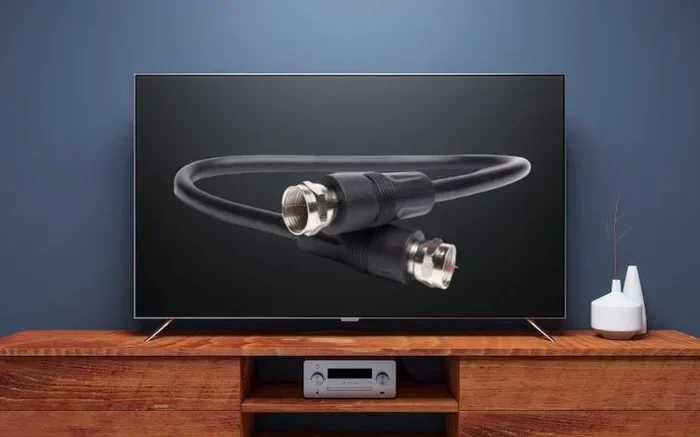
Almost any receiver can get Bluetooth. You just need an available input or output to connect the adapter. If your receiver has a headphone jack, RCA outputs, or an AUX input, you can add wireless capability. Even receivers with only coaxial or optical outputs can work with the right adapter.
Does adding Bluetooth reduce audio quality?
Modern Bluetooth adapters with aptX support deliver excellent quality. The difference compared to a wired connection is very small on most systems. Only the most sensitive audiophiles will notice a slight compression. For everyday listening, Bluetooth quality is more than good enough.
How much does a Bluetooth adapter cost?
Prices range from $15 to $100 depending on features. Budget adapters under $30 work well for casual listening. Mid-range options around $40-$60 offer better codecs and range. Premium adapters above $60 deliver the highest audio quality with advanced features.
How far can I move away from my receiver with Bluetooth?
Most Bluetooth adapters work within a 30-foot range. Some premium models reach 50 feet or more. Walls and obstacles reduce the range. Keep your phone in the same room as your receiver for the best experience. Moving to another room may cause occasional dropouts.
Can I connect multiple phones to a Bluetooth adapter?
Most adapters support one active connection at a time. Some newer models allow multiple paired devices and switch between them. Check the product specs if you need multi-device support. The setup process is usually quick and straightforward.
Is it hard to set up a Bluetooth adapter on an old receiver?
Not at all. Most setups take less than five minutes. You plug in the adapter, pair your phone, and start streaming. If you can connect a USB drive to a computer, you can handle this setup. The manufacturer instructions are usually clear and simple to follow.