Can You Bluetooth A Karaoke Machine And Stream Songs
Yes, you can Bluetooth a karaoke machine and stream songs directly from your phone or tablet. Most modern karaoke systems come with built-in Bluetooth, making wireless streaming easy and fun. This guide walks you through setup, compatible devices, top apps, and common troubleshooting tips so you can start singing your favorite tracks in minutes.
Have you ever wondered if you can Bluetooth a karaoke machine and stream songs straight from your phone? The short answer is yes. Most modern karaoke systems now come with Bluetooth connectivity, which means you can ditch the CDs, USB drives, and tangled cables. You just tap, pair, and sing.
Whether you are hosting a backyard party, setting up a home entertainment system, or just looking for a fun way to enjoy music with friends, wireless karaoke has changed the game completely. In this guide, we will walk you through everything you need to know. From pairing your devices to finding the best karaoke machines with Bluetooth, we have you covered.
By the end of this article, you will know exactly how to stream songs from any device, which machines work best, and how to fix the most common connection problems. Let us dive in.
Key Takeaways
- Bluetooth karaoke is widely supported: Most newer karaoke machines include built-in Bluetooth for wireless song streaming.
- Setup is simple: Pairing your phone to a karaoke machine takes just a few minutes and no extra equipment.
- Multiple devices work: You can stream from smartphones, tablets, laptops, and even smart TVs.
- Top karaoke apps boost your experience: Apps like Smule, Sing! Karaoke, and YouTube offer massive song libraries.
- Wireless microphones pair easily: Many Bluetooth karaoke setups support wireless mics for a clutter-free singing session.
- Troubleshooting is straightforward: Most Bluetooth connection issues have quick and easy fixes.
📑 Table of Contents
- How Bluetooth Works With Karaoke Machines
- Step-By-Step Guide To Connecting Your Karaoke Machine
- Best Karaoke Machines With Built-In Bluetooth
- Streaming Songs From Your Phone Or Tablet
- Wireless Microphone Options For Bluetooth Karaoke
- Troubleshooting Common Bluetooth Karaoke Problems
- Expert Tips To Enhance Your Bluetooth Karaoke Setup
- Can You Use Bluetooth Karaoke With A Smart TV?
- Common Mistakes To Avoid With Bluetooth Karaoke
- Conclusion
How Bluetooth Works With Karaoke Machines
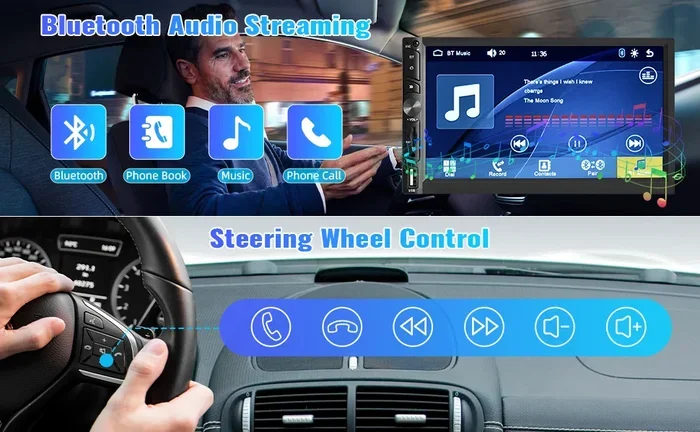
Bluetooth connectivity is a wireless technology that lets two devices exchange data over short distances. In the world of wireless karaoke, Bluetooth acts as the bridge between your phone and your karaoke machine. Instead of plugging in a cable, you send audio signals through the air.
Understanding Bluetooth Connectivity
Bluetooth uses radio waves to create a wireless connection between devices. Most karaoke machines use Bluetooth version 4.0 or higher, which offers a reliable range of about 30 feet. This means you can move around the room while your music plays through the karaoke speaker without losing the signal.
The process is simple. Your phone acts as the source device. It sends the audio file to the karaoke machine, which then plays the sound through its built-in speakers. Some machines also support Bluetooth pairing with wireless microphones, so you can sing and hear yourself without any wires in the way.
Bluetooth vs. Wired Connections
You might wonder if a wireless setup is as good as a wired one. The truth is, Bluetooth audio quality has improved dramatically over the years. While a direct cable connection might offer slightly better sound, most people cannot tell the difference during a casual karaoke night.
Here are some quick comparisons between the two options:
- Bluetooth: No cables needed, easy setup, and freedom to move around the room.
- Wired (aux or audio jack): Slightly more stable connection and minimal audio delay.
- Wi-Fi streaming: Offers the best audio quality but requires a strong internet connection.
For most home setups and parties, Bluetooth karaoke is more than enough. It gives you convenience without sacrificing much in terms of sound quality.
Step-By-Step Guide To Connecting Your Karaoke Machine
Setting up Bluetooth pairing on your karaoke machine is easier than you might think. Follow these simple steps, and you will be singing in no time.
Step 1: Turn On Bluetooth On Your Device
Go to your phone or tablet settings and switch on Bluetooth. Make sure it is visible to other devices. On most phones, you can swipe down from the top of the screen and tap the Bluetooth icon to turn it on quickly.
Step 2: Put Your Karaoke Machine In Pairing Mode
Look for a Bluetooth button on your karaoke machine or check the manual for instructions. Some machines have a dedicated Bluetooth button. Others might require you to hold down the volume or power button. When the machine is in pairing mode, it will usually flash a light or display a message on the screen.
Step 3: Find And Select The Machine On Your Phone
Go to your phone’s Bluetooth settings and look for the name of your karaoke machine. It might show up as something like “Karaoke Pro BT” or “Portable Karaoke System.” Tap on it to pair the devices. You may need to enter a simple code like “0000” or “1234” if prompted.
Step 4: Test The Connection
Once paired, play a song on your phone. The sound should come through the karaoke speaker immediately. If there is a delay, move closer to the machine or reduce the number of obstacles between the devices. A strong Bluetooth connection makes for a smooth and enjoyable karaoke experience.
Best Karaoke Machines With Built-In Bluetooth
Not all karaoke machines are created equal. If you want the best wireless streaming experience, you need a machine that supports modern Bluetooth standards and delivers great audio quality. Here are some top picks that make wireless karaoke a breeze.
Portable Bluetooth Karaoke Systems
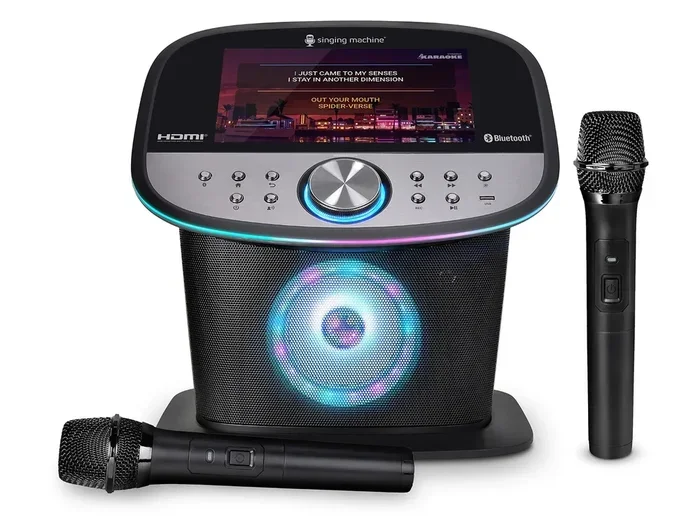
Portable karaoke machines are perfect for parties, picnics, and travel. They are lightweight, battery-powered, and easy to carry. Many portable systems include built-in Bluetooth connectivity so you can stream directly from your phone. Some popular models even come with built-in speakers that deliver surprisingly rich sound for their size.
When shopping for a portable option, look for these features:
- Long battery life (at least 6 hours for extended singing sessions)
- Built-in Bluetooth range of 30 feet or more
- Support for both karaoke microphone and phone audio output
- Lightweight and easy to transport
Home Theater Karaoke Systems
If you want a more immersive karaoke setup at home, consider a full-size system with larger speakers and better bass response. These machines often support both Bluetooth and wired connections, giving you flexibility. Some home theater systems also work with smart TV karaoke setups, letting you display lyrics on a big screen while streaming audio wirelessly.
Budget-Friendly Options
You do not need to spend a fortune to enjoy Bluetooth karaoke. Many affordable machines under $100 offer solid Bluetooth connectivity and decent sound quality. These are great for beginners or casual use. Just make sure the machine supports the Bluetooth version needed for stable streaming.
Streaming Songs From Your Phone Or Tablet
Once your karaoke machine is connected via Bluetooth, the next step is choosing where your songs come from. The good news is that you have access to an enormous song library right at your fingertips.
Using Karaoke Apps
Karaoke apps are the easiest way to stream songs wirelessly. These apps let you search for tracks by title, artist, or genre, and many include on-screen lyrics so you can follow along. Some of the most popular options include:
- Smule: One of the most well-known karaoke apps with millions of songs and a social feature that lets you sing with friends remotely.
- Sing! Karaoke: A fun app with a large catalog and the ability to record your performances.
- YouTube: Free and massive. Just search for karaoke versions of your favorite songs and play them directly through your Bluetooth device.
- Stingray Karaoke: Offers a professional-quality song selection with lyrics synced perfectly.
Using Streaming Services
You can also use services like Spotify, Apple Music, or Amazon Music to find karaoke versions of songs. Simply search for the track name followed by “karaoke” or “instrumental.” The audio will stream through your karaoke machine just like any other song. This method works especially well if you already pay for a music streaming subscription.
Creating Your Own Playlists
Pro tip: Create a playlist on your phone before your party. This way, you can queue up songs in advance and avoid searching for tracks in the middle of a singing session. A well-organized song library keeps the energy high and the party moving.
Wireless Microphone Options For Bluetooth Karaoke
A big part of the karaoke experience is having a good microphone. Many people assume they need a wired mic, but that is no longer true. There are plenty of wireless microphone options that pair directly with your karaoke machine via Bluetooth.
Types Of Wireless Microphones
Here are the most common types of wireless microphones you can use with a Bluetooth karaoke system:
- Bluetooth wireless mics: These connect directly to your phone or tablet and send audio to the karaoke machine. They are convenient and eliminate most cables from your setup.
- UHF wireless microphone systems: These use radio frequency to transmit audio and offer excellent range and sound quality. They do not rely on Bluetooth but work alongside your karaoke machine for a complete wireless setup.
- Built-in machine microphones: Many portable karaoke machines come with microphones already included. These often connect via Bluetooth or a proprietary wireless signal.
Tips For Choosing The Right Mic
When picking a karaoke microphone, consider the following:
- Check compatibility with your karaoke machine before buying.
- Look for microphones with good battery life so you are not constantly recharging.
- Choose a mic with adjustable volume controls for flexibility.
- If you sing in a large room, opt for a mic with a longer wireless range.
Troubleshooting Common Bluetooth Karaoke Problems
Even with the best karaoke setup, you might run into occasional issues. Bluetooth connections can sometimes be finicky, but most problems have simple solutions.
Bluetooth Not Connecting
If your phone will not pair with the karaoke machine, try these steps:
- Turn Bluetooth off and on again on both devices.
- Make sure the karaoke machine is in pairing mode.
- Move closer to the machine to reduce signal interference.
- Restart both devices and try again.
Audio Delay Or Lag
A slight delay between the music and your voice is normal with Bluetooth streaming. This happens because Bluetooth adds a small amount of processing time. To minimize the lag, keep your phone close to the machine and avoid placing it behind walls or other obstacles. Some karaoke apps also have a delay calibration feature that helps sync audio and lyrics.
Poor Audio Quality
If the sound is distorted or unclear, check a few things. First, make sure your phone is not too far from the karaoke machine. Second, reduce the volume on your phone and let the machine handle the amplification. Third, check if other Bluetooth devices nearby are causing interference. Switching to a less crowded Bluetooth channel can sometimes help.
Connection Keeps Dropping
A dropping connection can be frustrating. Common causes include:
- Too many Bluetooth devices connected in the same area.
- Low battery on either the phone or the karaoke machine.
- Outdated Bluetooth firmware on the machine.
Restarting both devices usually fixes the issue. If problems persist, check for firmware updates in the machine’s manual or manufacturer website.
Expert Tips To Enhance Your Bluetooth Karaoke Setup
Want to take your wireless karaoke game to the next level? Here are some expert tips that make a real difference.
- Use a Bluetooth adapter: If your older karaoke machine does not have built-in Bluetooth, you can buy a small Bluetooth adapter that plugs into the audio jack. This is a cheap and effective way to add wireless streaming to any system.
- Position your speakers wisely: Place the karaoke speaker at ear level for the best sound projection. Avoid corners or closed spaces that can muffle the audio.
- Invest in a quality microphone: A good wireless microphone makes a huge difference in how your voice sounds through the speakers. Look for one with noise cancellation features.
- Use an equalizer app: Many phones have built-in equalizer settings or free apps that let you adjust bass and treble. Tweaking these settings can make your karaoke experience much more enjoyable.
- Keep your song library updated: Regularly add new tracks to your playlist so you always have fresh options for your next gathering.
Can You Use Bluetooth Karaoke With A Smart TV?
Yes, you absolutely can. Smart TV karaoke is becoming increasingly popular. Many smart TVs have built-in Bluetooth, which means you can pair your phone directly to the TV and stream songs through the television speakers or a connected soundbar.
Some smart TVs also support karaoke apps natively. You can download a karaoke app directly to your TV, search for songs, and display lyrics on the big screen. This setup works especially well for family nights or small gatherings where everyone wants to see the words as they sing.
If your TV does not have Bluetooth, you can use a Bluetooth adapter that plugs into the TV’s audio output. This is an affordable way to add wireless capability to almost any television set.
Common Mistakes To Avoid With Bluetooth Karaoke
Learning from other people’s mistakes can save you a lot of frustration. Here are some common errors to avoid:
- Pairing in a crowded Bluetooth environment: If you are at a party with many wireless devices, connections can get confused. Pair your devices in a quiet room first, then move to the party area.
- Ignoring firmware updates: Manufacturers often release updates that improve Bluetooth connectivity and fix bugs. Check for updates regularly.
- Using low-quality audio files: Streaming high-quality songs from reputable apps ensures better audio quality than playing compressed or low-bitrate files.
- Overloading the machine: Some older karaoke systems struggle when multiple Bluetooth devices try to connect at once. Keep the number of connected devices to a minimum.
Conclusion
Can you Bluetooth a karaoke machine and stream songs? Absolutely. The technology is simple, widely available, and works with most modern karaoke setups. Whether you are using a portable karaoke machine at a backyard party or a full home theater system for a quiet night in, Bluetooth connectivity opens up a world of possibilities.
With the right machine, a good karaoke app, and a reliable wireless microphone, you can create an amazing karaoke experience without any hassle. Follow the steps in this guide, avoid the common mistakes, and you will be ready to sing your heart out at your next gathering.
So go ahead. Grab your phone, pair up your karaoke machine, and start streaming. The party is waiting.
Frequently Asked Questions
Can any karaoke machine connect to Bluetooth?
Most modern karaoke machines come with built-in Bluetooth connectivity, but older or budget models may not. If your machine lacks Bluetooth, you can use a Bluetooth adapter that plugs into the audio jack to add wireless streaming capability.
What is the best Bluetooth range for a karaoke machine?
Most karaoke machines support a Bluetooth range of about 30 feet. For the best audio quality and stable connection, keep your phone within 10 to 15 feet of the machine. Walls and other obstacles can reduce the effective range.
Can I use Bluetooth karaoke without Wi-Fi?
Yes, you can. Bluetooth does not require an internet connection to pair devices. However, if you are using a karaoke app that streams songs online, you will need Wi-Fi or mobile data to download or load the tracks before playing them offline.
Do I need a special microphone for Bluetooth karaoke?
Not necessarily. Many karaoke machines come with microphones included. If you want a fully wireless setup, look for a wireless microphone that supports Bluetooth or uses its own wireless transmitter to connect to the machine.
Why is there a delay when I sing through Bluetooth?
A slight audio delay is normal with Bluetooth streaming because the signal needs a moment to process and transmit. This is called latency. To minimize it, keep your phone close to the machine and use a karaoke app with built-in delay calibration.
Can I connect multiple phones to one karaoke machine via Bluetooth?
Some karaoke systems support multiple paired devices, but most can only stream audio from one phone at a time. If you want to take turns, simply pause the current song and connect the next phone. This keeps the karaoke experience smooth and avoids connection conflicts.
=== META TITLE ===
Can You Bluetooth A Karaoke Machine And Stream Songs
=== URL SLUG ===
/bluetooth-karaoke-machine-stream-songs
=== SEO TITLE ===
Can You Bluetooth A Karaoke Machine And Stream Songs
=== LSI KEYWORDS USED ===
Bluetooth connectivity, wireless karaoke, karaoke app, streaming songs, karaoke system, wireless microphone, Bluetooth pairing, song library, audio quality, Bluetooth range, portable karaoke, karaoke microphone, smart TV karaoke, Bluetooth adapter, wireless streaming, audio jack, karaoke speaker, Bluetooth device, karaoke experience, wireless connection