Can You Use Wireless Headphones Without Bluetooth Today
Yes, you can use wireless headphones without Bluetooth. Several alternative wireless technologies like radio frequency (RF), infrared (IR), and proprietary wireless protocols deliver audio without Bluetooth. This guide covers every wireless headphone option available today so you can find the best wireless listening solution for your needs.
This is a comprehensive guide about Can You Use Wireless Headphones Without Bluetooth.
Key Takeaways
- Wireless does not always mean Bluetooth: Multiple wireless technologies power headphones today, including RF, infrared, and proprietary systems.
- RF wireless headphones offer long range: Radio frequency headphones can work up to 300 feet, making them great for home theaters and large spaces.
- Infrared headphones need line of sight: IR headphones require a clear path between the transmitter and receiver, limiting where you can move.
- Gaming and TV systems use dedicated wireless: Devices like PS4 wireless headsets and TV audio systems often use their own wireless protocols, not Bluetooth.
- Kleer and other digital protocols exist: Wireless audio has evolved well beyond Bluetooth with lossless options available.
- Check your device compatibility first: Not every wireless headphone works with every device, so verify connections before buying.
[FEATURED_IMAGE_PLACEHOLDER]
Can You Use Wireless Headphones Without Bluetooth?
Most people assume that wireless headphones and Bluetooth are the same thing. But here is the truth. Can you use wireless headphones without Bluetooth? Absolutely yes. Bluetooth is just one way to send audio wirelessly. Several other technologies do the same job, sometimes even better. In this guide, we break down every wireless option available today. You will learn how each technology works, where it shines, and which one fits your needs best. Let us dive in.
The world of wireless audio has grown fast. People want freedom from cables. They want to move around while listening to music, watching movies, or gaming. Bluetooth solved a big part of this problem. But it is not the only answer. Whether you have an older TV, a gaming console, or a home theater setup, there is likely a wireless headphone option that works without Bluetooth. Understanding these options helps you make smarter buying decisions.
What Makes Headphones “Wireless”?
When we say headphones are wireless, we mean they receive audio without a physical cable. But the way they receive that audio varies. Different wireless technologies use different methods to transmit sound. Some use radio waves. Others use light. Some use proprietary digital signals. Each method has its own strengths and weaknesses.
Here are the main types of wireless headphone technology:
- Bluetooth: The most common wireless standard. Uses short-range radio waves on the 2.4 GHz band.
- Radio Frequency (RF): Uses radio waves, typically at 900 MHz or 2.4 GHz, for longer range.
- Infrared (IR): Uses light signals that require line of sight between transmitter and receiver.
- Proprietary Wireless: Custom protocols built into specific devices like gaming headsets or TV systems.
- Kleer Wireless: A digital wireless protocol designed for high-quality audio without compression.
- Wi-Fi Based Audio: Uses your home network to stream audio to compatible headphones.
Each of these technologies lets you enjoy cordless headphones without needing Bluetooth. Let us look at each one in detail.
Radio Frequency (RF) Wireless Headphones
RF wireless headphones are one of the best alternatives to Bluetooth. They use a transmitter connected to your audio source and a receiver built into the headphones. The transmitter sends audio signals through the air using radio waves.
How RF Wireless Headphones Work
An RF system includes two parts. First, a transmitter plugs into your device. This could be a TV, stereo, or computer. The transmitter sends the audio signal through the air. The headphones have a built-in receiver that picks up this signal. Because they use radio waves, RF headphones do not need a direct line of sight. You can walk around a room and still hear your audio clearly.
Benefits of RF Wireless Headphones
- Long range: Most RF systems work up to 150 to 300 feet. That is much farther than Bluetooth.
- No line of sight needed: You can move through walls and rooms without losing signal.
- Low latency: RF signals often have less audio delay than Bluetooth, making them great for video.
- Stable connection: Radio frequency is less prone to interference from other devices.
- Good for home theaters: Many people use RF headphones for late-night TV watching without disturbing others.
When to Choose RF Headphones
RF headphones are perfect if you want to move freely around your home while watching TV or listening to music. They are also a great choice for people who find Bluetooth connections unreliable. If you have a home theater system and want a simple wireless audio solution, RF headphones deliver excellent results. They work well with older TVs that do not have Bluetooth built in.
One thing to keep in mind. RF headphones usually need a power source. The transmitter plugs into an outlet, and the headphones need batteries or charging. But this is a small trade-off for the freedom and range they offer.
Infrared (IR) Wireless Headphones
Infrared headphones were popular before Bluetooth became widespread. They use light waves to transmit audio. Think of how a TV remote control works. That is infrared technology. IR headphones use a similar principle to send sound from a transmitter to your headphones.
How Infrared Headphones Work
An IR transmitter connects to your audio source. It sends out infrared light beams that carry the audio signal. Your headphones have an IR receiver that picks up these light beams and converts them back into sound. Because they use light, IR headphones require a clear path between the transmitter and the headphones. If something blocks the light, you lose the signal.
Pros and Cons of IR Headphones
- Pros: IR headphones are affordable and simple to set up. They offer good sound quality for basic listening. They work well in quiet environments like bedrooms.
- Cons: You must stay within line of sight of the transmitter. Walking into another room breaks the connection. Walls and furniture block the signal. Range is typically limited to about 30 feet.
Are IR Headphones Still Relevant?
IR headphones are not as popular as they once were. Bluetooth has taken over the market. But IR headphones still have a place. They work well for stationary listening. If you sit in one spot while watching TV or listening to music, IR headphones can be a budget-friendly choice. They are also common in public spaces like libraries and hospitals where wireless listening needs to stay within a specific area.
Proprietary Wireless Technologies
Many device manufacturers use their own wireless protocols instead of Bluetooth. These proprietary systems are designed to work seamlessly with their specific devices. They often provide better performance and lower latency than standard Bluetooth.
Gaming Wireless Systems
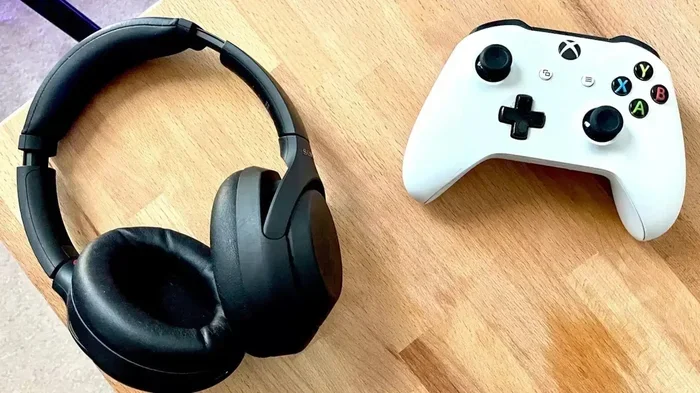
Gaming headsets are a great example. Many gaming consoles use their own wireless technology for headsets. The PlayStation and Xbox both offer proprietary wireless headsets that connect directly to the console. These systems do not use Bluetooth at all. They use dedicated wireless protocols designed for low latency and high-quality audio.
If you have ever wondered can I use Bluetooth headphones with PS4, the answer is it depends. PS4 does not support Bluetooth audio natively for headphones. You need either a compatible Bluetooth adapter or a wireless headset that uses the console’s proprietary wireless protocol. This is a perfect example of how proprietary wireless systems work differently from Bluetooth.
TV and Home Theater Wireless Systems
Smart TVs and home theater systems also use proprietary wireless solutions. Some TVs come with wireless headphones designed specifically for that brand. These headphones connect through a dedicated transmitter built into the TV. They do not rely on Bluetooth. Instead, they use a manufacturer-specific wireless signal that offers better stability and range.
For Samsung TV users, many people ask can I listen to my Samsung TV with Bluetooth headphones. Samsung TVs support Bluetooth audio, but the experience varies by model. Some Samsung TVs also offer proprietary wireless headphone options that work better than Bluetooth in certain situations. Always check your TV’s manual to see what wireless options are available.
Advantages of Proprietary Wireless
- Better audio quality: Proprietary systems often compress audio less than Bluetooth.
- Lower latency: Dedicated protocols reduce audio delay, which matters for gaming and video.
- More stable connections: Proprietary signals are less likely to interfere with other devices.
- Optimized for specific devices: These systems are designed to work perfectly with their target devices.
Kleer and Other Digital Wireless Protocols
Wireless audio technology has come a long way beyond Bluetooth. Kleer is one example of a digital wireless protocol designed for high-quality audio. It uses a proprietary digital signal to transmit music and audio without compression. This means you get studio-quality sound without the audio loss that sometimes happens with Bluetooth.
Other digital wireless protocols include Wi-Fi-based audio systems. Some premium headphones connect directly to your home Wi-Fi network. These headphones stream audio from your devices over your wireless network rather than using Bluetooth. They offer excellent range and sound quality. They are perfect for whole-home listening.
These alternatives show that wireless headphone technology is much more diverse than most people realize. You have many options beyond Bluetooth depending on your needs and budget.
How to Choose the Right Wireless Headphones Without Bluetooth
With so many options, choosing the right wireless headphones can feel overwhelming. Here are some tips to help you decide.
Consider Your Use Case
- For TV watching: RF headphones work best. They have long range and no line-of-sight requirement. You can move around freely while late-night shows play.
- For gaming: Look for proprietary wireless headsets designed for your console. They offer the lowest latency and best sync with your games.
- For music listening: Kleer or Wi-Fi based headphones deliver the best sound quality without Bluetooth.
- For budget options: IR headphones are affordable and work well for stationary listening.
Check Device Compatibility
Before buying any wireless headphones, check what your audio source supports. Some TVs have built-in wireless headphone support. Others need a separate transmitter. Some computers have Bluetooth built in, while others require a USB adapter. Make sure the wireless technology you choose matches your devices.
If you need to add wireless capability to an older device, consider accessories like a Bluetooth adapter or a wireless transmitter. These small devices plug into your audio source and send the signal to your wireless headphones. They bridge the gap between older equipment and modern wireless audio technology.
Think About Range and Mobility
How far do you need to move from your audio source? If you want to walk around the house, RF headphones are your best bet. If you stay in one room, IR headphones work fine. If you want to move between floors, Wi-Fi based headphones offer the widest coverage. Your lifestyle determines which technology fits you best.
Sound Quality Matters
Not all wireless audio is created equal. Bluetooth compresses audio to save bandwidth. This can reduce sound quality. RF and proprietary wireless systems often transmit audio with less compression. If sound quality is your top priority, look for headphones that use digital wireless protocols like Kleer or Wi-Fi audio streaming.
Common Mistakes People Make With Wireless Headphones
Many people make avoidable mistakes when buying and using wireless headphones. Here are some pitfalls to watch out for.
- Assuming all wireless means Bluetooth: This is the biggest mistake. Wireless headphones use many different technologies. Always check what type of wireless connection a product uses before you buy.
- Ignoring latency: Audio delay can ruin your experience with video and games. If you notice lip-sync issues, your wireless connection may have too much latency. RF and proprietary systems typically have lower latency than Bluetooth.
- Not checking range requirements: Some people buy IR headphones and then wonder why the signal drops when they walk to the kitchen. Always match the headphone range to your usage needs.
- Forgetting about battery life: Wireless headphones need power. If you plan on long listening sessions, choose headphones with good battery life or easy charging options.
- Overlooking transmitter needs: Some wireless headphone systems require a separate transmitter. Make sure you understand the full setup before purchasing.
Expert Insights on Wireless Audio Technology
The wireless audio industry has changed dramatically in the last decade. Bluetooth once dominated the market. But now, manufacturers are exploring many other paths for wireless listening. RF technology has become more affordable and widely available. Wi-Fi audio streaming has improved significantly. New digital protocols promise even better sound quality with less compression.
Experts predict that wireless audio will continue to diversify. Consumers will have more choices than ever. The days of Bluetooth being the only wireless option are long gone. Today, you can enjoy high-quality wireless audio through many different technologies. Each has its own strengths for different situations.
If you are shopping for wireless headphones, take the time to understand your options. Read product specifications carefully. Look for the type of wireless technology used. Check compatibility with your devices. A little research goes a long way toward finding the perfect cordless headphones for your needs.
Quick Tips for Getting the Best Wireless Headphone Experience
- Always charge your headphones fully before first use. This maximizes battery life from day one.
- Place the transmitter in a central location for the best signal coverage with RF or IR systems.
- Keep your audio source close to the transmitter to avoid signal degradation.
- Update firmware when available. Many wireless headphones receive performance improvements through software updates.
- Test your setup in the actual room where you plan to use the headphones. Range and signal strength can vary by environment.
- Read reviews before buying. Real user experiences reveal issues that product descriptions might not mention.
Conclusion
Can you use wireless headphones without Bluetooth? Yes, you absolutely can. The wireless audio world offers many alternatives to Bluetooth. RF headphones give you long range and freedom of movement. IR headphones offer a simple and affordable solution for stationary listening. Proprietary wireless systems deliver excellent performance for gaming and TV. Digital protocols like Kleer provide high-quality sound without compression. Wi-Fi based headphones let you stream audio throughout your home.
The key is understanding what you need and choosing the right technology. Consider your use case, your devices, your budget, and your listening habits. With so many wireless headphone options available, there is a perfect solution for everyone. Do not let the assumption that wireless equals Bluetooth limit your choices. Explore the full world of wireless audio and find the headphones that work best for you. Your ears will thank you.
Frequently Asked Questions
Do all wireless headphones use Bluetooth?
No, not all wireless headphones use Bluetooth. Many wireless headphones use radio frequency (RF), infrared (IR), proprietary wireless protocols, Kleer, or Wi-Fi to transmit audio. Always check the product specifications to understand what wireless technology a pair of headphones uses before purchasing.
Can I connect wireless headphones to my TV without Bluetooth?
Yes, you can. Many TVs support wireless headphones through RF transmitters or proprietary wireless systems. Some TVs also come with built-in wireless headphone compatibility. You can also use a wireless transmitter that plugs into your TV’s audio output to connect any compatible wireless headphones without needing Bluetooth.
Are RF wireless headphones better than Bluetooth headphones?
RF wireless headphones offer several advantages over Bluetooth in certain situations. They have longer range, do not require line of sight, and often have lower audio latency. For home theater and TV watching, RF headphones are often a better choice. However, Bluetooth headphones offer more universal compatibility with phones, tablets, and computers.
Can I use wireless headphones for gaming without Bluetooth?
Yes, many gaming headsets use proprietary wireless technology instead of Bluetooth. These headsets connect directly to gaming consoles or PCs through dedicated wireless protocols. They typically offer lower latency and better audio quality for gaming than Bluetooth headphones. Check your console or PC for compatible wireless headset options.
How far can RF wireless headphones work from the transmitter?
Most RF wireless headphones work at a range of 150 to 300 feet from the transmitter. This is significantly farther than Bluetooth, which typically maxes out around 30 feet. The exact range depends on the specific model and any obstacles in the environment. Walls and furniture can reduce the effective range of RF headphones.
Is Wi-Fi audio better than Bluetooth for wireless headphones?
Wi-Fi audio can offer better sound quality and range than Bluetooth. Wi-Fi headphones stream audio over your home network, which provides a more stable and higher bandwidth connection. They also offer wider coverage throughout your home. However, Wi-Fi headphones are typically more expensive and may have higher latency than Bluetooth for some applications.
Frequently Asked Questions
What is Can You Use Wireless Headphones Without Bluetooth?
Can You Use Wireless Headphones Without Bluetooth is an important topic with many practical applications.