Can You Connect 3 Bluetooth Devices At Once Easily
Can you connect 3 Bluetooth devices at once? The answer depends on your device, Bluetooth version, and the type of connection you need. Many modern phones, laptops, and tablets now support simultaneous Bluetooth connections to multiple devices. However, some older or budget devices may limit you to just one active connection at a time. This guide walks you through everything you need to know about connecting multiple Bluetooth devices at the same time. You will learn how it works, which devices support it, and practical tips to avoid common problems.
Have you ever wanted to play music from your laptop while taking a call on your phone through the same speaker? Or maybe you want your wireless earbuds connected to both your TV and your phone at the same time? The idea of connecting 3 Bluetooth devices at once sounds simple, but it is not always straightforward.
Can you connect 3 Bluetooth devices at once? The short answer is yes, but with some important caveats. Your device needs to support it. Your Bluetooth version matters. And the type of devices you are trying to connect also plays a big role. In this article, we will break down everything you need to know about simultaneous Bluetooth connections. You will learn how the technology works, which devices make it possible, and how to get the best results.
Whether you are a music lover, a remote worker, or someone who just loves wireless gadgets, this guide will help you get the most out of your Bluetooth connectivity. Let us dive in.
Key Takeaways
- Yes, you can connect 3 Bluetooth devices at once on many modern phones, laptops, and tablets.
- Bluetooth 5.0 and later versions handle multiple connections much better than older versions.
- Multipoint Bluetooth technology allows headphones and speakers to connect to two or more devices simultaneously.
- Windows PCs and Android phones are the most flexible for managing multiple Bluetooth connections.
- Common issues like audio lag, disconnections, and limited range can be fixed with simple troubleshooting steps.
- Bluetooth adapters can help older devices support multiple simultaneous connections.
- Device compatibility and Bluetooth profiles play a big role in how well multi-device connections work.
📑 Table of Contents
- How Bluetooth Connections Work
- Can You Connect 3 Bluetooth Devices At Once on Different Devices?
- Devices That Support Multiple Bluetooth Connections
- Tips for Managing Multiple Bluetooth Connections
- Common Problems and How to Fix Them
- Expert Tips for Seamless Wireless Connectivity
- Comparison: Devices That Support Multiple Bluetooth Connections
- Final Thoughts
How Bluetooth Connections Work
The Basics of Bluetooth Technology
Bluetooth is a short-range wireless technology that lets devices talk to each other without cables. It uses radio waves to send data between devices. The latest versions, especially Bluetooth 5.0 and above, are much faster and more stable than older versions.
When you pair two devices, they create a small personal network called a piconet. A piconet can have one master device and up to seven active slave devices. So in theory, your phone could connect to seven Bluetooth devices at the same time. But in real life, things are a bit more limited.
Most consumer devices handle two to three active connections well. Beyond that, you may run into performance issues. Audio streaming takes up a lot of bandwidth. So connecting three audio devices at once can sometimes cause delays or dropouts.
Bluetooth Profiles and Why They Matter
Every Bluetooth connection uses a specific profile. Think of a profile as a language that two devices use to communicate. The most common profile for audio is A2DP (Advanced Audio Distribution Profile). This is what lets you stream music from your phone to a speaker.
Another important profile is HFP (Hands-Free Profile). This handles phone calls. When you connect a headset, it uses HFP for calls and A2DP for music. Some devices can juggle multiple profiles at the same time. Others cannot.
This is one reason why connecting 3 Bluetooth devices at once does not always work perfectly. If all three devices want to use the same profile, there can be conflicts. Understanding profiles helps you troubleshoot when things go wrong.
Can You Connect 3 Bluetooth Devices At Once on Different Devices?
On Smartphones
Android phones have come a long way in supporting multiple Bluetooth connections. Many newer Android devices let you connect to three or more Bluetooth devices at the same time. Samsung phones, for example, allow you to connect two wireless earbuds and one speaker simultaneously. You can also switch between devices easily.
iPhones are a bit more limited. Apple devices support Bluetooth multipoint on some AirPods and Beats headphones. But connecting three separate Bluetooth devices at once on an iPhone is not always smooth. You can usually connect to two devices, but the third may cause issues.
If you want to connect multiple Bluetooth devices on your phone, check your settings first. Go to Settings > Bluetooth and see how many devices show as connected. Some phones also have a “dual audio” or “multi-device connection” feature in the advanced settings.
On Laptops and Computers
Windows laptops are some of the best devices for handling multiple Bluetooth connections. Most modern Windows 10 and 11 PCs can connect to three or more Bluetooth devices without breaking a sweat. You can connect a wireless mouse, a keyboard, a speaker, and even a headset all at the same time.
MacBooks also handle multiple connections well. Apple has improved Bluetooth device management in recent macOS updates. You can connect several peripherals and audio devices simultaneously. However, audio routing on macOS can sometimes be tricky.
If you use a Bluetooth adapter with your computer, you can boost the number of connections. A good USB Bluetooth 5.0 adapter can handle more devices than your laptop’s built-in Bluetooth chip.
On Tablets
iPads and Android tablets fall somewhere between phones and laptops. They can usually handle two to three Bluetooth connections. But the experience depends on the tablet model and its Bluetooth version. Newer tablets with Bluetooth 5.0 or later do a much better job.
Tablets are great for media consumption. You can connect a Bluetooth speaker for sound, a keyboard for typing, and a mouse for navigation all at the same time. Just be mindful of wireless connectivity stability when you push the limits.
Devices That Support Multiple Bluetooth Connections
Headphones and Earbuds with Multipoint
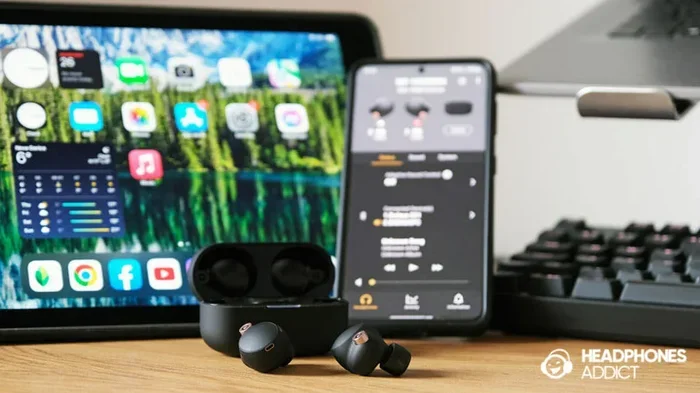
Bluetooth multipoint is a game-changer for anyone who wants to connect multiple devices. Multipoint headphones can connect to two devices at the same time. For example, your wireless earbuds can stay connected to your phone and your laptop. When a call comes in on your phone, the earbuds automatically switch over.
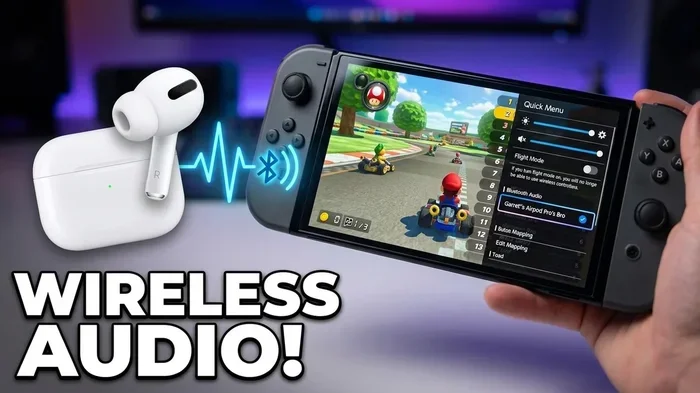
Some popular multipoint headphones include the Sony WH-1000XM5, the Jabra Elite 85h, and the Apple AirPods Pro. These devices make device switching seamless and almost invisible to the user.
However, most multipoint headphones only connect to two devices. If you want to connect three devices, you may need a workaround. Some users connect a Bluetooth transmitter to a third device, which then streams audio to the headphones. It is not perfect, but it works.
Bluetooth Speakers
Bluetooth speakers vary widely in their ability to handle multiple connections. Some budget speakers only support one connection at a time. When a second device tries to connect, the first one gets kicked off.
Higher-end speakers from brands like JBL, Bose, and Sonos often support dual or multiple device pairing. This means you can have your phone and tablet connected to the same speaker. You can switch between them without disconnecting either device.
For connecting three devices to one speaker, look for speakers with multi-point connection support. Some models also let you create a speaker party by linking multiple speakers together. This is a different approach but still solves the problem of sharing audio across devices.
Smart TVs and Streaming Devices
Smart TVs with Bluetooth can sometimes connect to multiple audio devices. This is great for households where more than one person wants to listen to the TV at the same time. Some brands like Samsung and LG support audio sharing features that let you connect two pairs of wireless headphones to one TV.
Streaming devices like the Roku Streaming Stick or Amazon Fire TV Stick may also support Bluetooth audio output. But connecting three devices through them can be challenging. The Bluetooth range and bandwidth limits often come into play here.
Tips for Managing Multiple Bluetooth Connections
Keep Your Devices Close
Bluetooth range is typically about 30 feet (10 meters) for most devices. When you are connecting multiple devices, distance matters even more. If your speaker is across the room and your phone is in another room, you may experience dropouts.
Keep all your connected devices within reasonable range of each other. This reduces interference and keeps your wireless audio stable. If you notice connection issues, moving closer to the central device often helps.
Update Your Bluetooth Drivers and Firmware
Outdated software is one of the biggest causes of Bluetooth problems. Make sure your phone, laptop, and all connected devices have the latest updates. This includes both Bluetooth drivers on your computer and firmware on your headphones or speakers.
On Windows, go to Device Manager and check for driver updates. On Android, look for system updates in Settings. On iPhones, updates come through iOS. Keeping everything current ensures the best device compatibility for multi-device connections.
Turn Off Unused Bluetooth Devices
This is a simple but powerful tip. If you have five Bluetooth devices in the room and only need three connected, turn off Bluetooth on the other two. Unused devices can cause signal interference and slow down your connections.
Think of it like a crowded room. The fewer people talking, the easier it is to hear the conversation you care about. The same goes for wireless connectivity. Fewer active Bluetooth devices mean a cleaner, more stable connection.
Use a Bluetooth Adapter for Older Devices
If your laptop or desktop has an older Bluetooth chip, it may struggle with multiple connections. A USB Bluetooth adapter can solve this problem. Look for an adapter that supports Bluetooth 5.0 or later for the best performance.
These adapters are affordable and easy to use. Simply plug them into a USB port, install the drivers, and pair your devices. A good adapter can handle three or more simultaneous connections without breaking a sweat.
Prioritize Audio Quality
When you connect multiple audio devices, quality can suffer. Bluetooth has limited bandwidth. Splitting that bandwidth among three devices means each device gets less data. This can result in lower audio quality or slight delays.
If audio quality is your top priority, limit the number of active audio streams. You can also use codecs like aptX or LDAC on supported devices. These codecs deliver better sound quality over Bluetooth. They help reduce the quality loss that comes with multi-device connections.
Common Problems and How to Fix Them
Audio Lag or Delay
Audio lag is one of the most common issues when connecting multiple Bluetooth devices. You press play on your phone, but the sound comes from the speaker a second later. This happens because Bluetooth has inherent latency, and it gets worse with multiple connections.
To fix this, try reducing the number of active Bluetooth devices. Also, make sure all your devices are using the same Bluetooth version. Bluetooth 5.0 and later have much lower latency than older versions. If you are using a Bluetooth adapter, make sure it supports low-latency codecs.
Devices Keeping Disconnect
If your Bluetooth devices keep disconnecting, it is usually a signal or interference problem. Wi-Fi routers operate on the same 2.4 GHz frequency as Bluetooth. When both are active, they can interfere with each other.
Move your router away from your Bluetooth devices if possible. You can also switch your Wi-Fi to the 5 GHz band, which does not interfere with Bluetooth. Another fix is to reset your Bluetooth connections. Turn Bluetooth off, wait 10 seconds, and turn it back on. This often resolves temporary connection issues.
One Device Blocks Another
Sometimes when you connect a third device, one of the existing connections drops. This happens because the device cannot handle all three connections at once. It is a device limitation, not a Bluetooth flaw.
The fix here is to check your device specifications. Look up how many simultaneous Bluetooth connections your phone or laptop supports. If it only supports two, you may need to disconnect one device before connecting the third. Some advanced devices allow you to set priority levels for different connections.
Expert Tips for Seamless Wireless Connectivity
Industry experts recommend a few best practices for managing multiple Bluetooth connections. First, always start with the most important device. Connect your primary device first, then add the secondary and tertiary devices. This helps the Bluetooth stack prioritize correctly.
Second, use Bluetooth 5.0 or newer devices whenever possible. The newer versions handle multiple connections more gracefully. They also have better range and less power consumption. If you are buying new headphones or speakers, check the Bluetooth version before you purchase.
Third, restart your devices regularly. A simple restart clears the Bluetooth cache and resolves many minor issues. Experts also suggest keeping your connected devices list clean. Remove old or unused pairings from your Bluetooth settings. This frees up memory and reduces confusion when pairing new devices.
Finally, consider investing in a Bluetooth hub or transmitter. These devices act as a central hub for all your Bluetooth connections. They can manage multiple connections more efficiently than your phone or laptop alone. This is especially useful for home entertainment setups where you want to connect speakers, headphones, and gaming controllers all at once.
Comparison: Devices That Support Multiple Bluetooth Connections
Not all devices are created equal when it comes to connecting multiple Bluetooth devices. Here is a quick comparison of popular device types and their multi-connection capabilities.
| Device Type | Typical Max Connections | Multipoint Support | Best For |
|---|---|---|---|
| Android Phones | 3-5 devices | Yes (on select models) | Music, calls, and multitasking |
| iPhones | 2-3 devices | Limited (AirPods/Beats only) | Apple ecosystem users |
| Windows Laptops | 3-7 devices | Yes | Work setups with many peripherals |
| MacBooks | 3-5 devices | Yes | Creative professionals |
| Bluetooth Speakers | 2-3 devices | Varies by model | Home audio and parties |
| Wireless Earbuds | 2 devices | Yes (multipoint models) | On-the-go audio switching |
As you can see, Windows laptops offer the most flexibility for connecting multiple Bluetooth devices. Android phones are close behind. iPhones are more restrictive but still handle two to three connections in most cases. When choosing devices for a multi-connection setup, always check the manufacturer specifications.
Final Thoughts
Can you connect 3 Bluetooth devices at once? Yes, you absolutely can, on most modern devices. The key is understanding your device’s capabilities and choosing the right equipment for your needs. Bluetooth 5.0 and later versions make this easier than ever. Multipoint headphones and multi-device speakers have also improved the experience dramatically.
Keep your devices updated, manage your connections wisely, and troubleshoot problems with the tips shared in this guide. Connecting multiple Bluetooth devices opens up a world of convenience. You can switch between your phone, laptop, and tablet without ever touching a cable.
Start experimenting with your own setup today. Connect your favorite devices and see how seamless wireless connectivity can transform the way you work, listen, and play. With the right knowledge and a little patience, you will be making the most of your Bluetooth connections in no time.
Frequently Asked Questions
Can I connect 3 Bluetooth devices to my iPhone at the same time?
iPhones can connect to 2-3 Bluetooth devices, but the experience varies. Apple supports Bluetooth multipoint on AirPods and Beats headphones. For other devices, you may need to disconnect one before connecting another. Newer iPhones with iOS 15 and later handle multiple connections better than older models.
Why does my Bluetooth keep disconnecting when I connect 3 devices?
This usually happens because your device has a connection limit or the Bluetooth bandwidth is overloaded. Older Bluetooth versions struggle with multiple connections. Try updating your device firmware, moving closer to the central device, and turning off Bluetooth on unused devices to improve stability.
Do I need a Bluetooth adapter to connect 3 devices?
Not always. Many modern phones and laptops can handle three connections natively. However, if your device has an older Bluetooth chip, a USB Bluetooth 5.0 adapter can help. It boosts your connection capacity and improves wireless audio quality across all connected devices.
Can I connect 3 Bluetooth speakers to one phone?
Yes, some phones and speakers support speaker pairing or multi-speaker connections. Samsung phones, for example, let you connect multiple speakers through the SmartThings app. JBL and Bose also offer apps that allow you to link several speakers together for a richer sound experience.
Is Bluetooth 5.0 better for connecting multiple devices?
Absolutely. Bluetooth 5.0 offers better range, faster speeds, and improved handling of multiple connections. It uses less power and has a more stable signal. If you plan to connect several Bluetooth devices, choosing devices with Bluetooth 5.0 or later is highly recommended.
Can I connect 3 Bluetooth devices to a Windows laptop?
Yes, most Windows laptops can connect to 3 or more Bluetooth devices at the same time. Windows 10 and 11 handle Bluetooth device management very well. You can connect a mouse, keyboard, speaker, and headset all at once. Just make sure your Bluetooth drivers are up to date for the best performance.
=== CONCLUSION ===
Can you connect 3 Bluetooth devices at once easily? The answer is a clear yes for most modern devices. With the right setup, you can enjoy seamless wireless connectivity across your phone, laptop, and speaker without any hassle. Bluetooth multipoint technology and Bluetooth 5.0 have made this more accessible than ever before.
Remember to keep your devices updated, manage your connections wisely, and invest in quality Bluetooth gear when needed. The tips and solutions in this guide will help you get the most out of your Bluetooth pairing experience. Start connecting your devices today and enjoy the freedom of truly wireless audio and connectivity.