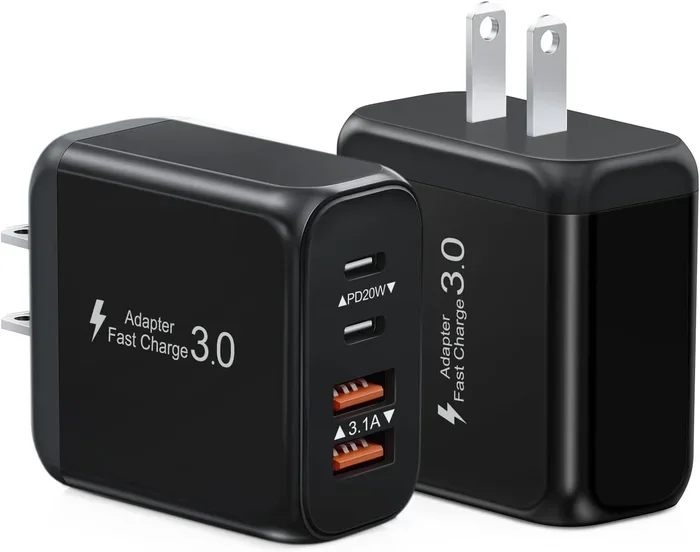
Are All Usb C Power Adapters The Same And Why It Matters
No, all USB-C power adapters are not the same. They differ in wattage, charging speed, and compatibility. Using the wrong adapter can damage your device or slow it down. This guide explains everything you need to know about USB-C power adapters and how to choose the right one.
You have probably grabbed a USB-C charger from a drawer and plugged it into your laptop or phone without a second thought. But here is the thing. Not all USB-C power adapters are the same, and using the wrong one can cause real problems.
USB-C has become the universal charging standard. It is on laptops, phones, tablets, and even some 5 Components That Are Found On The Motherboard that handle power regulation inside your device. But the adapter on the wall plug? That is where things get tricky. Some adapters deliver 10 watts. Others push 100 watts or more. And they are not interchangeable.
In this guide, we will break down exactly why USB-C power adapters differ, what to look for, and how to avoid common mistakes. Whether you are charging a phone or a powerful laptop, this article has you covered.
Key Takeaways
- USB-C power adapters vary widely in wattage, voltage, and charging protocols.
- USB Power Delivery (USB-PD) is the standard that determines how much power your device receives.
- GaN chargers are smaller, cooler, and more efficient than traditional adapters.
- Using the wrong adapter can lead to slow charging or even device damage.
- Match your adapter to your device’s needs for safe and fast charging.
- Not all USB-C cables support the same power levels, so pairing matters.
- Check your device’s charging specs before buying any adapter.
📑 Table of Contents
What Makes USB-C Power Adapters Different From Each Other
At first glance, most USB-C power adapters look the same. They have a rectangular plug on one end and a USB-C cable on the other. But underneath the plastic shell, a lot is happening. The differences come down to a few key factors.
Wattage and Power Output
Wattage is the total amount of power an adapter can deliver. You will see numbers like 18W, 30W, 65W, or even 100W printed on the brick. A higher wattage means faster charging. But here is the catch. Your device will only draw the power it needs. A 100W adapter will not force 100 watts into a phone that only accepts 18W.
Still, using a low-wattage adapter on a power-hungry device is a bad idea. If your laptop needs 65W and you plug in a 30W adapter, it will charge very slowly or not at all under load.
Voltage and Amperage
Power is measured in watts, but it is made up of two smaller units. Voltage (volts) and amperage (amps). Think of it like water flowing through a pipe. Voltage is the water pressure. Amperage is the flow rate. Together, they determine the total power.
USB-C adapters can adjust both voltage and amperage dynamically. This is where USB Power Delivery comes in. A good PD charger will communicate with your device and negotiate the right voltage and amperage automatically.
Charging Protocols
Different devices use different charging protocols. Apple, Samsung, Google, and Dell all have their own standards. USB Power Delivery (USB-PD) is the most universal protocol. It works across many brands and devices. But some brands use proprietary protocols that only work with their own chargers.
For example, 10 Ways Computers Are Used In Medicine includes powering specialized medical devices that may require specific charging standards. In those cases, a generic USB-C adapter might not cut it.
Understanding USB Power Delivery and Why It Matters
USB Power Delivery, or USB-PD, is the smart system that makes USB-C charging work safely. It is built into both the adapter and your device. Without it, USB-C would just be a cable with no brain.
How USB-PD Works
When you plug a USB-C cable into your device, the adapter and the device talk to each other. They exchange information about what power is needed. The adapter then delivers exactly that amount of power. This happens in milliseconds.
This negotiation process is what makes USB-C so versatile. The same adapter can charge a phone at 18W and a laptop at 65W. It just adjusts on the fly.
USB-PD Power Classes
USB-PD defines several power classes. Here is a quick look at what is available:
- 10W – Enough for basic phones and small accessories
- 18W – Standard for most modern smartphones
- 30W – Good for tablets and lighter laptops
- 65W – Common for ultrabooks and standard laptops
- 100W – For gaming laptops and power-hungry devices
As you can see, the range is huge. And not every USB-C power adapter supports every power class. Always check the specs before you buy.
GaN vs Traditional USB-C Adapters
If you have been shopping for USB-C chargers recently, you have probably seen the term “GaN.” It stands for Gallium Nitride. And it is changing the game.
What Is GaN Technology?
GaN is a semiconductor material that replaces the traditional silicon in power adapters. The result is a charger that is smaller, cooler, and more efficient. A GaN wall adapter can deliver the same power as a much larger traditional brick.
These adapters run cooler because they waste less energy as heat. That means they are safer to leave plugged in and better for your device’s battery over time.
Pros and Cons of GaN Adapters
- Pros: Smaller size, less heat, higher efficiency, faster charging support
- Cons: Higher price point, fewer options on the market
Pros and Cons of Traditional Silicon Adapters
- Pros: Cheaper, widely available, proven technology
- Cons: Bulkier, run hotter, less efficient
For most people, a GaN charger is the better choice. The size savings are real, and the efficiency gains mean less wasted energy. But if you are on a tight budget, a traditional USB-C adapter still gets the job done.
How to Choose the Right USB-C Power Adapter
Buying a USB-C power adapter does not have to be confusing. Just follow a few simple rules and you will get the right one every time.
Check Your Device’s Charging Requirements
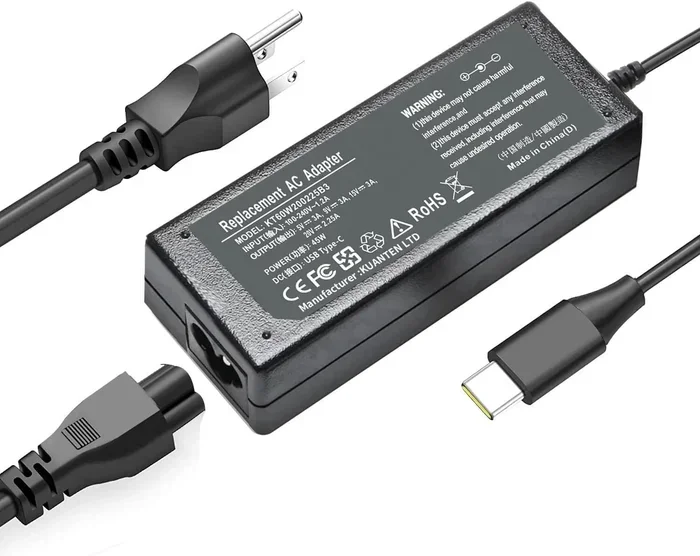
Start by looking at what your device needs. Check the label on your old charger or look up the specs online. You want to find the recommended wattage and voltage. This is your starting point.
For example, if your laptop charger is rated at 65W, you need an adapter that can deliver at least 65W. Going higher is fine. Going lower will cause problems.
Look for USB-PD Compatibility
Make sure the adapter supports USB Power Delivery. This is the most widely compatible charging standard. If your device uses USB-PD, you want an adapter that does too. Most modern adapters from reputable brands support it.
Consider the Number of Ports
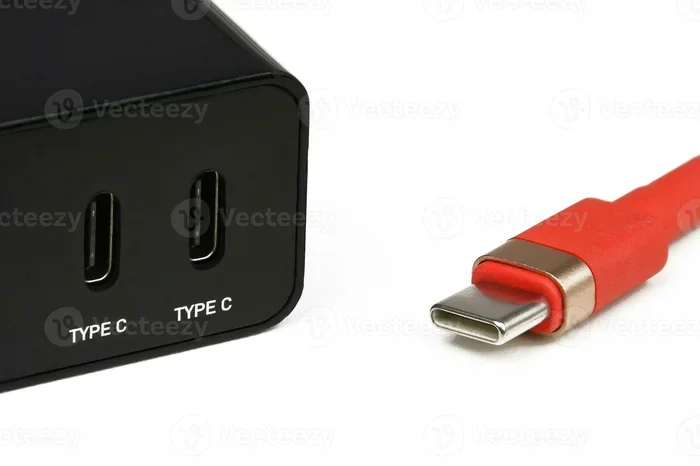
Do you charge multiple devices at once? Consider a multi-port charger. These adapters have two or more USB-C ports and can split the total wattage between them. Just be aware that the combined output may be lower than a single-port charger.
Brand Reputation Matters
Stick with trusted brands. Cheap no-name adapters may save you a few dollars, but they can be unsafe. Poorly made adapters can deliver inconsistent power, which may damage your device or battery over time.
Travel-Friendly Options
If you travel often, look for a compact travel adapter with a folding plug. GaN chargers are especially good for travel because they are so small. Some even come with built-in international plugs for worldwide use.
Quick Tips for Buying the Right Adapter
- Match the wattage to your device’s needs
- Choose USB-PD for the widest compatibility
- Go GaN if size and efficiency matter to you
- Avoid ultra-cheap brands that cut corners on safety
- Check cable quality too, since cables matter just as much as adapters
Common USB-C Charging Mistakes People Make
Even with the right adapter, people still make mistakes that hurt their devices. Here are the most common ones.
Using a Low-Quality Cable
A great USB-C power adapter means nothing if your cable is bad. Cheap cables often have thin wires that cannot handle high wattage. They can overheat, charge slowly, or even break your device. Always use cables that are rated for the power level you need.
Ignoring Cable Length
Longer cables have more resistance. This means they lose some power as it travels through the wire. A 6-foot cable may charge slightly slower than a 1-foot cable at the same wattage. For fastest charging, use the shortest cable that works for your setup.
Assuming All USB-C Ports Are Equal
Not every USB-C port on your laptop or device supports the same power levels. Some ports are designed only for data transfer and basic charging. Others can handle full-speed fast charging. Check your device manual to know which port to use.
Overcharging Your Device
Modern devices have built-in protections against overcharging. But leaving your device plugged in 24/7 can still put stress on the battery. It is better to unplug once the battery reaches 80-100% if you can.
Using the Wrong Adapter for the Wrong Device
This one seems obvious, but it happens all the time. A phone charger will not efficiently charge a laptop. A laptop charger may be too powerful for a phone (though most devices handle this fine). Always match your adapter to your device’s power needs.
The Future of USB-C Power Adapters
The world of charging is moving fast. USB-C power adapters are getting smarter, smaller, and more powerful every year. The adoption of USB-C as a universal standard by governments and industries is driving innovation.
We can expect to see even higher wattage adapters in the near future. GaN technology will continue to shrink. And USB Power Delivery standards will evolve to support faster and safer charging across all devices.
For now, the best thing you can do is understand what you have and make smart choices. A good adapter paired with a quality cable will keep your devices running safely and efficiently.
Conclusion
The answer to whether all USB-C power adapters are the same is a clear no. They differ in wattage, protocol, size, and quality. Choosing the right one matters for your device’s safety, battery health, and charging speed.
Take a few minutes to check your device’s charging requirements. Look for USB-PD support. Consider a GaN adapter for the best experience. And never underestimate the importance of a good cable.
With the right USB-C power adapter, you can charge any device quickly, safely, and confidently. That is a small investment for a big peace of mind.
Frequently Asked Questions
Can I use any USB-C adapter with my laptop?
Not necessarily. Your laptop needs a specific wattage to charge properly. Check your laptop’s charging requirements and make sure the adapter meets or exceeds that wattage. Using a lower-wattage adapter may result in slow charging or no charging at all under load.
Is USB Power Delivery the same as fast charging?
USB Power Delivery is a universal standard that enables fast charging across devices. But some brands use their own proprietary fast charging protocols that go beyond USB-PD. Look for adapters that support both USB-PD and your brand’s specific protocol for the best results.
Can a USB-C power adapter damage my device?
A poor-quality or incompatible adapter can potentially damage your device. Cheap adapters may deliver inconsistent power or lack proper safety protections. Always buy from reputable brands and ensure the adapter matches your device’s power requirements.
Do I need a GaN charger for my USB-C devices?
No, a GaN charger is not required. Traditional silicon adapters work fine for most devices. However, GaN chargers are smaller, cooler, and more efficient, making them a great upgrade if you value portability and performance.
Why does my USB-C charger get warm during use?
Some warmth is normal, especially with higher-wattage adapters. However, excessive heat can indicate a low-quality charger or an incompatible cable. If your charger gets too hot to touch, unplug it and check the adapter and cable quality.
Can I charge multiple devices with one USB-C adapter?
Yes, if you use a multi-port adapter. Just keep in mind that the total wattage is shared between ports. A 65W adapter with two ports might deliver 45W to one device and 20W to the other, depending on the load and design.