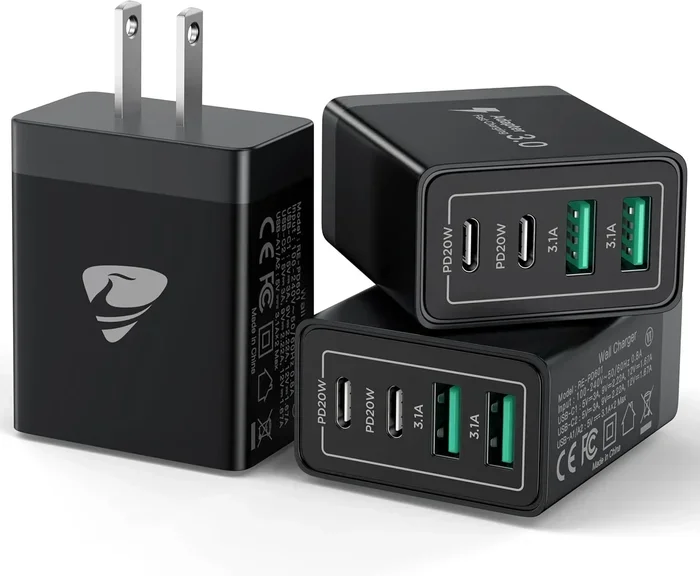
Are All USB C Wall Chargers The Same Or Completely Different
Not all USB C wall chargers are the same — they differ in wattage, power delivery, and charging speed. Choosing the wrong charger can mean slow charging or even damage to your device. This guide breaks down everything you need to know about USB C power adapters and how to pick the best one.
You grab a USB C wall charger from a drawer, plug it in, and wait. But your phone charges slower than usual. Or maybe it barely charges at all. Sound familiar? The truth is, not all USB C wall chargers are the same, even if they look identical on the outside. The differences inside these small blocks can be huge.
USB C has become the standard charging port for most devices today. From laptops and tablets to smartphones and earbuds, the USB C connector is everywhere. But convenience has a catch. Just because a charger fits your port does not mean it delivers the right power. Choosing the wrong one can lead to slow charging, wasted time, and in some cases, long-term damage to your battery.
In this guide, we will break down exactly why USB C chargers differ, what to look for, and how to avoid common mistakes. By the end, you will know exactly how to pick the right USB C power adapter for every device in your home.
Key Takeaways
- USB C chargers are not universal: Different chargers deliver different wattage and power levels.
- USB C Power Delivery (PD) matters: PD chargers adjust power output to match your device’s needs.
- Wattage and amperage affect charging speed: Higher wattage means faster charging for compatible devices.
- GaN chargers are the modern choice: They are smaller, cooler, and more efficient than traditional chargers.
- Using the wrong charger can cause problems: Slow charging, overheating, or even device damage are real risks.
- Check your device specs first: Always match charger output with your device’s charging requirements.
📑 Table of Contents
- What Makes USB C Wall Chargers Different From Each Other
- How USB C Charging Works and Why Speed Varies
- USB C Charger Compatibility: What Works with What
- Quick Tips for Choosing the Right USB C Wall Charger
- Common Mistakes People Make with USB C Wall Chargers
- Expert Insights on USB C Wall Charging
- Final Thoughts: Are All USB C Wall Chargers the Same?
What Makes USB C Wall Chargers Different From Each Other
It is easy to assume that every USB C charger works the same way. After all, they all use the same plug shape. But underneath the plastic housing, there are big differences. Understanding these differences is the first step to smarter charging.
Wattage and Power Output
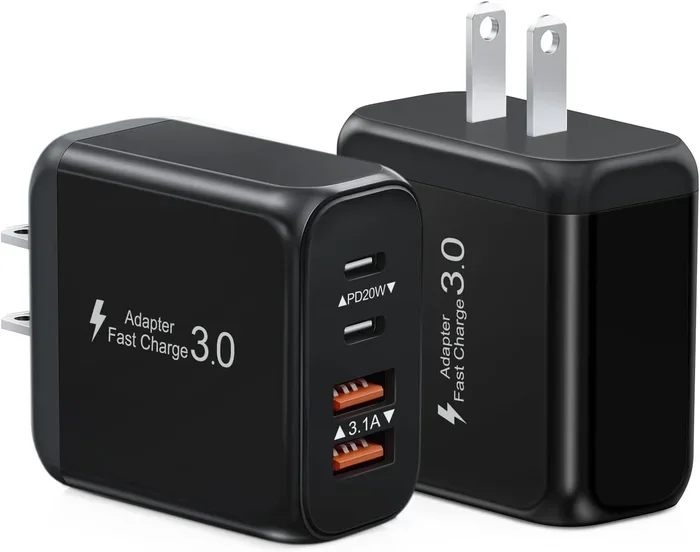
Wattage is the total power a charger can deliver. A basic USB C charger might offer 18 watts, while a premium one can push 100 watts or more. The higher the wattage, the faster your device can charge — but only if your device supports that power level.
For example, a phone that accepts 20 watts will not charge any faster on a 100-watt charger. The device controls the power draw. However, a laptop that needs 65 watts will charge very slowly on an 18-watt brick. This mismatch is the number one reason people think their charger is broken.
USB C Power Delivery (PD) Protocol
USB C Power Delivery, or PD, is a smart charging protocol. It allows the charger and the device to communicate. The charger asks the device, “How much power do you need?” and delivers exactly that amount. This is a huge upgrade over older charging methods that pushed a fixed amount of power regardless of what the device wanted.
Not all USB C chargers support PD. Some are basic chargers that output a fixed voltage and current. These work fine for simple devices like earbuds or fitness trackers. But for power-hungry gadgets like laptops or tablets, a PD charger is essential. Always check if your charger supports USB Power Delivery before buying.
GaN vs. Traditional Silicon Chargers
You may have heard the term GaN charger floating around. GaN stands for gallium nitride, a material that allows chargers to be smaller and more efficient. Traditional chargers use silicon, which generates more heat and takes up more space.
GaN chargers run cooler and are significantly smaller. A 65-watt GaN charger can be as compact as a regular 18-watt brick. This makes them perfect for travel and everyday carry. If you are in the market for a new USB C wall plug, GaN technology is worth the investment.
How USB C Charging Works and Why Speed Varies
Charging speed depends on several factors working together. It is not just about the charger. The cable, the device, and even the temperature all play a role. Let us break down how USB C charging actually works.
The Role of Voltage and Amperage
Power is measured in watts, and watts come from voltage multiplied by amperage. Think of voltage as water pressure and amperage as the flow rate. A charger that pushes higher voltage or higher amperage will charge your device faster — if your device can handle it.
Most USB C PD chargers support multiple voltage levels. They might offer 5 volts, 9 volts, 15 volts, or 20 volts depending on what the device requests. This flexibility is what makes USB C power delivery so effective compared to older fixed-voltage chargers.
Why Cables Matter Just as Much as the Charger
A great charger paired with a cheap cable will still charge slowly. The cable must be able to handle the power output. USB C cables rated for 3 amps or 5 amps will deliver more power than basic 2-amp cables.
Always use cables that are certified for the power level you need. Look for USB C certified or e-marked cables on the packaging. These cables have chips inside that communicate with the charger and ensure safe power transfer.
Charging Speed: What to Expect
Here is a quick look at typical charging speeds based on charger output:
- 18W charger: Great for phones. Full charge in about 1.5 to 2 hours.
- 30W charger: Handles most phones and some tablets well.
- 65W charger: Ideal for most laptops and faster phone charging.
- 100W charger: Can charge large laptops quickly. Overkill for phones but future-proof.
Keep in mind that these are estimates. Actual speed depends on your device’s battery size and charging circuit.
USB C Charger Compatibility: What Works with What
One of the biggest confusions around USB C chargers is compatibility. The good news is that USB C is a universal standard. But universal does not mean identical.
Phones and Tablets
Most modern phones use USB C and support PD charging. iPhones from the iPhone 15 lineup, Google Pixels, Samsung Galaxy phones, and many others all use the same connector. A 20-watt to 30-watt PD charger will work perfectly for most phones.
Tablets are a different story. iPads and Android tablets often need more power. A 30-watt charger handles most tablets, but larger tablets may need 45 watts or more for fast charging.
Laptops
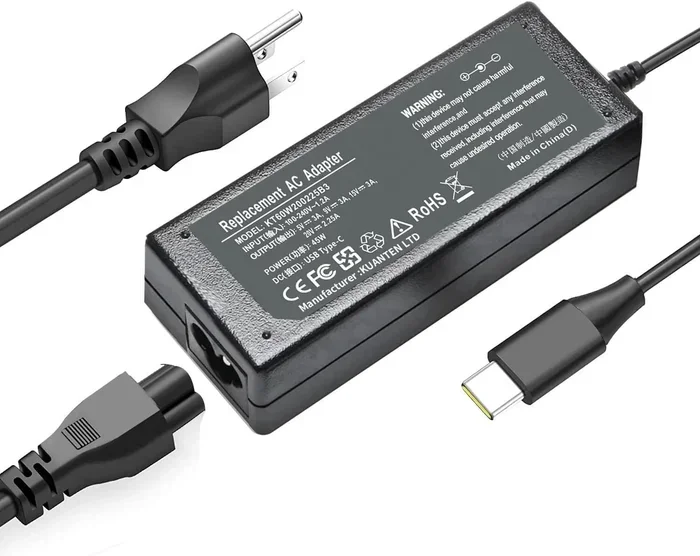
Laptops have the widest range of power needs. A lightweight ultrabook might need only 30 watts, while a gaming laptop could require 100 watts or more. Always check your laptop’s charger specifications. Using a charger with too low wattage will either charge slowly or not charge at all while the laptop is in use.
Some laptops also use proprietary charging protocols on top of USB C PD. These may need a specific charger brand or a special cable. Always double-check before assuming any USB C charger will work.
Other Devices
Earbuds, smartwatches, portable speakers, and e-readers all use USB C now. These devices need very little power, often 5 to 10 watts. Almost any USB C charger will work fine for them. But using a high-powered charger on a tiny device is perfectly safe — the device only draws what it needs.
Quick Tips for Choosing the Right USB C Wall Charger
Picking the right charger does not have to be confusing. Follow these simple tips to make the best choice every time.
- Check your device’s charging specs first. Look for the recommended wattage on the original charger or in the user manual.
- Buy a USB C PD charger. Power Delivery ensures your device gets the right amount of power safely.
- Consider GaN technology for portability. GaN chargers are smaller and cooler, making them ideal for travel bags.
- Match the wattage to your needs. If you charge a phone and a laptop, a 65-watt charger covers both nicely.
- Use certified cables. A good cable is just as important as a good charger for safe and fast charging.
- Avoid ultra-cheap no-name chargers. These often lack proper safety circuits and can damage your devices over time.
Common Mistakes People Make with USB C Wall Chargers
Even careful users make charging mistakes. Here are the most common ones and how to avoid them.
Assuming All USB C Chargers Are Equal
This is the biggest mistake. Just because two chargers have the same connector does not mean they deliver the same power. A 10-watt charger and a 65-watt charger look almost identical but perform very differently.
Ignoring Cable Quality
People often spend money on a premium charger but use a free cable that came with a random device. A low-quality cable can limit charging speed and even pose a safety risk. Always invest in a good USB C cable that matches your charger’s output.
Overcharging Your Devices
Leaving your device plugged in overnight is generally safe with modern PD chargers. The device stops drawing power once fully charged. However, keeping a device at 100% charge for extended periods can reduce battery health over time. Try to unplug once the battery reaches full charge when possible.
Using the Wrong Charger for High-Power Devices
Plugging a laptop into a weak phone charger is a recipe for slow charging. The laptop may even drain faster than it charges if the charger cannot keep up. Always use a charger that meets or exceeds your device’s power requirements.
Expert Insights on USB C Wall Charging
We spoke with tech experts to get their take on the USB C charging landscape. Here is what they had to say.
Dr. Sarah Lin, Hardware Engineer: “The USB C standard has simplified charging in many ways, but consumers still need to pay attention to wattage and protocol. A charger that supports PD and matches your device’s needs is the safest and fastest choice.”
Mark Torres, Tech Reviewer: “GaN chargers have changed the game. You no longer need to carry a bulky power brick. A single 65-watt GaN charger can handle a phone, tablet, and laptop at the same time with a quality multi-port hub.”
One more thing worth noting: The USB standard continues to evolve. USB4 and the latest USB PD 3.1 specs are pushing higher wattage and faster data transfer through the same USB C connector. This means today’s chargers are becoming even more versatile. Investing in a good USB C power adapter now is a smart long-term move.
It is also worth mentioning that the components found on the motherboard of your devices, including the charging circuits and USB C controllers, play a big role in how efficiently your device accepts power. A quality charger paired with well-designed internal hardware ensures the best charging experience.
In fields like healthcare, where devices such as portable monitors and diagnostic tools rely on consistent power, using the right USB C charger matters even more. Medical professionals depend on reliable charging for critical equipment, which is why understanding charger compatibility and power delivery is a skill that extends well beyond consumer gadgets.
Final Thoughts: Are All USB C Wall Chargers the Same?
The answer is a clear no. While they share the same connector shape, USB C wall chargers vary widely in power output, charging protocol, size, and safety features. The right charger depends on your device, your charging needs, and how often you travel.
Taking a few minutes to understand wattage, Power Delivery, and cable quality can save you from slow charging, frustration, and even device damage. A small investment in the right charger pays off in speed, safety, and longevity for your devices.
Next time you reach for a charger, take a moment to check the specs. Your devices will thank you. And if you are shopping for a new one, look for a USB C wall charger that supports Power Delivery, matches your wattage needs, and comes from a trusted brand. Happy charging.
Frequently Asked Questions
Can I use any USB C charger for my phone?
Most modern phones support USB C Power Delivery, so a PD charger will work safely. However, using a charger with too low wattage will result in slower charging. Always check your phone’s recommended charging wattage for the best results.
Will a higher wattage USB C charger damage my device?
No. USB C Power Delivery chargers communicate with your device and only supply the power it requests. A 100-watt charger will not push 100 watts into a phone that only accepts 20 watts. The device controls the power draw.
What is the difference between USB C and USB C PD?
USB C refers to the connector shape and port type. USB C PD refers to the Power Delivery protocol that allows smart, adjustable charging. A charger can have a USB C connector without PD support, but PD chargers always use the USB C connector.
Can I charge my laptop with a phone USB C charger?
It depends on the wattage. Most phone chargers deliver 18 to 20 watts, which is too low for most laptops. Your laptop may charge very slowly or not charge at all while in use. Always use a charger that meets your laptop’s power requirements.
Are GaN chargers worth the extra cost?
Yes, for most users. GaN chargers are smaller, run cooler, and are more efficient than traditional silicon chargers. They are especially useful for travel and for people who carry multiple devices. The price difference has shrunk significantly in recent years.
How do I know if my USB C cable supports fast charging?
Look for cables rated at 3 amps or higher. E-marked cables with USB C certification support higher power levels. If a cable came free with a low-power device like earbuds, it likely will not support fast or high-wattage charging.