Are Wall Sockets With Usb Safe For Everyday Charging
Wall sockets with USB ports offer a convenient way to charge devices without bulky adapters, but safety is a top concern for every homeowner. These hybrid outlets combine standard electrical sockets with built-in USB charging ports, making them a popular choice for modern homes. When installed correctly and used with certified devices, they are generally safe and meet strict electrical standards. However, understanding their safety features and potential risks helps you make informed decisions for your household.
Have you ever looked at your wall and thought about how many chargers and adapters clutter your outlets? It is a common problem in modern homes. Between phones, tablets, laptops, and smart home devices, wall outlets get crowded fast. That is exactly why wall sockets with USB have become so popular. They promise to simplify your life by combining a standard power outlet with a built-in charging port.
But here is the big question most people ask: are they actually safe? You want convenience, but you do not want to put your family or your home at risk. The good news is that USB wall sockets are designed with multiple layers of safety built right in. When you choose a quality product and follow basic guidelines, these hybrid outlets work just as safely as traditional ones. Let us walk through everything you need to know about USB charging port safety in everyday wall outlets.
Key Takeaways
- USB Wall Sockets Are Safe: They meet international electrical safety standards when properly installed and certified.
- Built-In Safety Features: Most USB wall sockets include surge protection, overcurrent protection, and temperature control.
- Quality Matters: Always choose UL-certified or equivalent branded USB wall outlets for reliable safety.
- Proper Installation Is Key: Hiring a licensed electrician ensures the USB wall socket is wired correctly and safely.
- Avoid Overloading: Using too many devices on one USB power adapter can cause overheating and potential hazards.
- Regular Maintenance Helps: Inspecting your USB wall outlet periodically prevents wear-related safety issues.
📑 Table of Contents
- What Exactly Is A Wall Socket With USB?
- Are Wall Sockets With USB Safe For Daily Use?
- Common Safety Concerns And Real Risks
- How To Choose A Safe Wall Socket With USB
- Installation Tips And When To Call A Professional
- How Long Do USB Wall Sockets Last?
- USB Wall Sockets vs Traditional Outlets With Adapters
- Expert Insights On USB Wall Socket Safety
- Quick Tips For Safe Everyday Use
- Common Mistakes People Make With USB Wall Outlets
- The Future Of USB Wall Sockets
- Final Thoughts On USB Wall Socket Safety
What Exactly Is A Wall Socket With USB?
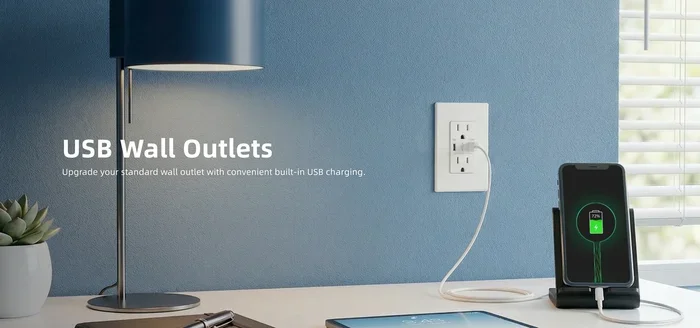
A wall socket with USB is a hybrid electrical outlet that combines a standard power receptacle with one or more built-in USB ports. Instead of plugging in a separate USB power adapter, you plug your device directly into the wall. The outlet handles the conversion from high-voltage AC power to the low-voltage DC power your devices need.
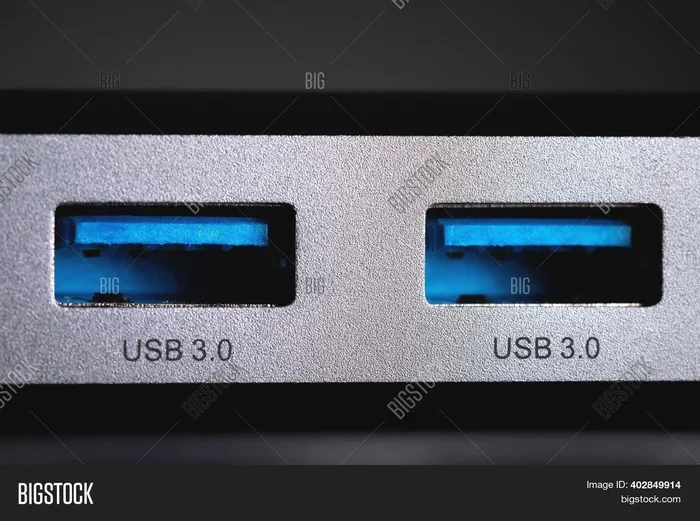
These outlets come in several configurations. Some have a single USB-A port, while others offer USB-C or even multiple USB ports. You can find them in different designs, from basic models to smart outlets with fast charging capabilities. The USB wall outlet looks almost identical to a regular socket, which makes installation straightforward in most cases.
How Do They Work Inside?
Inside a USB wall socket, you will find a small circuit board that manages power delivery. This board regulates the voltage and current to match what your device needs. Think of it as a tiny power delivery system built right into your wall. The standard electrical components handle the AC side, while the USB circuitry takes care of the DC side.
Modern USB wall sockets often include smart chips that detect what device you have connected. These chips adjust the charging speed accordingly, which helps prevent overheating. This smart charging technology is one of the reasons these outlets feel so convenient and safe to use daily.
Are Wall Sockets With USB Safe For Daily Use?
The short answer is yes. Wall sockets with USB are designed and tested to meet strict safety standards. Most reputable brands follow international regulations like UL certification in the United States or CE marking in Europe. These certifications mean the product has passed rigorous electrical safety tests.
However, safety also depends on how you use and maintain them. A well-made USB wall outlet from a trusted brand is extremely safe for everyday use. But a cheap, uncertified product from an unknown seller might cut corners on safety features. This is why choosing the right brand matters so much.
Safety Certifications To Look For
When shopping for a USB wall outlet, always check for safety certifications. Here are the most important ones to know:
- UL Certification (Underwriters Laboratories): This is the gold standard in the US. It means the product has been independently tested for electrical safety.
- CE Marking: Required in Europe, this shows the product meets EU safety and environmental standards.
- FCC Certification: Ensures the device does not cause electromagnetic interference.
- ETL Listed: Another respected US certification that confirms the product meets safety standards.
Never buy a USB wall socket that lacks any of these certifications. The certification label is usually printed on the product packaging or the outlet itself. If you cannot find it, choose a different brand.
Built-In Safety Features Of Modern USB Outlets
Modern USB charging port designs include several built-in safety mechanisms. These features work automatically, so you do not need to do anything special. Here is what keeps you safe:
- Overcurrent Protection: This stops too much current from flowing through the USB port, preventing damage to your device and the outlet.
- Surge Protection: A sudden spike in voltage gets absorbed before it reaches your device, protecting your electronics.
- Temperature Control: Thermal sensors detect overheating and automatically cut power to prevent fires.
- Short Circuit Protection: If a short circuit occurs, the outlet shuts down immediately to prevent electrical hazards.
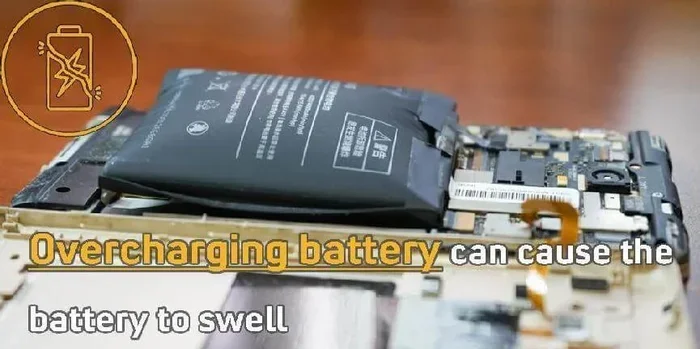
- Overcharge Protection: Once your device reaches full battery, the charging stops automatically, which also extends battery life.
These safety features are similar to what you find inside a quality USB power adapter. The difference is that they are built directly into the wall, removing the need for a separate adapter that could fail or overheat.
Common Safety Concerns And Real Risks
While wall sockets with USB are generally safe, it is important to understand the real risks. Many concerns people have are based on myths, while others are legitimate safety issues worth knowing about.
Do USB Wall Sockets Overheat?
Overheating can happen, but it is rare with quality products. The most common cause is using a USB wall outlet beyond its rated capacity. For example, if your outlet is rated for 2.4 amps per port and you try to pull more power than that, it can get warm. In most cases, the temperature control feature will kick in and prevent any real danger.
To avoid overheating, do not plug high-power devices into USB ports. USB ports are designed for low-power devices like phones and tablets. If you need to charge a laptop, use the standard AC side of the outlet or a dedicated USB-C charging setup with the proper wattage.
Are They Safe Around Water?
Water and electricity are a dangerous combination, period. Standard USB wall sockets are not waterproof unless specifically rated for wet locations. You should never use any electrical outlet near standing water or in areas with high moisture without proper protection.
If you need outlets in bathrooms or kitchens, look for GFCI-protected (Ground Fault Circuit Interrupter) options. These outlets detect electrical imbalances and shut off power instantly, which is especially important in wet areas. GFCI protection works the same way whether the outlet has USB ports or not.
Can Children Be Safe Around USB Outlets?
Child safety is a valid concern for many parents. The good news is that most USB wall outlets come with built-in tamper-resistant shutters. These shutters only open when both prongs of a plug are inserted at the same time. Children cannot poke objects into the outlets and get shocked.
The USB ports themselves are also designed with safety in mind. The low voltage output from USB ports is far less dangerous than the AC side of the outlet. Still, it is always a good idea to teach children about electrical safety from an early age.
How To Choose A Safe Wall Socket With USB
Not all USB wall sockets are created equal. The market is full of options, and choosing the right one can feel overwhelming. Here is a practical guide to help you make a safe and smart choice.
Check The Brand Reputation
Stick with well-known brands that have a proven track record in electrical safety. Brands like Leviton, Legrand, Hubbell, and Eaton invest heavily in testing and quality control. When you buy from a trusted brand, you are investing in long-term safety and reliability.
Avoid generic or unbranded products, especially those sold at suspiciously low prices. A cheap USB wall outlet might save you a few dollars upfront but could compromise your home’s safety. The risks are simply not worth it.
Match The Outlet To Your Needs
Think about how you actually use your devices. Do you need one USB port or two? Do you prefer USB-A or USB-C? Some wall sockets with USB offer both types in a single unit, which is great for households with different devices.
Consider the charging speed too. Look for outlets that support fast charging standards like Qualcomm Quick Charge or USB Power Delivery. This ensures your devices charge quickly without putting extra strain on the outlet.
Pay Attention To Amperage Ratings
Every USB port has an amperage rating that tells you how much current it can deliver. Most standard USB wall outlets offer 2.4 amps per port, which is perfect for phones and tablets. If you plan to charge multiple devices at once, look for outlets with higher total amperage ratings.
Overloading a single outlet with too many high-draw devices can cause problems. Spread your charging across multiple outlets when possible. This keeps the load balanced and reduces any risk of overheating.
Consider Smart USB Outlets
Smart USB wall sockets are the latest advancement in outlet technology. These outlets can be controlled through your phone or voice assistant. Some models track energy usage, schedule charging times, and even detect when a device is fully charged to stop power draw.
Smart outlets often include energy efficiency features that reduce wasted electricity. This can lower your energy bills over time while also adding an extra layer of safety through automated monitoring.
Installation Tips And When To Call A Professional
Installing a USB wall outlet is similar to installing a standard outlet, but there are important differences. The electrical wiring involves both AC and DC components, which adds complexity. Here is what you need to know.
DIY vs Professional Installation
Some homeowners feel comfortable replacing a standard outlet with a USB wall socket as a DIY project. If you have basic electrical knowledge and follow local building codes, it can be straightforward. You will need to turn off the power at the breaker, remove the old outlet, and wire the new one following the manufacturer’s instructions.
However, if you are unsure about any part of the process, hire a licensed electrician. Electrical work done incorrectly can create serious fire hazards or shock risks. A professional will also ensure the USB power adapter circuitry inside the outlet is properly grounded and secured.
Wiring Considerations
Most USB wall sockets require a standard neutral and ground wire connection. The USB circuitry inside draws a small amount of power from the AC line. This means the outlet needs a solid electrical connection to function safely and efficiently.
Make sure the circuit you are working on can handle the additional load. In most homes, a standard 15-amp circuit is more than enough for one or two USB wall outlets. But if you are adding multiple USB outlets to the same circuit, consult an electrician to avoid overloading.
How Long Do USB Wall Sockets Last?
Durability is an important factor in safety. A well-made wall socket with USB should last many years without any issues. The mechanical parts, like the outlets and USB ports, are built to handle thousands of insertion cycles.
The internal electronics, however, can degrade over time, especially in hot or humid environments. This is why it is a good idea to inspect your USB wall outlets every few years. Look for signs of wear like discoloration, cracking, or loose connections. If you notice any of these, replace the outlet immediately.
When To Replace Your USB Wall Outlet
Here are clear signs that your USB wall outlet needs replacement:
- The outlet feels warm to the touch during normal use.
- USB ports stop charging devices or charge very slowly.
- You see scorch marks or discoloration around the outlet.
- The outlet makes buzzing or crackling sounds.
- The USB ports feel loose or wobbly when you plug in a cable.
Replacing a worn outlet is inexpensive and keeps your home safe. Do not wait until a small problem becomes a serious hazard.
USB Wall Sockets vs Traditional Outlets With Adapters
Many people wonder whether it is better to use a wall socket with USB or stick with a traditional outlet and a separate adapter. Let us compare the two approaches side by side.
| Feature | USB Wall Socket | Traditional Outlet + Adapter |
|---|---|---|
| Convenience | Built-in USB, no extra adapter needed | Requires carrying or buying separate adapters |
| Safety | Built-in surge and overcurrent protection | Depends on the quality of the adapter used |
| Aesthetics | Cleaner look, less clutter | Bulky adapters take up space |
| Cost | Slightly higher upfront cost | Low upfront cost, but adapters add up |
| Charging Speed | Optimized for fast charging with smart chips | Varies widely depending on adapter quality |
| Flexibility | Fixed USB port type and speed | Can swap adapters for different devices |
Overall, wall sockets with USB offer a cleaner, safer, and more convenient solution for most households. The built-in safety features and smart charging technology give them an edge over traditional adapters. However, if you have specialized devices that need specific adapters, keeping a traditional outlet with the right adapter still makes sense.
Expert Insights On USB Wall Socket Safety
Electrical safety professionals consistently recommend using certified USB wall sockets from reputable manufacturers. According to the Electrical Safety Foundation International, properly installed and maintained USB outlets pose no greater risk than standard outlets. In fact, they may be slightly safer because they eliminate the need for cheap, uncertified third-party adapters.
Experts also emphasize the importance of not treating the USB side of the outlet as a power strip. The USB ports are designed for low-power devices. Plugging in high-wattage devices through the USB ports can bypass the safety circuits and create real dangers. Always respect the rated specifications of your USB wall outlet.
Quick Tips For Safe Everyday Use
- Always buy USB wall sockets with UL or equivalent safety certification.
- Do not exceed the amperage rating of the USB ports.
- Keep the outlet clean and free of dust, which can cause overheating.
- Replace any outlet that shows signs of wear or damage immediately.
- Use GFCI-protected outlets in kitchens and bathrooms.
- Avoid using damaged USB cables with your wall socket.
- Do not leave devices charging unattended for extended periods if the outlet feels warm.
Common Mistakes People Make With USB Wall Outlets
Even with the safest USB wall socket, mistakes can create unnecessary risks. Here are the most common errors to avoid.
- Using the wrong cable: Cheap or damaged USB cables can cause resistance and overheating. Always use quality cables that match your device.
- Ignoring temperature changes: If the outlet gets hot during use, unplug devices and let it cool down. Persistent heat is a warning sign.
- Overloading the circuit: Plugging too many high-draw devices into one circuit can trip breakers or cause wiring damage.
- Skipping the ground wire: Never install a USB wall outlet without a proper ground connection. The ground wire is your first line of defense against electrical shock.
These mistakes are easy to avoid with a little awareness. Taking a few extra precautions goes a long way in keeping your home and family safe.
The Future Of USB Wall Sockets
The technology behind wall sockets with USB continues to evolve rapidly. Newer models support USB Power Delivery up to 100 watts, which means they can charge laptops and even some small appliances. The shift toward USB-C as a universal standard is making these outlets even more versatile.
Smart home integration is another exciting trend. Future USB wall outlets may include features like voice control, energy monitoring, and automatic device detection. As USB-C charging becomes the norm, these outlets will only become more essential in modern homes.
Safety standards are also improving alongside the technology. Manufacturers are developing even better thermal management and more sophisticated protection circuits. The next generation of USB wall sockets will be safer and more efficient than ever before.
Final Thoughts On USB Wall Socket Safety
Wall sockets with USB are a safe, convenient, and practical upgrade for most homes. They combine the functionality of a standard outlet with the simplicity of built-in charging, all while meeting strict safety standards. The key is to choose certified products from reputable brands, install them correctly, and use them within their rated specifications.
By following the tips and guidelines in this article, you can enjoy the benefits of USB wall sockets with complete confidence. Your devices will charge faster, your outlets will look cleaner, and your home will stay safe. The convenience of USB charging port technology built directly into your wall is hard to beat, especially when safety is built right in.
Take a look at your current outlets and consider whether a USB wall outlet upgrade makes sense for your home. Small changes like this can make a big difference in your daily routine and your peace of mind.
Frequently Asked Questions
Are wall sockets with USB safe to use in bedrooms?
Yes, USB wall sockets are completely safe for bedroom use. They include built-in safety features like overcurrent protection and temperature control. Just make sure the outlet is UL-certified and installed by a licensed professional if you are not comfortable with electrical work yourself.
Can I use any USB cable with a wall socket with USB?
You can use most standard USB cables, but quality matters. Always use certified cables from reputable brands to ensure safe charging. Cheap or damaged cables can cause resistance, overheating, and may even damage your devices or the outlet.
Do USB wall sockets use more electricity than regular outlets?
No, USB wall sockets do not use more electricity than regular outlets. The USB circuitry inside draws only a small amount of power when no device is connected. When a device is charging, the power draw matches what your device needs, nothing more. This makes them energy efficient and cost-effective.
Can I install a USB wall socket myself?
If you have basic electrical knowledge and follow local building codes, you can install a USB wall socket yourself. However, hiring a licensed electrician is always the safest option. They ensure proper wiring, grounding, and compliance with all safety regulations.
Is it safe to leave devices charging overnight in a USB wall socket?
Yes, it is generally safe to leave devices charging overnight. Modern USB wall sockets have overcharge protection that stops power flow once the device is full. Still, it is a good practice to inspect your outlet regularly and avoid using damaged cables or outlets that feel warm.
What is the difference between USB-A and USB-C wall sockets?
USB-A is the traditional rectangular USB port found on older devices like phones and tablets. USB-C is the newer, smaller, reversible connector that supports faster fast charging and higher power delivery. Many modern USB wall sockets offer both port types for maximum compatibility with all your devices.