Can Hdmi 2 1 Run 165hz And Get The Best Gaming Experience
Yes, HDMI 2.1 can run 165Hz, and it opens up a world of smoother, more immersive gaming. With its massive 48 Gbps bandwidth, HDMI 2.1 supports high refresh rates at multiple resolutions, making it a top choice for PC gamers and console players alike. Whether you are gaming at 1080p, 1440p, or even 4K, understanding how HDMI 2.1 handles 165Hz helps you get the most out of your setup.
If you are a gamer, you have probably asked yourself one question more than once: can HDMI 2.1 run 165Hz? The short answer is yes. But the full story is much more interesting, and it matters a lot if you want to get the best experience from your gaming setup.
HDMI 2.1 is the latest version of the HDMI standard, and it brings serious upgrades to the table. With a whopping 48 Gbps of bandwidth, it can handle higher resolutions, faster refresh rates, and richer colors than older versions. For gamers chasing smooth visuals, this is a big deal. Running 165Hz through HDMI 2.1 means you get ultra-smooth motion, reduced screen tearing, and a more responsive feel whether you are playing on a PC or a console.
In this guide, we will walk through everything you need to know. We will cover the technical side in simple terms, explain what resolutions work best at 165Hz, and share practical tips to set up your system for the best results. By the end, you will know exactly how to use HDMI 2.1 to its fullest potential for 165Hz gaming.
Key Takeaways
- HDMI 2.1 fully supports 165Hz: Its 48 Gbps bandwidth handles high refresh rates across several resolutions.
- Resolution matters: You can hit 165Hz at 1080p and 1440p easily, and 4K at lower refresh rates.
- Not all cables are equal: A certified Ultra High Speed HDMI cable is essential for 165Hz performance.
- VRR and ALLM features boost gaming: HDMI 2.1 brings Variable Refresh Rate and Auto Low Latency Mode for a smoother experience.
- HDMI 2.1 vs DisplayPort: Both can deliver 165Hz, but DisplayPort often has a slight edge at 4K high refresh rates.
- Common issues are fixable: Cable quality, port compatibility, and device settings can all affect your 165Hz experience.
📑 Table of Contents
- What Is HDMI 2.1 and Why Does It Matter for Gaming?
- Can HDMI 2.1 Run 165Hz? The Technical Answer
- HDMI 2.1 165Hz: Resolution and Bandwidth Explained
- Best Devices and Setup for HDMI 2.1 at 165Hz
- Common HDMI 2.1 165Hz Problems and How to Fix Them
- HDMI 2.1 vs DisplayPort for 165Hz Gaming
- Final Verdict: Is HDMI 2.1 Worth It for 165Hz?
What Is HDMI 2.1 and Why Does It Matter for Gaming?
HDMI 2.1 is not just a small update. It is a major leap forward in display connectivity. Released in 2017, it introduced features that changed how we think about home entertainment and gaming. Before HDMI 2.1, HDMI 2.0 was the standard, and it maxed out at 18 Gbps of bandwidth. That was fine for 4K at 60Hz, but it left a lot on the table for gamers.
HDMI 2.1 bandwidth jumped to 48 Gbps, which is roughly 2.7 times more than HDMI 2.0. This extra bandwidth unlocks several new capabilities:
- Higher refresh rates: You can push 120Hz, 144Hz, 165Hz, and even 240Hz at certain resolutions.
- Higher resolutions: 4K at 120Hz and even 8K at 60Hz become possible.
- Dynamic HDR: HDR 10, HDR 10+, Dolby Vision, and HDR 14 support for richer, more lifelike colors.
- Variable Refresh Rate (VRR): This reduces screen tearing and stuttering during fast-paced gameplay.
- Auto Low Latency Mode (ALLM): This automatically switches your TV or monitor to low-latency mode for gaming.
For gaming monitors and TVs, these features are game-changers. A high frame rate means smoother animations, faster response times, and a competitive edge in multiplayer games. Whether you are playing fast-paced shooters or exploring open-world RPGs, HDMI 2.1 gives you the headroom to enjoy every detail.
How HDMI 2.1 Compares to Older Versions
It helps to see how HDMI 2.1 stacks up against previous versions. Here is a quick comparison:
- HDMI 2.0: 18 Gbps bandwidth. Supports 4K at 60Hz and 1080p at 240Hz.
- HDMI 2.1: 48 Gbps bandwidth. Supports 4K at 120Hz, 1080p at 240Hz+, and 165Hz at 1080p and 1440p.
The difference is clear. HDMI 2.1 gives you much more flexibility. You are not stuck at 60Hz anymore. You can push your refresh rate higher and enjoy a noticeably smoother picture.
Can HDMI 2.1 Run 165Hz? The Technical Answer
Now let us get to the heart of the matter. Can HDMI 2.1 run 165Hz? Absolutely. HDMI 2.1 was designed to support refresh rates well beyond 165Hz, depending on the resolution you are using.
The key factor is bandwidth. HDMI 2.1 provides 48 Gbps of total bandwidth, and most of that goes to carrying video and audio data. At 165Hz, here is what you can expect:
- 1080p at 165Hz: Easily achievable. This is a common target for competitive gamers who prioritize high frame rates over resolution.
- 1440p at 165Hz: Fully supported. This is the sweet spot for many PC gamers who want both sharp visuals and smooth motion.
- 4K at 165Hz: Not possible over HDMI 2.1. 4K at 165Hz would require more bandwidth than HDMI 2.1 provides. You would need DisplayPort 2.0 or HDMI 2.2 for that.
So when people ask if HDMI 2.1 can handle 165Hz, the answer depends on resolution. At 1080p and 1440p, you are good to go. At 4K, you will need to drop the refresh rate to 120Hz or lower.
Why 165Hz Matters for Gaming
A 165Hz refresh rate means your screen refreshes the image 165 times per second. Compared to the standard 60Hz, that is nearly three times more frames every second. The difference is huge.
In fast-paced games like first-person shooters or racing games, a higher refresh rate gives you a real advantage. Moving objects look smoother. Your aim feels more responsive. You can spot enemies faster because the motion is clearer. Many professional and competitive gamers swear by high refresh rate monitors for this reason.
Even if you are not a competitive player, 165Hz makes everything feel more fluid. Scrolling through menus, watching cutscenes, and navigating game worlds all feel noticeably better. Once you go above 120Hz, it is hard to go back.
HDMI 2.1 165Hz: Resolution and Bandwidth Explained
Understanding how resolution and bandwidth interact helps you make the best choices for your setup. HDMI 2.1 bandwidth is the engine that powers everything. Let us break it down by resolution.
1080p at 165Hz
1080p is the most common resolution for competitive gaming. At 165Hz, it is very easy for HDMI 2.1 to handle. The data rate required is well within the 48 Gbps limit. Most gaming monitors that support 165Hz at 1080p work perfectly over HDMI 2.1. You get buttery smooth motion with minimal effort.
If you have a lower-end PC or console, 1080p at 165Hz is a great way to maximize your frame rate without needing a super powerful machine. It is also very friendly on your hardware, meaning you can push settings higher in games.
1440p at 165Hz
1440p is the current gold standard for PC gaming. It offers a great balance between sharpness and performance. HDMI 2.1 handles 1440p at 165Hz with ease. The bandwidth required is higher than 1080p, but still well within the 48 Gbps limit.
Many popular 1440p gaming monitors on the market today support 165Hz and connect via HDMI 2.1. This makes it simple to get a high-quality gaming experience without needing a DisplayPort connection. For most gamers, 1440p at 165Hz is the ideal target.
4K at Lower Refresh Rates
If you want 4K resolution, HDMI 2.1 can deliver 4K at 120Hz. That is still a massive improvement over 4K at 60Hz. However, pushing 4K to 165Hz is not possible with HDMI 2.1. The bandwidth simply runs out. If you need 4K at very high refresh rates, you may want to look at DisplayPort 2.0 or wait for future HDMI standards.
Quick Reference Table
Here is a handy reference for what HDMI 2.1 can handle at various refresh rates:
- 1080p: Up to 240Hz
- 1440p: Up to 165Hz (and higher with compression)
- 4K: Up to 120Hz
- 8K: Up to 60Hz
As you can see, 165Hz at 1080p and 1440p is well within reach. You just need the right HDMI cable and compatible devices.
Best Devices and Setup for HDMI 2.1 at 165Hz
Having HDMI 2.1 is only half the battle. You also need compatible devices and the right cable to actually get 165Hz. Let us look at what you need.
Gaming Monitors That Support 165Hz via HDMI 2.1
The market for 165Hz gaming monitors has grown a lot in recent years. Many of these monitors now include HDMI 2.1 ports, which makes them very versatile. Here are some things to look for when shopping:
- HDMI 2.1 ports: Make sure the monitor has at least one HDMI 2.1 input.
- 165Hz or higher native refresh rate: This is the panel’s maximum refresh rate.
- Adaptive sync support: Look for FreeSync or G-Sync Compatible for tear-free gaming.
- Response time: A 1ms response time is ideal for competitive gaming.
- HDR support: HDR 400 or higher adds more vivid colors and contrast.
Popular brands like ASUS, LG, Samsung, and Acer all offer monitors that support HDMI 2.1 at 165Hz. Do your research and read reviews to find the best fit for your budget and preferences.
Gaming Consoles and PCs
Both the PlayStation 5 and Xbox Series X support HDMI 2.1. These consoles can output at 4K 120Hz, and some games can run at 1080p or 1440p with high frame rates. If you are connecting a console to an HDMI 2.1 monitor or TV, you can take advantage of the high refresh rate support.
For PC gaming, your graphics card needs to support HDMI 2.1 output. Many modern GPUs from NVIDIA and AMD include HDMI 2.1 ports. Make sure your GPU can push the frame rate you want at your chosen resolution before investing in an HDMI 2.1 monitor.
Choosing the Right HDMI 2.1 Cable
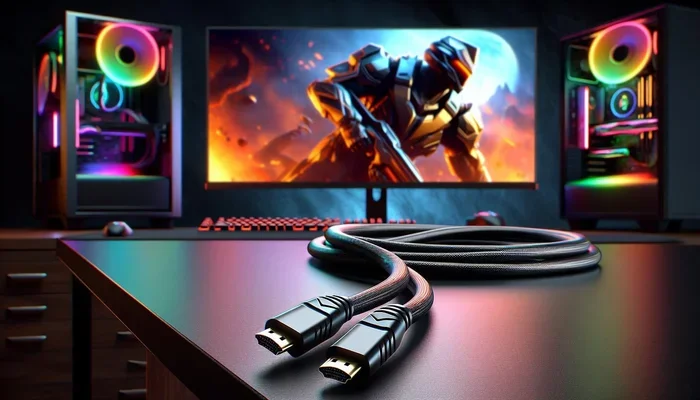
This is where many people make a mistake. Not all HDMI cables are created equal. To get 165Hz over HDMI 2.1, you need a certified Ultra High Speed HDMI cable. These cables are rated for 48 Gbps and can handle the full bandwidth of HDMI 2.1.
Here are some quick tips for choosing the right cable:
- Look for the Ultra High Speed HDMI certification: This ensures the cable can handle 48 Gbps.
- Avoid cheap, uncertified cables: They may not support the full bandwidth and can cause flickering or no signal at all.
- Keep cable length reasonable: Longer cables can degrade signal quality. Keep it under 6 feet for best results.
- Check for eARC support: This is useful if you use HDMI for both video and audio.
A good HDMI 2.1 cable is not expensive. You can find certified options for around 10 to 20 dollars. It is a small investment that makes a big difference.
Common HDMI 2.1 165Hz Problems and How to Fix Them
Even with the right gear, you might run into issues when trying to get 165Hz over HDMI 2.1. Here are the most common problems and how to solve them.
No Signal or Flickering Display
If your screen goes black or flickers when you set 165Hz, the most likely cause is your cable. An uncertified or damaged HDMI cable cannot handle the data rate required. Replace it with a certified Ultra High Speed HDMI cable and try again.
Another cause could be the port itself. Make sure you are plugging into the HDMI 2.1 port on your device, not an HDMI 2.0 port. Many TVs and monitors have multiple HDMI ports, and only one or two may support HDMI 2.1.
165Hz Not Showing in Display Settings
If your PC does not offer 165Hz as an option, check a few things. First, make sure your graphics card drivers are up to date. Second, check that your HDMI cable is properly connected. Third, go into your GPU control panel and verify that HDMI 2.1 is enabled.
Sometimes the monitor’s own settings can interfere. Check the monitor’s on-screen menu and make sure the input signal is set to HDMI 2.1 or the highest available format.
Screen Tearing or Stuttering
Screen tearing happens when the monitor and GPU are out of sync. This is where VRR (Variable Refresh Rate) comes in. Make sure VRR is enabled both on your monitor and in your GPU settings. If your monitor supports FreeSync or G-Sync Compatible, turn it on for a tear-free experience.
Also check that your game’s frame rate matches or stays within your monitor’s refresh rate range. If your GPU is outputting 180 frames per second on a 165Hz monitor, you may still see tearing. Capping your frame rate at 165 can help.
Input Lag Feels High
Input lag can ruin your gaming experience. To reduce it, enable ALLM (Auto Low Latency Mode) on your TV or monitor. This automatically switches the display to its game mode, which reduces processing delay. You can also manually switch to game mode in your display settings.
Another tip is to turn off any post-processing effects in your TV or monitor settings. Features like motion smoothing or noise reduction add latency and are not needed for gaming.
HDMI 2.1 vs DisplayPort for 165Hz Gaming
You might wonder how HDMI 2.1 compares to DisplayPort for 165Hz gaming. Both are capable, but they have different strengths.
DisplayPort 1.4 can handle 1440p at 165Hz and 1080p at 240Hz. However, it does not support the full bandwidth of HDMI 2.1, and it lacks some of the advanced features like eARC and enhanced HDR support.
DisplayPort 2.0 is a different story. With 77.4 Gbps of bandwidth, it can handle 4K at 240Hz and even 8K at high refresh rates. If you need the absolute highest performance, DisplayPort 2.0 is the way to go.
For most gamers, however, HDMI 2.1 at 165Hz is more than enough. It is simpler to set up, works with TVs and monitors alike, and supports features like VRR and ALLM that enhance the gaming experience. Unless you need 4K at very high refresh rates, HDMI 2.1 is an excellent choice.
When to Choose HDMI 2.1
- You want a simple, all-in-one connection for both video and audio.
- You are using a TV as your gaming display.
- You are gaming at 1080p or 1440p and want high refresh rates.
- You want VRR and ALLM support built in.
When to Choose DisplayPort
- You need 4K at refresh rates above 120Hz.
- You are using a PC monitor with multiple high-refresh-rate displays.
- You want the absolute highest bandwidth available today.
Final Verdict: Is HDMI 2.1 Worth It for 165Hz?
The answer is a clear yes. HDMI 2.1 can run 165Hz at 1080p and 1440p with ease. It provides the bandwidth, features, and flexibility that modern gamers need. Whether you are a competitive player chasing every frame or a casual gamer who wants a smoother experience, HDMI 2.1 delivers.
The key is to make sure you have the right gear. Use a certified Ultra High Speed HDMI cable. Choose a monitor or TV that supports HDMI 2.1. And set your display settings correctly to unlock the full 165Hz refresh rate.
Do not let outdated cables or wrong settings hold you back. HDMI 2.1 is here, and it is ready to take your gaming to the next level. With 165Hz on your side, every game feels more alive and responsive. Upgrade your setup, enjoy the difference, and game the way it was meant to be played.
Frequently Asked Questions
Can HDMI 2.1 run 165Hz at 4K?
No, HDMI 2.1 cannot run 165Hz at 4K. The maximum for 4K over HDMI 2.1 is 120Hz. To get 165Hz, you need to drop to 1080p or 1440p resolution.
Do I need a special cable for 165Hz over HDMI 2.1?
Yes, you need a certified Ultra High Speed HDMI cable. Standard or older HDMI cables may not support the bandwidth required for 165Hz and can cause signal issues.
Is 165Hz better than 144Hz for gaming?
Yes, 165Hz is smoother than 144Hz. The difference is subtle but noticeable, especially in fast-paced games. More frames per second means smoother motion and a competitive edge.
Can the PS5 or Xbox run 165Hz over HDMI 2.1?
Current consoles like the PS5 and Xbox Series X support up to 120Hz at 4K over HDMI 2.1. They do not output 165Hz natively, but a 165Hz monitor can still be used for 1080p or 1440p high frame rate gaming.
Does HDMI 2.1 support VRR at 165Hz?
Yes, HDMI 2.1 includes Variable Refresh Rate support. This works at 165Hz and helps reduce screen tearing and stuttering during gameplay.
Can I use an HDMI 2.0 cable for 165Hz?
It depends on the resolution. HDMI 2.0 can handle 1080p at 240Hz and 1440p at 165Hz in some cases, but it is not officially rated for reliable 165Hz performance. For guaranteed results, use an HDMI 2.1 Ultra High Speed cable.
=== CONCLUSION ===
Can HDMI 2.1 run 165Hz? Yes, and it does so beautifully at 1080p and 1440p. With its 48 Gbps bandwidth, support for VRR and ALLM, and compatibility with modern gaming devices, HDMI 2.1 is a fantastic choice for gamers who want a smooth, responsive, and immersive experience.
Remember to use a certified cable, check your device compatibility, and tweak your settings for the best results. Once you experience 165Hz gaming through HDMI 2.1, you will wonder how you ever played anything else. Upgrade your setup today and feel the difference for yourself.