Can I Use Any Inkjet Printer For Heat Transfers Explained
Not every inkjet printer works for heat transfers. You need the right ink type, printer resolution, and heat transfer paper to get great results. This guide explains exactly which inkjet printers are compatible and which ones to avoid, so you can start your DIY projects with confidence.
You just bought an inkjet printer and now you want to make custom t-shirts, mugs, and tote bags. It sounds like a fun weekend project, right? But then you stumble on a question that stops you in your tracks: can I use any inkjet printer for heat transfers?
The short answer is no, not every printer will work. The longer answer is much more interesting, and it could save you a lot of frustration and wasted ink. Whether you are a complete beginner or someone who has dabbled in DIY projects before, understanding printer compatibility is the first step toward creating heat transfers that actually look great.
In this guide, we will walk through everything you need to know. We will cover which inkjet printers work, which ones do not, what heat transfer paper you need, and how to avoid the mistakes that trip up most first-timers. By the end, you will feel confident picking the right setup for your next project.
Key Takeaways
- Not all inkjet printers work: You need specific features like pigment-based or dye-based ink compatibility for successful heat transfers.
- Ink type matters a lot: Dye-based and pigment-based inks behave differently, and using the wrong one can ruin your transfers.
- Resolution is key: A printer with at least 1200 DPI produces sharper, more vibrant heat transfer designs.
- Heat transfer paper types differ: Light and dark transfer papers serve different purposes and require different printer settings.
- Common mistakes waste time and money: Avoid wrong printer settings, low-quality paper, and skipping test prints.
- Sublimation is different from inkjet transfers: Sublimation printers use special ink and work on polyester fabrics only.
- Budget-friendly options exist: You do not need an expensive printer to create professional-looking heat transfer projects.
📑 Table of Contents
- What Are Heat Transfers and How Do They Work
- Can You Use Any Inkjet Printer for Heat Transfers
- Key Features to Look for in a Printer for Heat Transfers
- Heat Transfer Paper vs. Sublimation: What Works with Inkjet
- Common Mistakes to Avoid When Using Inkjet Printers for Heat Transfers
- Quick Tips for Better Heat Transfer Results
- Expert Insights: What the Pros Recommend
- Final Verdict: Can I Use Any Inkjet Printer for Heat Transfers
- Frequently Asked Questions
What Are Heat Transfers and How Do They Work
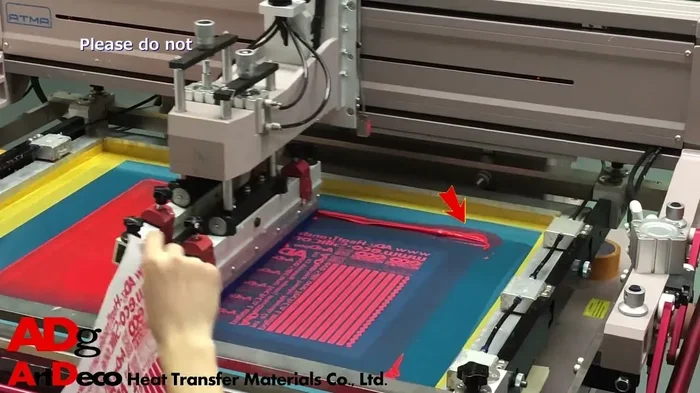
Heat transfers are a popular method for applying designs to fabrics, mugs, phone cases, and other surfaces. The basic idea is simple. You print a design onto special paper using your printer, and then you use a heat press or a household iron to transfer that design onto your target surface.
The heat and pressure cause the ink to bond with the material. This creates a durable, washable design that feels like part of the original item. Heat transfer vinyl works differently, but the end result is similar. Both methods are favorites among crafters and small business owners.
The Role of Inkjet Printers in Heat Transfers
Your inkjet printer plays a huge role in how your final transfer looks. The printer deposits tiny droplets of ink onto the heat transfer paper. If the ink does not bond properly with the paper, the design will smear, fade, or peel off after just one wash.
Not all printers use the same kind of ink. Some use dye-based ink, which soaks into the paper and produces vibrant colors. Others use pigment-based ink, which sits on top of the paper and offers more durability. Both types can work for heat transfers, but you need to match the ink type with the right transfer paper.
Also, your printer’s print resolution matters a great deal. Higher resolution means finer detail and sharper edges in your design. If you want professional-looking garment printing, look for a printer that offers at least 1200 DPI. This is one of the most overlooked factors when people ask, can I use any inkjet printer for heat transfers.
Can You Use Any Inkjet Printer for Heat Transfers
Here is where many people get confused. The market is full of inkjet printers at every price point. Some are designed for basic document printing, while others are built specifically for photo-quality output. Your choice directly affects your heat transfer results.
So, can I use any inkjet printer for heat transfers? The honest answer is that most inkjet printers can work, but not all of them should. Let us break this down further.
Inkjet Printers That Work Well for Heat Transfers
Printers that use standard dye-based ink or pigment-based ink and offer decent resolution are your best bet. Popular models from brands like Canon, Epson, and HP are widely used in the heat transfer community.
- Epson EcoTank printers: These are affordable and use refillable ink tanks. They produce vibrant prints on heat transfer paper.
- Canon PIXMA series: Known for excellent color accuracy, these printers handle DIY projects beautifully.
- HP OfficeJet models: These offer good all-around performance and work well with both light and dark transfer papers.
The key is to check your printer manual or the manufacturer’s website for ink compatibility details. If the printer uses standard inkjet cartridges, it will most likely work with heat transfer paper.
Printers to Avoid for Heat Transfers
Some printers are not suitable for heat transfers, and here is why. Printers that use solvent-based ink or UV-cured ink are not designed for use with standard heat transfer paper. These inks are meant for outdoor signage and industrial printing.
Also, avoid printers with built-in ink systems that cannot be refilled or replaced easily. Your inkjet cartridge needs to deliver consistent ink flow for clean, sharp designs. If the printer clogs or skips lines, your transfer will look patchy.
Another big no is the color laser printer. Laser printers use toner, not liquid ink. Toner does not work with heat transfer paper designed for inkjet printers. The toner will not bond correctly, and your design will peel off almost immediately.
Key Features to Look for in a Printer for Heat Transfers
Now that you know which printers work and which do not, let us talk about what makes a good inkjet printer for heat transfers. These features will help you make the right choice.
Resolution and Print Quality
Printer resolution is measured in dots per inch, or DPI. The higher the DPI, the sharper your print will be. For heat transfer designs, aim for a printer with at least 4800 x 1200 DPI. This ensures that fine lines, small text, and intricate patterns come out clean and crisp.
Think about it this way. If you are printing a detailed graphic with tiny text, a low-resolution printer will blur those details. The result is a messy transfer that does not look professional. Print quality is one of the most important factors, and it directly answers the question, can I use any inkjet printer for heat transfers.
Ink Compatibility and Cartridge Types
Before buying any heat transfer paper, check your printer’s ink type. Most home inkjet printers use either dye-based or pigment-based ink. Both can work, but you need to pair the right ink with the right paper.
- Dye-based ink: Great for vibrant colors and smooth gradients. Ideal for light-colored fabrics.
- Pigment-based ink: Offers better water resistance and durability. Works well for both light and dark transfers.
Some printers use individual inkjet cartridges for each color. This is actually a plus because you can replace only the color you need. It saves money and reduces waste, which is always a win for DIY projects.
Printer Size and Media Handling
Do not overlook the physical size of your printer. If you want to print large designs, you need a printer with a wide enough paper tray. Standard A4 or Letter size works for most t-shirt designs, but larger projects may require an 11×17 inch printer.
Also, check whether your printer handles thick media. Heat transfer paper is thicker than regular paper, and some printers struggle to feed it through. Look for printers with adjustable paper guides and a straight paper path for the smoothest feeding.
Heat Transfer Paper vs. Sublimation: What Works with Inkjet
This is a topic that causes a lot of confusion. Heat transfer paper and sublimation are two different methods, and they require different printers and inks.
Understanding Heat Transfer Paper
Heat transfer paper is designed for use with standard inkjet printers. You print your design onto the special paper, trim it, and then press it onto the fabric with a heat press. The ink transfers from the paper to the material through heat and pressure.
There are two main types of heat transfer paper: light and dark. Light transfer paper works best on white or light-colored fabrics. Dark transfer paper has a white backing that shows up clearly on dark fabrics. Always match your paper type to your fabric color for the best results.
Understanding Sublimation Printing
Sublimation uses special sublimation ink and sublimation paper. The ink turns into a gas when heated, and it bonds permanently with polyester fabrics. This method produces incredibly vibrant, long-lasting designs.
Here is the catch. Sublimation does not work with standard inkjet printers. You need a dedicated sublimation printer that uses piezoelectric print heads. These printers cannot use regular inkjet cartridges, and regular inkjet printers cannot use sublimation ink. So if you are asking can I use any inkjet printer for heat transfers, remember that sublimation is a separate category entirely.
| Feature | Heat Transfer Paper (Inkjet) | Sublimation (Special Printer) |
|---|---|---|
| Printer Type | Standard inkjet printer | Dedicated sublimation printer |
| Ink Type | Dye-based or pigment-based ink | Sublimation ink |
| Fabric Compatibility | Cotton, polyester, blends | Polyester only |
| Feel on Fabric | Slight texture, can feel stiff | Smooth, no added feel |
| Durability | Good, may crack after many washes | Excellent, permanent bond |
| Best For | DIY projects, small batches | Professional, high-volume work |
Common Mistakes to Avoid When Using Inkjet Printers for Heat Transfers
Even with the right printer, mistakes can ruin your heat transfer projects. Here are the most common errors and how to avoid them.
Using the Wrong Type of Paper
This is the number one mistake beginners make. Regular printer paper will not work for heat transfers. You must use heat transfer paper specifically designed for inkjet printers. Using the wrong paper means your ink will not transfer properly, and you will end up with a messy, faded design.
Ignoring Printer Settings
Your printer settings matter just as much as your printer and paper. Always select the highest print quality setting. Use the correct paper type setting in your print dialog. If your printer has a media type option, choose the setting that matches your heat transfer paper.
Many people skip this step and print at default settings. The result is often dull colors and poor adhesion. Taking two extra minutes to adjust your printer settings can make a huge difference.
Skipping the Test Print
Before you press anything onto a shirt or mug, always do a test print on plain paper first. This lets you check colors, alignment, and sizing. It saves heat transfer paper and ink, and it helps you catch mistakes before they cost you materials.
Using the Wrong Heat Press Temperature
Every heat transfer paper brand has its own recommended temperature and pressing time. Using too much heat can scorch the paper and damage the ink. Using too little heat means the design will not adhere properly. Always follow the manufacturer’s instructions for the best results.
Quick Tips for Better Heat Transfer Results
- Use fresh ink cartridges: Old or low ink levels cause faded prints. Replace cartridges before starting a big project.
- Mirror your design: Always flip your image horizontally before printing. The transfer will look reversed when you press it.
- Pre-press your fabric: A quick press before applying the transfer removes moisture and wrinkles. This helps the design adhere better.
- Peel carefully: Some papers require peeling while warm, others need to cool completely. Check your paper instructions.
- Store paper properly: Keep your heat transfer paper in a cool, dry place. Moisture affects print quality and adhesion.
- Clean your printer regularly: Run the printer’s cleaning cycle every few weeks to prevent clogged nozzles and streaky prints.
Expert Insights: What the Pros Recommend
Professional garment printers and experienced crafters agree on a few things. First, invest in good heat transfer paper from a reputable brand. Cheap paper may save you a few dollars upfront, but it often leads to poor results and wasted time.
Second, your inkjet printer does not need to be expensive, but it does need to be reliable. A mid-range printer with consistent ink delivery and good resolution will outperform a cheap, low-quality printer every time.
Third, practice makes perfect. Your first few transfers might not be flawless, and that is completely normal. Each project teaches you something new about printer settings, heat press technique, and paper handling. The more you practice, the better your results will get.
Many pros also recommend keeping a log of your settings for different fabrics and paper types. This saves time and removes guesswork on future projects. It is a small habit that makes a big difference over time.
Final Verdict: Can I Use Any Inkjet Printer for Heat Transfers
The answer to can I use any inkjet printer for heat transfers is both simple and nuanced. Most standard inkjet printers can produce great heat transfers, provided you use the right paper, the right ink, and the correct settings. You do not need a top-of-the-line machine to get started.
What you do need is a printer that uses dye-based or pigment-based ink, delivers at least 1200 DPI, and handles thicker media without jamming. Pair that with quality heat transfer paper, follow the right steps, and you will be creating custom designs in no time.
Remember that sublimation is a different process and requires a different printer. Do not confuse the two. And always avoid laser printers and printers with incompatible ink systems.
With the right setup and a little practice, heat transfer printing can become one of the most rewarding DIY projects you ever try. Whether you are making gifts for friends, starting a small side business, or just exploring a new hobby, the right inkjet printer makes all the difference.
Frequently Asked Questions
Do I need a special inkjet printer for heat transfers?
You do not need a special printer, but your inkjet printer must use standard dye-based or pigment-based ink. Printers with these ink types work well with heat transfer paper. Just make sure your printer has decent resolution and can handle thicker paper types.
Can I use a Canon or HP inkjet printer for heat transfers?
Yes, both Canon and HP inkjet printers are popular choices for heat transfers. Models from the Canon PIXMA and HP OfficeJet lines are widely used and produce excellent results. Just verify that your specific model uses standard inkjet cartridges and supports the paper weight of heat transfer paper.
What is the difference between light and dark heat transfer paper?
Light transfer paper is designed for white and light-colored fabrics. It produces transparent backgrounds that blend naturally with your material. Dark transfer paper has a white backing that hides the fabric color and makes your design pop on dark shirts and fabrics. Always choose the right type for your project.
Can I use sublimation ink in a regular inkjet printer?
No, you cannot. Sublimation ink requires a dedicated sublimation printer with piezoelectric print heads. Regular inkjet printers are not compatible with sublimation ink. Using sublimation ink in a standard printer will damage the print heads and produce terrible results.
How long do heat transfers last on fabric?
With proper application and quality materials, heat transfers can last through 50 or more washes. The durability depends on several factors, including the type of heat transfer paper, the ink used, the fabric type, and the heat press temperature and time. Following the manufacturer’s instructions gives you the best longevity.
Is it cheaper to make heat transfers at home or buy them ready-made?
Making heat transfers at home is generally cheaper, especially if you already own an inkjet printer. The main costs are heat transfer paper and ink cartridges. A single sheet of transfer paper costs just a few dollars, and each design can be produced for a fraction of what ready-made transfers cost. For larger projects, the savings add up quickly.