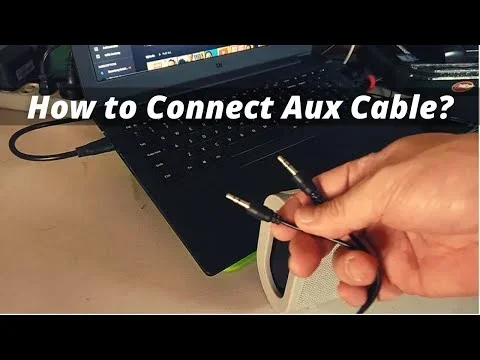
Do Bluetooth Speakers Need A Battery With Aux Cable
Yes, Bluetooth speakers still need a battery even when connected via an aux cable. The aux cable only carries audio signals — it does not power the speaker. Your speaker’s internal battery is essential for running the amplifier and producing sound. However, some models allow USB charging while playing, extending battery life significantly.
This is a comprehensive guide about Do Bluetooth Speaker Need A Battery If I Use An Aux Cable.
Key Takeaways
- Battery is always required: An aux cable transmits audio only, not power to the speaker.
- Some speakers support pass-through charging: You can charge the battery while using aux mode.
- Audio quality stays consistent: Aux connections often deliver cleaner sound than Bluetooth.
- Battery drain varies: Volume level and speaker size affect how fast the battery depletes.
- Wireless vs wired debate: Both have pros and cons for different use cases.
- Check your model: Not all Bluetooth speakers support aux input or simultaneous charging.
[FEATURED_IMAGE_PLACEHOLDER]
Do Bluetooth Speakers Need a Battery When Using an Aux Cable?
If you have ever plugged an aux cable into your Bluetooth speaker and wondered whether the battery still matters, you are not alone. The short answer is yes. Bluetooth speakers need a battery even when you use an aux cable. The aux cable carries only the audio signal from your phone, laptop, or tablet. It does not send electrical power to the speaker itself.
Think of the aux cable as a highway for sound. It moves music from your device to the speaker. But the speaker still needs its own energy source to amplify that sound and push it through the drivers. That energy comes from the internal battery. Without it, you would hear nothing — no matter how good your music file is.
This might seem obvious to some, but many people assume that plugging in a cable means the speaker no longer needs power. That is a common mistake. In this guide, we will break down exactly how this works, what happens to battery life, and whether you can charge your speaker while using an aux connection.
Understanding this topic helps you get the most out of your portable speaker. Whether you are at a picnic, a party, or just relaxing at home, knowing how power and audio signals work together makes a big difference.
How Does an Aux Cable Work With a Bluetooth Speaker?
An aux cable, also known as a 3.5mm auxiliary cable, is one of the oldest and most reliable ways to connect audio devices. It uses a simple analog signal to transfer sound. When you plug it into your Bluetooth speaker, you are bypassing the wireless Bluetooth connectivity module entirely.
The Role of the Aux Cable
The aux cable has one job: carry an audio signal. It does not carry power to the speaker. It does not charge the battery. It simply delivers the sound waves from your source device to the speaker’s amplifier. The amplifier then boosts that signal and sends it to the drivers, which create the sound you hear.
Here is what happens step by step:
- Your phone or laptop sends an audio signal through the aux cable.
- The cable carries that signal to the speaker’s aux input port.
- The speaker’s internal amplifier receives the signal.
- The amplifier boosts the signal and sends it to the speakers.
- The drivers convert the electrical signal into sound waves.
Notice that at no point does the aux cable power the speaker. Every step after the cable enters the speaker relies on the internal battery. This is why Bluetooth speaker battery remains essential even when you are using a wired connection.
What Happens to the Bluetooth Module?
When you use an aux cable, most speakers automatically disable the Bluetooth module. This is a smart design choice. It saves a small amount of battery because the wireless radio is no longer searching for or maintaining a connection. Some speakers let you keep Bluetooth active while using aux, but this is rare. Always check your speaker’s manual to know for sure.
Why Does the Speaker Still Need Power?
Even with a wired connection, a Bluetooth speaker is still a powered device. It contains several components that need electricity to function. Let us look at what draws power inside your speaker.
The Amplifier
The amplifier is the heart of any speaker. It takes the small audio signal from the aux cable and makes it powerful enough to move the speaker drivers. Amplifiers consume a significant amount of energy. The louder you play, the more power the amplifier needs.
The Drivers
Speaker drivers are the cones or domes that physically move air to create sound. They need electrical energy to vibrate. Without power, the drivers cannot move, and there is no sound. This is true whether you are using Bluetooth or an aux cable.
The Control Circuitry
Modern speakers have built-in control boards. These manage volume, input switching, LED indicators, and sometimes even EQ settings. All of this runs on the speaker’s battery. Even in standby mode, these circuits draw a small amount of power.
So the next time someone asks if a Bluetooth speaker needs a battery with an aux cable, you can confidently say it absolutely does. The aux connection only handles the audio signal. Everything else depends on the battery.
Can You Charge a Bluetooth Speaker While Using Aux Mode?
This is one of the most common questions people ask. The good news is that many Bluetooth speakers support charging while playing. This feature is called pass-through charging or simultaneous charge and play.
How Pass-Through Charging Works
Speakers with this feature have a built-in circuit that separates the charging path from the audio path. When you plug in the USB charging cable, power goes to the battery. At the same time, the aux cable sends audio to the amplifier. Both systems work independently without interfering with each other.
This is incredibly useful in situations where you need continuous sound. For example:
- Outdoor parties: You can keep the speaker playing all night without worrying about battery death.
- Work or study sessions: Charge the speaker while it plays background music for hours.
- Long road trips: Use a car charger to keep the speaker powered while driving.
Which Speakers Support This Feature?
Not all Bluetooth speakers allow pass-through charging. Some cheaper models do not have the circuitry to support it. Always check the product specifications before buying if this feature matters to you. Popular brands like JBL, Bose, and Sony often include this capability in their mid-range and high-end models.
If your speaker does not support simultaneous charging and playing, you will need to choose between charging the battery and using the speaker. This is an important consideration when planning long events.
Aux Cable vs Bluetooth: Which Uses More Battery?
Many people wonder whether switching to an aux cable saves battery. The answer is nuanced. Let us compare the two connection methods side by side.
| Factor | Aux Cable | Bluetooth |
|---|---|---|
| Power source for audio | Speaker battery | Speaker battery |
| Bluetooth radio power draw | None (disabled) | Yes (active) |
| Battery drain rate | Lower | Higher |
| Audio quality | Analog, often cleaner | Compressed digital |
| Cable length limit | Yes (typically 6-25 ft) | No (wireless range) |
| Convenience | Tethered connection | Free movement |
| Signal interference | None | Possible from Wi-Fi, walls |
As you can see, aux cable connection generally uses less battery because the Bluetooth radio is turned off. However, the difference is not always dramatic. A typical Bluetooth speaker might last 10 hours on Bluetooth and 12 hours on aux at the same volume level.
The real battery saver is keeping the volume moderate. High volume demands more from the amplifier, which drains the speaker battery faster regardless of the connection type.
Does Aux Cable Affect Audio Quality?
Many audiophiles prefer aux connections for a reason. Analog audio through a cable avoids the compression that Bluetooth uses. This means you get a more faithful reproduction of the original recording. The audio quality is often clearer, with better detail and less latency.
However, the quality also depends on the cable itself. A cheap or damaged aux cable can introduce static, crackling, or signal loss. Always use a well-made cable for the best results.
Common Mistakes People Make With Aux and Bluetooth Speakers
Even experienced users make mistakes when it comes to using aux cables with Bluetooth speakers. Here are some pitfalls to avoid.
Assuming the Cable Powers the Speaker
This is the biggest mistake. An aux cable does not charge your speaker or power it in any way. You still need a charged battery for sound output. Always check the battery level before a long session.
Using a Damaged or Low-Quality Cable
A frayed or cheap aux cable can cause audio problems. You might hear buzzing, popping, or intermittent sound. Invest in a good quality 3.5mm auxiliary cable to ensure reliable performance.
Forgetting to Switch Input Sources
Some speakers have multiple input options. If you plug in an aux cable but the speaker is still set to Bluetooth mode, you will get no sound. Always switch the input source to aux or line-in when using a cable.
Leaving the Speaker Plugged In Unnecessarily
If your speaker does not support pass-through charging, leaving it plugged in while not in use can overheat the battery. Unplug it when you are done charging to protect battery health.
Expert Tips for Maximizing Battery Life With Aux Mode
Want to get the most out of your Bluetooth speaker battery when using an aux cable? Follow these practical tips.
- Keep the volume at 60% or below. This significantly reduces power draw from the amplifier.
- Turn off LED lights if your speaker has them. They consume extra power.
- Use a short aux cable. Longer cables can cause signal loss, forcing you to increase volume to compensate.
- Charge the speaker fully before use. A full battery gives you the longest possible playtime.
- Avoid extreme temperatures. Heat and cold both reduce battery efficiency.
- Update your speaker firmware if available. Some updates improve power management.
These simple habits can extend your speaker battery life by a noticeable margin. Over time, they add up to hours of extra playtime.
When Should You Use Aux Instead of Bluetooth?
Both connection methods have their place. Here are some situations where aux mode shines.
- Battery is low: If your speaker is nearly dead but you need sound, aux mode with a power bank can sometimes work if the speaker supports external power.
- Audio quality matters: For critical listening, aux provides a cleaner, uncompressed signal.
- No Bluetooth pairing needed: Plug and play. No waiting for devices to connect.
- Less interference: No Bluetooth dropouts or static from other wireless devices.
- Long sessions: Aux mode saves a small amount of battery, which adds up over many hours.
On the other hand, Bluetooth is better when you need freedom of movement. You can walk around the room, take calls, or control music from across the space without being tethered to a cable.
The best approach? Use both depending on the situation. Many people keep their speaker in Bluetooth mode for casual listening and switch to aux for longer gatherings or when audio quality is a priority.
Do All Bluetooth Speakers Have an Aux Input?
Not all Bluetooth speakers come with an aux input. In recent years, some manufacturers have removed the 3.5mm jack to make speakers smaller and more waterproof. Before buying a speaker, check the specifications carefully if aux input is important to you.
Speakers without aux input rely entirely on Bluetooth or other wireless methods. If the battery dies, the speaker becomes useless until it is recharged. This is one reason why having a portable speaker with both Bluetooth and aux options gives you more flexibility.
Some modern speakers offer USB-C input that can serve double duty as both a charging port and an audio input. This is a convenient feature that eliminates the need for a separate aux port. Always read the product details to understand what your specific model supports.
The Future of Speaker Connectivity
Wireless technology is evolving fast. New standards like Bluetooth 5.3 and LE Audio promise better efficiency and lower power consumption. Some speakers now support wireless charging, which eliminates the need for cables entirely.
However, the aux cable is not going away anytime soon. It remains the most reliable, universally compatible, and power-efficient way to connect audio devices. Even as wireless technology improves, the simple aux connection will likely remain a staple feature on portable speakers for years to come.
The key takeaway is this: Bluetooth speakers always need a battery, regardless of whether you use aux or Bluetooth. The connection method only changes how the audio signal reaches the speaker, not how the speaker gets power.
Final Thoughts
Understanding how your Bluetooth speaker uses power is essential for getting the best experience. The aux cable is a convenient and high-quality way to connect your devices, but it does not replace the need for a charged battery. Every component inside the speaker — from the amplifier to the drivers — relies on electrical power to produce sound.
By following the tips in this guide, you can make informed decisions about when to use aux mode, how to preserve battery life, and how to get the best audio quality from your portable speaker. Whether you are at home, outdoors, or on the go, knowing how your speaker works puts you in control.
So the next time you reach for that aux cable, remember: the battery still matters. Keep it charged, use quality cables, and enjoy your music without interruption.
Do Bluetooth Speakers Work Without Any Battery at All?
No, Bluetooth speakers cannot work without a battery. Even when using an aux cable, the speaker needs power to run the amplifier and drivers. The aux cable only carries the audio signal, not electrical power to the speaker.
Can I Use a Power Bank Instead of the Built-In Battery?
Some portable speakers support USB power input while playing. This lets you connect a power bank to keep the speaker running. Check your speaker’s manual to see if it supports external power while in use.
Does Using Aux Mode Extend Battery Life Significantly?
It can extend battery life by a moderate amount because the Bluetooth radio is turned off. However, the biggest factor in battery drain is volume level. Keeping the volume low saves more battery than switching connection types.
Is Aux Audio Quality Better Than Bluetooth?
Yes, in most cases. Aux connections transmit an uncompressed analog signal, which preserves more audio detail. Bluetooth compresses the audio signal, which can result in a slight loss of quality, especially with older Bluetooth versions.
What Should I Do If My Speaker Has No Aux Input?
If your speaker lacks an aux input, you can use a Bluetooth connection or look for a speaker that supports both. Some speakers also offer USB audio input as an alternative. Always check the specifications before purchasing.
How Long Does a Bluetooth Speaker Battery Last on Aux Mode?
Battery life varies by model and volume level. Most speakers last 10 to 15 hours on aux mode at moderate volume. Playing at maximum volume will drain the battery faster regardless of the connection type.
Frequently Asked Questions
What is Do Bluetooth Speaker Need A Battery If I Use An Aux Cable?
Do Bluetooth Speaker Need A Battery If I Use An Aux Cable is an important topic with many practical applications.