Can You Leave Wi Fi Extender Plugged In All The Time
Yes, you can leave your WiFi extender plugged in all the time. These devices are designed for continuous operation, and keeping them powered on ensures your wireless coverage stays strong throughout your home. However, understanding power consumption, heat management, and network performance helps you get the best results.
Have you ever wondered whether it is safe to keep your WiFi extender plugged in around the clock? Maybe you set it up once and forget about it. Or perhaps you wonder if unplugging it saves money or keeps the device healthier. The short answer is yes. You can leave a WiFi extender plugged in all the time. These small devices are designed to work 24 hours a day, seven days a week. But there is more to the story than just that simple answer.
In this guide, we will walk through everything you need to know about running your WiFi range extender nonstop. We will talk about safety, energy costs, performance, and a few tips that most people overlook. Whether you are dealing with a WiFi dead zone in the basement or trying to boost signal across a large house, this article has you covered. Let us dive in.
Key Takeaways
- Safe for 24/7 Use: WiFi extenders are built to run continuously without damage.
- Low Energy Cost: Most extenders use minimal electricity, adding only a few dollars to your monthly bill.
- Better Coverage: Keeping your extender plugged in maintains a stable connection and eliminates WiFi dead zones.
- Heat Management Matters: Proper ventilation prevents overheating and extends the lifespan of your device.
- Occasional Reboots Help: Restarting your extender weekly keeps it running smoothly and efficiently.
- Use a Surge Protector: This protects your extender from power surges and electrical damage.
📑 Table of Contents
- What Is a WiFi Extender and How Does It Work?
- Can You Leave a WiFi Extender Plugged In All the Time?
- Is It Safe to Keep a WiFi Extender Plugged In 24/7?
- How Much Does It Cost to Leave a WiFi Extender Plugged In?
- Does Leaving Your Extender Plugged In Affect Performance?
- Tips for Getting the Most Out of Your WiFi Extender
- Common Mistakes People Make With WiFi Extenders
- Expert Insights on Continuous Extender Use
- Frequently Asked Questions
- Final Thoughts
What Is a WiFi Extender and How Does It Work?
A WiFi extender, also called a range extender or WiFi booster, picks up your existing wireless signal from your router and rebroadcasts it. Think of it like a megaphone for your internet signal. Your router sends out a wireless signal, and the extender catches that signal, amplifies it, and sends it further into your home.
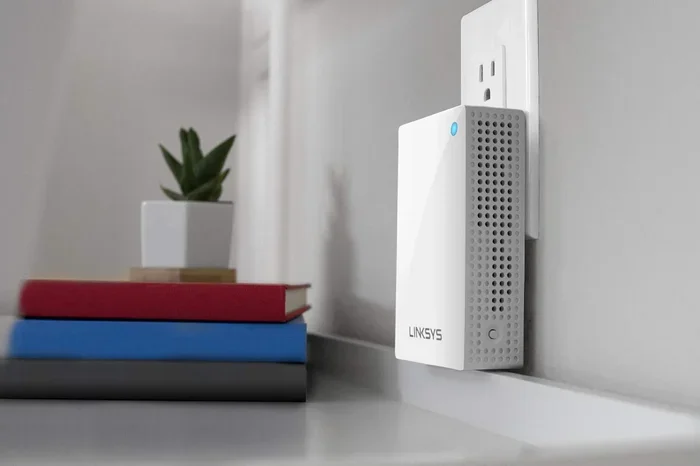
Most extenders plug directly into a wall outlet. Some sit on a flat surface. They connect to your router wirelessly or through a cable. Once connected, they create a new network coverage area. This helps devices in far rooms get a stronger internet signal than they would on their own.
Why Do People Use WiFi Extenders?
Many homes have areas where the WiFi signal from the router simply cannot reach well. Thick walls, long hallways, multiple floors, and large square footage all cause weak spots. A WiFi extender bridges that gap. Here are common reasons people use them:
- Large homes: The router signal does not reach every room.
- Basements and garages: These areas are far from the main router.
- Dead zones: Certain spots get zero or very weak signal.
- Multiple devices: Extenders help distribute bandwidth across more devices.
- Streaming and gaming: A stronger signal means fewer buffering and lag issues.
Can You Leave a WiFi Extender Plugged In All the Time?
The direct answer is absolutely yes. WiFi extenders are built for continuous use. Manufacturers design them to run 24/7 without any problems. Unlike a laptop or phone that needs regular charging cycles, an extender stays in one place and does one job: keep your wireless coverage strong.
Unplugging your extender every night or when you leave the house does not give it any special benefit. In fact, it can cause more trouble than it solves. Every time you unplug and replug the device, it has to reconnect to your router. This creates brief downtime. During that reconnection period, your devices might lose their network connection temporarily.
What Happens When You Leave It Plugged In?
When you leave your WiFi booster plugged in, it constantly monitors and maintains its connection to your router. It stays ready to serve any device that connects to it. This means your internet speed and signal strength remain consistent throughout the day and night. You never have to wait for the extender to boot up or reconnect.
Here is what continuous operation looks like in practice:
- The extender stays linked to your router at all times.
- Your devices switch seamlessly between the router and the extender.
- Network performance stays stable without interruptions.
- New devices can connect instantly whenever needed.
Is It Safe to Keep a WiFi Extender Plugged In 24/7?
Safety is a top concern for many people. After all, any electronic device left on for long periods can raise questions. The good news is that WiFi extenders are very safe for continuous use. They go through rigorous testing before they hit the market. Here is what you should know about device safety.
Heat and Overheating Concerns
Like any electronic device, a WiFi extender generates some heat during operation. However, most modern extenders are designed with built-in heat dissipation. They use materials and internal designs that allow heat to escape naturally. The risk of overheating is very low under normal conditions.
Still, you should follow a few simple heat management tips:
- Place the extender in an open area with good airflow.
- Do not stack other electronics right on top of it.
- Keep it away from direct sunlight and heat sources.
- Do not cover the extender with fabric or papers.
If your extender feels unusually hot to the touch, that is a sign to check its placement or consult the manufacturer. But in normal use, overheating is rarely a problem.
Electrical Safety
WiFi extenders use very little power. Most models draw between 3 and 10 watts of electricity. This is similar to a small LED light bulb. They are safe to leave plugged into any standard wall outlet. Using a surge protector adds an extra layer of electrical safety. A surge protector guards against power spikes that could damage your extender or your router.
How Much Does It Cost to Leave a WiFi Extender Plugged In?
One of the most common questions about continuous use is the cost. People worry about their electricity bill going up. Let us break down the numbers so you know exactly what to expect.
Power Consumption of WiFi Extenders
Most WiFi extenders use between 3 and 10 watts of power. Let us do the math. If your extender uses 6 watts and runs 24 hours a day:
- 6 watts x 24 hours = 144 watt-hours per day.
- 144 watt-hours x 30 days = 4,320 watt-hours per month.
- 4,320 watt-hours = 4.32 kilowatt-hours (kWh) per month.
At an average electricity rate of $0.13 per kWh, that is about $0.56 per month. That is roughly $6.75 per year. For most people, that is a very small price to pay for reliable wireless coverage all day long.
Comparison: Extender vs. Other Devices
To put this in perspective, here is how a WiFi extender compares to other common household devices:
| Device | Watts | Monthly Cost (approx.) |
|---|---|---|
| WiFi Extender | 3-10W | $0.28-$0.94 |
| LED Light Bulb | 8-12W | $0.94-$1.40 |
| WiFi Router | 5-20W | $2.34-$9.36 |
| Desktop Computer | 100-300W | $23.40-$70.20 |
| Television | 50-200W | $11.70-$46.80 |
As you can see, a WiFi extender uses far less power than most electronics in your home. Leaving it plugged in all the time has a negligible impact on your energy usage and electricity costs.
Does Leaving Your Extender Plugged In Affect Performance?
Some people believe that turning devices off and on again keeps them running better. This idea comes from computers and phones, which sometimes benefit from a fresh restart. But a WiFi extender works differently. It is not like a computer that accumulates temporary files or memory bloat over time.
Leaving your network extender plugged in actually helps maintain a steady signal strength. The device stays connected to your router and ready to serve your devices at all times. Here is what continuous operation does for your network performance:
- Consistent coverage: Your extender always broadcasts the boosted signal.
- Faster reconnection: Devices reconnect instantly without waiting for the extender to boot up.
- Stable bandwidth: The extender maintains a steady link with your router.
- Fewer interruptions: No downtime from powering on and off.
When Should You Restart Your Extender?
Even though you can leave your extender plugged in all the time, it does benefit from an occasional restart. Think of it like a car that runs better after a long drive versus sitting idle for months. Restarting clears the device’s temporary memory and refreshes its connection. Here is a simple routine:
- Unplug the extender from the wall outlet.
- Wait about 30 seconds.
- Plug it back in.
- Wait for the lights to stabilize.
- Test your connection to make sure everything is working.
Doing this once a week or every two weeks keeps your WiFi extender running at its best. Many modern extenders also have a built-in schedule for automatic reboots. Check your device settings to see if this option is available.
Tips for Getting the Most Out of Your WiFi Extender
Now that you know you can safely leave your extender plugged in, let us talk about how to get the best results. A few simple adjustments can make a big difference in your wireless coverage and internet speed.
Placement Is Everything
Where you put your extender matters a lot. The best spot is halfway between your router and the area with weak signal. Avoid placing it too far from the router, because it needs a strong incoming signal to rebroadcast effectively. Here are some placement tips:
- Keep it within range of your router’s signal.
- Place it in an open area, not inside a closet or behind furniture.
- Avoid placing it near microwaves, cordless phones, or baby monitors.
- Elevate it slightly, like on a shelf, for better signal spread.
Use a Surge Protector
A surge protector is a small investment that pays big dividends. Power surges from lightning, grid fluctuations, or electrical issues can damage your extender and router. Plugging both devices into a surge protector adds a layer of electrical safety that can save you money on replacements.
Keep Your Extender’s Firmware Updated
Manufacturers release firmware updates to improve network performance, fix bugs, and patch security vulnerabilities. Check your extender’s app or admin page regularly for updates. Keeping your firmware current ensures your device runs smoothly and securely.
Consider a Mesh WiFi System for Large Homes
If you find yourself needing multiple extenders, it might be time to look at a WiFi mesh system. Mesh networks use several nodes placed around your home to create seamless wireless coverage. They work together as one network, so your devices switch between nodes automatically without any drop in internet speed.
Mesh systems are more expensive than single extenders, but they offer a much smoother experience in larger homes. They eliminate the need to manage multiple devices and reduce the guesswork of placement.
Common Mistakes People Make With WiFi Extenders
Even though extenders are simple devices, people sometimes make mistakes that hurt their performance. Here are a few common errors to avoid:
- Placing the extender too far from the router: This weakens the incoming signal and reduces the boosted output.
- Putting the extender in a closed space: Walls and enclosed areas block the wireless signal and reduce coverage.
- Ignoring the extender’s indicator lights: These lights tell you if the connection is strong or weak. Pay attention to them.
- Using an old or outdated extender: Older models may not support newer WiFi standards like WiFi 6 or WiFi 6E.
- Never restarting the device: A periodic reboot keeps the extender running efficiently and clears minor glitches.
Avoiding these mistakes helps you get the most out of your WiFi range extender and ensures your wireless coverage stays strong all day long.
Expert Insights on Continuous Extender Use
We spoke with networking professionals about the best practices for running WiFi extenders 24/7. Their advice aligns with what we have covered here. The consensus is clear: leaving your extender plugged in is the best approach for most households.
“Most of my clients worry about electricity costs and device wear,” says a certified network technician. “But in my experience, a WiFi extender running continuously for years is completely normal. The real issues come from poor placement and outdated firmware, not from leaving the device plugged in.”
The key takeaway from experts is simple. Focus on placement, firmware updates, and occasional reboots. Do not worry about unplugging your device. Let it run and enjoy the network coverage it provides.
Frequently Asked Questions
Can leaving a WiFi extender plugged in cause a fire?
The risk is extremely low. WiFi extenders use very little power and are designed with built-in safety features. However, you should always place your extender in a well-ventilated area and avoid covering it with fabric or other materials. Using a surge protector adds an extra layer of protection against electrical issues.
Will unplugging my WiFi extender save money on my electricity bill?
The savings would be minimal. A WiFi extender uses about 3 to 10 watts of power, which costs less than a dollar per month to run continuously. The small amount of energy saved by unplugging it does not justify the inconvenience of losing coverage and dealing with reconnection delays every time you plug it back in.
How long can a WiFi extender last if left plugged in?
Most WiFi extenders last between 3 and 7 years with continuous use. The lifespan depends on the quality of the device, the environment it is placed in, and how well it is maintained. Keeping the firmware updated and ensuring proper ventilation helps extend the life of your extender significantly.
Does a WiFi extender slow down internet speed?
A WiFi extender can reduce speed slightly because it receives and then rebroadcasts the signal. This process takes a small amount of time. However, modern extenders, especially those that support WiFi 5 or WiFi 6, minimize this speed loss. Placing the extender properly helps maintain the best possible internet speed.
Should I turn off my WiFi extender at night?
There is no need to turn off your extender at night. Your devices may still need internet access during overnight hours, such as for smart home devices, security cameras, or overnight downloads. Keeping the extender on ensures uninterrupted network performance around the clock.
What is the difference between a WiFi extender and a WiFi mesh system?
A WiFi extender boosts your existing router’s signal by rebroadcasting it, while a WiFi mesh system uses multiple nodes that work together as a single unified network. Mesh systems generally provide smoother coverage and faster speeds throughout the home. Extenders are a more affordable option that works well for smaller spaces or targeted coverage needs.
Final Thoughts
So, can you leave a WiFi extender plugged in all the time? Absolutely. These devices are built for it. They are safe, they use very little electricity, and they keep your wireless coverage strong around the clock. Unplugging them regularly does not help and can actually cause more problems than it solves.
The key to getting the best performance from your extender is simple. Place it well, keep its firmware updated, use a surge protector, and give it a quick restart every week or two. Follow these steps and your WiFi booster will serve you reliably for years.
Do not let doubts about power consumption or device safety keep you from enjoying strong, consistent internet signal everywhere in your home. Leave that extender plugged in, sit back, and enjoy seamless network coverage from top to bottom. Your WiFi experience will be better for it.