Can You Work At Home With 300 Mbps Internet Connection
Yes, 300 Mbps internet is more than enough for most work-from-home setups. This speed easily handles video conferencing, cloud uploads, and multitasking across multiple devices. Whether you are a solo freelancer or share your connection with a family, 300 Mbps gives you plenty of bandwidth to stay productive and connected.
Working from home has become the norm for millions of people around the world. And at the center of it all is your internet connection. If you are currently on a 300 Mbps plan or thinking about upgrading to one, you might be wondering if it is enough. The good news is that 300 Mbps is more than sufficient for most remote work setups. In this guide, we will walk you through everything you need to know about working from home with 300 Mbps internet. We will cover what this speed actually means, how it handles daily tasks, and how to get the best performance out of your connection.
Let us be honest. Internet speed can feel confusing. All those numbers and technical terms can make your head spin. But here is the simple truth. 300 Mbps is a fast connection. It is fast enough for video calls, file uploads, streaming, and even heavy multitasking. You do not need a gigabit plan to work from home comfortably. So let us break it all down and show you exactly what you can do with 300 Mbps internet at home.
Key Takeaways
- 300 Mbps is ideal for remote work: It comfortably supports video calls, file sharing, and cloud-based tools.
- Upload speed matters just as much as download: 300 Mbps plans usually offer solid upload speeds for sending large files.
- Multiple devices work fine on 300 Mbps: A family of four can stream, browse, and work without slowdowns.
- Wired connections outperform Wi-Fi: Use an ethernet cable for the most stable and fastest experience.
- Router placement affects performance: A well-placed router ensures you get the most out of your 300 Mbps plan.
- 300 Mbps exceeds typical home office needs: Most remote workers only need 25 to 50 Mbps for daily tasks.
📑 Table of Contents
- What 300 Mbps Internet Means for Remote Workers
- Can 300 Mbps Handle Work From Home Tasks?
- How Many Devices Can 300 Mbps Support?
- Setting Up Your Home Office for the Best Performance
- Is 300 Mbps Enough Compared to Other Internet Speeds?
- Common Problems and How to Fix Them
- Expert Tips for Maximizing Your 300 Mbps Connection
- Conclusion
What 300 Mbps Internet Means for Remote Workers
What Does 300 Mbps Actually Mean?
Mbps stands for megabits per second. It measures how fast data moves between your device and the internet. Think of it like a highway. The higher the number, the more lanes there are. More lanes mean more cars can travel at once without traffic. Similarly, 300 Mbps means your internet can handle 300 megabits of data every second.
For most people, this is blazing fast. To put it in perspective, a standard HD video call uses about 3 to 4 Mbps. That means your 300 Mbps connection could handle over 70 video calls at the same time. Of course, you would never do that. But the point is clear. You have more than enough speed for work.
When you search for 300 Mbps internet, you are looking at a plan that falls into the mid-to-high speed tier. It is perfect for remote workers, small families, and anyone who wants a reliable home office setup without paying for ultra-premium gigabit speeds.
Download Speed vs Upload Speed
Here is something many people overlook. Internet speed has two sides. Download speed is how fast you receive data. Upload speed is how fast you send data. Both matter for remote work.
When you join a video call, you are both downloading and uploading. Your camera sends video out. Their screen sends video in. Most internet plans advertise download speeds because that number is higher. But upload speed is just as important for work from home tasks.
With a typical 300 Mbps plan, you can expect upload speeds around 10 to 30 Mbps. That is more than enough for sharing your screen, sending large files, and backing up data to the cloud. If you need the exact numbers, check your plan details or run a speed test at speedtest.net.
Can 300 Mbps Handle Work From Home Tasks?
The short answer is yes. 300 Mbps handles virtually every common remote work task with ease. Let us look at the specific activities you likely do every day and see how 300 Mbps internet performs with each one.
Video Conferencing and Online Meetings
Video conferencing is the backbone of remote work. Whether you use Zoom, Microsoft Teams, Google Meet, or Slack Huddles, your internet connection needs to handle real-time video and audio.
Here is how much bandwidth these tools use:
- Zoom: 2.5 to 4 Mbps for group HD video calls
- Microsoft Teams: 2.5 to 4 Mbps for HD video
- Google Meet: 2.5 to 3.5 Mbps for group calls
- Slack Huddles: Around 1 to 2 Mbps
As you can see, even the most demanding video call only uses a small fraction of your 300 Mbps connection. You can run multiple meetings back to back without any issues. And if someone else in your household is streaming a movie while you are on a call, you will barely notice a difference.
File Uploads and Cloud Work
Many remote workers send large files daily. Designers share high-resolution images. Developers push code repositories. Accountants upload spreadsheets and financial documents. All of these tasks rely on upload speed.
With 300 Mbps internet, uploading a 1 GB file takes roughly 30 to 40 seconds. That is incredibly fast. Cloud storage services like Google Drive, Dropbox, and OneDrive sync quickly and reliably. You will spend less time waiting and more time actually working.
If you use cloud-based tools like Figma, GitHub, or Salesforce, 300 Mbps gives you a smooth experience. These platforms sync data constantly in the background. A fast connection ensures you never lag behind or lose work due to sync delays.
Streaming and Multitasking
Let us say you are on a morning meeting, and during your break, you want to catch up on a podcast or watch a quick training video. With 300 Mbps, you can do both at the same time without any buffering.
Here is a quick look at what streaming uses:
- Netflix SD: 3 Mbps
- Netflix HD: 5 Mbps
- Netflix 4K: 15 to 25 Mbps
- YouTube 1080p: 5 to 8 Mbps
- Spotify Music: 0.5 Mbps
Even if you stream 4K video while on a video call and browsing the web, your 300 Mbps connection has plenty of headroom. This is one of the biggest advantages of having a fast internet plan at home.
How Many Devices Can 300 Mbps Support?
This is one of the most common questions people ask. The answer depends on what everyone in your household is doing. But generally speaking, 300 Mbps can comfortably support 5 to 10 devices at the same time for typical work and home use.
Household Internet Usage
Let us paint a realistic picture. You are working from home on your laptop. Your partner is on a video call from the living room. Your kids are watching YouTube on tablets. Someone else is gaming online. And your smart home devices are quietly updating in the background.
With 300 Mbps, this entire scenario runs smoothly. Each device gets a generous share of the bandwidth. Nobody experiences lag, buffering, or dropped connections. That is the beauty of a solid mid-tier internet speed.
Bandwidth Needs Per Device
Here is a simple breakdown of what different activities need:
- Email and web browsing: 1 to 3 Mbps
- Video calls: 3 to 5 Mbps
- HD streaming: 5 to 8 Mbps
- Online gaming: 3 to 6 Mbps
- Large file downloads: 10 to 50 Mbps
Add up the usage across all your devices, and you will see that 300 Mbps gives you a very comfortable cushion. Even heavy users will not come close to maxing out the connection.
Setting Up Your Home Office for the Best Performance
Having 300 Mbps internet is great. But how you set up your home office matters just as much. A poor setup can slow down even the fastest connection. Here are some practical tips to make the most of your speed.
Wired vs Wireless Connections
For the most reliable work experience, use an ethernet cable to connect your computer directly to your router. Wired connections are faster, more stable, and less prone to interference than Wi-Fi.
Wi-Fi is convenient, and modern Wi-Fi 6 routers are quite good. But walls, furniture, and other electronics can weaken the signal. If you must use Wi-Fi, position your router in the same room or nearby. Keep it elevated and away from metal objects.
Quick tip. If you use Wi-Fi, connect to the 5 GHz band instead of 2.4 GHz. The 5 GHz band offers faster speeds and less interference. It is perfect for work-from-home tasks that demand a steady connection.
Router Placement and Settings
Where you place your router makes a big difference. Here are some best practices:
- Put your router in a central location in your home
- Keep it away from microwaves, baby monitors, and cordless phones
- Place it on a shelf or table, not on the floor
- Restart your router once a week for optimal performance
- Update your router firmware regularly
These small steps can significantly improve your home office internet experience. And they cost nothing but a few minutes of your time.
When to Upgrade Your Router
If your router is more than five years old, it might be time for an upgrade. Older routers may not fully support 300 Mbps speeds. Look for a router that supports Wi-Fi 5 or Wi-Fi 6. These standards are designed to handle modern internet speeds efficiently.
A good router does not have to be expensive. Many mid-range options deliver excellent performance for home office use. You do not need to spend hundreds of dollars to get a reliable connection.
Is 300 Mbps Enough Compared to Other Internet Speeds?
It helps to see how 300 Mbps stacks up against other common internet speeds. This gives you a clear picture of where you stand and whether you need more or less.
Speed Comparison Table
- 10 Mbps: Enough for one person doing basic tasks like email and browsing. Struggles with video calls and streaming.
- 25 Mbps: The minimum recommended for a single remote worker. Handles video calls and light streaming well.
- 50 Mbps: Comfortable for one person working from home with some background streaming or browsing.
- 100 Mbps: Great for a small household with 2 to 3 people working or streaming simultaneously.
- 300 Mbps: Excellent for remote work, families, and heavy multitaskers. More than enough for virtually any home use.
- 500 Mbps to 1 Gbps: Overkill for most home office setups. Best for large households with many heavy users or tech enthusiasts.
As you can see, 300 Mbps sits in a sweet spot. It is fast enough to handle everything a remote worker could throw at it, without the premium price tag that comes with gigabit plans. For most people, this is the ideal speed for a productive and frustration-free work-from-home experience.
Common Problems and How to Fix Them
Even with a fast 300 Mbps connection, you might run into issues from time to time. Here are the most common problems remote workers face and how to solve them.
Slow Speeds Despite Your Plan
If your speed test shows much less than 300 Mbps, do not panic. Several factors can cause this:
- Wi-Fi signal weakness: Move closer to your router or switch to a wired connection
- Background downloads: Check if any apps are downloading updates in the background
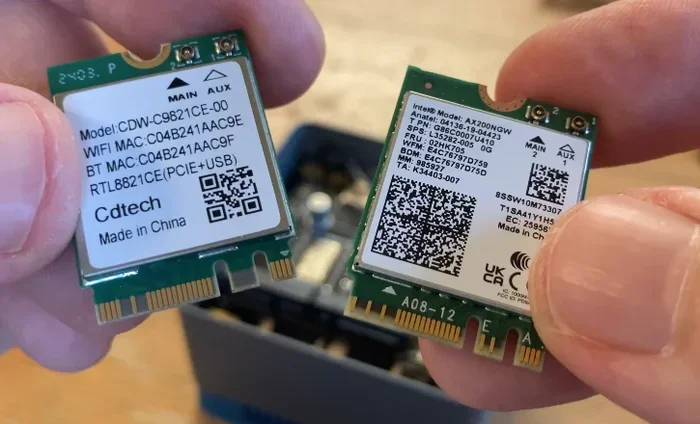
- Old hardware: An outdated router or network card can bottleneck your speed
- Network congestion: Too many devices on the same network can slow things down
- ISP throttling: Contact your internet provider if speeds are consistently low
A quick speed test at speedtest.net or fast.com will tell you exactly where you stand. Run the test at different times of the day to see if there is a pattern.
Latency and Ping Issues
Speed is not the only factor that matters for remote work. Latency, also called ping, measures how quickly your device communicates with the internet. Low latency is crucial for video calls and real-time collaboration.
Most 300 Mbps connections have latency under 30 milliseconds. That is excellent for work tasks. If you notice lag during video calls, try these fixes:
- Switch from Wi-Fi to a wired ethernet connection
- Close unnecessary apps and browser tabs
- Use a VPN with low latency if your company requires one
- Restart your router to clear temporary network issues
Expert Tips for Maximizing Your 300 Mbps Connection
Want to squeeze every bit of performance from your 300 Mbps internet? Here are some expert-backed tips that make a real difference.
First, use a wired connection for your primary work device. Nothing beats the stability of an ethernet cable. Your video calls will be smoother, your file uploads will be faster, and you will never experience random Wi-Fi dropouts.
Second, set up a Quality of Service (QoS) rule on your router if it supports one. QoS lets you prioritize work-related traffic over entertainment. This means your video call gets top priority even when someone else is streaming a movie.
Third, keep your devices updated. Outdated network drivers and router firmware can cause performance issues. A simple update can sometimes solve mysterious speed problems.
Fourth, consider using a mesh Wi-Fi system if your home is large or has thick walls. Mesh systems extend your Wi-Fi coverage evenly throughout your home. They eliminate dead zones and ensure every room gets a strong signal.
Finally, reboot your router regularly. Just like your computer, your router benefits from a fresh start. A weekly reboot clears cached data and refreshes the connection. It takes two minutes and can noticeably improve your internet performance.
Conclusion
Working from home with 300 Mbps internet is a fantastic experience. This speed handles everything a remote worker needs and then some. Video calls, file uploads, cloud collaboration, streaming, and multitasking all run smoothly on a 300 Mbps connection.
You do not need an expensive gigabit plan to be productive at home. 300 Mbps hits the sweet spot between performance and value. It is fast enough for heavy users, generous enough for families, and reliable enough for important work calls.
So if you are currently on a slower plan, upgrading to 300 Mbps is a smart move. And if you already have it, now you know exactly how to get the most out of it. Set up your home office properly, use a wired connection when possible, and enjoy the freedom that comes with a fast, reliable internet connection. Working from home has never been easier than with 300 Mbps internet by your side.
Frequently Asked Questions
Is 300 Mbps internet good for Zoom meetings?
Absolutely. Zoom recommends just 2.5 to 4 Mbps for HD video calls. With 300 Mbps, you have more than enough bandwidth for Zoom meetings, even if you are sharing your connection with other devices at home.
Can I work from home with 300 Mbps and stream Netflix at the same time?
Yes. Streaming Netflix in HD uses about 5 Mbps, and a video call uses around 3 to 4 Mbps. With 300 Mbps, you can do both simultaneously without any noticeable slowdown or buffering.
Do I need a special router for 300 Mbps internet?
You need a router that supports at least 300 Mbps on its WAN side. Most modern routers rated at AC1200 or higher will handle 300 Mbps without any issues. You do not need an expensive or specialized router for this speed.
How many people can work from home on a 300 Mbps connection?
300 Mbps can comfortably support 3 to 5 people working from home simultaneously, depending on their tasks. If everyone is on video calls and uploading files, you will still have plenty of bandwidth left over.
Is 300 Mbps faster than what I need for remote work?
For most remote workers, yes. A single person working from home typically needs only 25 to 50 Mbps. 300 Mbps gives you a large buffer for multitasking, streaming, and sharing your connection with household members.
Will 300 Mbps internet improve my productivity?
It can. Faster internet reduces lag during video calls, speeds up file uploads, and makes switching between apps and cloud tools feel instant. While speed alone does not guarantee productivity, a reliable and fast connection removes frustrating bottlenecks that can slow you down during the workday.