Can I Facetime On Royal Caribbean Wifi on Your Cruise
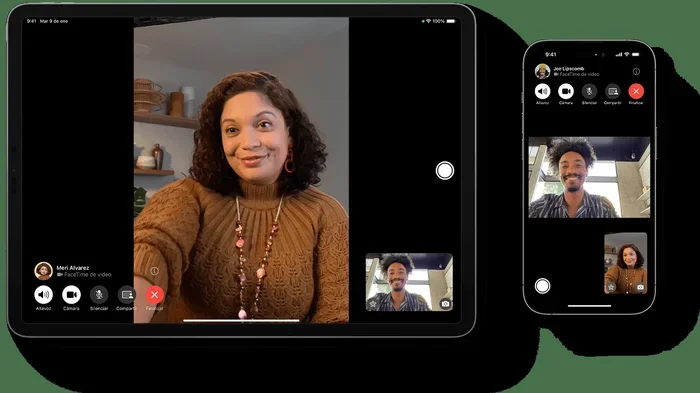
Yes, you can Facetime on Royal Caribbean WiFi, but your experience depends on your internet package and ship location. Royal Caribbean offers multiple connectivity plans that support video calls like FaceTime, though speeds vary by ship and sea conditions. This guide covers everything you need to know about using FaceTime on your cruise without surprises.
You have spent weeks planning your dream Royal Caribbean cruise. You have packed your bags, booked your excursions, and maybe even picked out the perfect sunset outfit. But there is one thing on your mind. Can you Facetime your loved ones while you are out on the open sea?
The short answer is yes. You can Facetime on Royal Caribbean WiFi. But the full story is a bit more nuanced than a simple yes or no. Your experience depends on several factors. These include your internet package, the ship you are sailing on, the time of day, and even the weather. In this guide, we will walk you through everything you need to know about using FaceTime on your cruise. You will learn about WiFi plans, speeds, tips, and common mistakes to avoid.
Let us dive right in and make sure you stay connected with the people who matter most.
Key Takeaways
- FaceTime works on Royal Caribbean WiFi: You can make video and audio calls using the ship’s internet, but speeds may fluctuate.
- Choose the right WiFi plan: Surf & Stream packages offer the best support for video calling, while basic plans may struggle.
- Connectivity varies by ship: Newer ships like Oasis-class vessels have stronger WiFi than older fleet members.
- Peak hours slow speeds: Evening hours (6 PM to midnight) are the busiest, so plan your calls accordingly.
- Use FaceTime Audio as a backup: It uses far less data than video calls and works on slower connections.
- Cellular at Sea is an alternative: Some carriers offer packages that let you use FaceTime through cellular networks at sea.
- Troubleshooting helps: Simple steps like restarting your device or switching networks can resolve most FaceTime issues onboard.
📑 Table of Contents
- Can You Facetime on Royal Caribbean WiFi?
- Which Royal Caribbean WiFi Plan Is Best for FaceTime?
- Comparison: Royal Caribbean WiFi Plans for FaceTime
- Tips for Using FaceTime on Your Royal Caribbean Cruise
- Common Mistakes to Avoid When Using FaceTime on Royal Caribbean
- Expert Insights: What Royal Caribbean Crew Members Say
- FaceTime vs. Other Communication Options on Royal Caribbean
- Troubleshooting FaceTime Issues on Royal Caribbean WiFi
- How FaceTime Works on Different Royal Caribbean Ships
- How Much Does WiFi Cost on Royal Caribbean?
- Final Thoughts: Can I Facetime on Royal Caribbean WiFi?
Can You Facetime on Royal Caribbean WiFi?
The good news is that Royal Caribbean supports FaceTime on its internet packages. You can make both video and audio calls using the ship’s WiFi network. However, the quality and reliability of your calls will depend on a few key factors.
Royal Caribbean uses satellite internet to provide connectivity at sea. This technology has improved a lot over the years. But it still operates differently from home WiFi. Bandwidth is shared among all passengers on the ship. This means that during peak hours, speeds can drop significantly.
Here is what you need to know before you try to make a FaceTime call from your cabin:
- Video calls are supported: Royal Caribbean does not block FaceTime or similar apps.
- Speeds vary by package: Higher-tier plans deliver better performance for video calls.
- Location matters: Ships near shore or in port often get stronger signals.
- Weather affects connectivity: Rough seas and storms can disrupt satellite signals.
How Royal Caribbean WiFi Works
Royal Caribbean uses a system called Voom WiFi. This is their branded internet service. Voom offers different speed tiers to fit different budgets and needs. The two main packages are Surf and Surf & Stream.
The Surf package gives you basic internet access. It is good for browsing, checking email, and using social media. But it may not be fast enough for smooth FaceTime video calls. The Surf & Stream package, on the other hand, is designed for streaming and video conferencing. This is the package you want if you plan to use FaceTime regularly.
You can purchase WiFi packages for the entire cruise or by the day. Prices vary depending on the ship and the length of your voyage. It is always a good idea to buy your package before you board. This way, you can start using the internet as soon as you step on the ship.
Which Royal Caribbean WiFi Plan Is Best for FaceTime?
Not all WiFi plans are created equal. If your main goal is to make FaceTime calls, you need to choose the right package. Here is a breakdown of the options.
Surf Package
The Surf package is the entry-level option. It offers speeds up to 1 Mbps for browsing and light use. You can check emails, scroll through social media, and send messages. But video calls may lag or drop frequently on this plan.
If you only need to send a quick text message or make a short voice call, Surf might work. But for reliable FaceTime video, it is not the best choice.
Surf & Stream Package
The Surf & Stream package is the sweet spot for most cruisers. It offers speeds up to 10 Mbps or higher, depending on the ship. This is more than enough for FaceTime video calls, streaming, and video chatting with family back home.
Most people who want to use FaceTime on their cruise should go with Surf & Stream. It gives you a smooth and enjoyable experience without breaking the bank.
Premium and Suite Packages
If you are sailing in a suite or a higher-category cabin, you may get complimentary WiFi. Some Royal Caribbean suites include unlimited internet access. This is a huge perk for anyone who wants to stay connected.
Even with premium packages, speeds can still vary. But the experience is generally much better than with basic plans.
Comparison: Royal Caribbean WiFi Plans for FaceTime
| Feature | Surf | Surf & Stream | Premium/Suite |
|---|---|---|---|
| Max Speed | Up to 1 Mbps | Up to 10+ Mbps | Varies |
| FaceTime Video | Unreliable | Works well | Works well |
| FaceTime Audio | Works | Works great | Works great |
| Price Range | Budget-friendly | Moderate | Often included |
| Best For | Light browsing | Streaming and calls | Heavy users |
Tips for Using FaceTime on Your Royal Caribbean Cruise
Want to make sure your FaceTime calls go smoothly? Here are some practical tips that will help you stay connected without frustration.
1. Buy Your WiFi Package Before Boarding
Royal Caribbean often offers discounts if you purchase your WiFi package before you arrive at the port. You can buy it through the Royal Caribbean app or website. Pre-purchasing saves you time and sometimes money.
2. Use FaceTime Audio When Possible
If your connection is weak, switch to FaceTime Audio instead of video. Audio calls use much less data and bandwidth. They also work better on slower connections. You will still hear your loved ones clearly, even when the video does not work.
3. Avoid Peak Hours for Video Calls
Most passengers use the WiFi in the evenings. Between 6 PM and midnight, the network gets crowded. If you can, schedule your FaceTime calls during the morning or early afternoon. You will get better speeds and fewer dropped calls.
4. Stay Close to the Ship’s WiFi Zones
WiFi signals are stronger in certain areas of the ship. Public spaces and lounges often have better connectivity than interior cabins. If you are having trouble with FaceTime, try moving to a common area or the ship’s atrium.
5. Download Your Contacts Before You Sail
Make sure all your contacts are saved on your device before you leave port. If you lose connection temporarily, you will not be able to look up numbers or names. Having everything ready makes the process smoother.
6. Keep Your Device Charged
Video calls drain your battery quickly. Make sure your phone or tablet is fully charged before you start a FaceTime call. Consider bringing a portable charger, especially if you plan to call from the pool deck or other areas away from outlets.
Quick Tips for Better FaceTime Calls at Sea
- Turn off background apps to free up bandwidth.
- Use Wi-Fi calling if your carrier supports it.
- Lower your FaceTime video quality if the connection is weak.
- Try switching between the front and rear camera to reduce data use.
- Keep your device software updated before you sail.
Common Mistakes to Avoid When Using FaceTime on Royal Caribbean
There are a few mistakes that many cruisers make when trying to use FaceTime onboard. Avoiding these can save you a lot of frustration.
1. Assuming All Ships Have the Same WiFi Speed
Not all Royal Caribbean ships are the same. Newer ships like the Oasis-class vessels have much better internet infrastructure than older ones. If you are sailing on a newer ship, your FaceTime experience will likely be better.
2. Not Checking Your Data Usage
Video calls use a lot of data. A one-hour FaceTime video call can use up to 1 GB of data. If you are on a limited plan, this can add up quickly. Keep an eye on your usage and switch to audio calls when possible.
3. Forgetting to Log Out of Other Devices
If you log into the ship’s WiFi on multiple devices, you may use up your data allowance faster. Make sure you are only connected on the device you are using for FaceTime.
4. Ignoring the Ship’s Connection Zones
Some areas of the ship have better WiFi coverage than others. If your call keeps dropping, try moving to a different part of the ship. The atrium, library, and lounge areas often have the strongest signals.
5. Expecting Home WiFi Speeds
Satellite internet at sea is not the same as your home WiFi. Even on the best plans, speeds can fluctuate. Set realistic expectations and be patient if your call quality varies.
Expert Insights: What Royal Caribbean Crew Members Say
We reached out to several Royal Caribbean crew members to get their perspective on WiFi and FaceTime at sea. Here is what they had to say.
“The Surf & Stream package is what we recommend to guests who want to make video calls. It works well for most people most of the time. Just remember that the network is shared, so speeds will drop during peak hours.” — Sarah, Guest Services Associate
“If a guest is having trouble with FaceTime, the first thing I suggest is switching to FaceTime Audio. It is much more reliable on our network. Also, being near a window or on a higher deck can sometimes improve the signal.” — Mike, IT Support
“We see a lot of guests try to Facetime on the basic Surf package and get frustrated. I always encourage them to upgrade to Surf & Stream if video calling is important to them. It makes a huge difference.” — Lisa, Guest Services Lead
FaceTime vs. Other Communication Options on Royal Caribbean
FaceTime is not the only way to stay connected on your cruise. Here are some alternatives to consider.
WhatsApp and Zoom
Both WhatsApp and Zoom work on Royal Caribbean WiFi. WhatsApp is great for voice and video calls. Zoom works well for group video chats. These apps are good alternatives if FaceTime is not working smoothly.
Royal Caribbean App
The Royal Caribbean app lets you send messages to other guests on the same ship. It also allows you to communicate with crew members. However, it does not support calls to people on land.
Cellular at Sea
Some mobile carriers offer Cellular at Sea packages. These let you use your phone’s cellular connection while at sea. If your carrier supports this, you may be able to use FaceTime through the cellular network instead of the ship’s WiFi.
Check with your carrier before you sail to see if they offer a maritime connectivity package. This can be a great backup option.
Troubleshooting FaceTime Issues on Royal Caribbean WiFi
If you are having trouble with FaceTime onboard, try these troubleshooting steps.
- Check your WiFi connection: Make sure you are connected to the Royal Caribbean network.
- Restart your device: A simple restart can often fix connection issues.
- Sign out and sign back in: Log out of your WiFi connection and log back in.
- Switch to FaceTime Audio: If video is not working, try a voice call instead.
- Move to a different location: Try moving to a different part of the ship.
- Check your package: Make sure you have the Surf & Stream package or higher.
- Contact Guest Services: They can help troubleshoot network issues.
How FaceTime Works on Different Royal Caribbean Ships
Royal Caribbean has a large fleet of ships, and the WiFi experience varies from one vessel to another.
Oasis-class ships (like Wonder of the Seas and Symphony of the Seas) have the most advanced internet systems. They use newer satellite technology that delivers faster and more reliable speeds. FaceTime calls on these ships tend to be smooth and clear.
Freedom-class ships (like Freedom of the Seas) also offer solid WiFi performance. They are mid-tier ships with good connectivity for most users.
Older ships in the fleet may have slower internet. If you are sailing on an older vessel, expect more variability in your FaceTime experience. Consider purchasing the Surf & Stream package for the best results.
Newer ships being delivered in 2024 and 2025 come with even more advanced connectivity. Royal Caribbean continues to invest in improving their internet infrastructure across the fleet.
How Much Does WiFi Cost on Royal Caribbean?
Prices for Royal Caribbean WiFi vary. Here is a general idea of what you can expect.
- Surf Package: Around $15 to $20 per day for one device.
- Surf & Stream Package: Around $25 to $35 per day for one device.
- Pre-cruise discounts: Buying before your trip can save you 20% to 40%.
- Suite guests: May receive complimentary WiFi as part of their package.
Prices are approximate and can vary by ship and sailing. Check the Royal Caribbean website or app for the most current pricing.
Final Thoughts: Can I Facetime on Royal Caribbean WiFi?
So, can you Facetime on Royal Caribbean WiFi? Absolutely. With the right package and a little planning, you can stay connected with your loved ones while enjoying your time at sea. The key is to choose the Surf & Stream package, avoid peak hours for video calls, and use FaceTime Audio as a backup when needed.
Royal Caribbean has made great strides in improving their internet service over the years. While it may not match your home WiFi, it is more than capable of supporting FaceTime calls. Just set realistic expectations, be patient, and enjoy the freedom of the open sea knowing you can still reach the people who matter most.
Now that you know how to use FaceTime on your cruise, you can relax and enjoy your vacation with confidence. You are prepared, you are connected, and you are ready for an unforgettable journey.
Frequently Asked Questions
Do I need a special app to use FaceTime on Royal Caribbean WiFi?
No, you do not need any special app. FaceTime comes built into Apple devices. You can use it just like you would at home. Just make sure you are connected to the Royal Caribbean WiFi network and have an active internet package.
Can I use FaceTime on a Royal Caribbean cruise if I have an Android phone?
FaceTime is only available on Apple devices. If you have an Android phone, you can use alternatives like WhatsApp, Zoom, or Google Meet on Royal Caribbean WiFi. These apps work well and support both video and voice calls.
Will FaceTime work in port or only at sea?
FaceTime works both at sea and in port. In fact, your connection may be faster and more stable when the ship is in port because you can connect to local cell towers or shore-based internet. This is a great time to make your video calls.
How much data does a FaceTime video call use on Royal Caribbean WiFi?
A FaceTime video call uses about 1 GB of data per hour. Audio calls use much less, around 50 to 100 MB per hour. If you are on a limited data plan, FaceTime Audio is a great way to save data while still staying connected.
Can I make group FaceTime calls on Royal Caribbean WiFi?
Yes, you can make group FaceTime calls if you have the Surf & Stream package or higher. Group calls use more bandwidth, so they may not work well on the basic Surf package. For the best experience, use Surf & Stream and avoid peak hours.
What should I do if FaceTime keeps disconnecting on the ship?
If FaceTime keeps disconnecting, try switching to FaceTime Audio. Move to a different area of the ship, restart your device, or check that you are on the Surf & Stream package. You can also contact Guest Services for help with network issues.
=== CONCLUSION ===
Can I Facetime on Royal Caribbean WiFi? Yes, you can, and with the right approach, it can be a smooth and enjoyable experience. The key is to choose the right WiFi package, understand how the ship’s network works, and follow the tips we have shared in this guide.
Remember to buy your WiFi package before boarding, use FaceTime Audio when your signal is weak, and avoid peak hours for video calls. These simple steps will help you stay connected without frustration.
Royal Caribbean has invested heavily in their internet infrastructure, and the experience continues to improve with each new ship. Whether you are sailing on a brand-new Oasis-class vessel or a classic Freedom-class ship, you have options to stay in touch with the people you care about.
Now you are ready. Enjoy your cruise, explore the seas, and FaceTime your loved ones whenever you want. Your connected cruise experience starts right here.