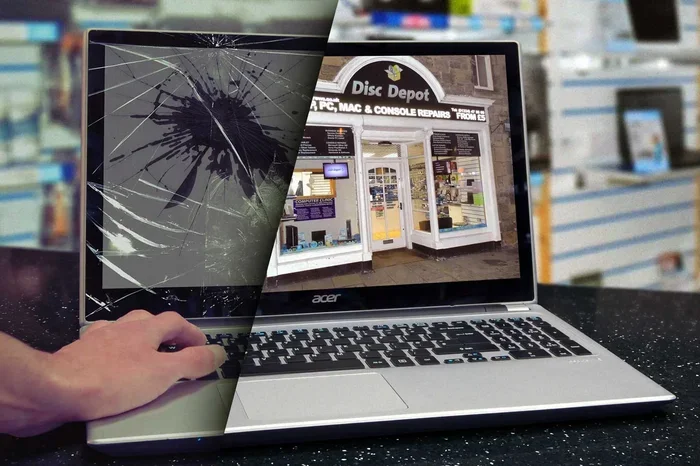
Can A Damaged Laptop Screen Be Repaired Or Replaced
A damaged laptop screen can often be repaired or replaced, depending on the type and severity of the damage. Minor cracks, flickering issues, and backlight problems usually have affordable solutions. However, severe panel damage may require a full screen replacement that costs between 100 and 500 dollars. This guide covers every option so you can make the best decision for your laptop repair needs.
Few things are as frustrating as a damaged laptop screen. You sit down to work or enjoy a movie, and all you see is a cracked mess, a dark display, or weird lines across your display panel. The first question that pops into your mind is usually the same: can a damaged laptop screen be repaired?
The good news is that the answer is often yes. Whether your laptop has a few hairline cracks or a completely shattered LED screen, there are options available to you. The right fix depends on the type of damage, your budget, and how much you rely on your laptop every day.
In this guide, we will walk you through everything you need to know. We will cover the common causes of laptop screen damage, how to tell if your screen needs repair or full replacement, what the laptop screen replacement cost looks like, and whether you should try a DIY screen repair at home. By the end, you will know exactly what to do next.
Key Takeaways
- Minor screen damage is often repairable without replacing the entire panel, saving you significant money.
- Screen replacement cost varies widely based on laptop brand, model, and the type of display panel involved.
- DIY repair is possible for some issues, but carries risks that could worsen the damage if done incorrectly.
- Professional repair shops offer warranties and expertise that make them the safer choice for most users.
- Checking your laptop warranty before spending money can save you hundreds of dollars.
- Preventive measures like screen protectors and careful handling can extend your laptop display lifespan significantly.
📑 Table of Contents
What Causes Laptop Screen Damage
Understanding how your screen got damaged helps you choose the right fix. Laptop screen damage comes in many forms, and each type has different repair options.
Physical Impact and Pressure
The most common cause of a cracked laptop screen is dropping or bumping your laptop. Even a short fall onto a hard surface can split the display. Pressing too hard on the screen, such as closing the lid with something on the keyboard, also causes cracks. The LCD screen layers beneath the outer glass can shift or break from these impacts.
Pressure Damage from Closing the Lid
Many people do not realize that pressure damage happens every day. A pencil, pen, or even a small object left on the keyboard gets crushed when you close the lid. This pressure transfers directly to the screen and creates cracks or pixel damage that may not be visible right away.
Manufacturing Defects
Sometimes the damage is not your fault at all. LED screen panels can develop problems from factory defects. Backlight bleeding, dead pixels, or uneven brightness often point to a manufacturing issue rather than physical damage. These problems may be covered under your laptop warranty if they appear early.
Age and Wear
Over time, screens naturally degrade. The backlight dims, colors become less vibrant, and screen flickering starts to appear. Older laptops with LED screens or LCD panels simply wear out after years of use. This type of wear is normal and usually means a full replacement makes more sense than repair.
Signs Your Laptop Screen Is Damaged
Not all screen problems look like obvious cracks. Some laptop screen damage shows up in subtle ways. Knowing the warning signs helps you act fast before the problem gets worse.
Visible Cracks or Spider Web Patterns
This one is easy to spot. A broken laptop screen with visible cracks or a spider web pattern usually means the outer glass and the display layer underneath are both damaged. You will likely need a full screen replacement rather than a simple fix.
Dark or Dim Display
If your screen goes dark but you can still see faint images, the backlight has probably failed. This is a common backlight issue that a technician can often repair without replacing the entire panel.
Flickering or Horizontal Lines
Lines running across your screen or constant flickering can signal a loose connection, a failing LED screen, or a problem with the display cable. Sometimes the fix is simple, like reseating a cable. Other times, it means replacing the panel.
Dead or Stuck Pixels
A few dead pixels are annoying but not always a reason for a full replacement. Stuck pixels that show a single color like red, green, or blue can sometimes be fixed with software tools or gentle pressure techniques. However, large clusters of dead pixels usually mean the panel needs to be swapped out.
Distorted or Blurry Images
If images look warped or blurry even after adjusting your resolution settings, the LCD screen itself may be damaged. This type of distortion often gets worse over time and should be addressed quickly.
Repair vs Replace: Which Option Makes Sense
The biggest decision you will face is whether to repair or replace the screen. Both options have clear advantages and disadvantages. Let us break them down.
When Repair Is the Better Choice
Repair makes sense when the damage is minor and the panel itself is still functional. Here are situations where repair works well:
- Minor cracks that do not spread across the entire display
- Backlight issues where the LCD panel still works fine
- Loose cable connections causing flickering or display cutouts
- Dead pixel clusters that are small and located at the edges
- Screen flickering caused by software or driver issues rather than hardware failure
When Replacement Is the Better Choice
Replacement becomes necessary when the damage is severe or widespread. Consider a full screen replacement if:
- The cracked laptop screen has deep cracks covering most of the surface
- The display shows large dark spots or complete blackouts
- Multiple dead pixels form large clusters in the center of the screen
- The panel has physical holes or shattered glass pieces
- The cost of repair approaches the cost of a replacement panel
Quick Comparison Table
| Factor | Repair | Replace |
|---|---|---|
| Cost Range | 50 to 200 dollars | 100 to 500 dollars |
| Time Needed | 1 to 3 days | 2 to 5 days |
| Best For | Minor cracks, backlight issues | Severe damage, shattered panels |
| Risk Level | Low to moderate | Low when done professionally |
| Warranty Included | Usually 30 to 90 days | Usually 90 days to 1 year |
| DIY Possible | Sometimes | Rarely recommended |
Common Mistakes People Make When Deciding
Many people make avoidable mistakes when choosing between repair and replacement. Here are the most common ones:
- Ignoring the warranty. If your laptop warranty still covers screen damage, paying out of pocket is a waste of money. Always check first.
- Choosing the cheapest option. The lowest-priced repair shop might use low-quality replacement parts that fail within months.
- Waiting too long. Small cracks can spread over time. A minor issue today can become a full panel failure tomorrow.
- Assuming replacement is always better. For some issues like backlight failure, repair costs a fraction of what replacement costs.
- Not getting multiple quotes. Prices vary significantly between repair shops. Always get at least two or three estimates for laptop repair services.
How Much Does Laptop Screen Repair Cost
The laptop screen replacement cost depends on several factors. Brand, model, screen size, and panel type all play a role in the final price.
Cost by Laptop Brand
Popular brands like Dell, HP, Lenovo, and Acer generally have more affordable replacement screens. Apple MacBook screens tend to cost more because of proprietary parts and specialized labor. Gaming laptops with high-resolution or OLED displays can be especially expensive to replace.
Cost by Screen Type
- Standard LCD panels: 80 to 200 dollars for replacement
- LED screens: 100 to 300 dollars for replacement
- IPS displays: 150 to 400 dollars for replacement
- OLED panels: 250 to 600+ dollars for replacement
- Touchscreen panels: 200 to 500 dollars for replacement
Additional Costs to Consider
Beyond the panel itself, you may also pay for labor charges, which typically range from 50 to 150 dollars. Some shops include labor in the total price, while others charge separately. If your laptop hinge damage also needs fixing, that adds to the overall bill. Always ask for a detailed breakdown before approving any repair work.
Expert Insights on Cost Savings
According to experienced repair technicians, the best way to save money is to find an authorized service center that offers refurbished or OEM-equivalent panels. These cost significantly less than brand-new parts and often come with a solid warranty. Another tip is to check if your laptop warranty or extended protection plan covers the damage before you pay anything out of pocket.
Can You Fix a Cracked Laptop Screen at Home
The idea of fixing a cracked laptop screen at home is appealing. It saves money, and there are countless tutorials online. But is it really a good idea?
DIY Screen Repair: What Works
Some minor issues are genuinely fixable at home. If your screen has a few stuck pixels, you can try pixel-fixing software or gentle massaging techniques. If the problem is a loose display cable, opening the back panel and reseating the connection might solve the screen flickering issue. These are simple fixes that most people with basic tech skills can handle.
DIY Screen Repair: What Does Not Work
Do not believe the viral videos that claim you can fix a broken laptop screen with toothpaste, petroleum jelly, or screen repair kits. These methods do not work on actual cracks in the panel. They might temporarily fill a surface scratch, but they do nothing to fix the underlying damage to the LCD screen or LED screen layers.
Quick Tips for DIY Attempts
- Always disconnect the power and remove the battery before opening your laptop
- Use the right screwdriver set to avoid stripping screws
- Take photos at every step so you remember how everything goes back together
- Work on a clean, flat surface with good lighting
- Never apply pressure directly to the screen panel
- Order your replacement part from a reputable supplier before you start
Common Mistakes in DIY Repair
The biggest mistake people make is forcing parts that do not fit. Laptop screens connect through delicate ribbon cables and clips that can break easily. Another common error is not grounding yourself before handling the panel, which can cause static electricity damage to sensitive components. If you feel unsure at any point, stop and seek professional help rather than risk making the damage worse.
Expert Insights on DIY Repair
Professional technicians generally advise against DIY screen replacement unless you have prior experience with laptop disassembly. The risk of damaging other components like the motherboard or the display cable is real. For most users, paying a professional to do the job is the safer and more reliable choice. As one repair expert puts it, “A 100 dollar repair job can turn into a 500 dollar motherboard replacement if something goes wrong during a DIY fix.”
When to Seek Professional Help
Knowing when to hand the job over to a professional saves you time, money, and frustration. Some situations clearly call for expert attention.
Situations That Require a Professional
- Your screen has a large crack or is completely shattered
- The display shows persistent screen flickering that does not go away
- You notice backlight issues that affect your ability to see the screen
- Your laptop has a touchscreen that is malfunctioning along with the display
- You have tried basic troubleshooting but the problem persists
- Your laptop is still under laptop warranty and you do not want to void it
How to Choose the Right Repair Shop
Not all repair shops are created equal. Look for shops that offer warranties on their work, use genuine or high-quality compatible parts, and have certified technicians. Read online reviews and ask friends or colleagues for recommendations. A good repair shop will give you a clear diagnosis upfront and a detailed quote before starting any work.
Key Takeaways on Professional Repair
- Professional repair typically comes with a warranty that DIY fixes do not offer
- Experienced technicians can diagnose hidden issues that you might miss
- Authorized service centers use OEM parts that match your original display panel quality
- Professional repairs are faster and less risky for your overall laptop repair experience
- Always get a written estimate and ask about warranty terms before handing over your device
How to Prevent Future Screen Damage
Once your screen is fixed, you want to protect it from future damage. Prevention is always cheaper and easier than repair.
Use a Laptop Screen Protector
A good laptop screen protector absorbs impact and prevents scratches. These thin films cost under 20 dollars and can save you hundreds in repair costs. They are especially useful if you travel frequently or use your laptop in busy environments.
Handle Your Laptop with Care
Avoid pressing on the screen. Do not close the lid with pens or pencils on the keyboard. Carry your laptop in a padded sleeve or bag when moving it around. These small habits make a big difference over time.
Clean Your Screen Properly
Use a soft microfiber cloth and a screen-safe cleaning solution. Never use harsh chemicals or paper towels, which can scratch the LCD screen or LED screen surface. Gently wipe the screen in circular motions to remove dust and fingerprints.
Adjust Your Power Settings
Keeping your screen brightness at reasonable levels reduces strain on the LED screen and extends its lifespan. Enable auto-brightness if your laptop supports it, and turn off the display when you step away for extended periods.
Conclusion
The answer to the question can a damaged laptop screen be repaired depends on the type and extent of the damage. Minor cracks, backlight failures, loose cables, and screen flickering issues are often repairable at a reasonable cost. Severe damage like deep cracks, shattered panels, or large dead pixel clusters usually requires a full screen replacement.
Your laptop screen replacement cost will vary based on your laptop brand, screen type, and whether you choose professional repair or attempt a DIY screen repair. Always check your laptop warranty first, compare multiple quotes, and never rush into a decision without understanding your options.
Remember that prevention is your best defense. Use a laptop screen protector, handle your device carefully, and clean your display the right way. These simple steps can keep your laptop display repair needs to a minimum and extend the life of your screen for years to come.
Whether you choose repair or replacement, the key is to act quickly. Ignoring screen damage rarely makes it better and often makes it worse. Take care of your laptop screen today, and it will serve you well for many more years.
Frequently Asked Questions
Can a cracked laptop screen be repaired without replacement?
In many cases, yes. Minor cracks that do not affect the display functionality can sometimes be repaired through professional techniques. However, if the crack has damaged the LCD or LED layers underneath, a full screen replacement becomes necessary. A technician can assess the damage and tell you whether repair is possible.
How long does a laptop screen repair or replacement take?
Most professional repairs take between one and three business days. Simple issues like backlight repair or cable reseating can sometimes be done the same day. Full screen replacement may take longer, especially if the replacement panel needs to be ordered. DIY repairs vary widely depending on your experience level.
Is it cheaper to repair or replace a laptop screen?
Repair is usually cheaper for minor issues like backlight failure or loose connections. For severe damage, the cost of repair can approach the cost of replacement, making a full screen replacement the more practical option. Always get quotes for both options before deciding.
Will my laptop warranty cover screen damage?
It depends on the warranty terms and how the damage occurred. Accidental damage is often not covered under standard warranties, but some extended protection plans do include it. Check with your manufacturer or retailer to confirm what is covered under your laptop warranty before spending any money.
Can I use an external monitor instead of repairing my laptop screen?
Yes, connecting an external monitor is a temporary workaround if your laptop screen is damaged. This allows you to continue working while you decide on a repair or replacement plan. Most laptops support external display output through HDMI, USB-C, or DisplayPort connections.
What should I look for in a replacement laptop screen?
Match the screen size, resolution, panel type, and connector type to your original display. Check your laptop model number and look up the exact specifications. Using a compatible LED screen or LCD screen ensures proper fit and performance. Buying from reputable suppliers reduces the risk of compatibility issues.