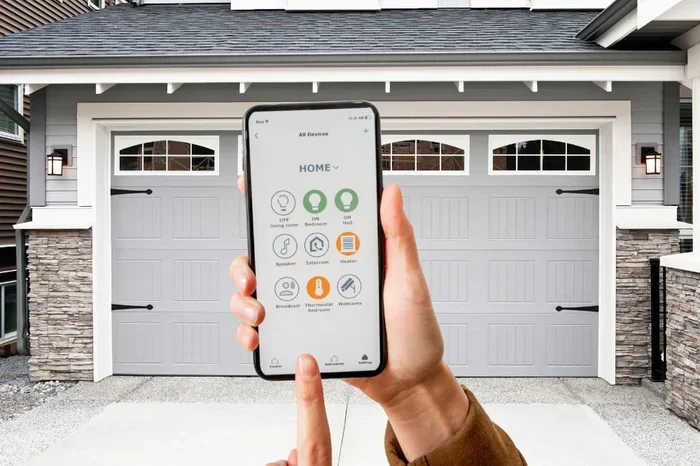
Can I Download An App To Open My Garage Door Today
Yes, you can download an app to open your garage door. Smart garage door controllers let you manage your door from your phone, tablet, or computer. Whether you want remote garage door access, enhanced security, or simple convenience, a garage door opener app makes it possible. This guide walks you through everything you need to know, from choosing the right app to setting it up safely.
Have you ever pulled out of your driveway and wondered if you left the garage door open? Or maybe you wanted to let a friend inside but were stuck in traffic. The good news is that you can download an app to open your garage door today. Smart technology has made it possible to control your garage door from almost anywhere in the world.
The idea of opening your garage door with your phone might sound like something from a sci-fi movie. But it is very real and very accessible now. Whether you have a newer smart opener or an older model, there are options that fit your needs and budget. This article breaks down everything you need to know about garage door apps, how they work, and which one is right for you.
We will cover the best apps on the market, what equipment you need, how to set things up, and whether it is safe to give your phone access to your garage. By the end, you will have a clear picture of how garage door automation can make your life easier and your home smarter.
Key Takeaways
- Smart garage door apps exist: You can control your garage door from your phone using dedicated apps or smart home integrations.
- You need the right hardware: Most apps require a smart garage door opener or a controller hub to work properly.
- Security matters: Use strong passwords, two-factor authentication, and trusted apps to keep your garage safe.
- Setup is usually simple: Most apps guide you through installation step by step, and many work with existing openers.
- Popular options include myQ, Chamberlain, and Genie: These brands offer reliable apps with wide device compatibility.
- Automation adds real value: You can set schedules, monitor activity, and integrate your garage door with other smart home devices.
📑 Table of Contents
- How Garage Door Apps Work
- Top Apps You Can Use to Open Your Garage Door
- What You Need Before Downloading a Garage Door App
- Step-by-Step: Setting Up a Garage Door App
- Benefits of Using a Garage Door App
- Common Problems and How to Fix Them
- Is It Safe to Open Your Garage Door With an App?
- Cost Considerations
- Frequently Asked Questions
- Final Thoughts
How Garage Door Apps Work
Understanding how garage door opener apps work helps you make better choices. The basic idea is simple. You use your phone to send a wireless signal to your garage door opener. That signal tells the door to open or close.
But the process behind the scenes is a bit more interesting. Most apps connect to your garage door through one of two methods. The first method uses a WiFi garage door opener that connects directly to your home network. The second method uses a smart hub or controller that bridges the gap between your phone and your existing opener.
The WiFi Direct Method
Some modern garage door openers come with built-in WiFi. These units connect to your home wireless network. Once connected, they communicate with a companion app on your phone. When you tap the open button in the app, a signal travels from your phone to your home WiFi network and then to the opener.
This method works well if you already have a smart-compatible opener. Brands like Chamberlain, Genie, and LiftMaster offer models with built-in WiFi. You just download their app, follow the setup instructions, and you are good to go.
The Smart Hub Method
If your current opener does not have WiFi, you are not out of luck. A smart garage door controller can add smart features to any opener. These small devices plug into the wall and connect to your garage door opener’s existing wiring or rail system.
The hub then connects to your WiFi network. From there, it communicates with the app on your phone. Popular hubs include devices from Genie and third-party controllers that work with multiple opener brands. This method is great for DIY garage door opener upgrades because it does not require replacing your entire unit.
Top Apps You Can Use to Open Your Garage Door
Not all garage door apps are created equal. Some work with specific brands, while others are universal. Here are the most popular and reliable options available right now.
myQ by Chamberlain
The myQ app is one of the most widely used garage door controllers. It works with Chamberlain, LiftMaster, and Craftsman openers. You can download it for free on both iOS and Android devices. The app lets you open and close your door, check its status, and set up alerts when the door moves.
One of the best things about myQ is its integration with smart home platforms. It works with Amazon Alexa, Google Home, and Apple HomeKit. This means you can control your garage door using voice commands. You can also create automation routines, like closing the door every night at a set time.
Genie Garage Door Opener App
Genie offers its own dedicated app for users of Genie openers. The app provides real-time status updates, remote control, and activity logs. It also supports voice control through Alexa and Google Assistant.
Genie’s app is known for being user-friendly. The interface is clean and straightforward. Even people who are not tech-savvy can set it up without much trouble. If you already have a Genie opener, this is a natural and easy choice.
Universal Smart Controllers
Not everyone wants to be tied to one brand. Universal smart controllers work with most garage door openers regardless of the manufacturer. These devices typically plug into the wall and connect to your opener using a cable or wireless signal.
Popular universal options include devices like the Garageio and Ryobi Garage Door Controller. These apps often offer extra features like guest access, scheduling, and detailed usage history. They are a great option if you want remote garage door access without buying a brand-specific opener.
Smart Home Platform Apps
If you already use a smart home ecosystem, you might not need a separate garage door app. Amazon Alexa, Google Home, and Apple Home can all control compatible garage door openers. You can add your garage door as a device within these platforms and manage it alongside your other smart devices.
This approach works well if you want a unified smart home experience. Instead of juggling multiple apps, you control everything from one place. Just make sure your opener is compatible with your chosen platform before you commit.
What You Need Before Downloading a Garage Door App
Before you rush to download an app, make sure you have what you need. The requirements are not complicated, but skipping this step can save you frustration later.
Check Your Opener Compatibility
Not every garage door opener works with every app. Older models from the 1990s or early 2000s may not be compatible. Most openers made after 2015 have some level of smart compatibility. Check your opener’s model number and visit the manufacturer’s website to confirm support.
If your opener is not smart-compatible, do not worry. A smart garage door controller hub can bridge the gap. These hubs cost between $30 and $100 and work with most openers. They are an affordable way to add smart features without replacing your entire unit.
Stable WiFi Connection
Your garage door app needs a reliable WiFi connection to work. If your garage has weak WiFi signal, the app may lag or fail to connect. Consider upgrading your router or adding a WiFi extender to reach your garage reliably.
A strong connection matters not just for control but also for security. A laggy connection can delay alerts about door activity, which could be a concern if you are monitoring your home while away.
A Smartphone or Tablet
You need a device that supports the app. Most garage door apps work on both iPhones and Android phones. Some also have tablet versions. Make sure your device runs a recent enough operating system to support the app.
Keep in mind that some apps also offer web-based dashboards. This means you can control your garage door from a laptop or desktop computer if you prefer. This is handy when you are at work and need to check on your garage.
A Google Account or Apple ID
Most apps require you to create an account. This allows you to sync your garage door status across multiple devices. It also enables features like guest access and activity tracking. Have your Google or Apple ID ready before you start the setup process.
Step-by-Step: Setting Up a Garage Door App
Setting up a garage door control system is easier than most people think. Here is a general walkthrough that applies to most apps and controllers.
Step 1: Download the App
Go to the App Store or Google Play Store and search for your chosen app. Download it and install it on your phone. Make sure you have a stable internet connection during the download.
Step 2: Create Your Account
Open the app and follow the prompts to create an account. You will usually need an email address and a strong password. Choose a password that is unique and not used for other accounts. This adds a layer of garage door security app protection from the start.
Step 3: Connect the Controller
If you are using a smart hub, plug it in near your garage door opener. Follow the app’s instructions to pair the hub with your WiFi network. This step usually involves pressing a button on the hub and confirming the connection in the app.
Step 4: Link Your Opener
Once the hub is connected, the app will guide you through linking it to your garage door opener. This typically involves connecting a small cable or pressing a learn button on your opener. The app will confirm when the connection is successful.
Step 5: Test the System
Try opening and closing your garage door using the app. Check that the status updates in real time. Make sure you receive notifications when the door moves. If anything feels off, consult the app’s help section or contact customer support.
Quick Tips for a Smooth Setup
- Place your WiFi extender between your router and the garage if signal is weak.
- Keep your opener’s manual nearby for reference during setup.
- Update your phone’s operating system before installing the app.
- Test the app from a different location to confirm remote access works.
- Write down your account login details in a secure place.
Benefits of Using a Garage Door App
Switching to a smart garage door controller brings several real advantages. These benefits go beyond just convenience.
Convenience and Peace of Mind
The biggest benefit is simply not having to worry. You can check your garage door status from bed, from work, or from vacation. If you forgot to close it, a few taps on your phone takes care of it. This alone is worth the investment for many homeowners.
Enhanced Security
Modern garage door automation apps offer security features that traditional remotes cannot match. You get real-time alerts when the door opens or closes. You can see a history of all door activity. Some apps even let you grant temporary access to guests or delivery drivers, and then revoke it when they are done.
Integration with Other Smart Devices
When your garage door connects to your smart home, the possibilities grow. You can set routines where the garage door closes automatically when your security system arms. You can have lights turn on when the door opens at night. These integrations create a more seamless and responsive home environment.
Increased Home Value
Smart home features are increasingly valued by homebuyers. A wireless garage door opener with app control can make your property more attractive on the market. It signals that your home is modern, connected, and well-maintained.
Remote Access for Family and Friends
Need to let a babysitter or dog walker into your garage? Most apps let you share access with trusted contacts. They can open and close the door using their own phones. No need to hide a spare key or worry about lost remotes.
Common Problems and How to Fix Them
Like any technology, garage door apps can run into issues. Here are the most common problems and simple fixes.
App Won’t Connect to the Opener
This usually happens when the hub or controller loses its WiFi connection. Try restarting your router and the hub. Check that the hub is within range of your WiFi signal. If the problem persists, reset the hub and pair it again from scratch.
Delayed Responses
If there is a lag between tapping the app and the door moving, your WiFi signal might be weak. A WiFi extender placed near the garage can solve this. Also, check that your internet speed is sufficient for real-time control.
App Crashes or Freezes
Make sure your app is updated to the latest version. Restart your phone if the app is unresponsive. Clearing the app cache can also help. If the problem continues, uninstall and reinstall the app.
Door Does Not Respond to App Commands
This could mean the opener’s motor is not receiving the signal from the hub. Check all physical connections between the hub and the opener. Also verify that the opener itself is powered on and functioning normally. Sometimes a simple power cycle of the opener fixes the issue.
Notifications Not Working
Go to your phone’s settings and make sure the app has permission to send notifications. Check that you have not accidentally muted or disabled alerts within the app. Keeping notifications on ensures you always know when your garage door moves.
Is It Safe to Open Your Garage Door With an App?
Security is a top concern when you connect your garage door to the internet. The short answer is yes, it is safe when you take the right precautions.
Encryption and Authentication
Reputable garage door security apps use encryption to protect your commands. This means the signal between your phone and your opener is scrambled and cannot be easily intercepted. Look for apps that use end-to-end encryption and require secure login credentials.
Two-Factor Authentication
Many apps now offer two-factor authentication. This means you need a second form of verification, like a code sent to your phone, before you can access the app. Always enable this feature. It adds a strong layer of protection against unauthorized access.
Best Practices for Keeping Your Garage Door App Secure
- Use a strong, unique password for your garage door app account.
- Enable two-factor authentication if the app supports it.
- Keep your app updated to the latest version.
- Do not share your login credentials with people you do not trust.
- Review your activity logs regularly for any unknown access.
- Use a secure WiFi network and avoid public WiFi when controlling your door remotely.
- Set up alerts so you are notified of any unexpected door activity.
Following these steps keeps your garage door control system safe from hackers and unauthorized users. The convenience of app control far outweighs the risks when you stay vigilant.
Cost Considerations
The cost of adding app control to your garage door varies. Some apps are free to download but require a compatible opener. Smart hubs typically cost between $30 and $100. If you need to replace your entire opener with a WiFi model, expect to pay between $200 and $500 depending on the brand and features.
Compare this to the cost of a traditional garage door remote, which usually runs $20 to $50. Smart control does cost more upfront, but the added convenience, security, and home value make it a worthwhile investment for most homeowners.
Frequently Asked Questions
Can I use any app to open my garage door?
Not every app works with every opener. You need to check that the app is compatible with your specific garage door opener brand and model. Many manufacturers offer their own free apps, and universal controllers also provide their own apps that work with a wider range of openers.
Do I need to buy a new garage door opener to use an app?
Not necessarily. If your current opener is not smart-compatible, you can add a smart hub or controller that connects to your existing unit. This is a more affordable option than replacing the entire opener. However, if your opener is very old, a full replacement might be more reliable in the long run.
Is it safe to control my garage door from my phone?
Yes, it is safe when you use a reputable app and follow good security practices. Enable two-factor authentication, use strong passwords, and keep your app updated. Most modern garage door opener apps use encryption to protect your connection and data.
Can I let someone else open my garage door using the app?
Most apps allow you to share access with family members or trusted friends. You can usually set permissions so they can only open and close the door, not change advanced settings. This is a great feature for letting dog walkers, babysitters, or guests in without handing over a physical remote.
Will the app work if I am far away from home?
Yes, as long as you have an internet connection on your phone, you can control your garage door from anywhere in the world. The app communicates through your home WiFi network and the internet, so distance does not matter. Just make sure your home WiFi is on and your hub is connected.
What happens if my internet goes down?
If your internet connection drops, you will not be able to control your garage door through the app. However, your physical remote and wall button will still work normally. Your garage door is not dependent on the internet for basic operation. It is only the smart features that require connectivity.
Final Thoughts
The short answer to the question can I download an app to open my garage door is a resounding yes. Smart garage door technology has matured significantly in recent years. The apps are reliable, the setup is straightforward, and the benefits are real. From convenience to security to home value, a garage door smartphone control system adds genuine value to your daily life.
Start by checking your current opener’s compatibility. Choose an app that fits your needs and budget. Follow the setup steps carefully, and take the time to secure your account properly. Once your garage door is connected, you will wonder how you ever lived without it.
The future of home control is here, and your garage door is a great place to start. Download an app today, and enjoy the peace of mind that comes with knowing you can always check on and control your garage from anywhere.