Can Alexa Turn On My Coffee Maker And Start My Morning
Yes, Alexa can turn on your coffee maker and kickstart your morning routine with just your voice. By using a smart plug or a compatible smart coffee maker, you can automate your brew cycle before you even leave the bed. This guide covers setup steps, device compatibility, routines, and pro tips to make your mornings effortless.
Imagine waking up to the rich smell of fresh coffee already brewing. No stumbling to the kitchen. No fumbling with buttons. Just the sound of your alarm and the aroma of a hot cup waiting for you. This is the promise of a smart morning routine, and Alexa can make it happen.
But can Alexa actually turn on your coffee maker? The short answer is yes. The longer answer depends on your coffee maker type, the tools you use, and how you set things up. In this article, we will walk you through everything you need to know about using voice control to start your coffee. We will cover smart plugs, compatible machines, setup steps, routines, and common pitfalls to avoid.
Whether you are a tech enthusiast or just looking for a smarter way to start your day, this guide has you covered. Let us dive in and explore how home automation can transform your mornings.
Key Takeaways
- Alexa works with smart plugs and select coffee makers to automate your morning brew.
- Setting up a smart plug is the easiest and most affordable way to connect any coffee maker to Alexa.
- Alexa Routines let you schedule coffee brewing at specific times every morning.
- Not all coffee makers are compatible — check for Alexa-enabled or Wi-Fi models for best results.
- Common mistakes like overloading circuits or skipping firmware updates can cause issues.
- Voice commands and app controls give you flexibility to start coffee from anywhere in your home.
📑 Table of Contents
How Alexa Controls Your Coffee Maker
Alexa connects to your coffee maker through a few different methods. Understanding these methods helps you choose the best option for your kitchen. Each approach has its own benefits, and some work better with certain types of machines.
Method 1: Using a Smart Plug
A smart plug is the most popular and affordable way to make any coffee maker Alexa-compatible. You plug the smart plug into a wall outlet. Then you plug your coffee maker into the smart plug. Alexa can now turn the plug on and off using voice commands.
This method works with almost any coffee maker. Drip machines, French press warmers, and even espresso machines can be connected. The smart plug acts as a bridge between your device and the Alexa ecosystem.
Popular smart plugs include the Amazon Smart Plug, TP-Link Kasa, and Wemo. These plugs are easy to set up and work seamlessly with the Alexa app. Most cost between $10 and $25, making this the cheapest option.
Method 2: Using a Smart Coffee Maker
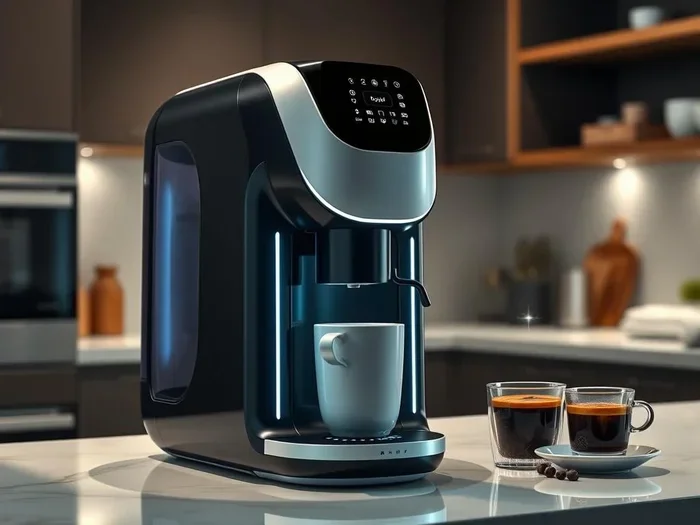
Many modern coffee makers come with built-in Wi-Fi and Alexa compatibility. These machines connect directly to your home network. You do not need a smart plug or any extra hardware.
Brands like Breville, Ninja, and Hamilton Beach offer Alexa-enabled models. These machines often have companion apps that let you schedule brew times, adjust strength, and start a cycle from your phone or voice command.
The benefit of a smart coffee maker is deeper integration. You can use Alexa to not just turn the machine on but also select brew size, adjust temperature, and more. It is a more seamless experience than a smart plug.
Method 3: Using IFTTT or Smart Home Platforms
For advanced users, platforms like IFTTT (If This Then That) open up even more possibilities. You can create custom automations that trigger your coffee maker based on weather, time, or other smart home events.
For example, you could set a rule that says, “If the weather is cold, start the coffee maker at 6:30 AM.” This level of automation takes your morning routine to the next level. It requires a bit more setup but offers incredible flexibility.
Setting Up Alexa to Control Your Coffee Maker
Getting started is simpler than you might think. Follow these steps to connect your coffee maker to Alexa and start enjoying voice-controlled brewing.
Step-by-Step Setup for a Smart Plug
- Plug the smart plug into a wall outlet. Make sure the outlet is within reach of your coffee maker.
- Plug your coffee maker into the smart plug. Ensure both devices are powered off for now.
- Open the Alexa app on your phone. Go to the “Devices” section and tap the “+” icon.
- Select “Add Device” and choose your smart plug brand. Follow the on-screen instructions to connect it to your Wi-Fi network.
- Name the plug something clear. For example, “Coffee Maker Plug” makes it easy to remember and voice-activate.
- Test the connection. Say, “Alexa, turn on Coffee Maker Plug.” The plug should power on and your coffee maker should start.
Step-by-Step Setup for a Smart Coffee Maker
- Download the companion app for your coffee maker. Most brands have their own app for setup and control.
- Connect the coffee maker to your Wi-Fi network using the app instructions.
- Open the Alexa app and go to “Add Device.” Select “Coffee Maker” from the list of supported devices.
- Follow the prompts to link your coffee maker account. This usually involves signing into the brand’s app within the Alexa app.
- Name your coffee maker in the Alexa app. Use a simple name like “Coffee Machine” for easy voice commands.
- Test with a voice command. Say, “Alexa, start the coffee machine.” Your machine should begin brewing.
Quick Tip
Always place your smart plug or coffee maker on a stable surface away from water. Keep cords organized to avoid accidents. A clean setup means fewer problems down the road.
Best Coffee Makers Compatible with Alexa
Not all coffee makers work with Alexa out of the box. Choosing a compatible model saves you time and frustration. Here are some of the best options on the market right now.
| Coffee Maker | Type | Alexa Compatible | Price Range |
|---|---|---|---|
| Amazon Smart Coffee Maker | Drip | Yes, built-in | $80 – $120 |
| Breville Oracle Touch | Espresso | Yes via Wi-Fi | $1,000+ |
| Ninja Specialty Coffee Maker | Drip | Yes, Alexa-enabled | $100 – $150 |
| Hamilton Beach FlexBrew | Drip & Pods | Yes with smart plug | $60 – $90 |
| Keurig K-Supreme | Single Serve | Yes, Alexa-enabled | $130 – $180 |
The table above shows a range of options from budget-friendly to premium. If you already own a coffee maker, a smart plug is the easiest upgrade. If you are in the market for a new machine, look for Alexa-enabled or Alexa-compatible labels on the box.
Creating a Morning Routine with Alexa
The real magic happens when you combine your coffee maker with Alexa Routines. Routines let you automate multiple actions with a single command or at a scheduled time. This is how you build a truly hands-free morning.
Setting Up a Coffee Brewing Routine
Open the Alexa app and go to the “Routines” section. Tap the “+” icon to create a new routine. Here is how to set it up:
- Set the trigger. Choose “Scheduled” and pick a time, like 6:30 AM every weekday.
- Add actions. Select “Smart Home” and choose your coffee maker or smart plug. Set the action to “Turn On.”
- Add a custom action. You can also add a spoken announcement like, “Good morning! Your coffee is brewing.”
- Add more actions if you want. For example, turn on the kitchen lights or start a weather report.
- Save the routine and test it. Alexa will now follow this sequence every morning at your chosen time.
This kind of automation turns a basic morning routine into a truly smart experience. You wake up to lights, music, news updates, and a fresh cup of coffee. It is the kind of thing that makes you wonder how you ever lived without it.
Voice Commands to Know
Once everything is set up, you can use simple voice commands to control your coffee maker. Here are some examples:
- “Alexa, turn on the coffee maker.”
- “Alexa, start brewing coffee.”
- “Alexa, turn off the coffee maker.”
- “Alexa, set a coffee timer for 10 minutes.”
- “Alexa, start my morning routine.”
These commands work whether you are in bed, in the bathroom, or heading to the kitchen. The convenience of voice control is one of the biggest benefits of smart home devices.
Expert Insight
Smart home experts recommend setting your coffee maker to start about 10 minutes before your alarm goes off. This gives the brew enough time to finish and cool slightly. It also fills your home with a welcoming aroma that makes waking up much more pleasant.
Common Mistakes and How to Avoid Them
Setting up Alexa with your coffee maker is straightforward, but a few common mistakes can cause frustration. Here are the pitfalls to watch out for and how to avoid them.
Mistake 1: Using the Wrong Type of Smart Plug
Not all smart plugs handle the power draw of coffee makers well. Some plugs are designed for low-wattage devices like lamps or phone chargers. Coffee makers draw significant power, especially during the heating phase. Always check the wattage rating of your smart plug before using it with a coffee maker.
Quick Fix: Choose a smart plug rated for at least 10 to 15 amps. Most quality plugs like the Amazon Smart Plug or Wemo Insight handle this easily.
Mistake 2: Forgetting to Update Firmware
Smart plugs and smart coffee makers receive firmware updates that fix bugs and improve compatibility. If your device stops responding to Alexa, check for updates in the companion app. Keeping everything updated prevents most connectivity issues.
Mistake 3: Placing the Smart Plug in an Inaccessible Location
If your smart plug is hidden behind the fridge or inside a cabinet, it may lose Wi-Fi signal. A weak connection means Alexa commands fail or respond slowly. Place the plug where it has a strong signal to your router.
Mistake 4: Skipping the Naming Step
Give your devices clear, distinct names in the Alexa app. If you have multiple smart devices and they all have similar names, Alexa may get confused. Use names like “Coffee Maker Plug” and “Kitchen Light” to keep things organized.
Common Mistakes Summary
- Using low-wattage smart plugs with power-hungry coffee makers.
- Ignoring firmware updates that keep devices running smoothly.
- Poor Wi-Fi placement that causes connection drops.
- Vague device names that confuse Alexa’s voice recognition.
Benefits of Automating Your Morning Coffee
Beyond the obvious convenience, automating your coffee with Alexa offers several real benefits. These advantages make the setup well worth the effort.
Saves Precious Morning Time
When your coffee starts brewing before you wake up, you gain extra minutes in the morning. Instead of waiting for the brew cycle, you can stretch, shower, or eat breakfast while the coffee finishes. Those few minutes add up over weeks and months.
Creates a Consistent Routine
Routines are powerful because they happen automatically. You do not have to remember to turn on the coffee maker. Alexa handles it every single morning. This consistency builds a habit that supports a more productive start to the day.
Adds Value to Your Home
A smart kitchen with home automation features is attractive to buyers and guests alike. Even small additions like a voice-controlled coffee maker make your home feel modern and connected. It is a simple upgrade with lasting appeal.
Improves Accessibility
For people with mobility challenges or disabilities, voice control removes physical barriers. Starting the coffee maker without needing to reach buttons or navigate small controls is a meaningful quality-of-life improvement. Smart home technology should work for everyone.
Troubleshooting Alexa Coffee Maker Issues
Even with a perfect setup, you may run into occasional issues. Here are the most common problems and their solutions.
Alexa does not respond to coffee maker commands. Check that the smart plug or coffee maker is powered on and connected to Wi-Fi. Restart the device and try again. You can also say, “Alexa, discover devices” to refresh the connection.
Coffee maker turns on but does not brew. Make sure the water reservoir is filled and there are grounds or a pod in place. A smart plug only controls power. It does not prepare the machine for brewing.
Alexa says the device is not found. Go to the Alexa app, select “Devices,” and make sure your coffee maker or smart plug is listed. If not, tap “Add Device” and follow the pairing steps again.
Voice commands work but the machine responds slowly. This is usually a Wi-Fi issue. Move your router closer to the kitchen or add a Wi-Fi extender. A stronger signal means faster response times.
Quick Tip
Restart your router and smart devices once a month. This clears temporary glitches and keeps everything running smoothly. It takes less than two minutes and solves most minor issues.
Final Thoughts
Alexa can absolutely turn on your coffee maker and bring a new level of convenience to your mornings. Whether you use a smart plug or invest in a compatible smart coffee maker, the setup is straightforward and the results are rewarding. A voice command replaces a trip to the kitchen, and a scheduled routine ensures your coffee is ready when you are.
The beauty of this technology is its simplicity. You do not need to be a tech expert to get started. A smart plug, a few minutes in the Alexa app, and you are brewing coffee with your voice. As you grow more comfortable, you can expand your routines and build a fully automated morning that sets you up for success.
Start small. Try connecting your coffee maker to Alexa this week. See how it fits into your routine. Once you experience the ease of a voice-activated brew, you will wonder how you ever managed without it. Smart mornings start with smart choices. Make yours a reality today.
Frequently Asked Questions
Can Alexa turn on any coffee maker?
Alexa can turn on most coffee makers if you use a compatible smart plug. The smart plug connects to your Wi-Fi network and lets Alexa control the power supply to your machine. For direct compatibility, look for coffee makers that are labeled Alexa-enabled or Alexa-compatible.
Do I need a smart plug if I have a smart coffee maker?
No, you do not need a smart plug if your coffee maker has built-in Wi-Fi and Alexa support. Smart coffee makers connect directly to your home network and work with Alexa on their own. A smart plug is only needed for older or non-smart coffee makers.
Can Alexa start my coffee maker at a specific time every morning?
Yes, Alexa Routines let you schedule your coffee maker to turn on at any time you choose. You can set a daily schedule, like 6:30 AM on weekdays, and Alexa will follow it automatically. You can also add other actions to the routine, such as turning on lights or playing music.
Is it safe to leave my coffee maker plugged into a smart plug overnight?
Most modern smart plugs and coffee makers are designed with safety features like auto-shutoff and overheat protection. However, it is always a good idea to check your coffee maker’s manual for specific safety guidelines. Never leave any appliance unattended for extended periods if the manufacturer advises against it.
What voice commands work with Alexa for coffee makers?
You can use commands like “Alexa, turn on the coffee maker,” “Alexa, start brewing,” or “Alexa, turn off the coffee maker.” If you set up a routine, you can also say “Alexa, start my morning routine” to trigger multiple actions at once, including brewing your coffee.
Can I use Alexa to control other kitchen appliances too?
Yes, Alexa can control many kitchen appliances through smart plugs or built-in Wi-Fi. You can manage toasters, blenders, slow cookers, and more. The same setup process applies — plug in a smart device, connect it in the Alexa app, and use voice commands or routines to control it.
=== CONCLUSION ===
Can Alexa turn on my coffee maker? Absolutely. With a smart plug or a compatible smart coffee maker, you can bring voice-controlled brewing into your kitchen with ease. The setup takes minutes, the cost is low, and the daily benefit is enormous. Start your mornings with a simple voice command and let Alexa handle the rest. Your future self will thank you every morning when that perfect cup of coffee is already waiting.